


The best Insta360 Luna Ultra accessories are the ones that fix something you notice every time you film. For me, the order is straightforward: sort out protection, power, and mounting first. Add lenses, filters, and lighting when your shooting gives you a reason to.
You don't need to buy the whole accessory lineup. If the included cover and handle already work for you, keep using them. If you regularly run out of battery, struggle with selfie framing, or want hands-free footage, that's where an upgrade starts to make sense.
This guide covers 11 Luna Ultra accessories, including the Ultra Telephoto Lens for distant subjects and concert filming. I'll explain what each one does, who should consider it, and which purchases can wait.
Start with the problem you want to solve.
- Frequent pocket-to-camera moments: compare the Sliding Protective Case.
- Long shooting days: consider the Battery Handle.
- Tabletop and flexible mounting: look at the Magnetic Mount.
- Hands-free POV: choose a suitable camera mount, then add the POV Head Tracker if you want gaze-controlled framing.
- Distant performers or details: compare the Ultra Telephoto Lens.
- Before checkout: check your bundle contents and the exact accessory compatibility.
Best Insta360 Luna Ultra Accessories: Complete Recommendation List
Use this comparison to narrow the list before looking at individual accessories. The recommendations are based on shooting needs, rather than a requirement to own every item.
| What you want to improve | Accessory to compare first | When it can wait |
|---|---|---|
| Taking the camera out and putting it away | Sliding Protective Case | The included cover already suits your routine. |
| Power and handheld grip | Battery Handle | You film short sessions and recharge easily. |
| Tabletop and adjustable mounting | Magnetic Mount | Your existing handle or tripod does the job. |
| Hands-free cooking, walks and unboxings | Neck Mount + optional POV Head Tracker | You only need a fixed forward-facing view. |
| Concerts and distant subjects | Ultra Telephoto Lens | The camera's built-in telephoto framing is enough. |
| Selfies and tight interiors | Wide-Angle Lens | You already have enough room in the frame. |
| Daylight shutter-speed control | ND Filter Set | You prefer automatic exposure and crisp motion. |
| Nearby faces in dim light | Mini Fill Light | You mainly film distant scenes. |
| Highlight glow and diffusion | Black Mist Filter | You prefer a clean, undiffused image. |
1. Sliding Protective Case: For Frequent Grab-and-Shoot Moments
Sliding Protective Case
- Main purpose
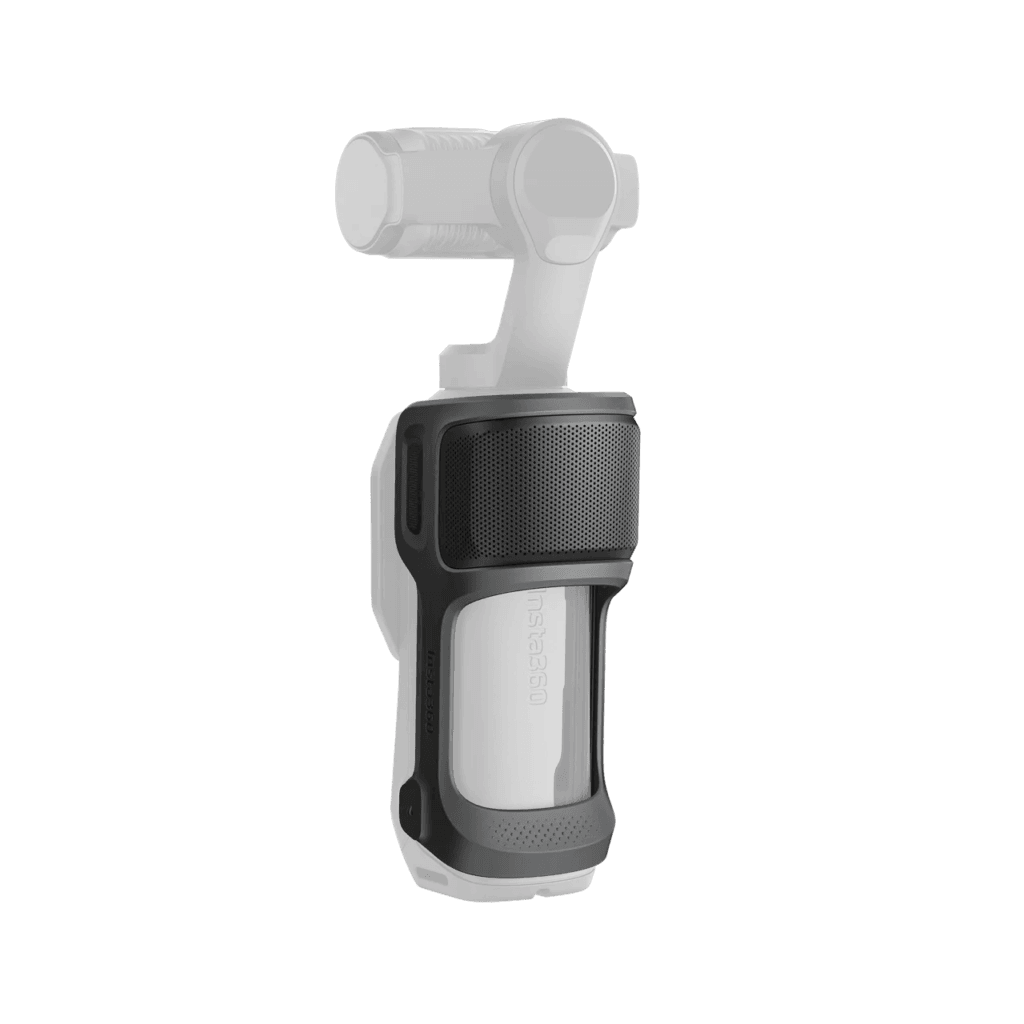
- Slide down for shooting; slide up to store and protect the gimbal.
- Best for
- Travel clips, everyday carry and repeated short recording sessions.
- Check before buying
- Choose the version made for Luna Ultra and check storage compatibility with any attached lens or filter.
If you take the camera out, film a few seconds, and put it away again throughout the day, a simpler cover can matter more than another imaging accessory. That's the appeal of the sliding case: fewer separate movements between carrying and filming.
I'd compare this with the cover you already have before buying both. It protects the gimbal during storage, but it isn't a guarantee against damage from drops or pressure inside a packed bag.
2. Battery Handle: For Longer Days and a Larger Grip
Battery Handle
- Battery
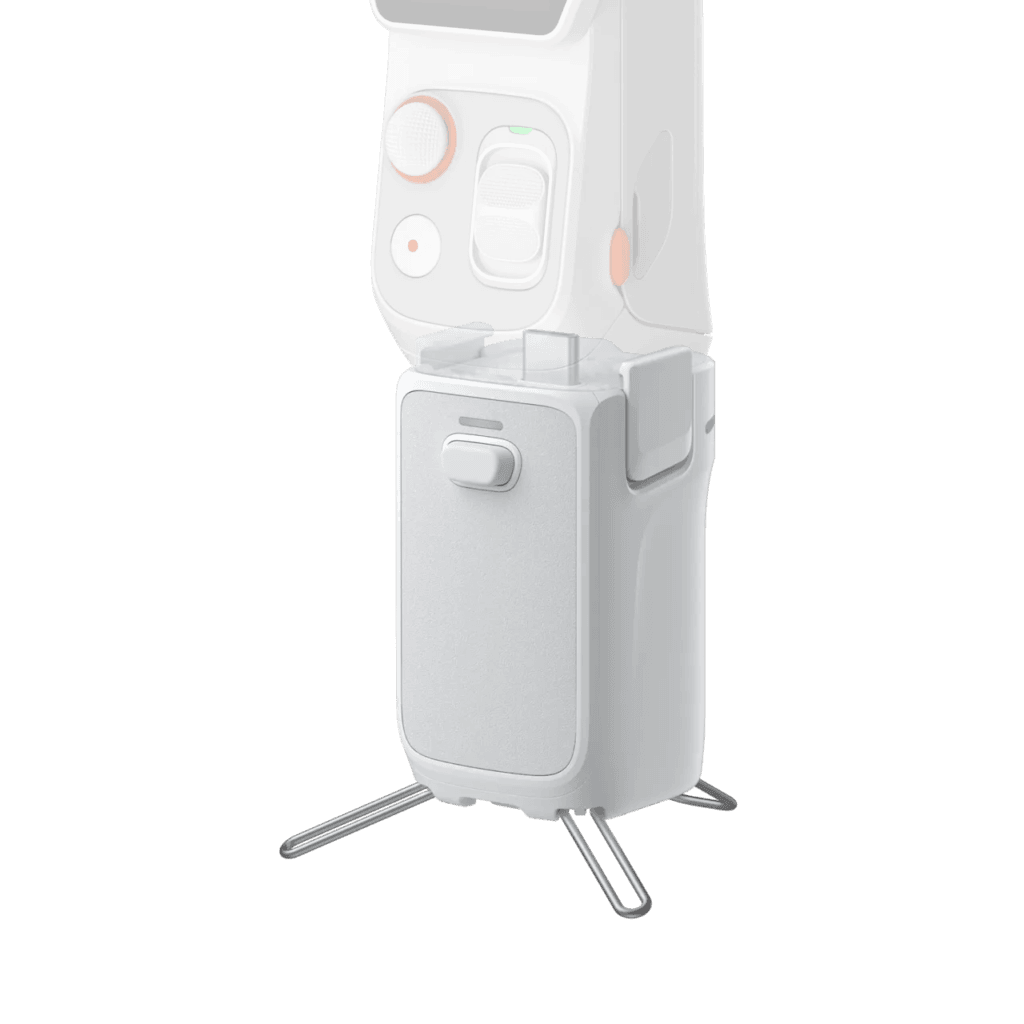
- 1000mAh built-in battery.
- Mounting
- Built-in tripod and a standard 1/4-inch thread at the bottom.
- Best for
- Travel vlogs, longer outings and users who want more grip area.
The Battery Handle solves two different problems: extra power and a more substantial grip. The built-in tripod is useful when you want to put the camera down for a talking shot, then pick it up and continue filming.
I wouldn't describe it as a guaranteed doubling of recording time. Resolution, screen use, temperature and power transfer all affect the result. Buy it because you need more power between charging opportunities, rather than expecting a fixed multiplier.
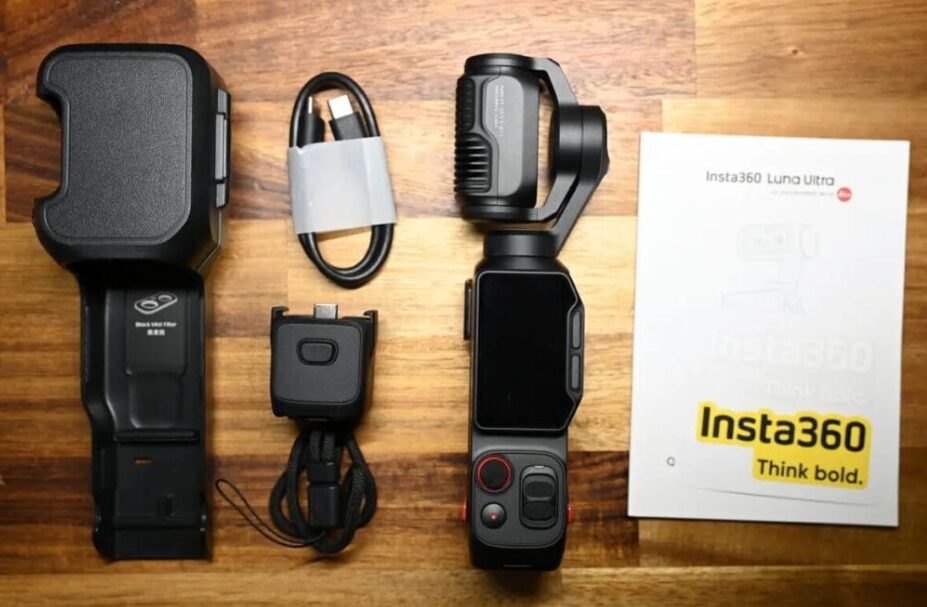
Check your bundle first. If it already includes the Battery Handle, there's no reason to order another simply to complete a recommended-accessory list.
3. Protective Cover: Start with the Protection You Already Have
Luna Ultra Protective Cover
- Main purpose
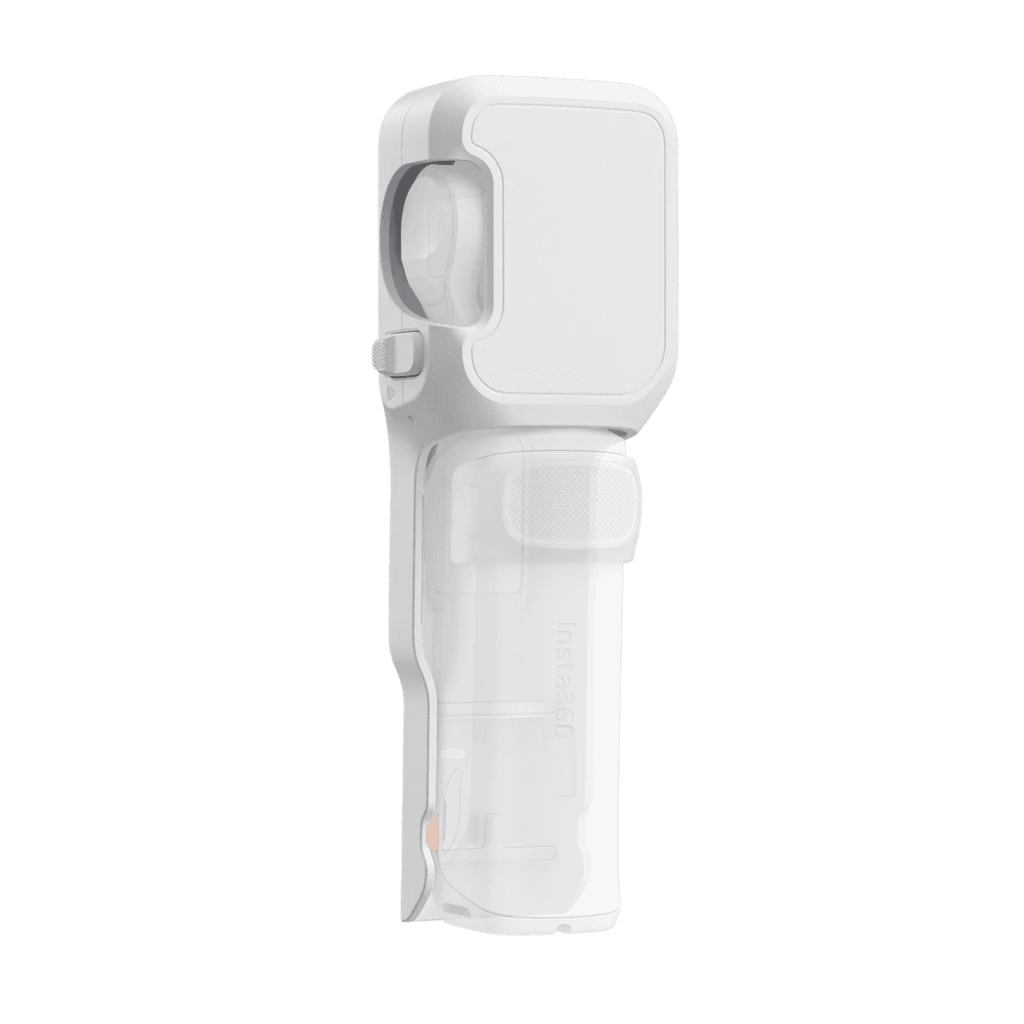
- Protect the camera during storage and transport.
- Accessory storage
- The official cover includes space for the Black Mist Filter and Wide-Angle Lens.
- Best for
- Users happy with a conventional cover rather than the sliding design.
If your bundle includes this cover, use it before deciding whether you need an alternative. The sliding case is about convenience; a conventional cover may already provide the storage protection you need.
Don't assume that every attachment can stay on the camera inside a cover. Check the instructions for your lens, filter and cover combination before closing it.
4. Magnetic Mount: For Tabletop and Flexible Camera Positions
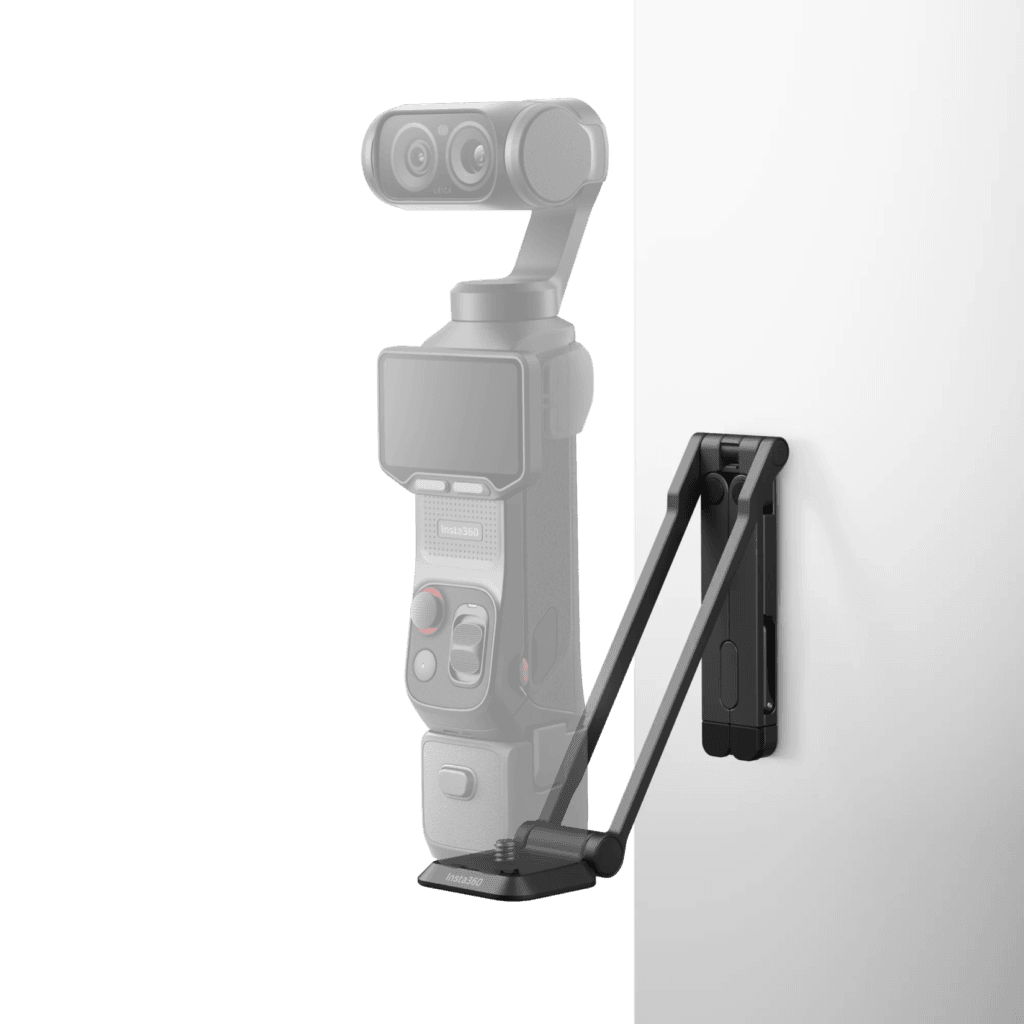
Magnetic Mount
- Design
- Adjustable magnetic back plate, thumb screw and foldable stand.
- Shooting options
- Handheld, tripod and Mantis Mode configurations.
- Best for
- Cooking, unboxings, tabletop filming and changing camera positions.
This accessory is more than a magnetic quick-release adapter. Its adjustable back plate and folding stand give you different ways to position the camera, while the thumb screw is part of the attachment design.
I'd consider it when the included handle can't give me the angle I want. Don't assume a magnetic surface alone makes every mounting position secure, particularly on moving vehicles. Follow the intended mounting configurations and check the connection before filming.
5. Mini Fill Light: For Nearby Faces in Dim Rooms
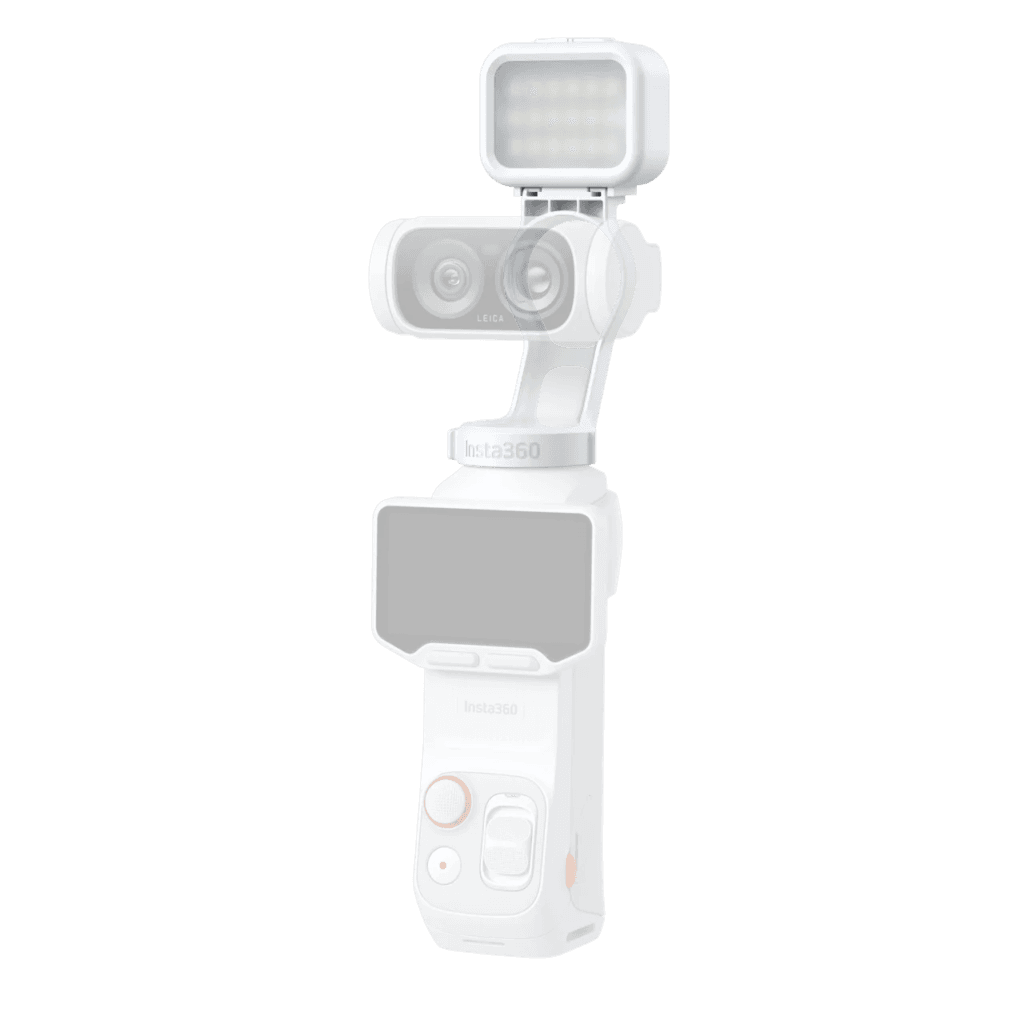
Mini Fill Light
- Lighting controls
- Adjustable brightness and four color-temperature settings.
- Attachment
- Magnetic design for repositioning.
- Best for
- Selfie vlogs, nearby faces and small subjects in dim light.
Image processing can brighten a dark shot, but it cannot put a light where you need one. A small fill light gives you some control over how a nearby face is lit, especially when the available light comes from directly above or behind you.
Its value depends on distance and placement. I'd buy it for close-range filming, not to illuminate a stage or a distant subject. Try a lower brightness first and match the color temperature to the surrounding light.
6. POV Head Tracker: For Gaze-Controlled Camera Movement
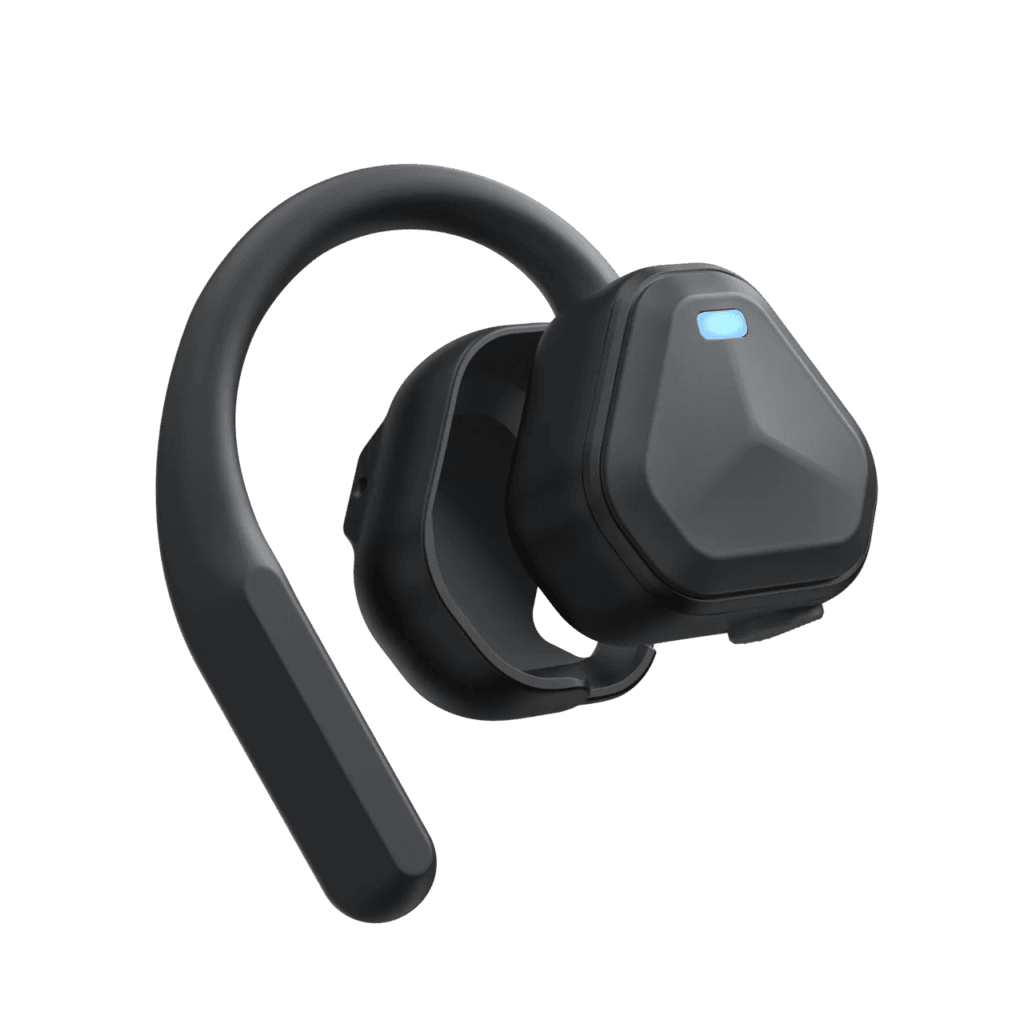
POV Head Tracker
- Main purpose
- Control camera direction using head movement.
- Connection
- Bluetooth pairing with a compatible camera.
- Best for
- Walking, everyday POV vlogs and hands-free activities.
A chest mount holds the camera in place. The Head Tracker adds something different: control over where it points as you turn your head. If a fixed forward view already gives you the footage you want, you may not need it.
It needs more preparation than simply pairing and walking away. Insta360 recommends fitting the Action Mount or Battery Handle for tracking accuracy, then calibrating the tracker and aligning the initial view.
Set up the tracker before relying on the shot.
Recalibrate after changing its wearing position. Follow the current instructions for starting tracking and supported shooting modes, then record a short test. The gimbal's range and the camera's mounting position still limit what appears in frame.
The official Head Tracker setup guide explains pairing, calibration and controls.
7. Ultra Telephoto Lens: For Concerts and Distant Details
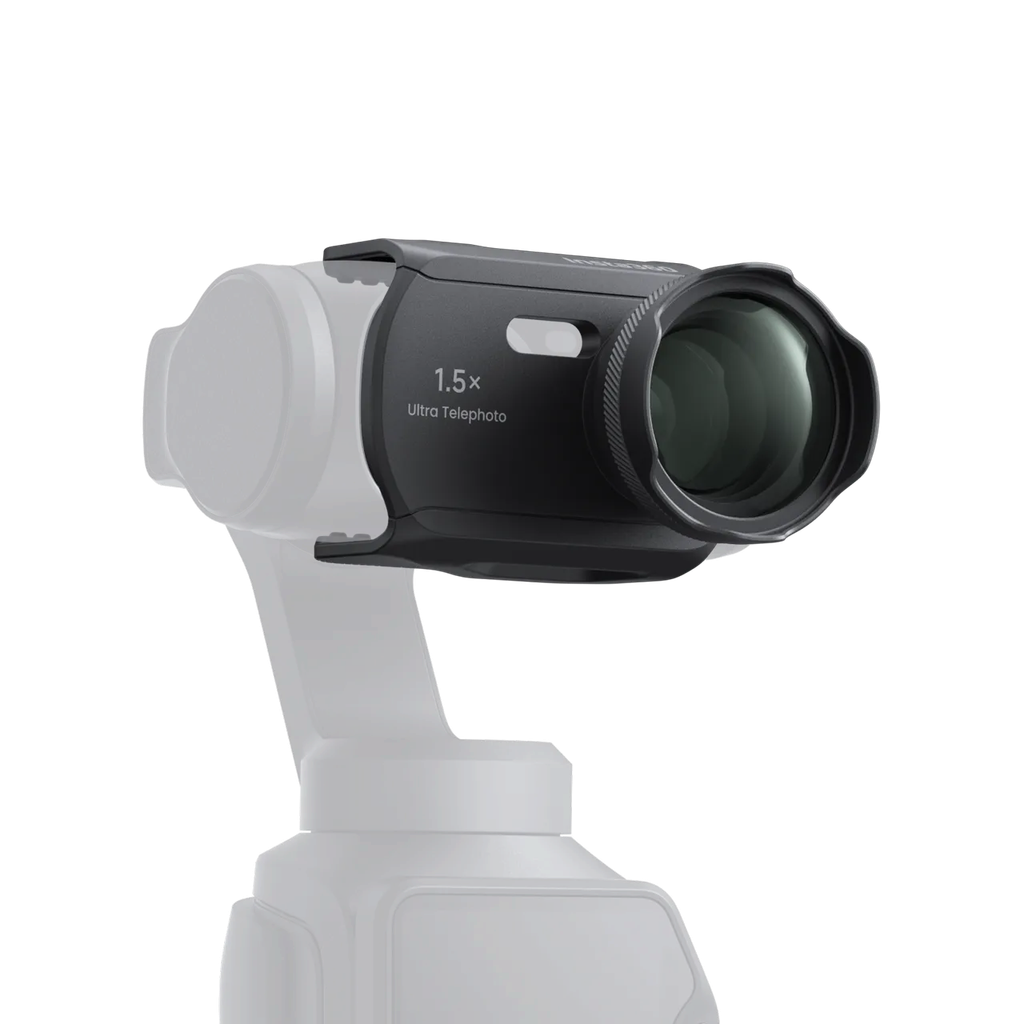
Ultra Telephoto Lens
- Magnification
- Additional 1.5× magnification.
- Attachment
- Dedicated attachment to the Luna Ultra gimbal.
- Best for
- Distant performers, architectural details and subjects you cannot approach.
The Luna Ultra already has a built-in telephoto camera. This attachment is for the next step: when its existing framing still leaves the subject too small. The official lens adds 1.5× magnification; that figure describes the attachment, not a claim that every available zoom setting is optical.
Concerts are an obvious use case when you can't move closer to the performer. I'd first check whether the built-in telephoto view is enough. If it isn't, the attachment gives you another framing option without relying only on a tighter crop.
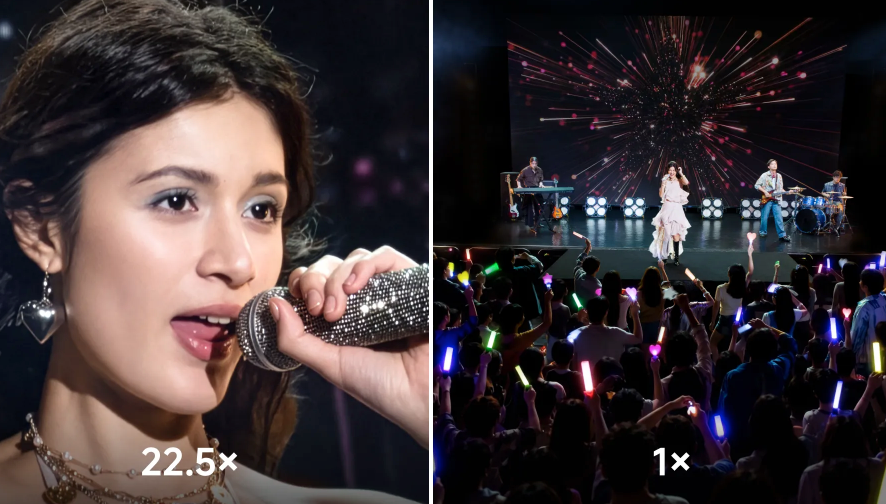
More reach also makes small framing movements easier to notice. Support the camera, leave room around a moving performer and test focus before the moment you want to keep. Check the venue's camera policy before packing the lens.
A telephoto attachment cannot fix poor light or guarantee a clear view past the audience. I'd buy it for a recurring need to frame distant subjects, rather than as an essential accessory for every owner.
8. Wide-Angle Lens: For Selfies and Tight Interiors
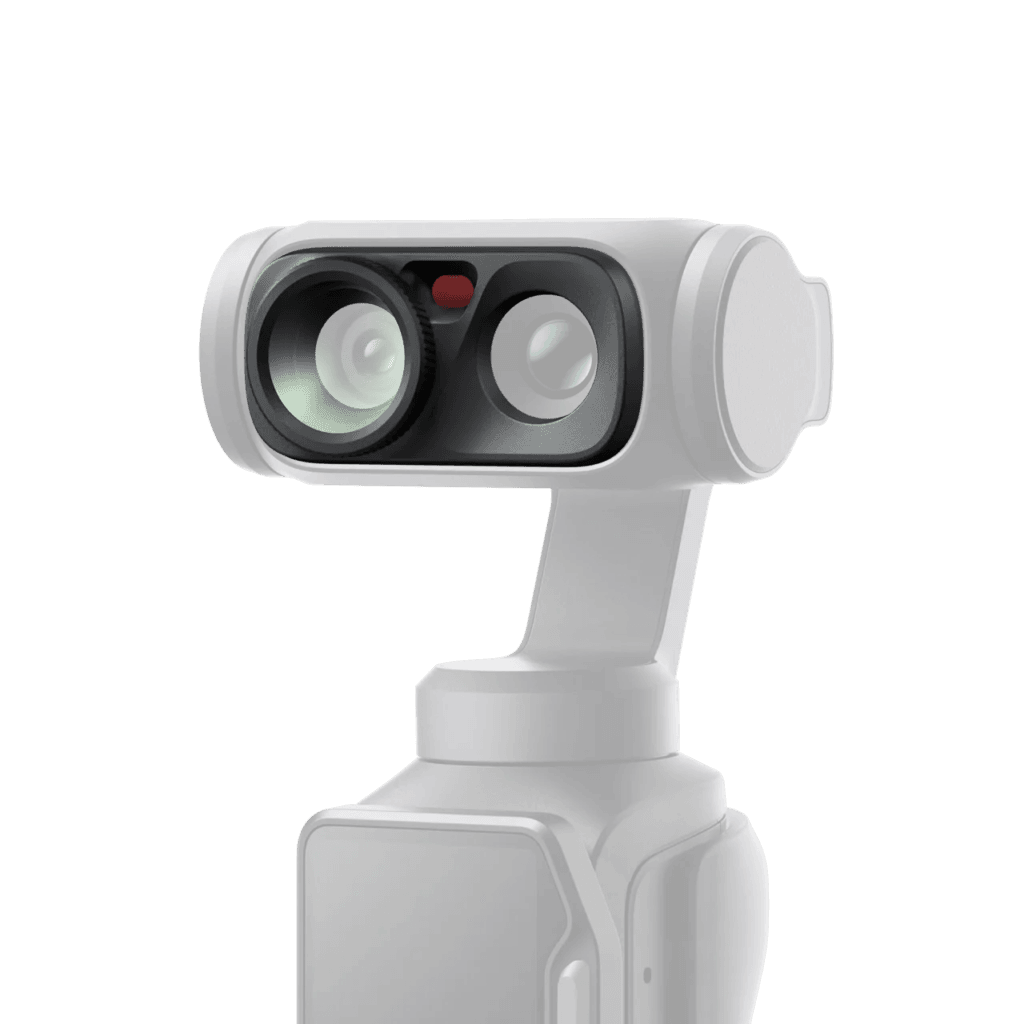
Wide-Angle Lens
- Official field of view
- 108° with the attachment.
- Attachment
- Magnetic design.
- Best for
- Selfie vlogs, small rooms, groups and including more surroundings.
If your face fills most of a selfie shot or you can't fit the room into the frame, a wider lens solves a specific problem. Insta360 lists a 108° field of view for this attachment.
I'd compare a short test with and without it before leaving it on all day. A wider view includes more surroundings, but it can also make faces near the edges look stretched. Keep your face closer to the center when possible.
9. ND Filter Set: For Daylight Shutter-Speed Control
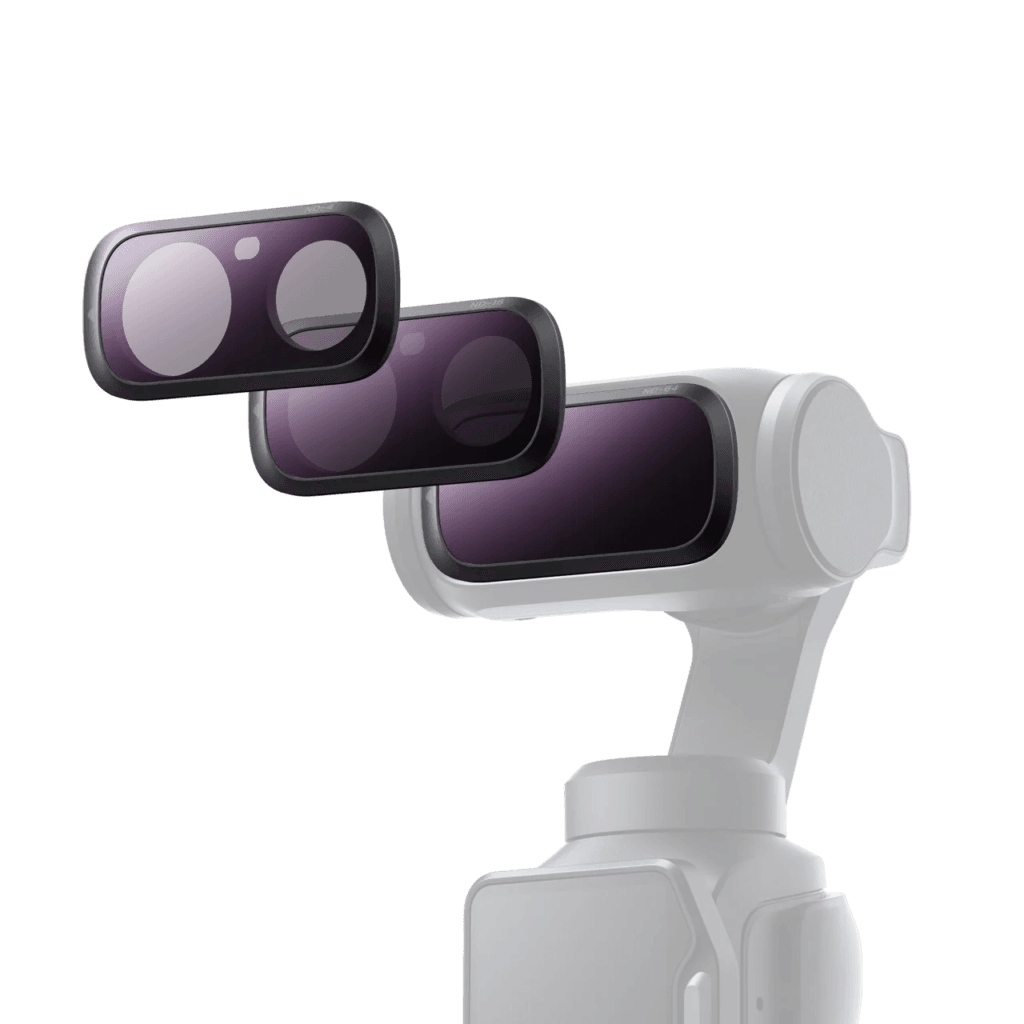
ND Filter Set
- Included strengths
- ND4, ND16 and ND64.
- Main purpose
- Reduce incoming light so you can use a slower shutter in bright conditions.
- Best for
- Daylight video when you want deliberate control over motion blur.
An ND filter reduces light. That lets you hold a slower shutter speed when bright daylight would otherwise overexpose the shot. For a conventional motion-blur starting point, you might use about 1/60 second at 30fps or 1/120 second at 60fps.
Those are creative starting points, not mandatory settings. Fast action may look better with a quicker shutter, and added motion blur does not improve stabilization. Choose the filter strength by checking exposure rather than assigning one filter to every sunny or cloudy day.
If you prefer automatic shooting and like your current footage, this purchase can wait. ND filters become useful when you know which shutter speed you want and need help maintaining it.
10. Black Mist Filter: For Softer Highlights and Glow
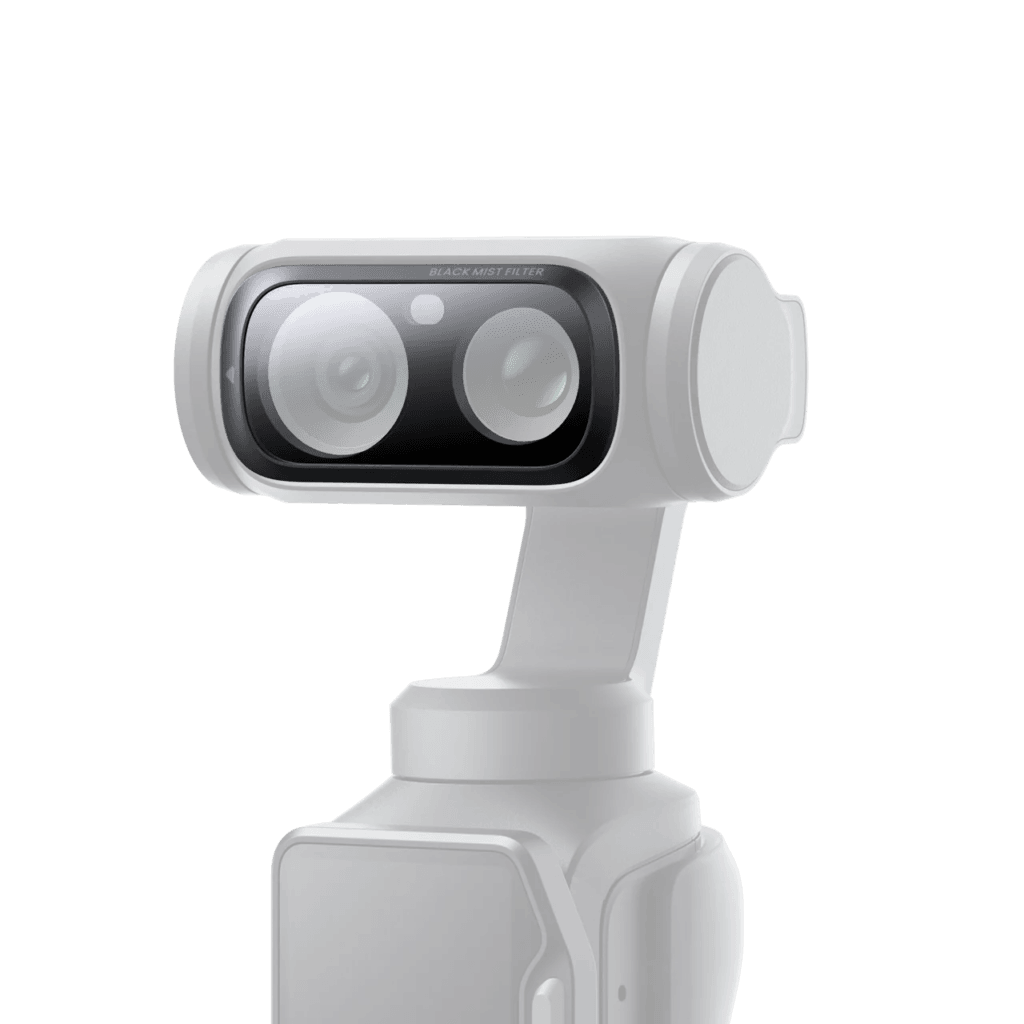
Black Mist Filter
- Main purpose
- Diffuse bright highlights to create a softer glow.
- Attachment
- Magnetic design.
- Best for
- Portraits, backlit subjects, neon and atmospheric night scenes.
Buy this because you like diffusion. Bright points such as streetlights and backlit edges can develop a softer halo, changing the feel of the image.
Unlike an ND filter, its main purpose isn't reducing exposure. Diffusion can also change perceived contrast and detail, so it isn't an automatic improvement for every scene. The effect is recorded into your footage; take it off when you want a cleaner image.
11. Neck Mount: For Hands-Free POV Filming
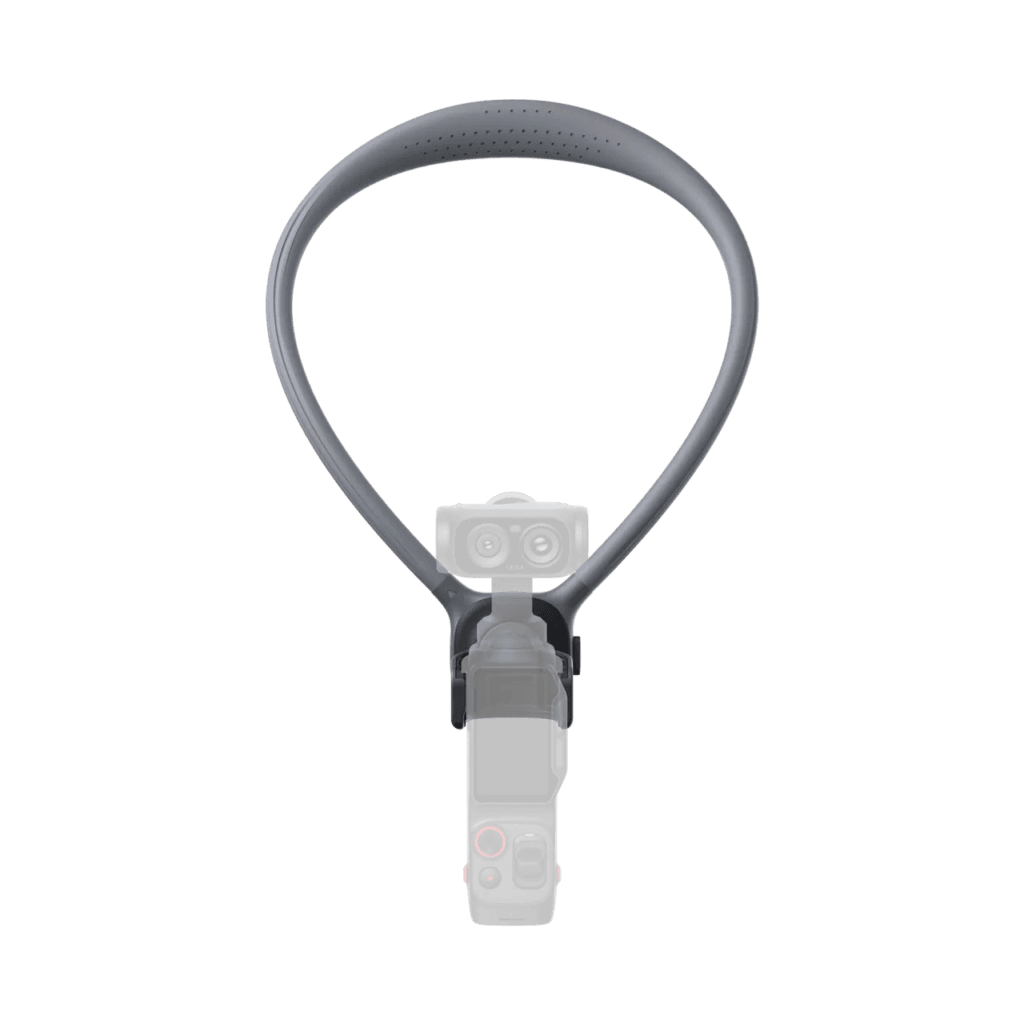
Neck Mount
- Main purpose
- Hold the camera at chest level while keeping your hands free.
- Design
- Locking attachment and a stabilizing strap.
- Best for
- Walking, cooking, unboxings and hands-on demonstrations.
The Neck Mount handles the physical support. The Head Tracker handles direction. You can consider the mount on its own for a forward-facing view, then add tracking if you want the gimbal to respond to head movement.
Chest-level footage isn't identical to what your eyes see. Your hands, clothing and the mounting height can affect the composition. Check the framing while doing the actual activity, then adjust the strap before recording something important.
Choose Luna Ultra Accessories by Use Case
Everyday carry
Start with a suitable cover. Compare the sliding case if opening and closing the camera repeatedly is slowing you down.
Travel vlogging
Prioritize the Battery Handle when power is the problem. Add the Wide-Angle Lens only if selfie framing feels tight.
Cooking and unboxings
Choose the Magnetic Mount for a fixed view, or the Neck Mount when you want to move with the camera.
Hands-free walking POV
Choose a comfortable camera mount first. Add the Head Tracker if gaze-controlled direction is part of the footage you want.
Concerts and distant subjects
Test the built-in telephoto view. Compare the Ultra Telephoto Lens when you need more reach; a nearby fill light won't help a distant stage.
Exposure and lighting style
Choose ND filters for shutter control, Black Mist for diffusion, or the Fill Light for nearby subjects. They solve different problems.
Which Luna Ultra Bundle Should You Compare?
If you haven't bought the camera yet, compare bundles before ordering individual accessories. The right bundle is the one containing items you would otherwise buy separately.
| Bundle direction | Why compare it? | What to check |
|---|---|---|
| Standard | Start with the camera and basic accessories. | Included cover and handle before buying replacements. |
| Creator | Compare when you want the Mic Pro transmitter, Wide-Angle Lens and Battery Handle. | Whether you will use all three. |
| Endurance | Compare when extra power is your main priority. | Battery Handle inclusion and total cost. |
| Zoom | Compare when you specifically want the Ultra Telephoto Lens. | Lens inclusion and current availability. |
| POV | Compare for a Head Tracker and a matching mount. | Neck Mount versus Backpack Mount version. |
See the official Luna bundle listings for current contents. For storage, use the separate Luna Ultra memory card guide to choose a compatible capacity.
Luna Ultra Accessories FAQ
If I Can Buy Only One Accessory, What Should It Be?
Choose the item that fixes your most frequent problem. Consider the Battery Handle if you run out of power, a different cover if storage is awkward, or a mount if you can't get the angle you need. If none of those is a problem, start with the included accessories.
Does the POV Head Tracker Require the Neck Mount?
No. The tracker controls direction; a mount supports the camera. The Neck Mount is one hands-free option. Follow the official setup instructions, including the recommended Action Mount or Battery Handle for tracking accuracy, and check the supported modes.
Can Luna Pro and Luna Ultra Share Accessories?
Some accessories are shared, but don't assume the whole lineup is interchangeable. For example, the Battery Handle documentation applies to both cameras. Covers, lenses, filters and electronic accessories need an exact model-compatibility check before purchase.
Is the Ultra Telephoto Lens Worth Buying for Concerts?
Consider it if the built-in telephoto view doesn't frame the performer tightly enough. It adds 1.5× magnification, but lighting, distance, obstructions and camera movement still affect the result. Check the venue policy and test the setup before the performance.
Should I Buy the Wide-Angle Lens or Telephoto Lens First?
Choose the Wide-Angle Lens when you need more room for selfies, groups or interiors. Choose the Telephoto Lens when distant subjects remain too small. Shoot with the camera first; the framing problem you encounter will make this decision easier.
Do Beginners Need ND and Black Mist Filters?
No. ND filters help control shutter speed in bright light. Black Mist changes highlight diffusion. Neither is essential for learning the camera, and neither guarantees a better result. Add one when you can describe the effect you want.
Can I Stack Lenses, Filters and Other Attachments?
Don't assume that separately compatible accessories work together. Check the exact combination for attachment clearance, gimbal movement and cover fit. Use the mounting order and calibration procedure specified by the manufacturer.
Conclusion: Buy for the Way You Actually Film
I'd build a Luna Ultra setup around protection, power and a useful mounting position. Once those are comfortable, choose the next accessory around the shots you keep trying to make.
For travel, that might be the Battery Handle and a wider selfie view. For cooking, a stable mount may do more than any filter. For concerts, extra reach matters more than a small fill light. For hands-free walking, start with the mount and decide whether head-controlled framing adds something useful.
Use the included kit. Fix one recurring problem. Add the next accessory when you need it.
- Check bundle contents before buying duplicates.
- Match each accessory to a specific shooting need.
- Confirm Luna Ultra compatibility and any required supporting parts.
- Test the complete setup before taking it on a trip or to an event.