



Insta360 released its latest AI smartphone stabiliser Flow 2 Pro on 16th January 2025, and more and more iPhone users are using the stabiliser to increase the stability of their phone and improve the smoothness of their photography. In this review, I'm going to share my experience with Flow 2 Pro and its key features.We hope this helps you understand why Flow 2 Pro is the best stabiliser for iPhone users.It also includes pictures and video demonstrations to help you learn how to use it and the key points.
Flow 2 Pro Features
The shape of the Flow 2 Pro is significantly different from its predecessor, with the stabiliser being able to capture a wider range of shots and more stable and stabilised.
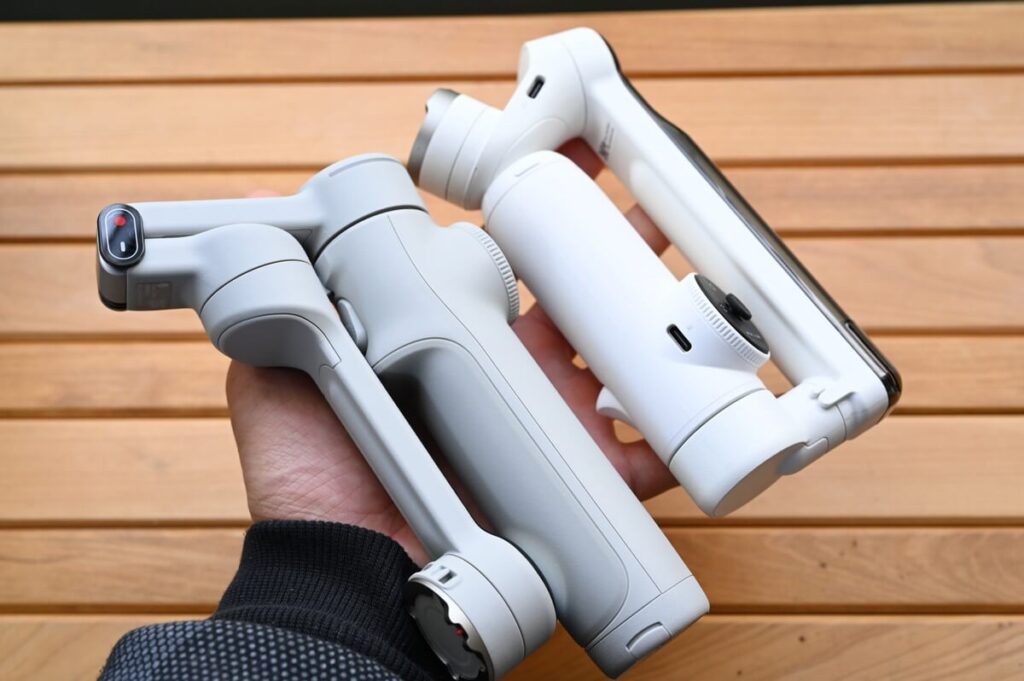
In addition to improving the side-to-side shaking that often occurs with stabilisers, the centre of gravity of this stabiliser has been made so that it is easy to grip for both boys and girls. With the upgraded features, I think that theFlow 2 Pro can be considered as the "finalised" version of the iPhone stabiliser.。
From the introduction video released by Insta360, you can quickly understand "what is Flow 2 Pro" and "what features does Flow 2 Pro have". Therefore, in the summary section, I would like to focus on what aspects of the new Flow 2 Pro have been upgraded compared to the previous generation of Flow.

Firstly, let's take a look at the upgrades to Flow 2 Pro.
Compared to the previous generation of Flow stabilisers, the Flow 2 Pro has beenAnti-shake StabilitySignificant gains have been made on the
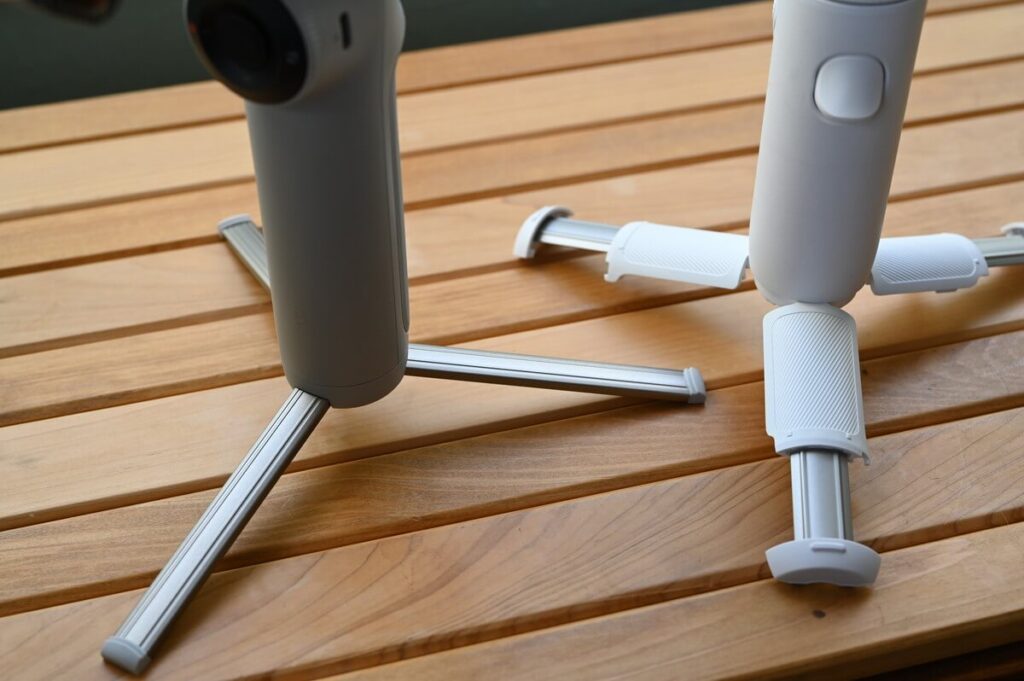
Even though Flow's tripod design is adequate for most scenarios, the material performance of its built-in tripod has always been a shortcoming reported by users. Whether you're shooting from a low angle or placing it in complex terrain, the Flow 2 Pro provides more reliable support, allowing creators to focus on content creation without worrying about the stability of their equipment.
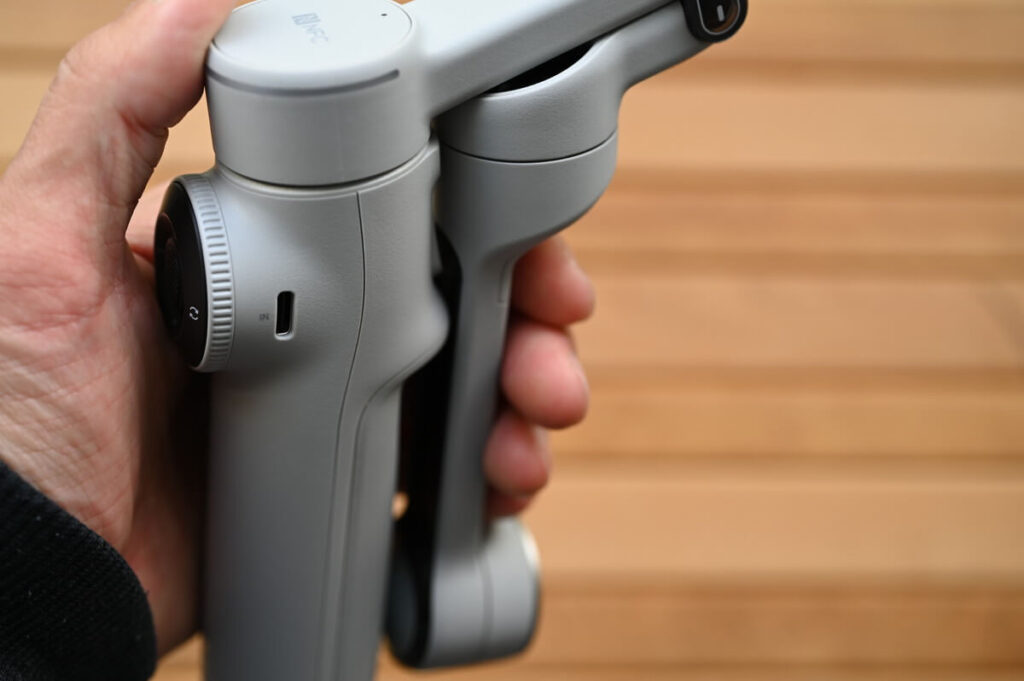
It also feels smoother in the hand.
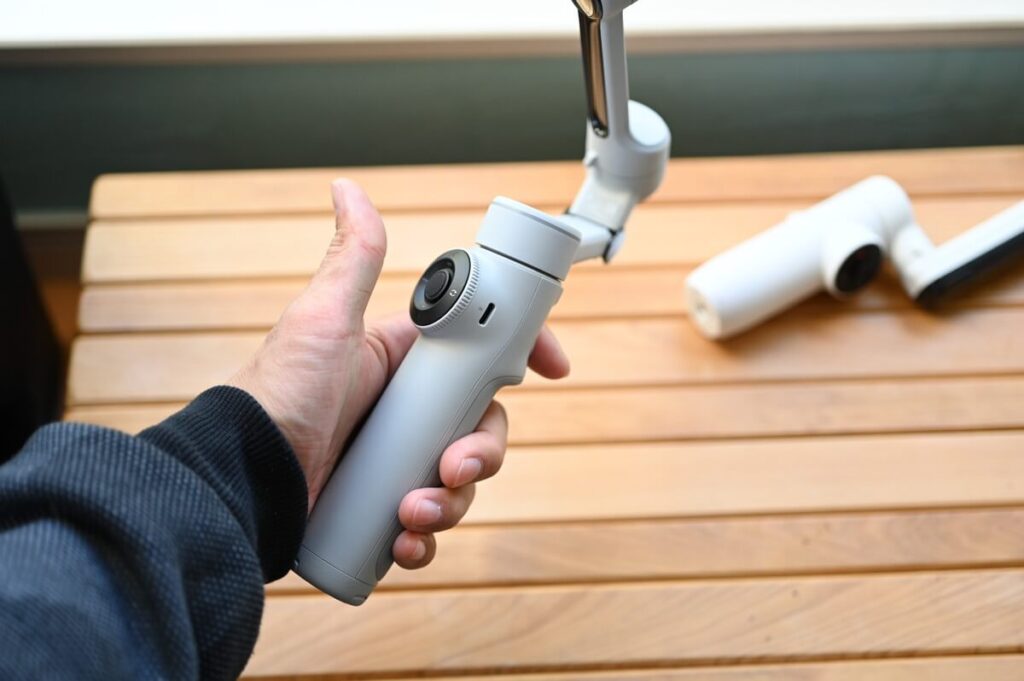
Even when stretched, it becomes easier to hold and the centre of gravity position becomes lighter.
One-handed operation is no problem at all.The "One Hand Control" is also an advantage only available on the Insta360's stabiliser.。
The AI Smart Tracking feature has also been significantly improved.
In the video, I will show you the tracking function of Flow 2 Pro, welcome to refer to it.
Limited Time Sale
Flow 2 Pro Specifications
| Flow 2 Pro | Flow Pro | Flow | |
|---|---|---|---|
 |  |  | |
| Free Tilt Mode | |||
| 360 degree panning shot | |||
| Remote operation by mobile phone | |||
| Selfie Mirror | |||
| Teleprompter | |||
| Deep Tracking | 4.0 | 3.0 | 3.0 |
| dolby Vision | |||
| ProRes HDR Support | |||
| NFC Pairing | |||
| Apple DockKit Support | |||
| Apple Watch Support | |||
| halo | |||
| Weights | Stabiliser: 357g Mobile phone clip: 25g | Stabiliser: 366g Mobile phone clip: 32g | Stabiliser: 369g Mobile phone clip: 32g |
| 3-axis stabilisation | |||
| Built-in Tripod | Strength up | ||
| Battery Duration | 10 hours. | 10 hours. | 12Hourly |
| Swivelling range | Panning: 360° Cross-roll: -390~135° Pitch: -99~231° | panning: 360° Horizontal roll: -150~180° Pitch: -100~82° | Panning: -230~100° Horizontal roll: -150~180° Pitch: -100~82° |
| Colour | boulder grey snow white | boulder grey (One colour, not available in Taiwan) | boulder grey snow white |
| Price | NT$4,990 HK$1,199 | HK$1,199 | NT$4,278 (discounted price) HK$1,130(Discount) |
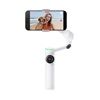
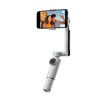
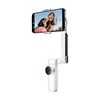
Above is a comparison of the specifications of the Flow series. It is easy to see that Flow 2 Pro has many upgrades while retaining all the features of Flow and Flow Pro.
Flow 2 Pro Unboxing
Packaging
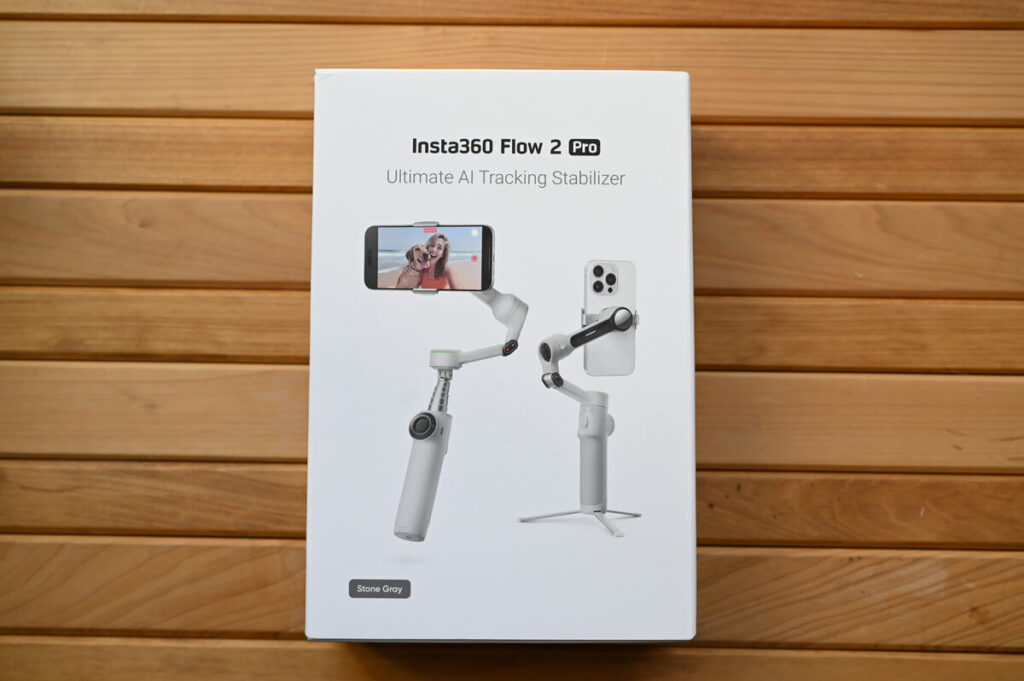
I unboxed the Flow 2 Pro in Granite Grey, a colour that is said to be very popular in Asia.
subsidiary
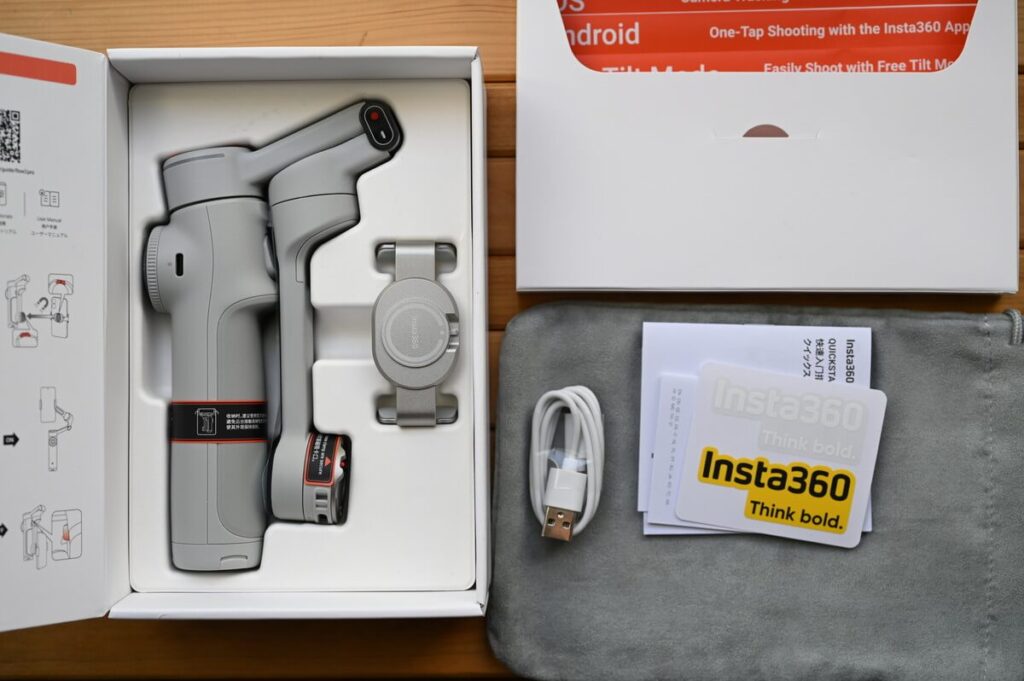
- stabiliser
- Dedicated Mobile Phone Clip
- Type-C cable
- Storage Bag
- User Manual
- Stickers
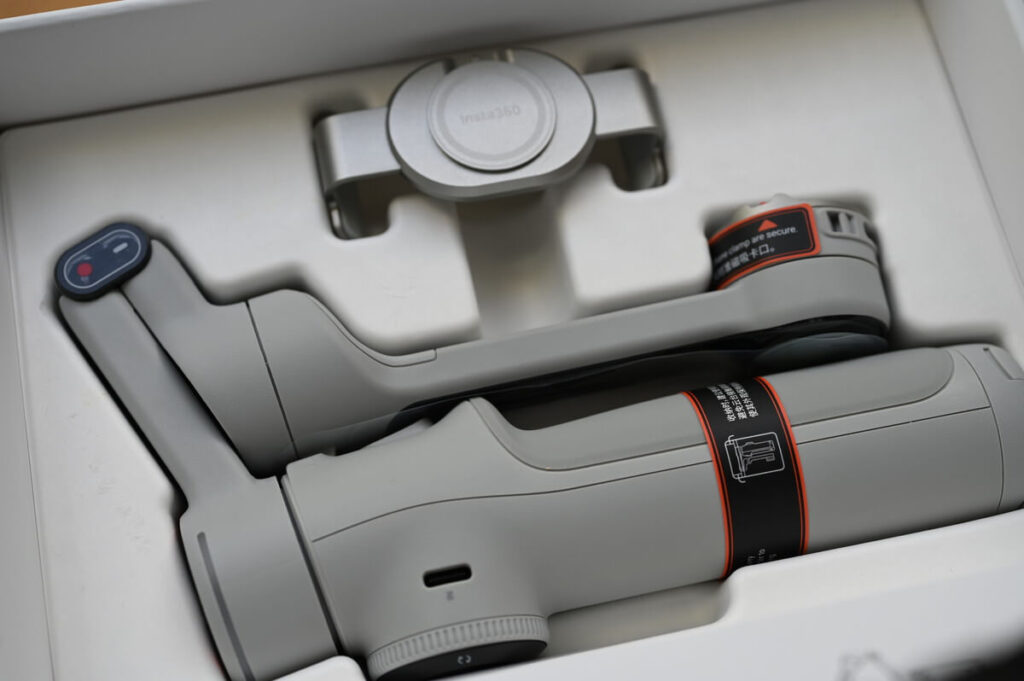
Due to the change in the shape of the extension bar, the appearance of the stabiliser has changed significantly compared to Flow and Flow Pro.
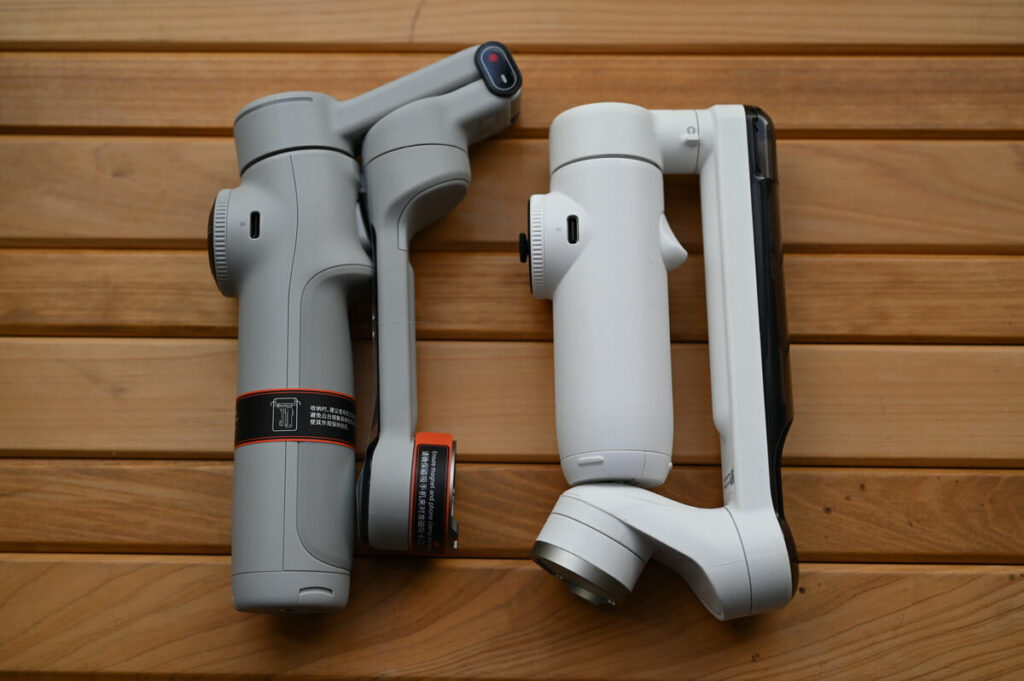
Even though the Flow 2 Pro is slimmer, it actually weighs more.It's even 12g lighter than Flow.。
If you take the centre of gravity into account, the Flow 2 Pro actually feels lighter in the hand.The Flow 2 Pro fits more comfortably in your hand. Considering that there should be a lot of female users, this is a nice improvement.
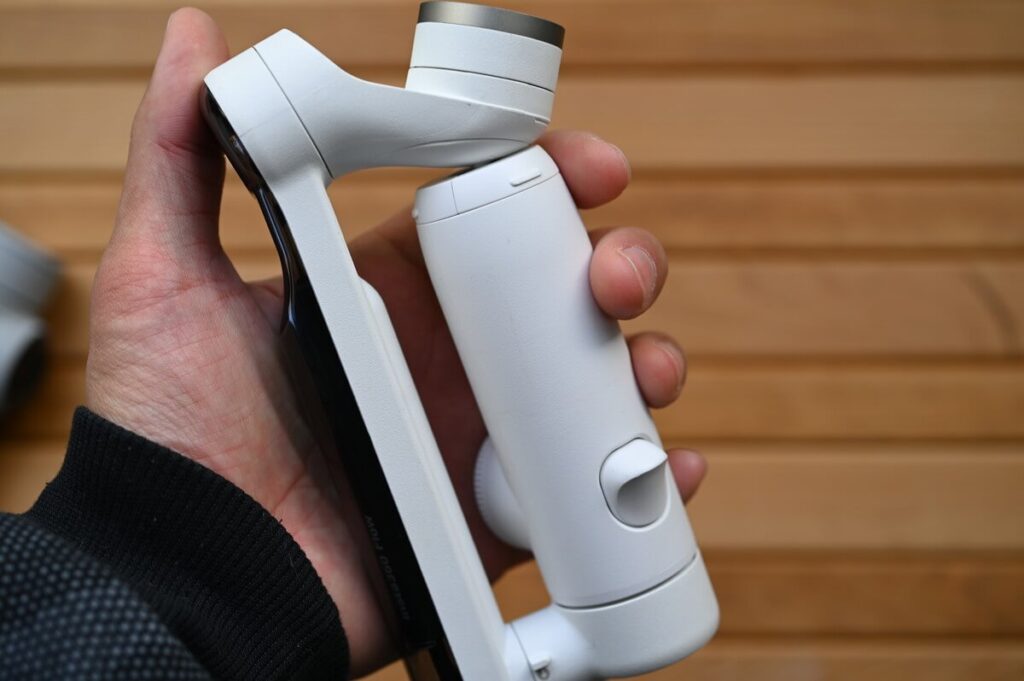
Flow is developed by rotating, Flow 2 Pro is changed toRolling upwards, It has been made easier to operate.
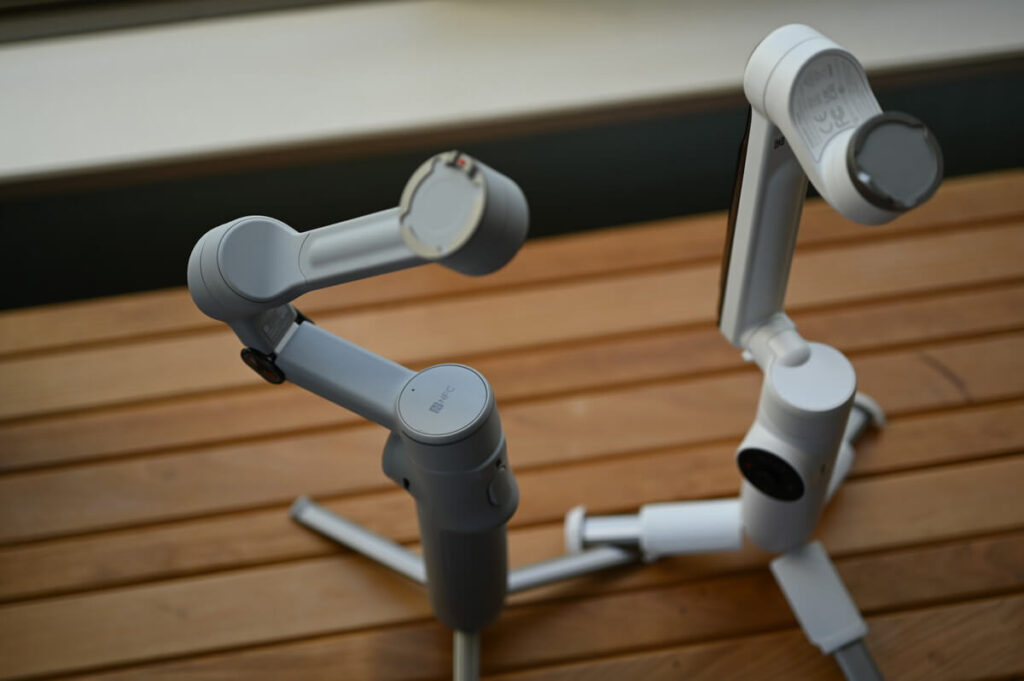
The extension bar is no longer vertical and is now more curved, which allows the stabiliser to be used as an extension bar.Wider range of mobility。
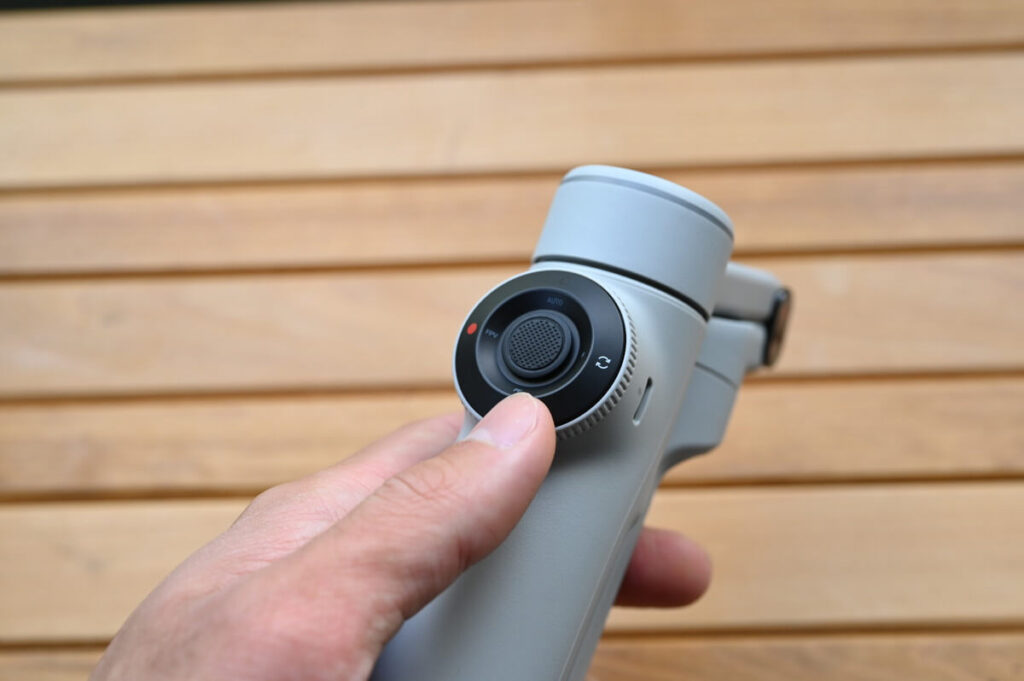
Compared to DJI's stabiliser., The Flow 2 Pro has an integrated design of operating buttons.。
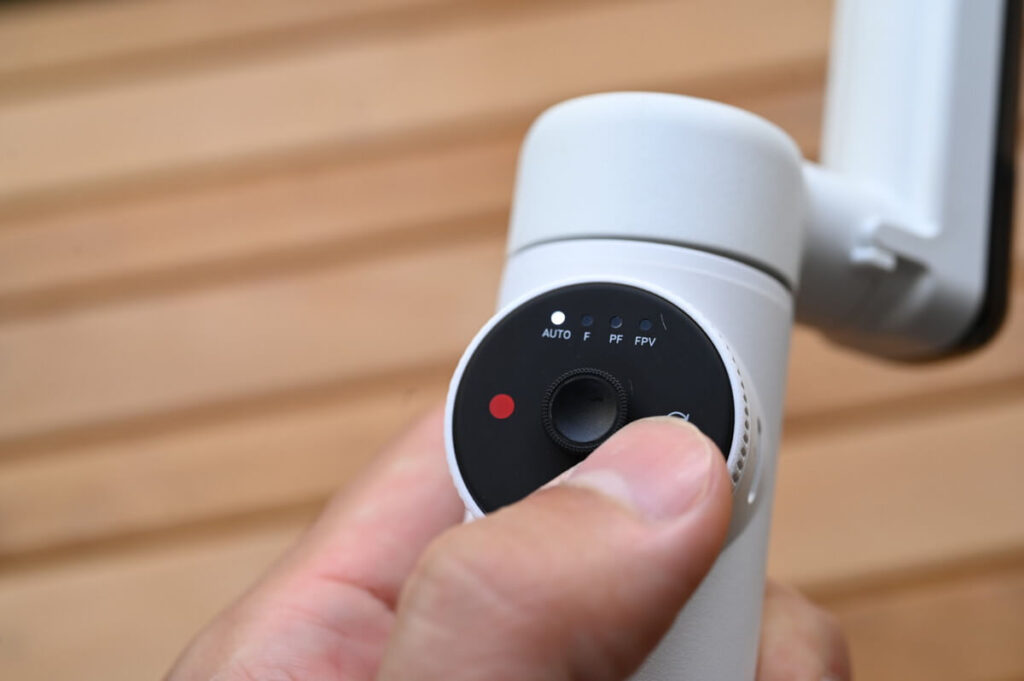
The previous generation Flow button looks like this ⬆️. CompareFlow 2 Pro's buttons have been made more intuitive and easy to understand.。
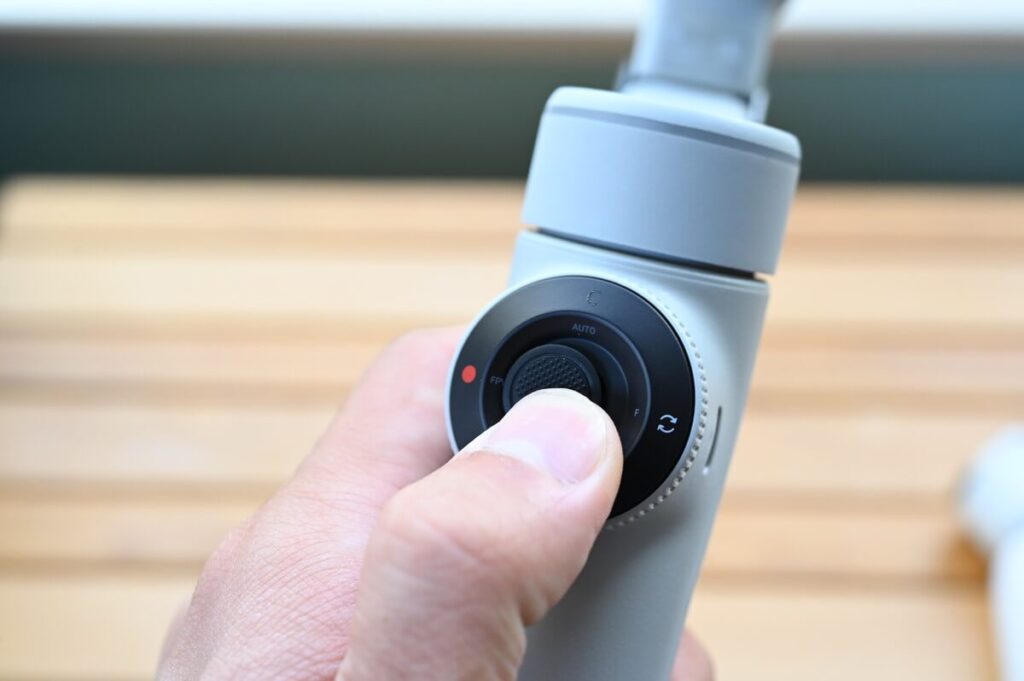
Thanks to these bumps, the Flow 2 Pro's button operation is much more intuitive and novices can get started quickly. It shows that Insta360's development team has put a lot of effort into improving the operability.
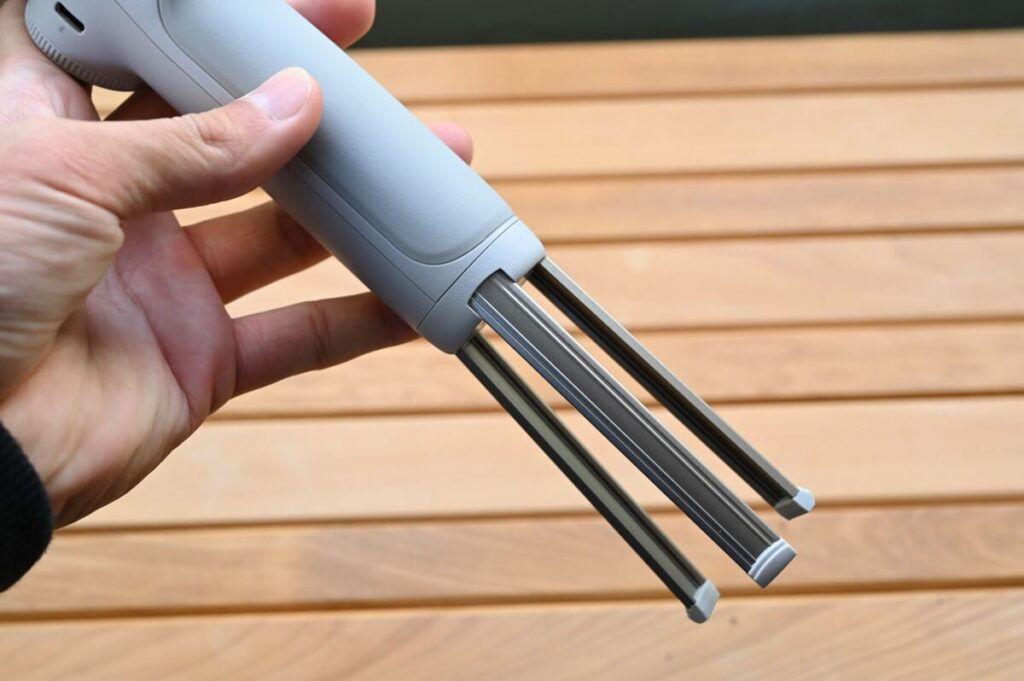
Compared to the Flow, the Flow 2 Pro upgrades the material of the tripod to an all-aluminium straight shape.
This upgrade makes Flow 2 Pro even more stable.
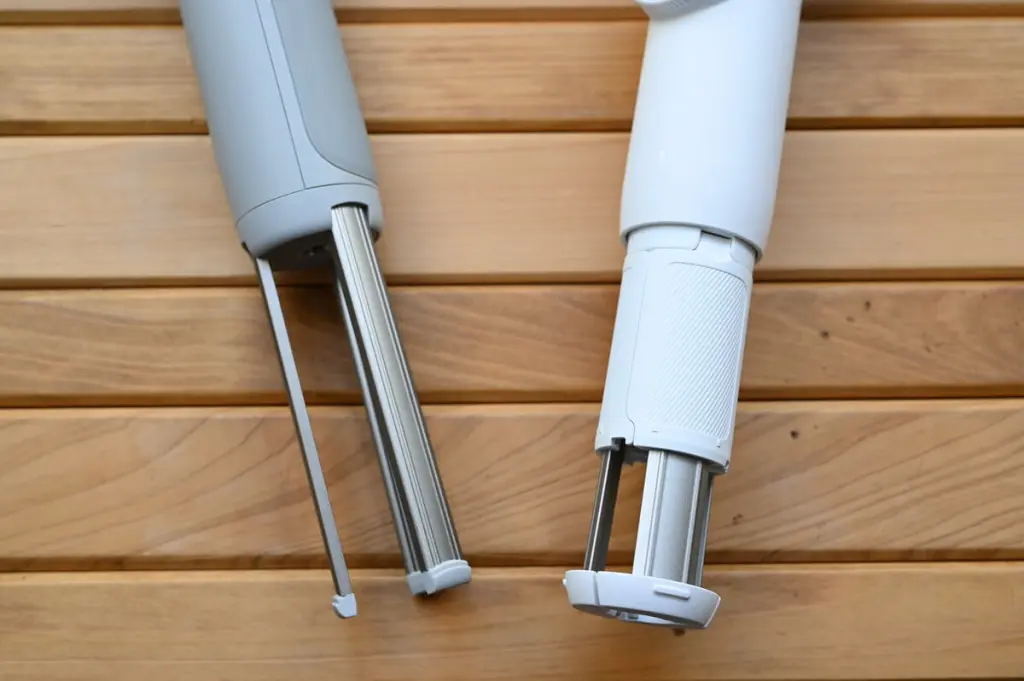
The Flow 2 Pro's built-in tripod is linear in shape, has only one connector and is made entirely of aluminium and contains no plastic. This is great for durability and stability.
The disadvantage of the previous generation of Flow's built-in tripod was that it was not as stable as the external tripods of DJI's stabilisers. The Flow 2 Pro improves on these advantages while increasing stability.
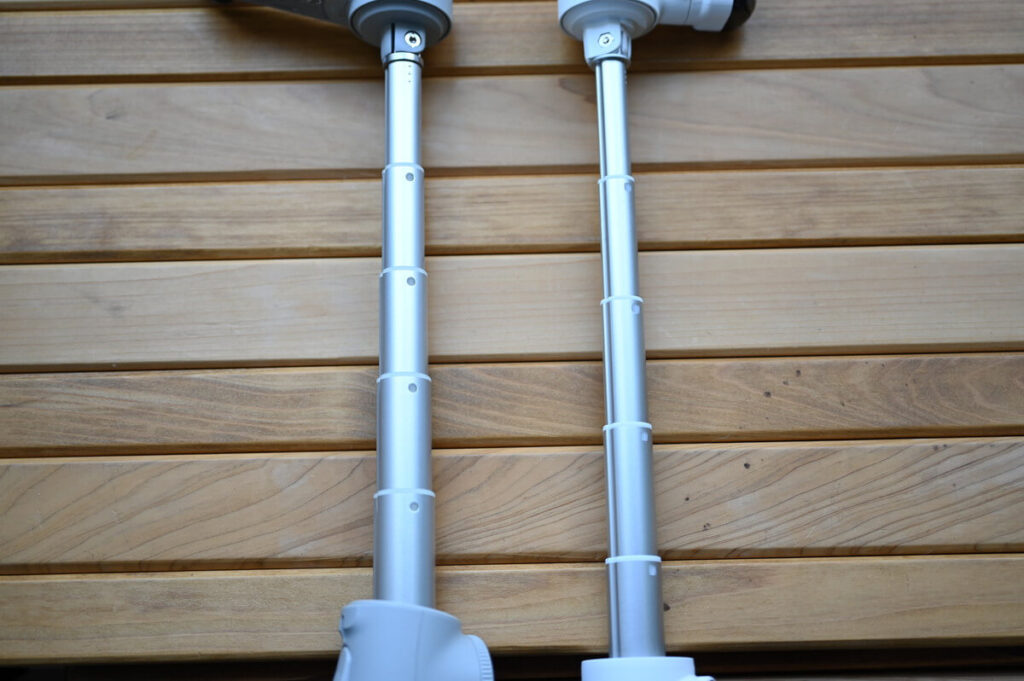
In terms of selfie stick arm length, Flow 2 Pro and Flow Pro are roughly the same.The height of the Flow 2 Pro is reduced by approximately 1 cm when mounted on a tripod. The height of the Flow 2 Pro is reduced by approximately 1 cm when mounted on a tripod, but this has little effect on overall use.
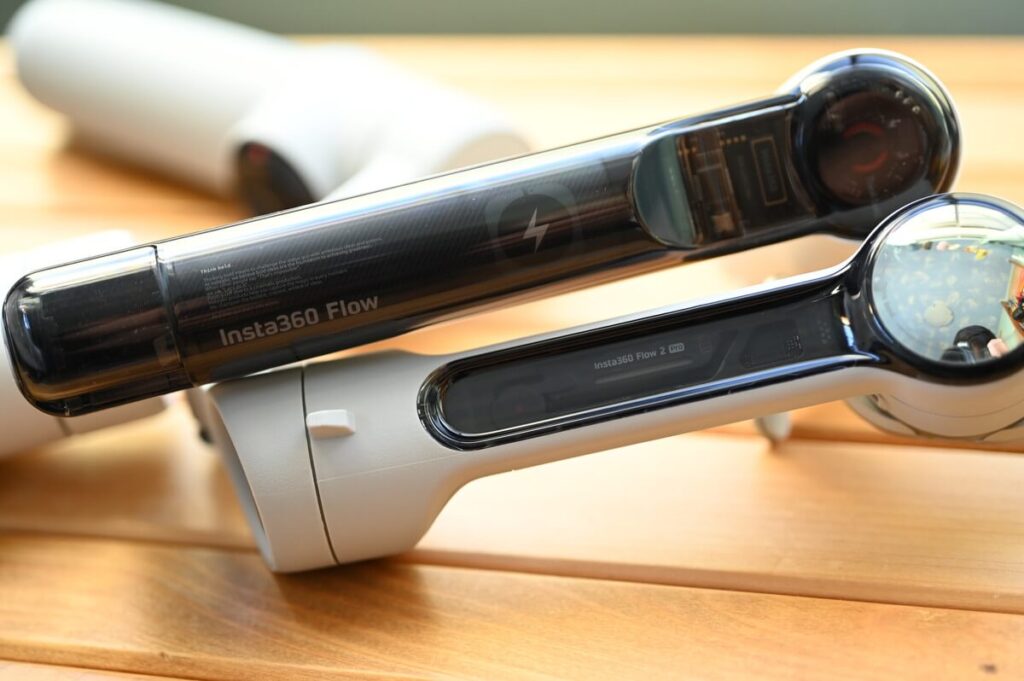
Externally, the skeleton of the Flow has been retained, with a more minimalist and premium design than the Flow. Personally, I prefer the mechanical feel of the Flow, but the body design of the Flow 2 Pro seems more appealing.
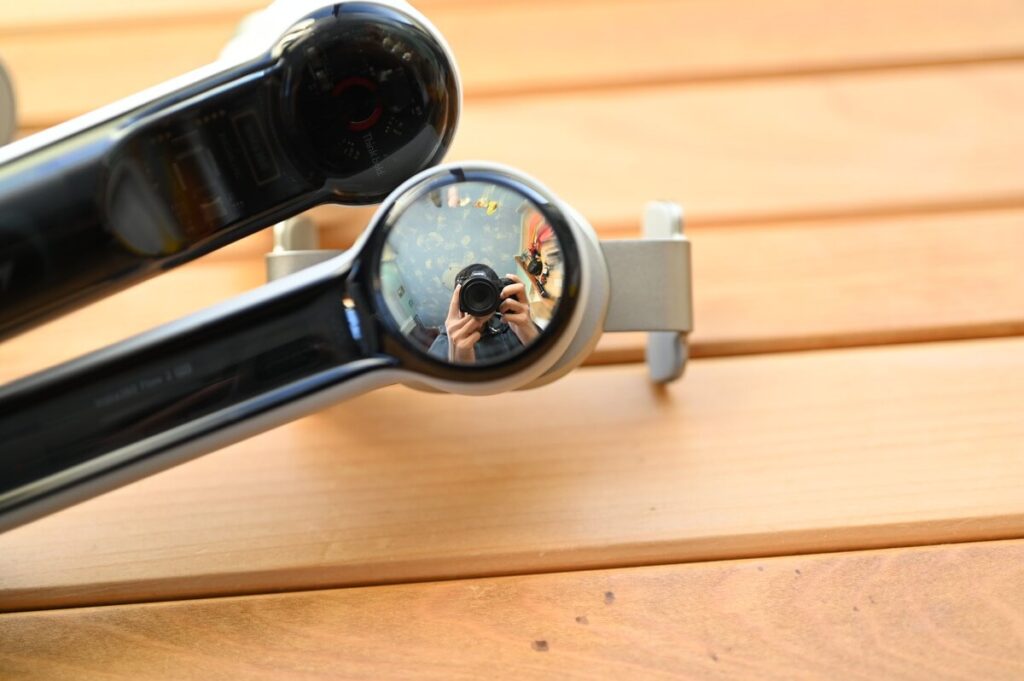
The Flow 2 Pro also comes with a selfie camera.. When taking a selfie with the stabiliser, which is usually done with the front camera, this upgrade allows one to take a selfie with the high quality of the rear camera. It's details like this that make the Insta360 so unique and creative. You can really feel their determination to create something better than DJI.
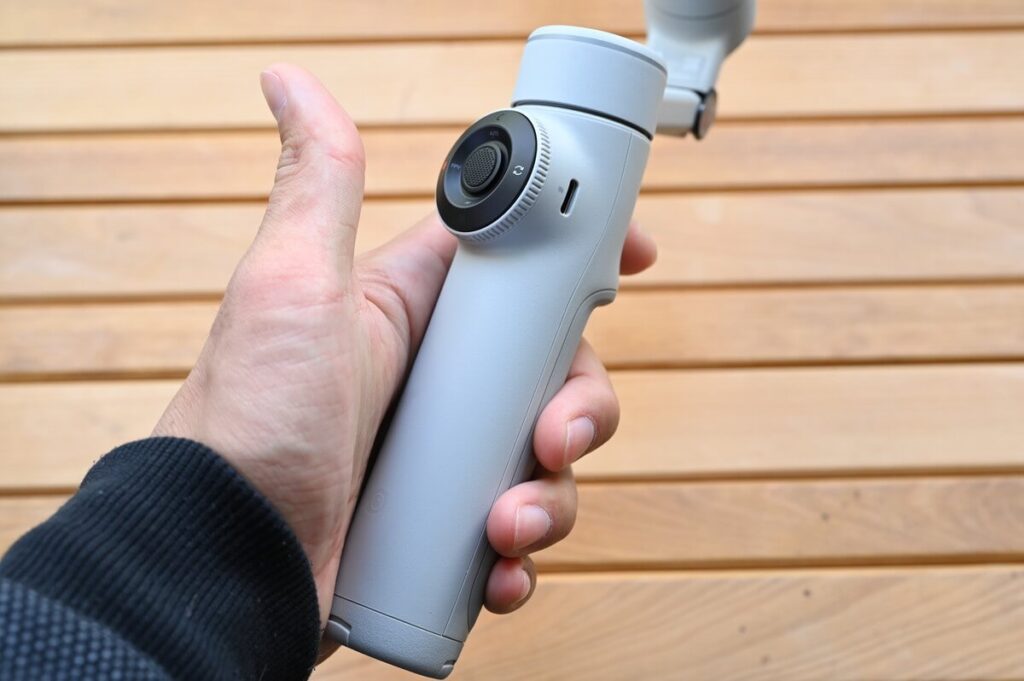
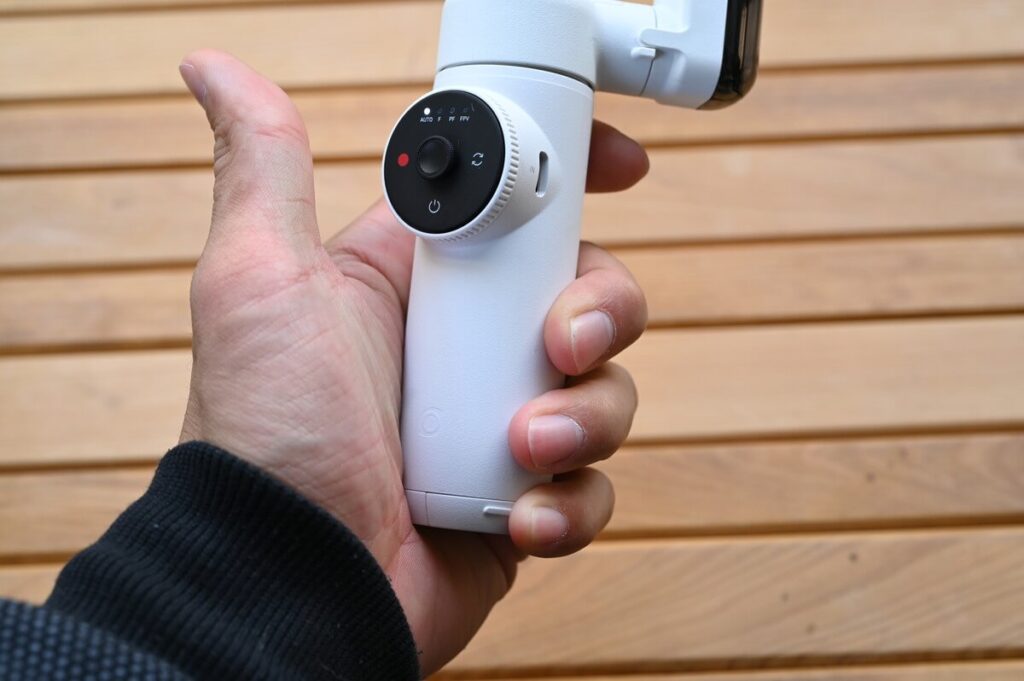
The Flow 2 Pro's stability in the hand has been significantly improved. The design features a three-dimensional structure with a grip material on the back, and the length of the body is designed to be just right, allowing users to feel comfortable and stable while using the device.
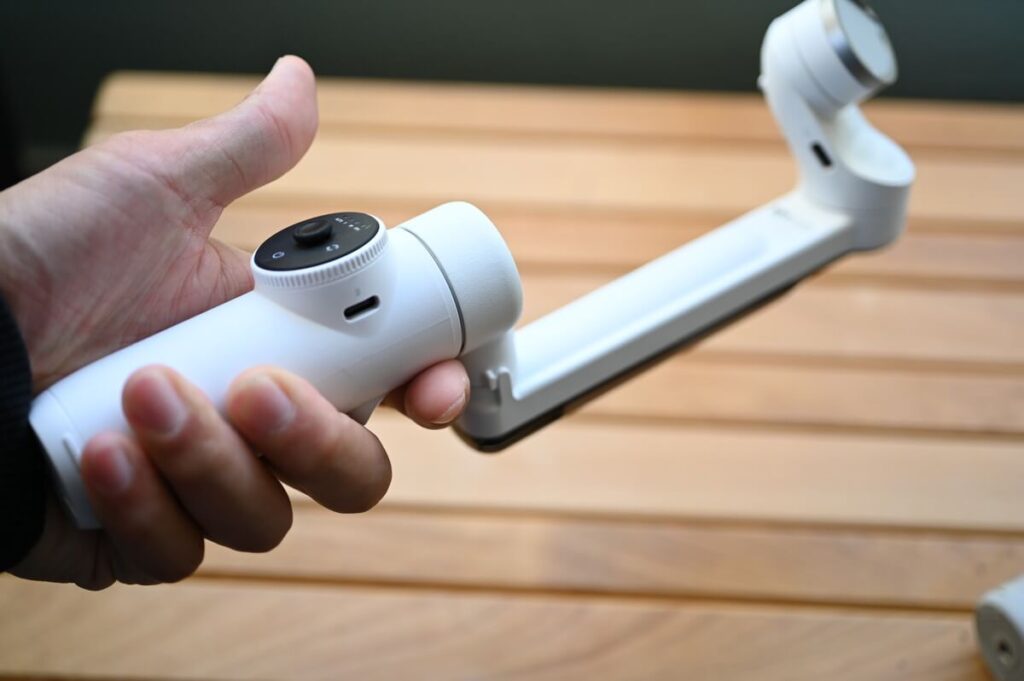
There's another noticeable difference between the Flow 2 Pro and the Flow, and that's the "change in centre of gravity". This is especially noticeable when you pick up the Flow 2 Pro. Although the weight difference between them is only 12 grams, the Flow 2 Pro feels lighter. In addition, Flow's centre of gravity is more towards the arm and less towards the centre, which is where Insta360's efforts to improve Flow 2 Pro come into play. It will also be easier to find the right centre of gravity when installing the phone.
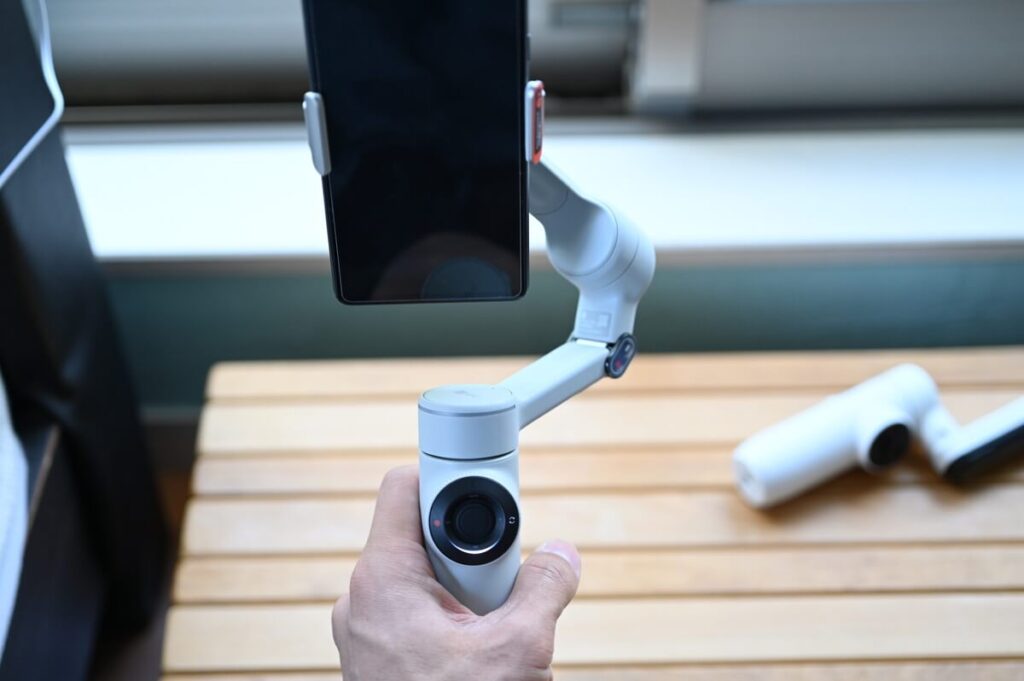
Why does Flow 2 Pro feel so light? This is a discovery that I made after I have been exposed to a number of stabilisers.
By slightly tilting the Flow 2 Pro forward, theWhen the smartphone is connected, the centre of gravity will fall in the desired positionIn the past, I used to think that the best choice was the one with more features and lower price. In the past, I used to think that a stabiliser with lots of features and a low price was the best choice, but now I realise that we have entered an era where we are more interested in quality and user experience.
Hands-on with the latest Insta360 stabiliser
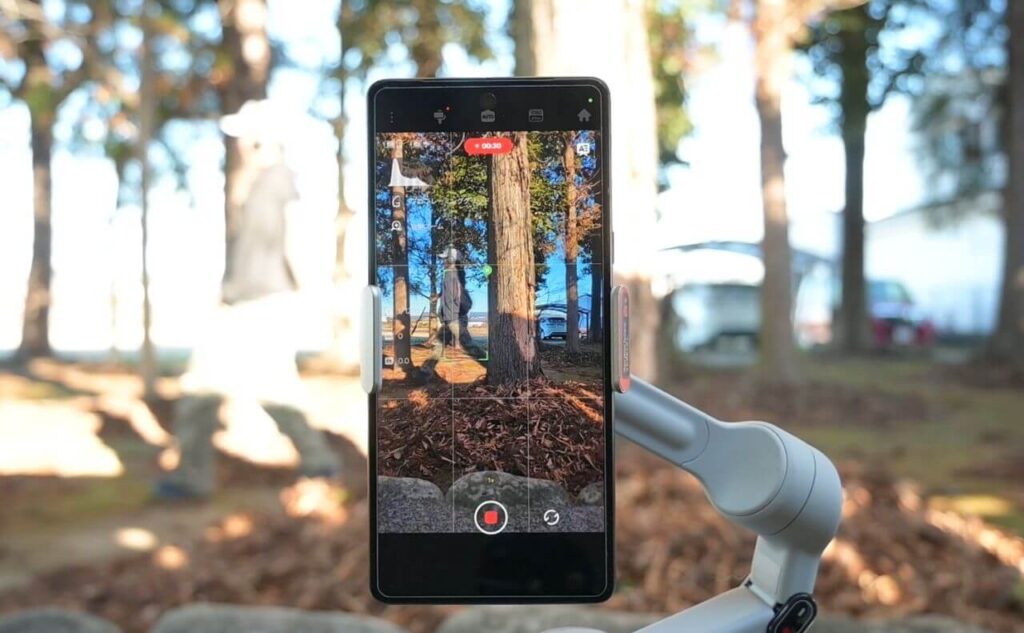
I'm not familiar with the stabiliser, but I've tried to manipulate it in various ways.
All in all, I think it will take some time to fully adapt.
Despite the initial unfamiliarity, I found that after an hour or two of practice, I quickly got the hang of using it.
Gradually, I began to think, “Maybe I can make good use of this tool, too.”
All operations of the stabiliser can be done with one handThe Insta360 is extremely easy to use. I think this demonstrates the unique advantages of Insta360.
Automatic tracking (Deep Track 4.0)
There is a clear explanation of automatic tracking (Deep Track 4.0) and you can view videos uploaded to YouTube ⬇️.
Flow 2 Pro specialises in difficult chases.The Flow 2 Pro tracked accurately even when I was repeatedly hiding and appearing in the woods, demonstrating the excellent performance of this stabiliser.However, due to the use of physical tracking technology, there are still some tracking challenges when dealing with fast or sudden movements, which is a common feature of such stabiliser products.
Free Tilt Mode

The Flow 2 Pro allows up and down movement while maintaining a constant tilt angle. This mode of motion would be difficult with a normal stabiliser, but by adding an additional physical axis of motion, it is possible to achieve this feature.
Simply bend the joints 90 degrees and move the shaft 90 degrees to use.
The action is as follows ⬇️
360 degree panning shot
Previously, both DJI and Flow had panning capabilities, but the Flow 2 Pro is the first stabiliser to offer 360-degree panning.I've seen a lot of comments on YouTube and on the internet. I've seen a lot of comments on YouTube and on the web, and a lot of people are disappointed that the Flow doesn't rotate 360 degrees. So this is a pretty good improvement.
Motion Timelapse Photography
Normally, you can take shots with a sports camera or an iPhone, but with the stabiliser, you can take shots with the camera by moving it a little.
Push-Pull Zoom
This is the kind of shot you sometimes see on film sets, and it's very difficult to get this effect with a mobile phone without a stabiliser.
360 degree unlimited pan tracking
The Flow 2 Pro allows for 360 degree tracking horizontally. I'll be using Deep Track 4.0 and mixing all these different movements together with mixing and editing to add flair to the film.
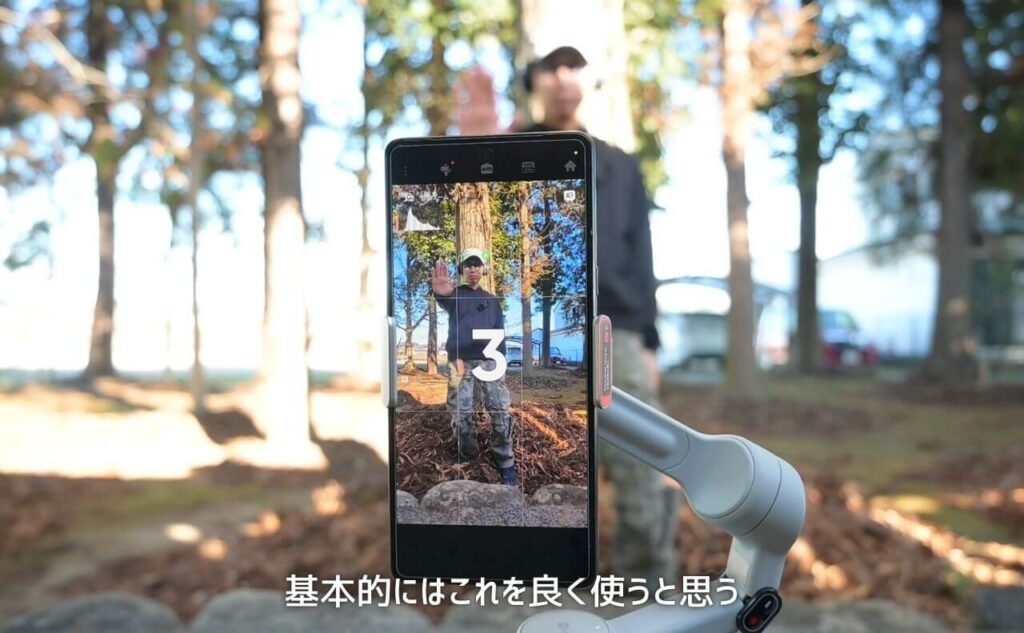
I'll be using stabilisers mostly.Self-timer + Tripod Mount + TrackingOnce you get used to these features, the next step is to try some creative shooting with a moving zoom, free tilt shooting, scrolling, etc. Once you get used to using these features, the next step is to try some creative shooting with the moving zoom, free tilt shooting, roller scrolling, etc.
360-degree panoramic photo
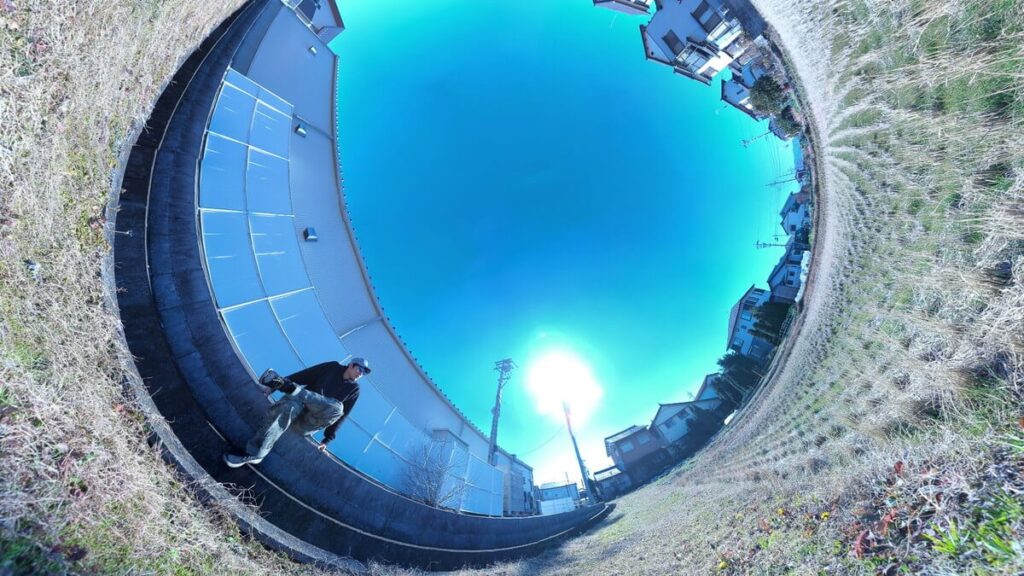
Another advantage of the Insta360 Flow 2 Pro over regular stabilisers that can only take panoramic photos is that it can take 360-degree panoramic photos.
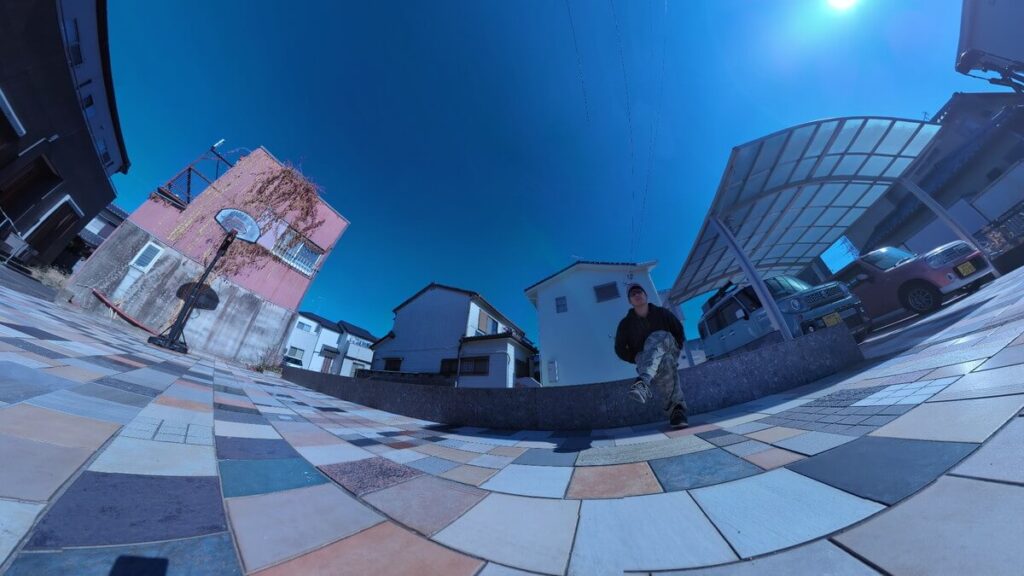
The above is the effect of 5x speed shooting, it takes more than a minute to shoot this video.
The above is the result of shooting at 5x speed, it takes at least one minute to make this video. It's very easy to use, just press the button to take a 360-degree photo. In contrast, DJI's stabiliser can only take normal panoramas, which is quite a difference.
Limited Time Sale
Connecting Apple products with Flow 2 Pro
Apple Watch Remote Control
This is a feature that has been available since the Flow Pro, and the Flow 2 Pro can also be operated remotely from the Apple Watch. This feature is very convenient. Because you can share the shot, you can easily fine-tune the angle of the screen when using a tripod mount.
MagSafe Matching Bracket
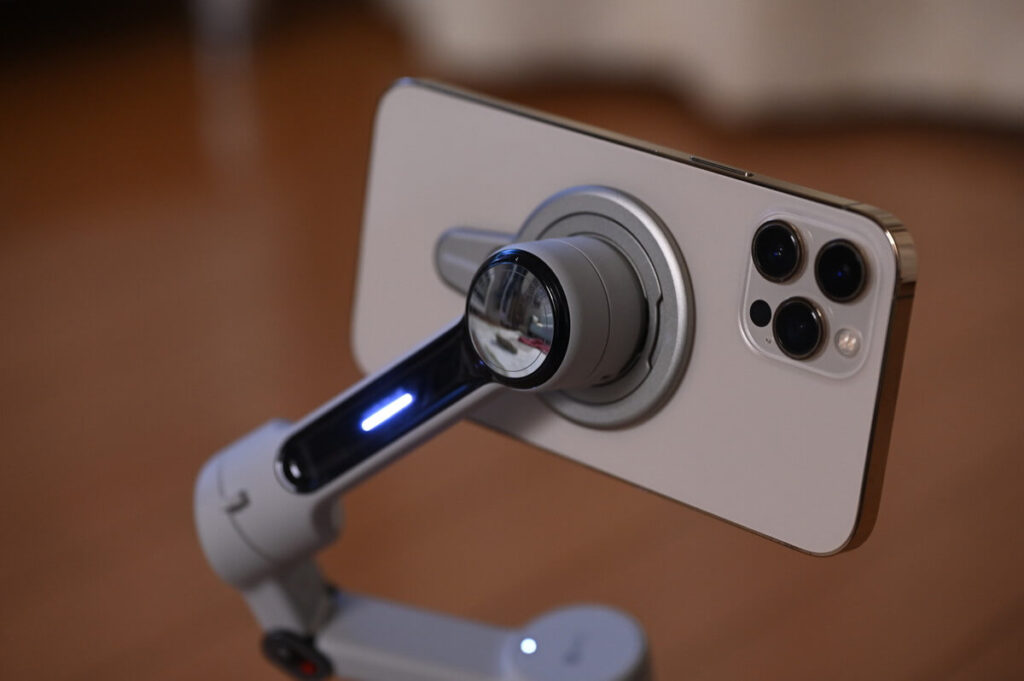
If you're using iPhone 12 or later, you can use the MagSafe docking station for smoother operation than traditional clips.
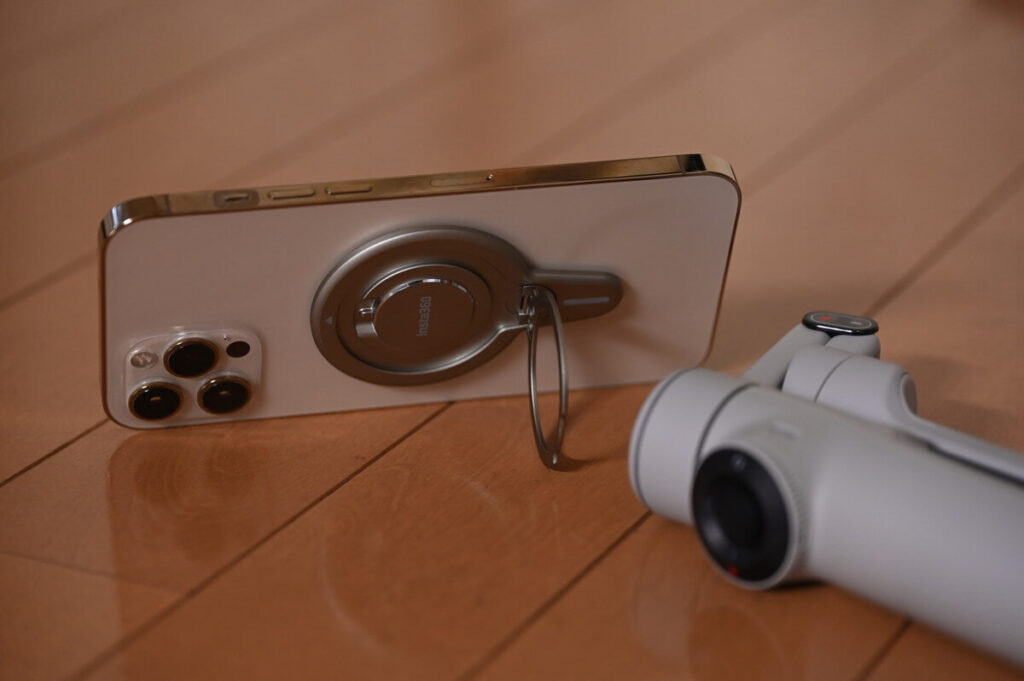
This feature has also been available since the Flow Pro, and this time the holder can be used as a standalone mobile phone ring, which is very useful.
Apple DockKit Support
This is a mode that uses the iPhone's DockKit to enable character tracking without using the Insta360 app.
Whilst the Insta360 app is more powerful for tracking, for everyday selfies it's quicker and easier to connect using DockKit.

Advanced Features
The next part of the explanation is a bit complicated, and may be of interest to those who will be actively editing the film in the future.
Apple ProRes
Apple ProRes is a high-quality lossy video codec technology developed by Apple in 2007. Flow 2 Pro supports ProRes video recording, similar to Log Recording on a sports camera, to facilitate colour grading during post-production.
Dolby Vision
Flow 2 Pro also supports Dolby Vision, just turn on Dolby Vision in Insta360 APP and you can use Dolby HDR to make the colours more vivid in every frame.
Insta360 Flow 2 Pro vs DJI Osmo Mobile 6
When the last generation of stabiliser “Flow” was introduced, there was already talk of "surpassing the DJI stabiliser", and now the Flow 2 Pro has become so powerful that it's not in the same realm as the OM6, but there are rumours that DJI will be launching the next generation of the OM7 soon, so here's a brief introduction to the differences between the Flow 2 Pro and the OM6. Here is a brief introduction to the differences between the Flow 2 Pro and the OM6.
| Flow 2 Pro | DJI Osmo Mobile 6 | |
|---|---|---|
| PTZ Functions | ||
| Tracking function | ||
| self-timer | ||
| Built-in Tripod | ||
| Mobile Power | ||
| Selfie Mirror | ||
| Teleprompter | ||
| One-handed operation | ||
| Bluetooth | 5.0 | 5.1 |
| Duration | 10 hours. | 6 hours and 24 minutes. |
| Highlighted points | 357g | 305g |
| External Tripod | unnecessary | 72g |
| Tilt Angle | 360° | 101.64° to 78.55° |
| translation angle | 360° | 161.64° to 173.79°. |
| zoom | 15 times | 8 times |
| Number of Trackers | Multiplayer tracking support | Single Tracker |
| 360-degree photos | unacceptable | |
| AppleWatch Remote Control | ||
| Support AppleDokKit |
Flow 2 Pro vs OM6: Which is your best choice?
As a 2022 release model, it's no surprise that the OM6's specs fall short of the Flow 2 Pro, which will be launched in 2025. However, the Flow 2 Pro upgrade is more than just a routine iteration - it redefines the mobile stabiliser experience in a number of ways.
Benefits of Flow 2 Pro
- Unlimited range of motion: Eliminate physical limitations in pan and tilt directions for smoother mirroring.
- Built-in Tripod: Integrated design, quick opening and closing, suitable for low angle shooting and multi-person selfie scenes.
- Smart Group Tracking: Accurately recognises multiple people and ensures that each member is in focus
Benefits of OM6
- Lightweight design: Weighs only 290 grams with the tripod removed, making it more suitable for long handheld shots.
- Bluetooth 5.1: More stable connection, lower latency, suitable for dynamic shooting scenes.
- Price AdvantageThe Flow 2 Pro wins with technological innovation, while the OM6 maintains its place with its lightweight and price advantage. In the end, the choice depends on your core needs and the context in which you use it.
Since it's a new product, I don't think Flow 2 Pro will be discounted in 2025.
Flow 2 Pro Accessory Recommendations
Let's talk about the Flow 2 Pro accessories and packages.
If you don't pay attention to it when you buy it, duplication of freebies and accessories may happen, so please be sure to check it carefully.
Tell you to buy the best set for you!
Magnetic mobile phone holder
In conclusion, I recommend iPhone users to get this magnetic phone holder. With MagSafe support, it will make the installation of the stabiliser very easy. I have an Android phone, so it's a bit tricky to use the clip, but for iPhone users, it's a shame not to use it.


Vlog Kit (Flow 2 Pro + Backpack Holder)
The Flow 2 Pro is relatively small and can barely fit in your pocket. Since the stabiliser is heavier than a mobile phone, it may be more convenient to carry it in a backpack for those who do a lot of vlogging.
Creator Bundle
In addition to the standard and vlog packs, Flow 2 Pro also offers a "Creator's Pack" option.
Flow and Flow Pro were also available in a similar package with a magnetic phone holder.
If you purchase a Flow 2 Pro from the official Insta360 website via the Readers Only link, you will receive a magnetic phone holder as a freebie.
Instead of purchasing the Flow 2 Pro Creator's Pack, why not use the exclusive link to buy the Flow 2 Pro Standard Pack separately to get a free magnetic phone holder, and then buy an extra spotlight for even better value?
Insta360 Buying Guide Conclusion
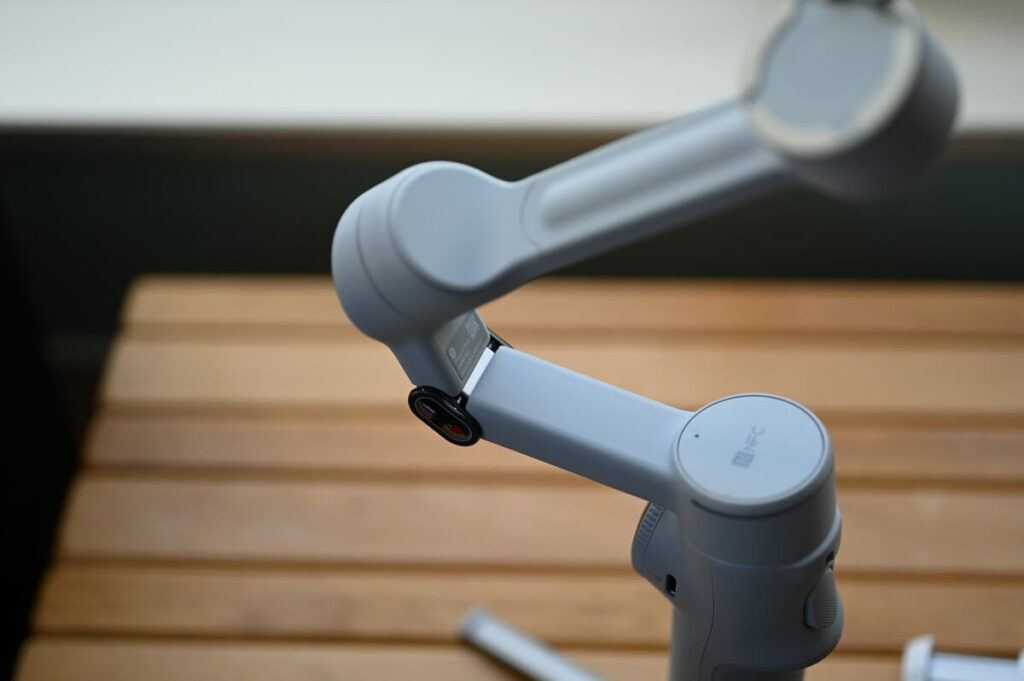
Due to the greatly improved stability of the tripod, an external tripod is no longer necessary. In addition, the new design of the arm has increased the flexibility of operation and significantly reduced the stiffness that characterises stabilisers. With these two points alone, the Flow 2 Pro can be regarded as the best stabiliser on the market.
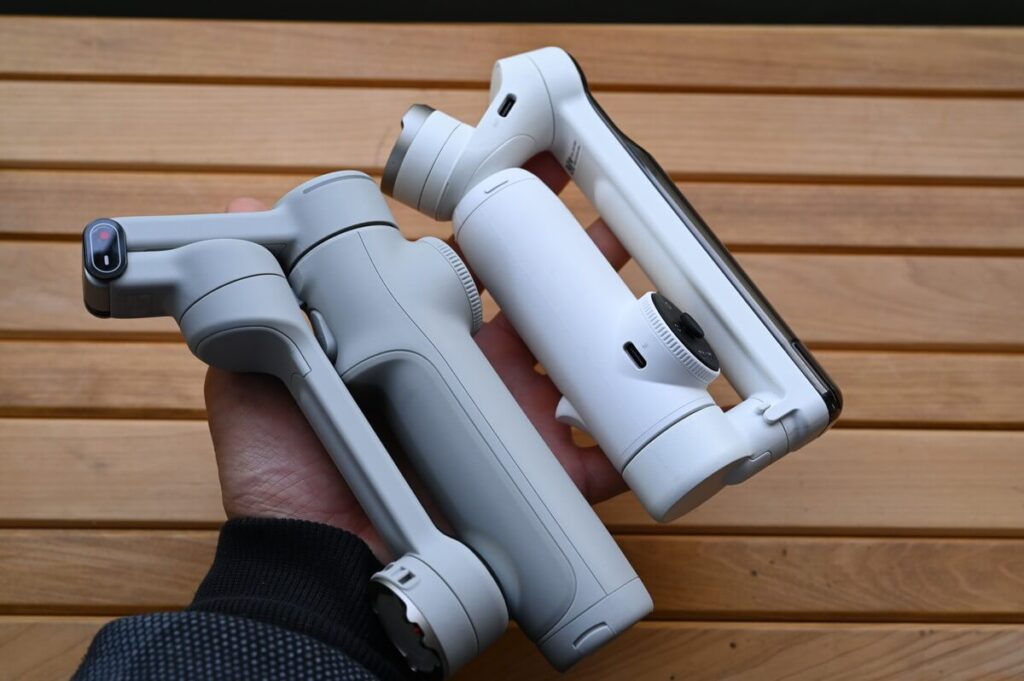
Thanks to its lightweight and slim design, the Flow 2 Pro feels better to hold. Combined with the improved centre of gravity position, the stabiliser is much smoother to hold. For a male like me, it's already a significant change, and for female users, it should be even more satisfying.
The buttons have been made easier to use and a useful selfie mirror has been added. Thank you Insta360 for always bringing these wonderful improvements.
The tracking function is undeniably superior and it is the best stabiliser in the market. With the ability to take 360-degree photos, the Insta360 is definitely the best stabiliser on the market.
The finish of this product is such that it can be recommended with confidence. Whether it's the tracking function, the AI technology for 360° photo compositing, or the mobile app (Insta360 APP), Insta360's finest collection of technology is available in the Flow series, in addition to the X4.
The Flow+ iPhone combo might as well be a cheap version of the X4.
Limited Time Sale