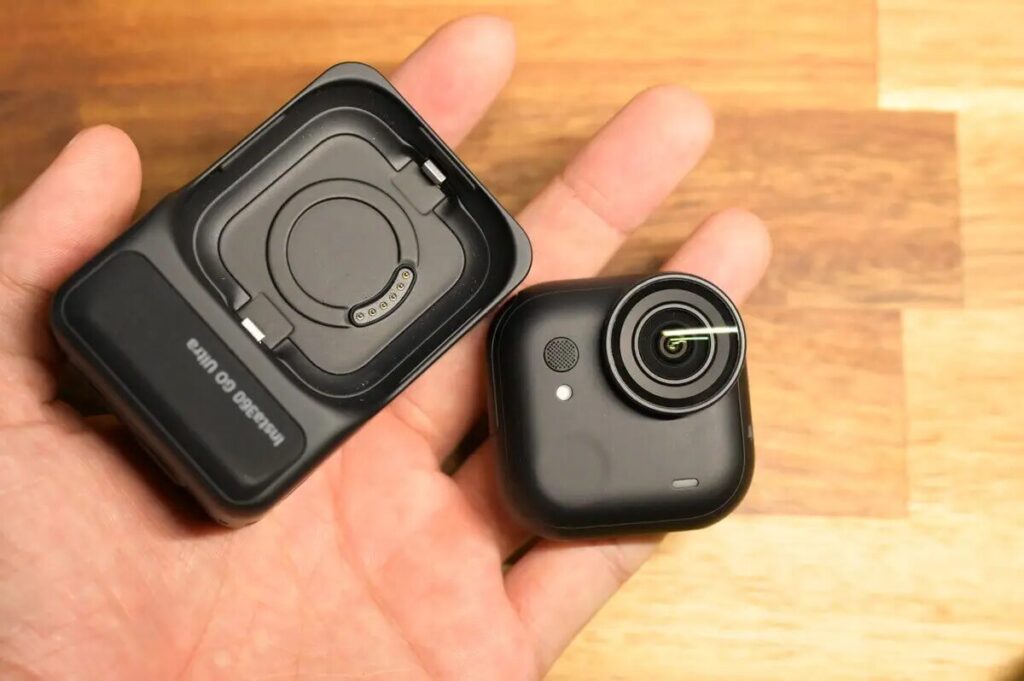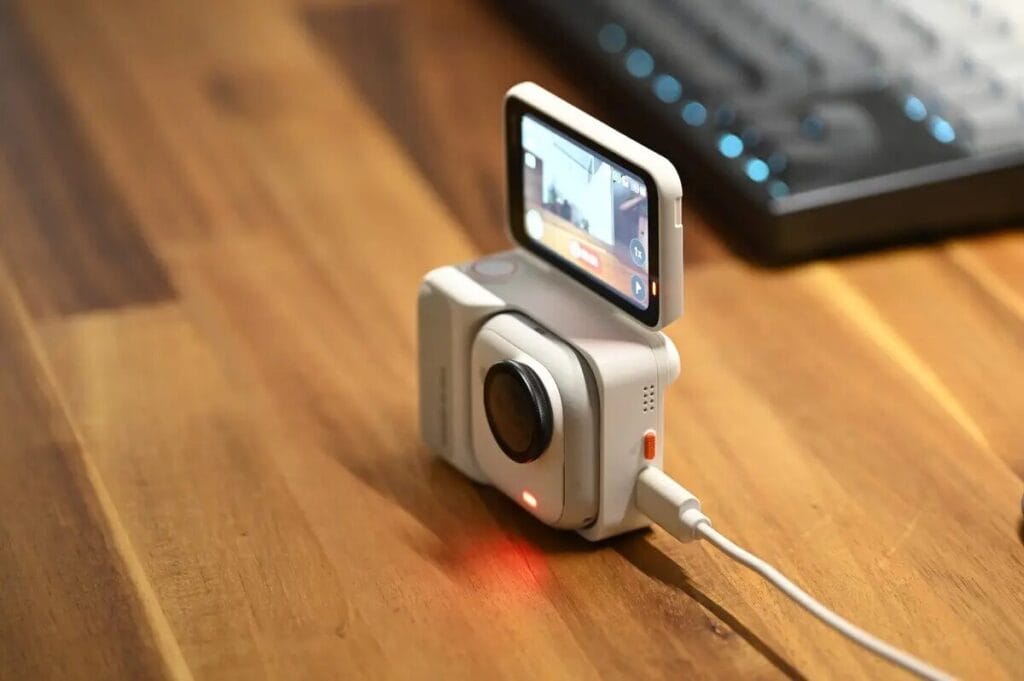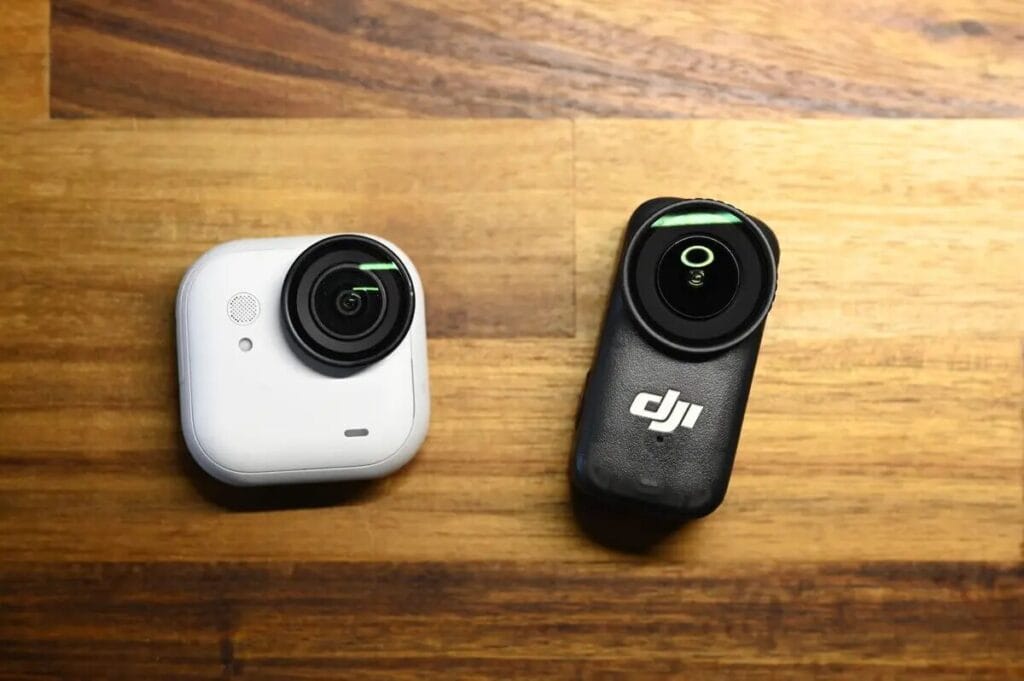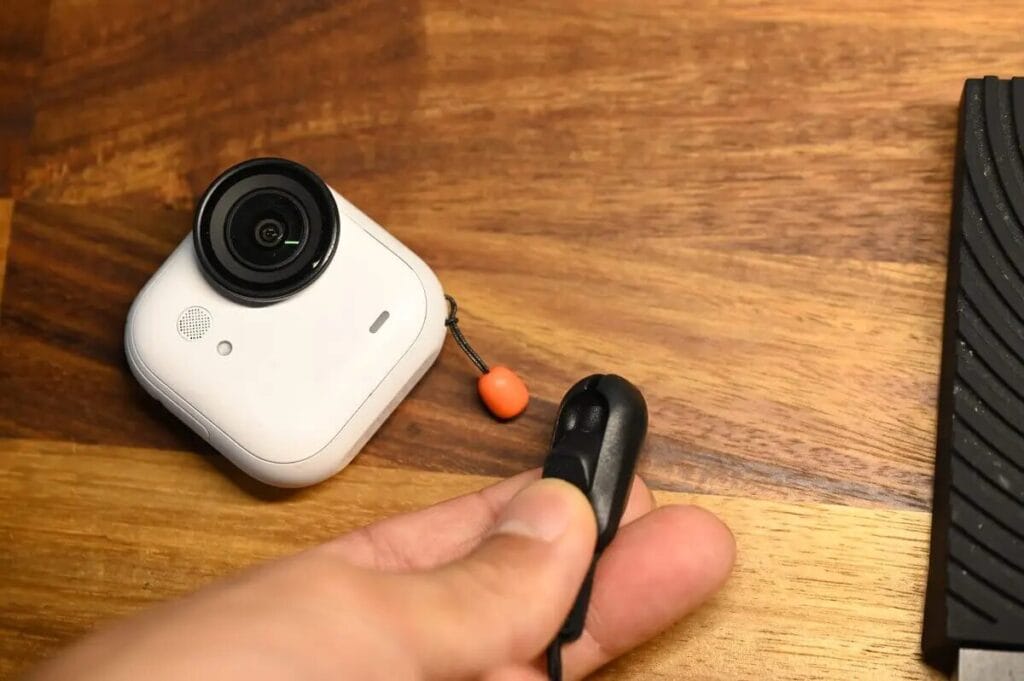



Insta360 officially launched the flagship mini pocket camera "GO Ultra" on August 21, 2025. Unlike the anticipated "GO 4," this new release doesn't simply continue the GO 3S upgrade path. Instead, while retaining the magnetic design foundation, it completely reimagines the product's appearance and comprehensively upgrades its video recording specifications.
The "GO Ultra" naming signals that its positioning is no longer simply an extension of the previous generation "GO 3S" thumb camera, but rather represents the creation of an entirely new product category. In this review, I'll provide an in-depth exploration of the key differences and upgrade highlights between the GO Ultra and GO 3S. Additionally, I'll compare image quality with the flagship action camera Ace Pro 2 to evaluate the GO Ultra's strengths, limitations, and real-world performance, helping you determine whether it's worth the investment.

The main points covered in this review are:
- Specification Comparison
- Bundle Selection
- Product Design
- Image Quality
- Night Shooting Performance
At the same time, I'll focus on answering several questions that GO series users are most concerned about:
- Has the GO Ultra's image quality surpassed Insta360's flagship action cameras?
- Will the larger size and heavier weight affect the user experience?
- Does the cube-shaped GO Ultra camera operate the same way as the thumb-sized GO 3S camera?
This content is quite comprehensive, so take your time reading through it!
GO Ultra Product Highlights
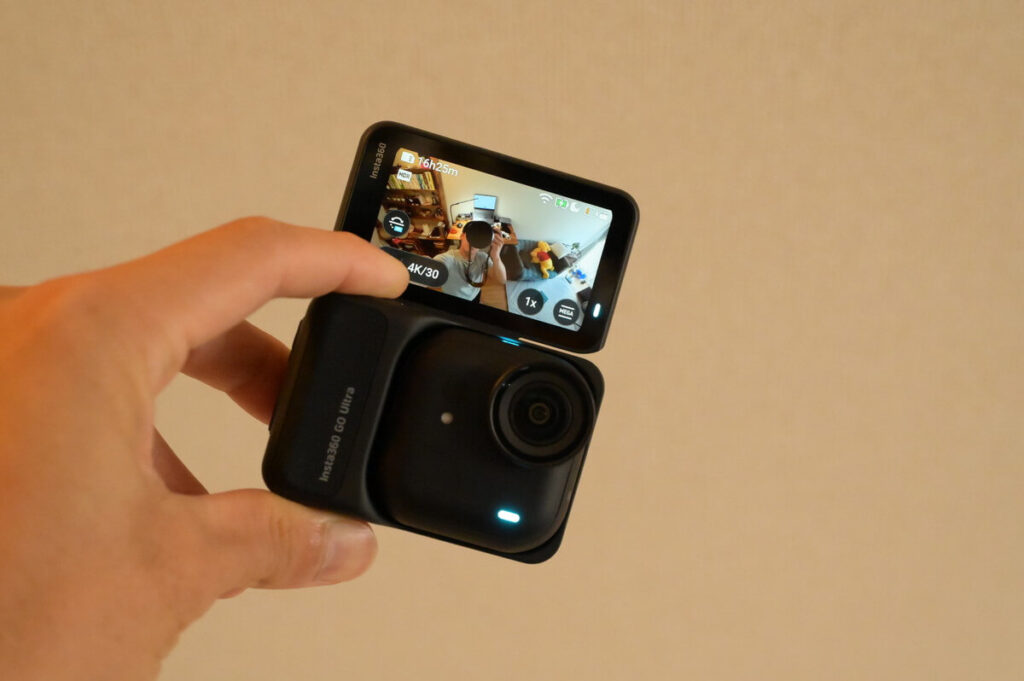
First of all, let’s get straight to the three key points of the GO Ultra:
- The "image quality" now rivals Insta360's flagship action cameras, with more realistic detail and color reproduction
- Fully retains the GO series' signature advantages: compact, flexible, and ready to shoot on the go
- Although the size has increased, the operation and usability have actually improved, making it larger and more comfortable to handle
Image Quality
The GO Ultra features a 1/1.28-inch sensor and 5nm AI chip, with a light-sensing area increased by 221% compared to the previous generation. It supports 4K 60fps video recording and offers 4K 30fps night mode in low-light environments. Motion HDR effectively balances highlights and shadow details, while noise control in night shots also performs exceptionally well. The sensor size even slightly exceeds the 1/1.3-inch sensor found in Insta360's flagship action camera, the Ace Pro 2.

From an image quality perspective, the GO Ultra has reached a level on par with traditional action cameras and can even be considered among the top tier. While it doesn't offer 8K resolution and the Ace Pro 2 still excels in detail rendering and depth, the overall performance is nearly on par with the Ace Pro 2, delivering realistic detail and color reproduction.
This confirms that the benefits of the larger body are indeed substantial—compared to the GO 3S, the bigger body can accommodate a larger image sensor, resulting in a significant leap in image quality. The GO Ultra's quality improvements are particularly noticeable in low-light environments and HDR recording.
Photography
Photography Capabilities: Outputs up to 50-megapixel ultra-high-resolution photos, while also supporting 12.5-megapixel HDR shooting and RAW format. Features 7 built-in filters to meet street photography and creative photography needs.

Battery Life
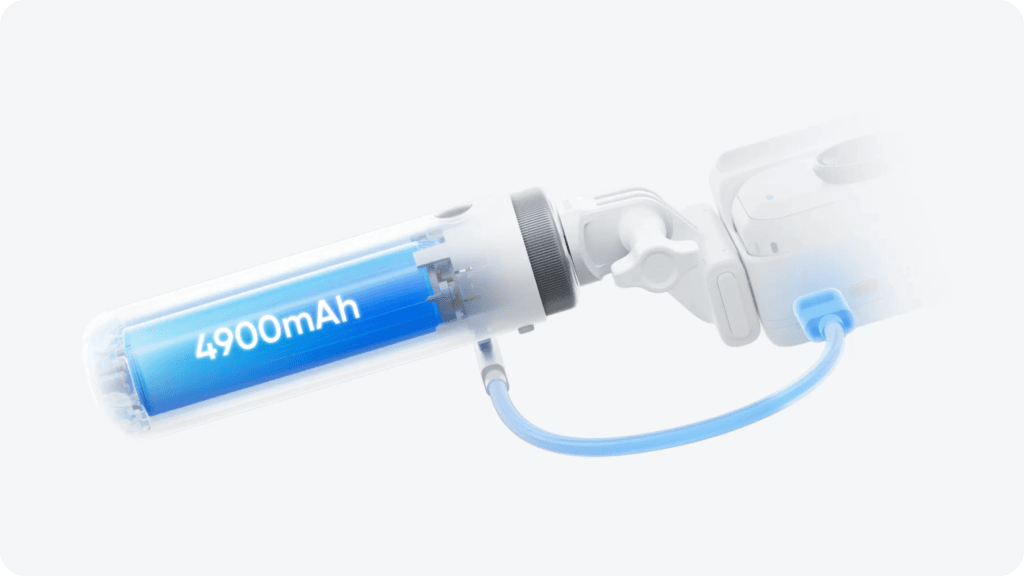
Supports 24W fast charging, reaching 80% in just 12 minutes, with a maximum battery life of up to 200 minutes.
Stabilization and Audio
The GO Ultra features FlowState stabilization technology with three stabilization modes. Even in high stabilization mode during cycling or sports scenarios, footage remains smooth and stable. For audio, it incorporates noise reduction, wind resistance, and a steel mesh pop filter structure, supporting wind noise reduction during movement and voice enhancement mode. It can also be paired with the wireless microphone Mic Air to ensure crystal-clear audio capture.
Smart Controls
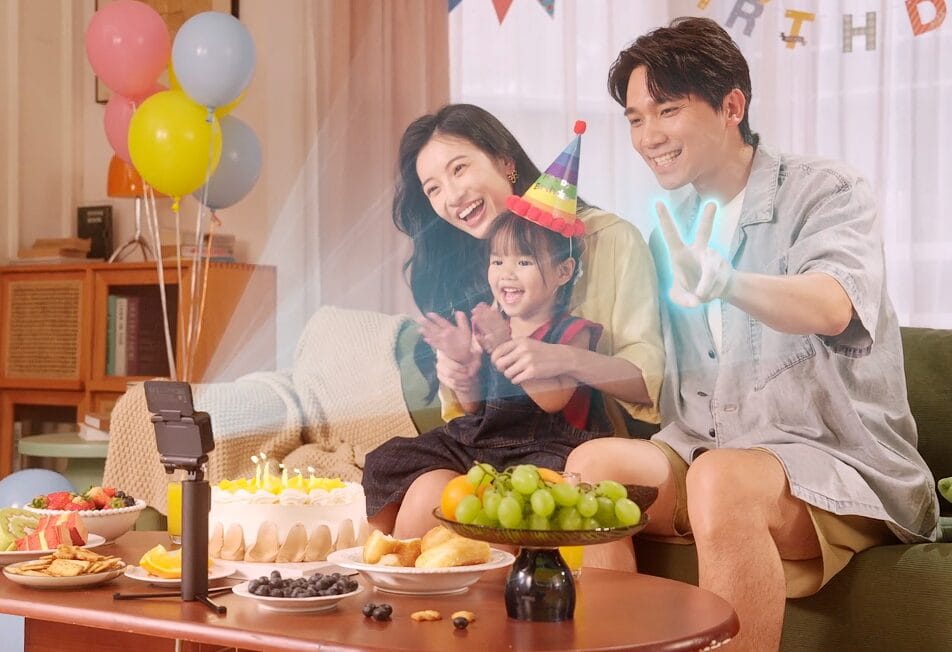
It supports voice and gesture controls, with a responsive touchscreen interface that allows quick switching between 9:16 and 16:9 aspect ratios. The extensive magnetic accessory ecosystem enables effortless multi-angle shooting. When connected to the Insta360 App, AI automatically identifies highlight moments, intelligently edits footage, and adds music, significantly simplifying the post-production editing process.
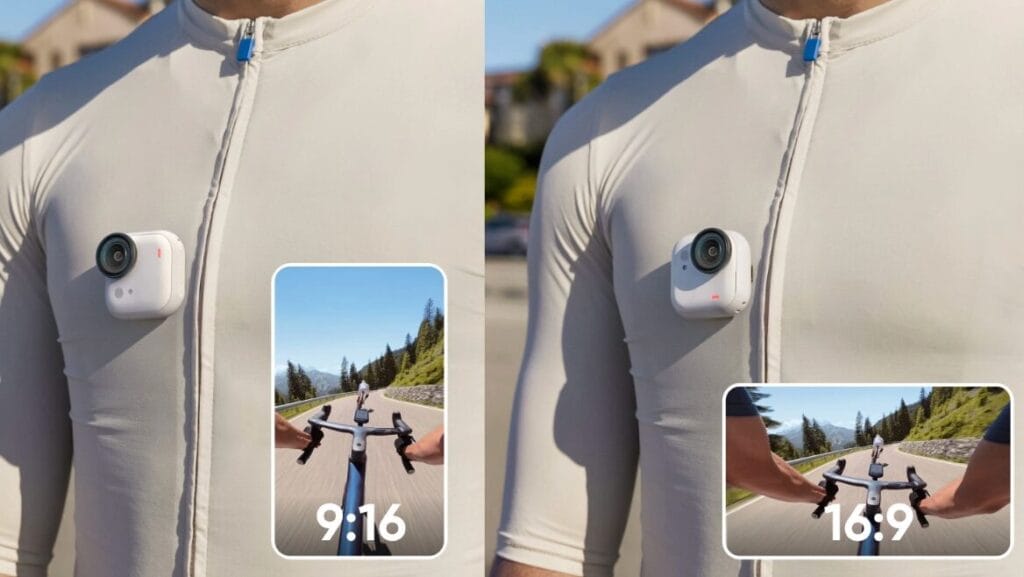
Portable and compact
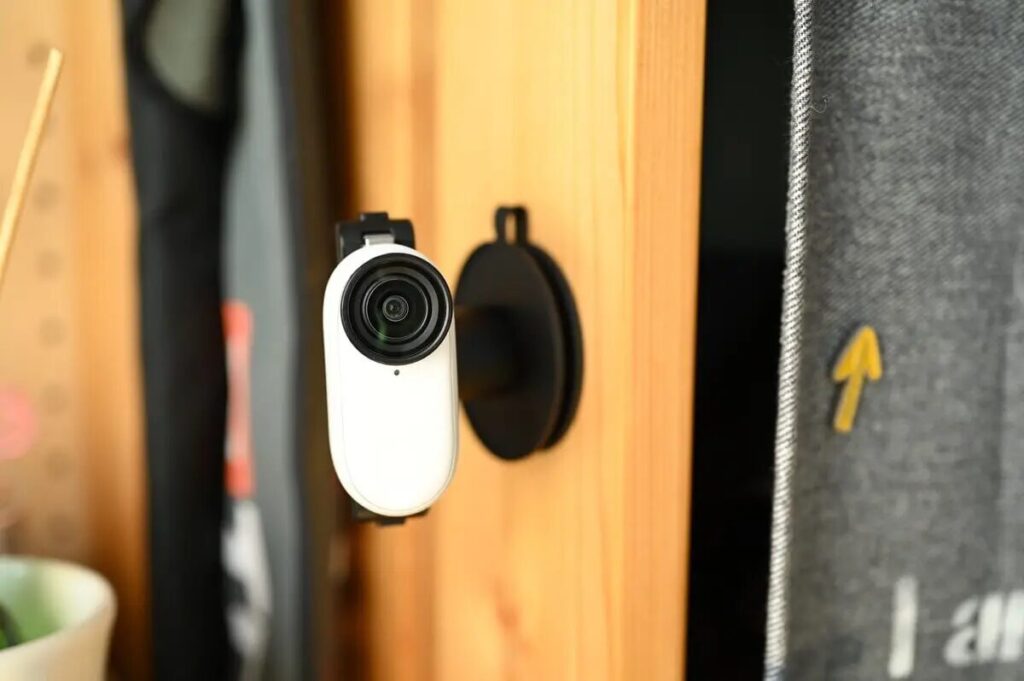
The Insta360 GO Ultra weighs just 53 grams and features a "small cube" design. While slightly heavier than its predecessor, it remains barely noticeable when worn. It effortlessly attaches magnetically to clothing, hats, or backpacks, freeing your hands for extended hands-free recording. Whether magnetically mounted to objects or clipped to clothing, it's ready to capture footage anytime, anywhere. With the included easy clip and magnetic pendant, the GO Ultra can easily record first-person POV perspectives just like the GO 3S, keeping your hands free while filming.
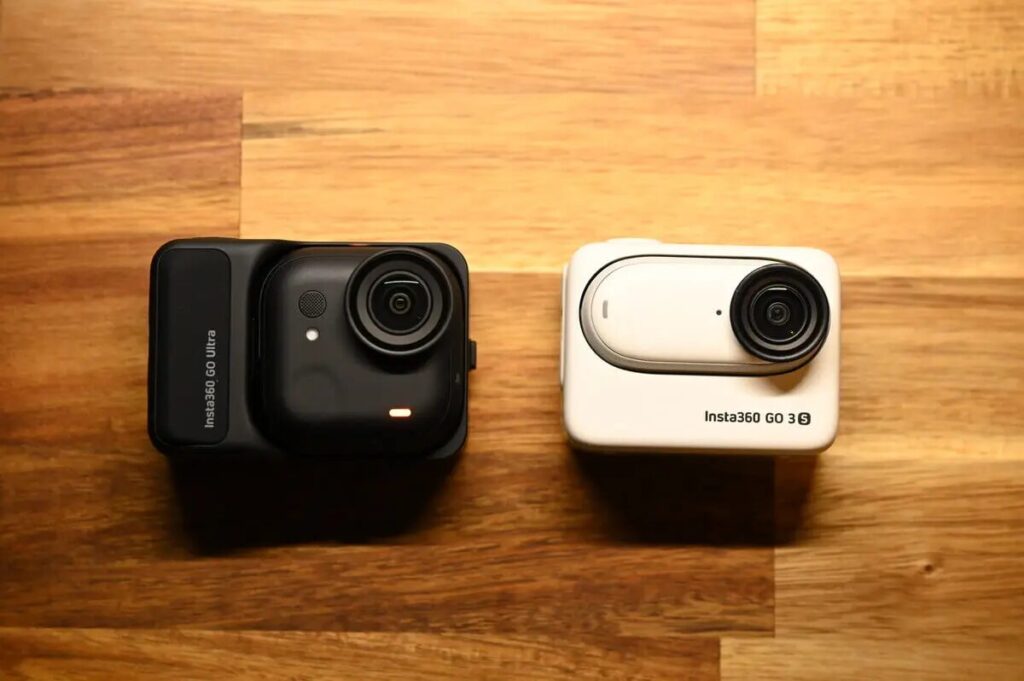
However, it's clearly visible from the appearance that the GO Ultra is larger than the GO 3S, which may raise some concerns.

Larger size but improved usability
Initially, I expected the larger body would make operation more cumbersome, but in reality, the GO Ultra is actually easier to use than the GO 3S. The reasons are:
- 📐 Thinner body → Stabilization of the center of gravity
- 🧲 Larger magnetic area → Firmer adsorption
- 🔧 New Installation System → More positions for fixation, more flexibility
While the weight has indeed increased by 14g, the upgraded specifications and improved image quality transform this potential drawback into an advantage.
It's evident that the Insta360 development team invested considerable effort into refining the body dimensions, ultimately achieving a perfectly balanced sweet spot.
GO Ultra Disadvantages
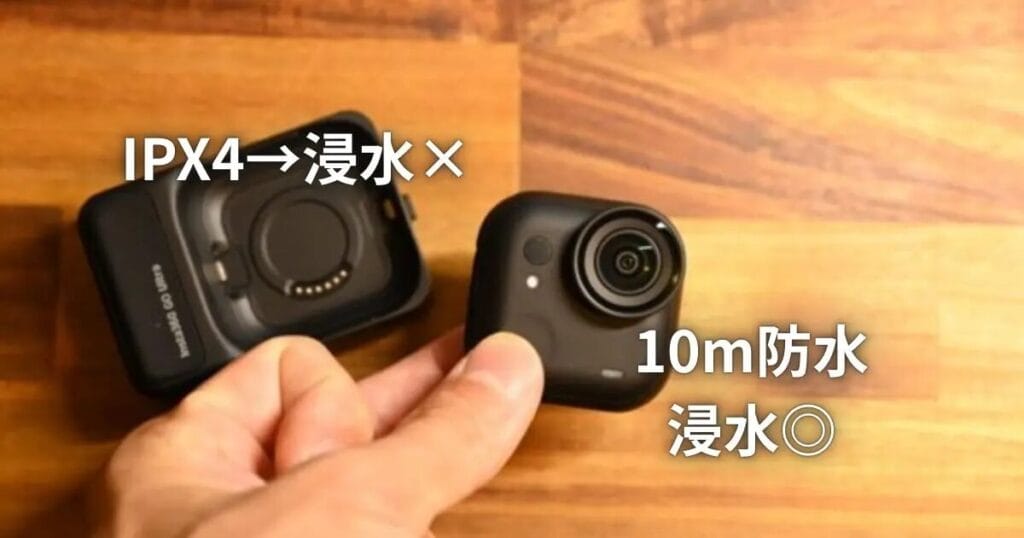
The main drawbacks of the Insta360 GO Ultra include: heat buildup during extended recording, a non-replaceable internal battery, and the Action Pod's splash-proof-only design that doesn't support underwater filming. Particularly when recording at 4K/60fps, sessions exceeding 30 minutes may experience overheating. For extended vlog recording, it's recommended to pair the camera with the Action Pod or the Mini Power Handle to extend usage time.
- Overheating
During continuous shooting at high resolutions such as 4K/60fps, the camera body may overheat. Therefore, for extended filming sessions, it's necessary to use the Action Pod to prolong continuous recording time. - Built-in Battery
The camera body features a built-in battery that cannot be replaced by users. Once depleted, it must be recharged before use can continue. - Water Resistance
The camera body features IPX8 waterproofing, but the Action Pod only has IPX4 splash resistance. Therefore, when attached to the Action Pod, underwater filming is not possible.
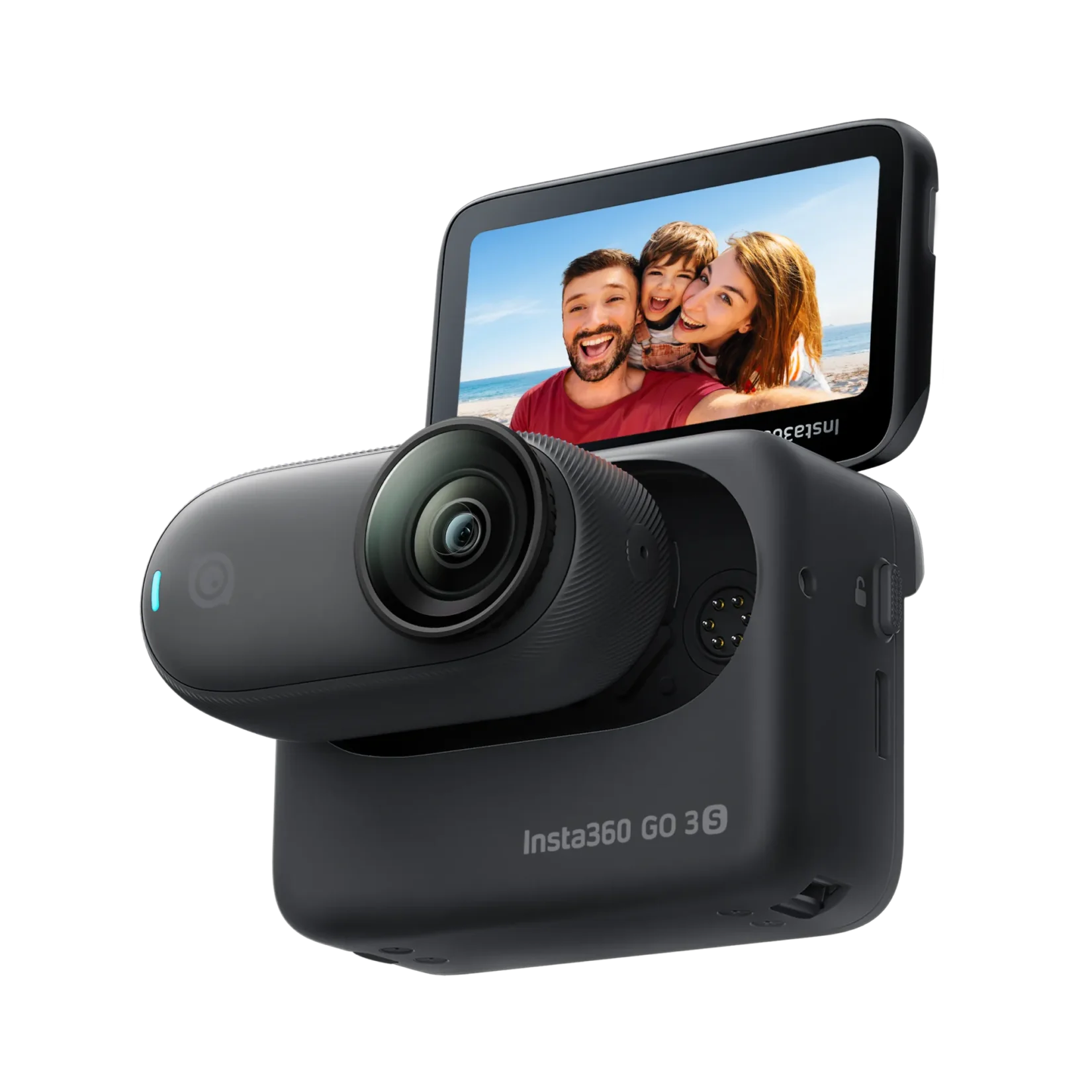
GO Ultra vs GO 3S Specification Comparison
| GO Ultra | GO 3S | |
|---|---|---|
 |  | |
| Price | NTD $13,980 HKD $2,999 USD $449.99 | NTD $14,999 HKD $3,149 USD $399.99 |
| Sensor size | 1/1.28 | 1/2.3 |
| microchip | 5nm AI chips | 14nm Chip |
| Maximum Video Resolution | 4K@60fps | 4K@30fps |
| Size | New microSD memory card slot | Built-in Capacity |
| FOV Maximum Field of View | 156° | 150° |
| Running Time | Camera only: 70 minutes Camera + Action Pod: 200 minutes | Camera only: 38 minutes Camera + Action Pod: 140 minutes |
| 80%Quick Charge | Camera only: 12 minutes Camera + Action Pod: 18 minutes | Camera only: 23 minutes Camera + Action Pod: 47 minutes |
| Screen Size | 2.5" Flip Touch Screen | 2.2" Flip Touch Screen |
| Weights | Camera only: 53g Camera + Action Pod: 161g | Camera only: 39g Camera + ActionPod: 135g |
| Waterproofing | Camera only: 10m waterproof | Camera only: 10m waterproof |
| recording mode | Intelligent Wind/Noise Reduction / Motion Wind/Noise Reduction / Intelligent Vocal Enhancement / Natural Acoustics | Wind Noise Reduction / Stereo Sound / Directional Enhancement |
| Ambient Light Sensor | ✅ | |
| Pure Video | ✅ | |
| 4K HDR | ✅ | |
| 4K Lossless Zoom | ✅ |
GO Ultra Bundle Selection
What bundles are available for GO Ultra?
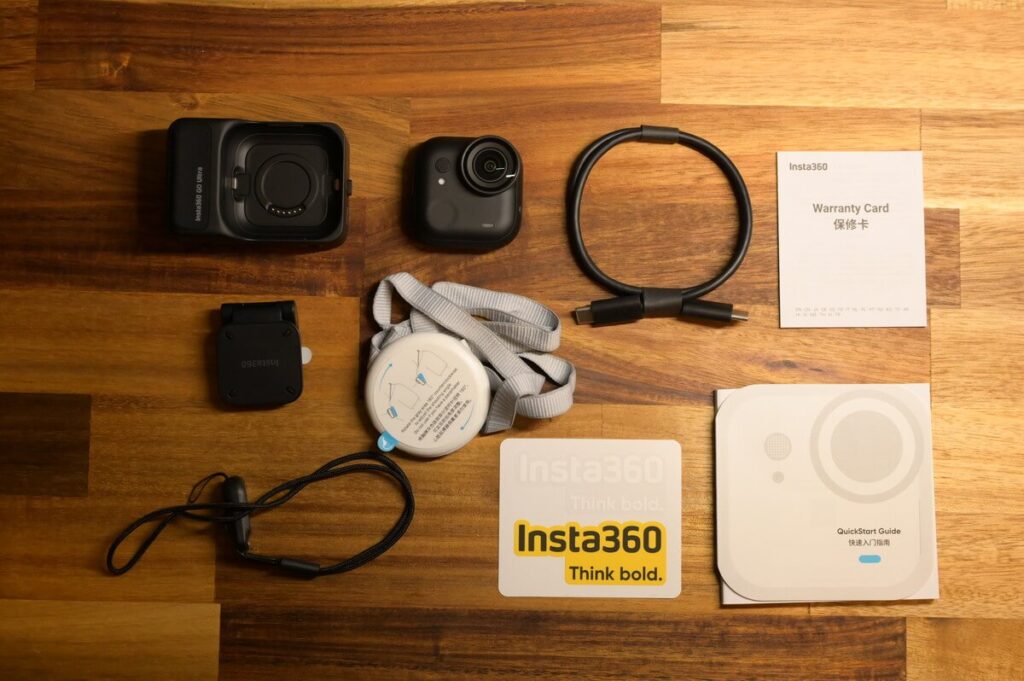
The standard bundle of GO Ultra includes the following accessories.
- GO Ultra
- Action Pod
- Type C Charging Cable
- Magnetic Clip
- Magnet Pendant
- Lens protector (default pre-installed on lens)
- Quick Release Safety Cord
- Stickers
- Instruction Manual
Currently, the official website offers the "Standard Bundle," "Creator Bundle," "Running Bundle," "Vlogger Bundle," "Cycling Bundle," and "Family Bundle." While there are fewer options compared to the GO 3S, the addition of the "Running Bundle" demonstrates that the GO series has gained significant traction among the running community. The Standard Bundle includes the main unit and basic accessories, ready to use straight out of the box. However, for those looking to explore more shooting angles or styles, it may feel somewhat limited.
Below is a summary of the additional accessories included in each bundle compared to the "Standard Bundle." It's worth noting that except for the "Standard Bundle," all other GO Ultra bundles include the Quick Release Mount, which is an accessory I highly recommend. Its dual-magnet design paired with a snap-lock system ensures the GO Ultra is mounted securely and safely.

| Bundle Name | Included Accessories | Usage Scenarios | |
| Standard Bundle | 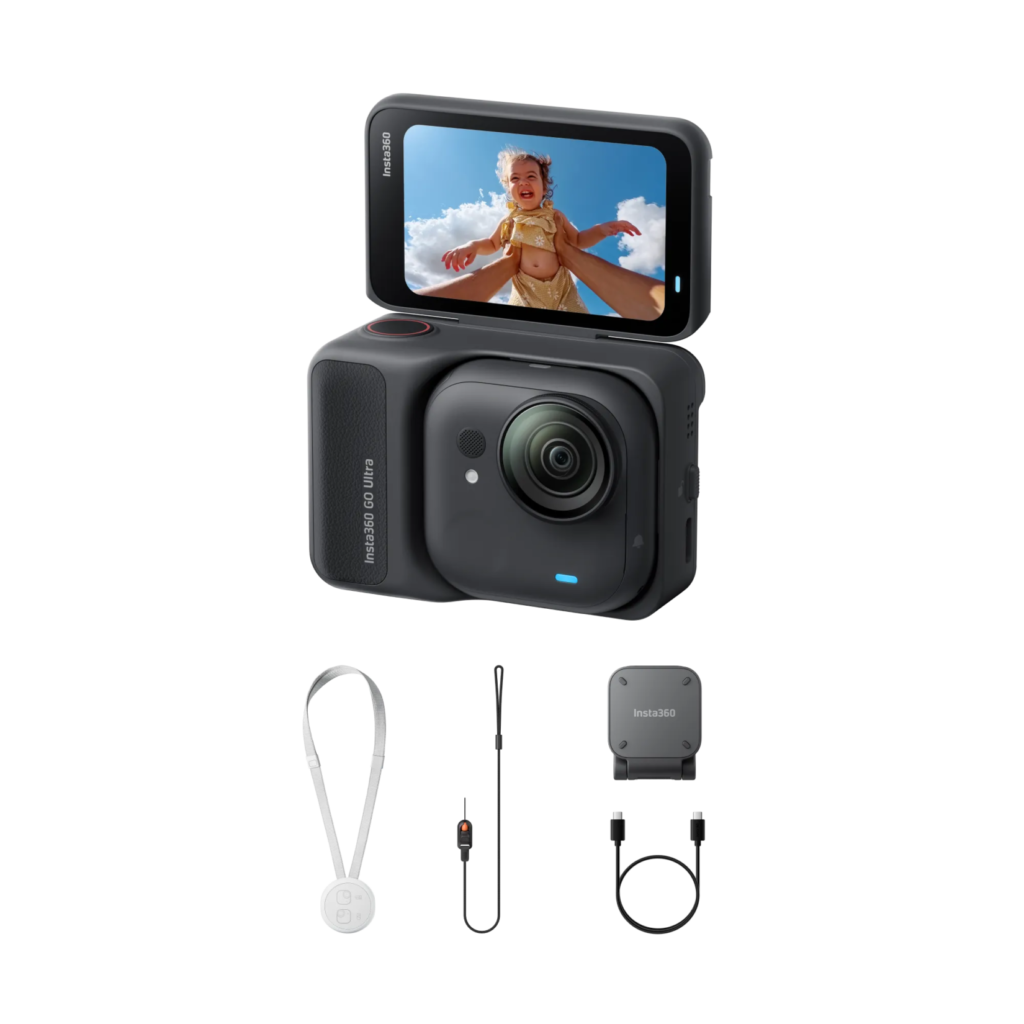 | GO Ultra, Quick Release Safety Cord , Easy Clip, Magnet Pendant | Everyday Simplicity Vlog 📷 |
| Creator Bundle |  | GO Ultra, Quick Release Safety Cord , Easy Clip, Magnet Pendant + Quick Release Stands, Mini Tripod Selfie Sticks, Swivel Stands | In-Depth Vlogs, Multi-Angle Recording📹 |
| Vlogger Bundle | 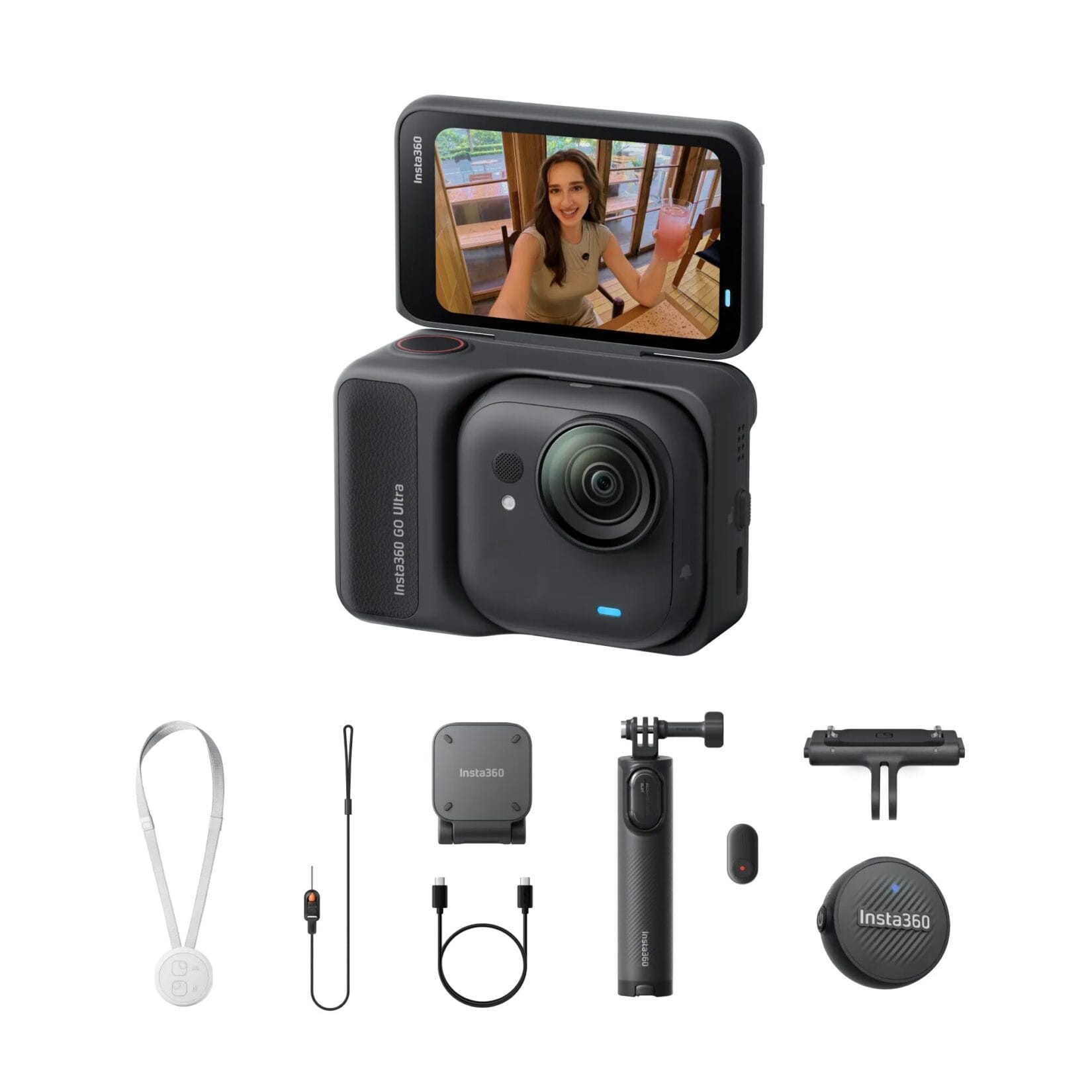 | GO Ultra, Quick Release Safety Cord , Easy Clip, Magnet Pendant + Quick Release Stand, Mini Tripod Selfie Stick, Mic Air | Record Vlog with external microphone 📷 |
| Snap & Shoot Bundle | 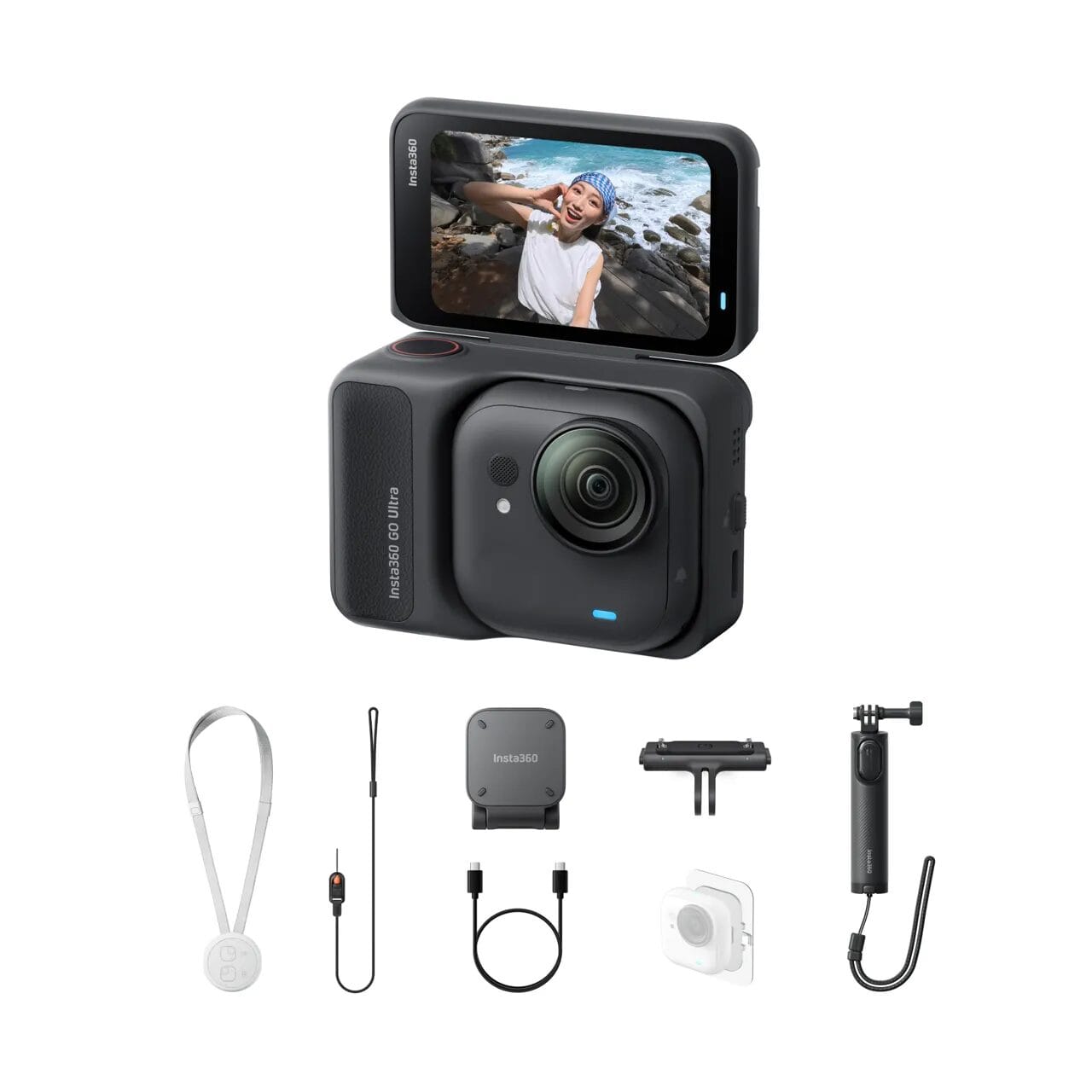 | GO Ultra, Quick Release Safety Cord , Easy Clip, Magnet Pendant + Quick release stand, mini 2-in-1 tripod,Adhesive sheet (3 pieces) | Recordings are posted everywhere 📷 |
| Running Bundle | 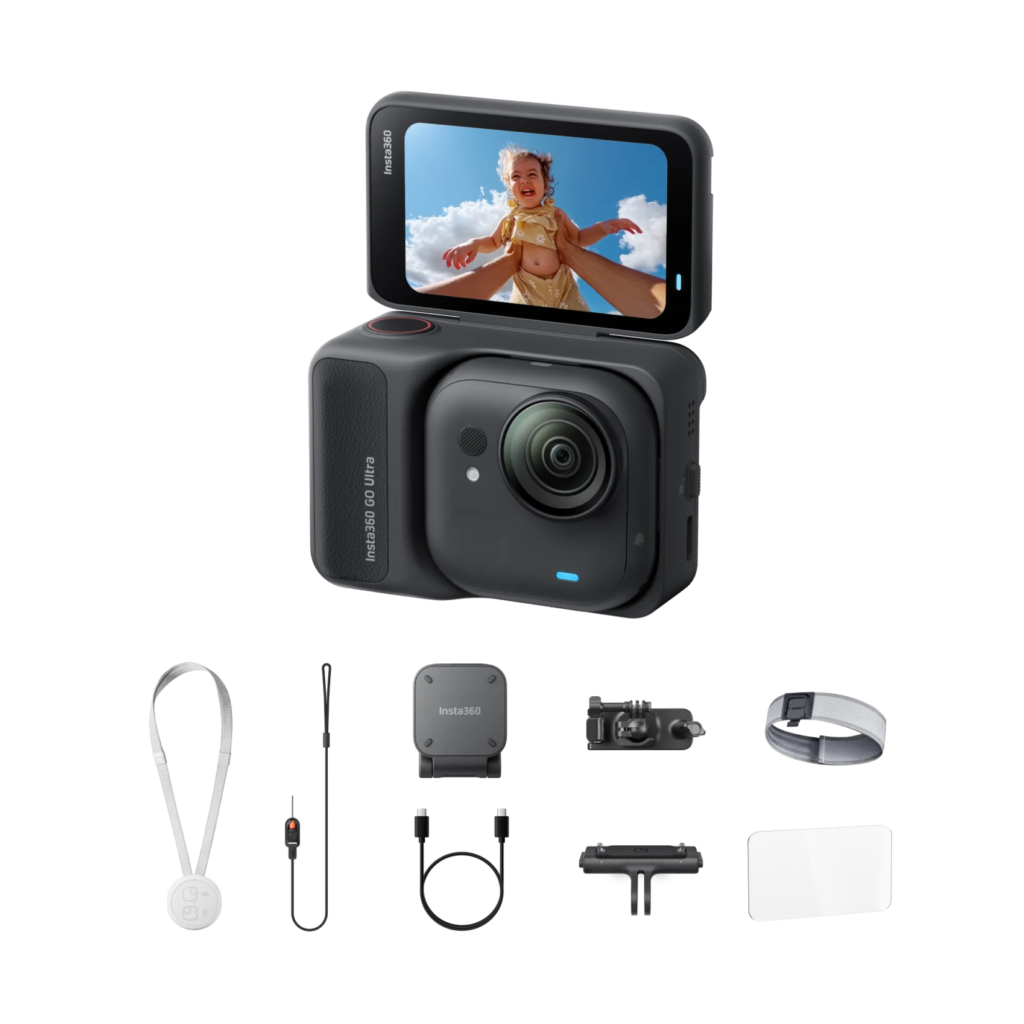 | GO Ultra, Quick Release Safety Cord , Easy Clip, Magnet Pendant + Quick Release Mount, Screen Protector, Easy Clip Headband, Backpack Clip | Running 🏃, hiking ⛰️ |
| Cycling Bundle |  | GO Ultra, Quick Release Safety Cord , Easy Clip, Magnet Pendant + Quick Release Mount, Screen Protector, Flexi Strap Mount, Action Mount | Cycling 🚴 |
| Family Bundle | 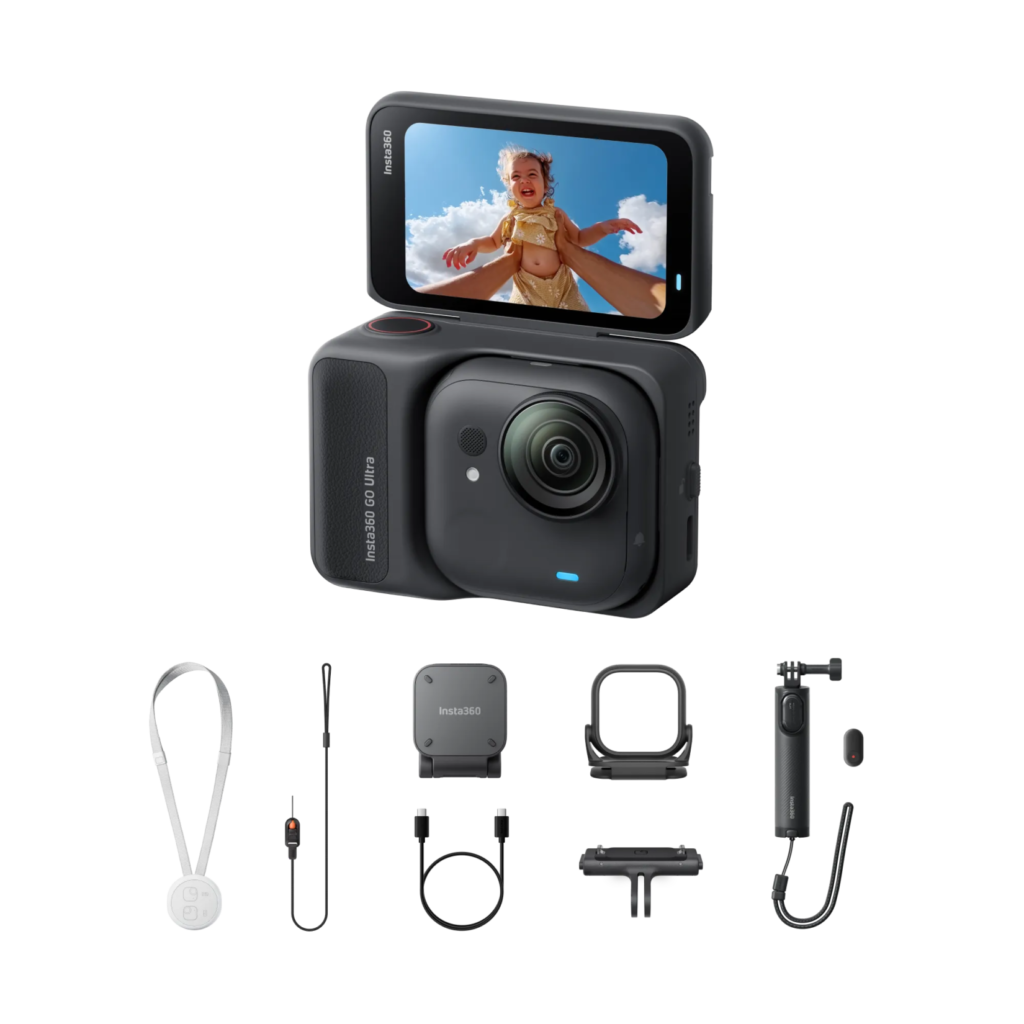 | GO Ultra, Quick Release Safety Cord , Easy Clip, Magnet Pendant +Quick Release Mount, Mini 2-1 Tripod 2.0 Remote Stick, Toddler Titan Hat Clip | Capturing Baby's Perspective👶 |
Creator Bundle
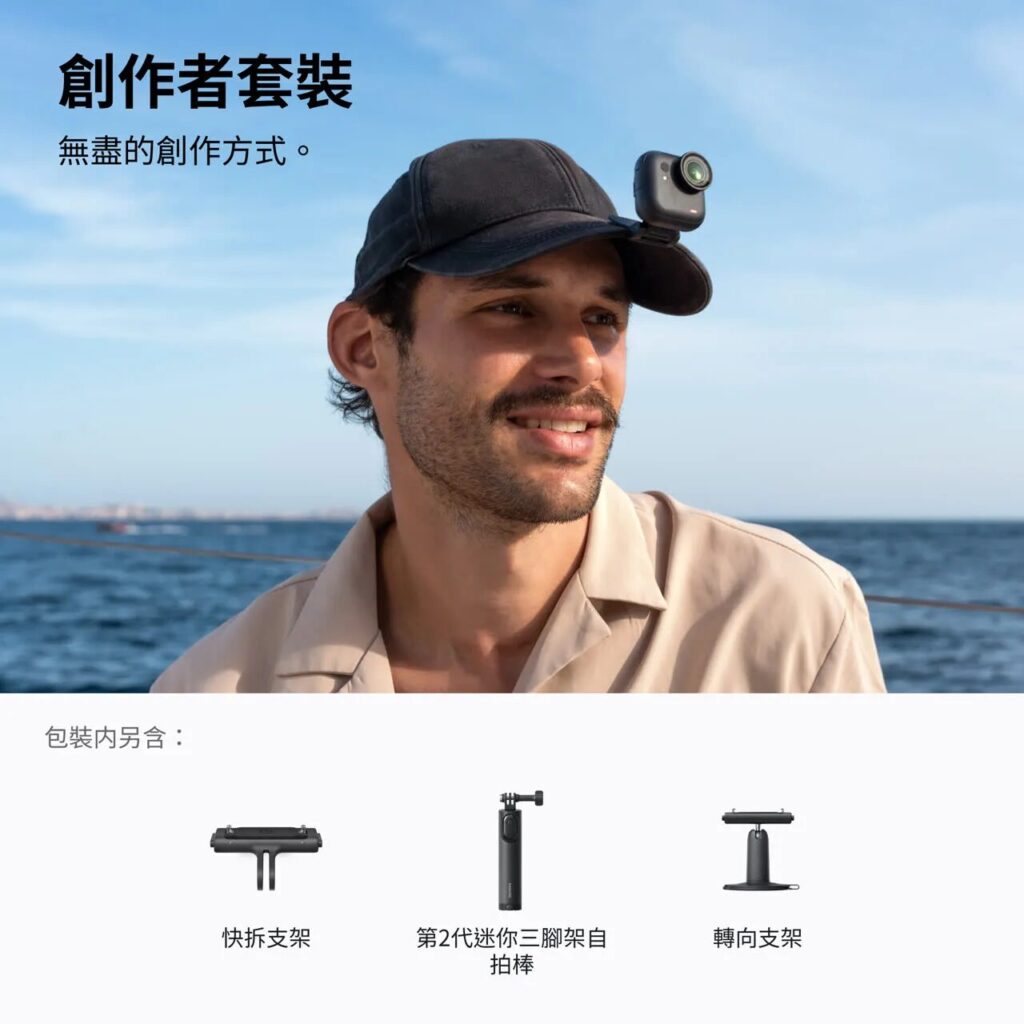
Designed specifically for users with vlogging needs, it includes three of the most commonly used accessories: Quick Release Mount, Mini Selfie Stick Tripod, and Pivot Stand
| Included Accessories | |
| Quick Release Mount |  |
| Mini-2-in-1 Tripod |  |
| Pivot Stand |  |
Vlogger Bundle
A bundle designed for vlogging with an external microphone, including the popular Insta360 Mic Air accessory
| Included Accessories | |
| Quick Release Mount | |
| Mini-2-in-1 Tripod | 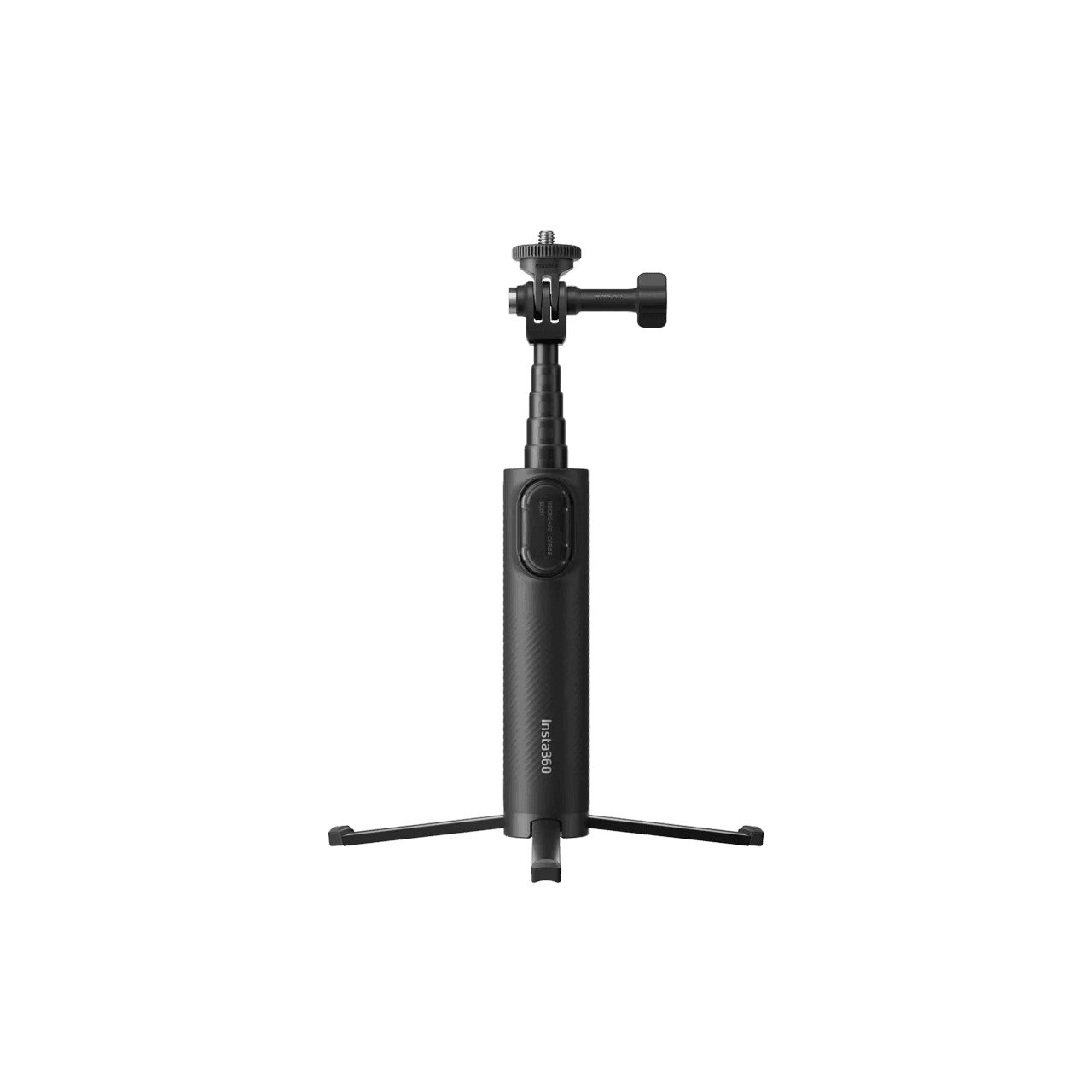 |
| Mic Air | 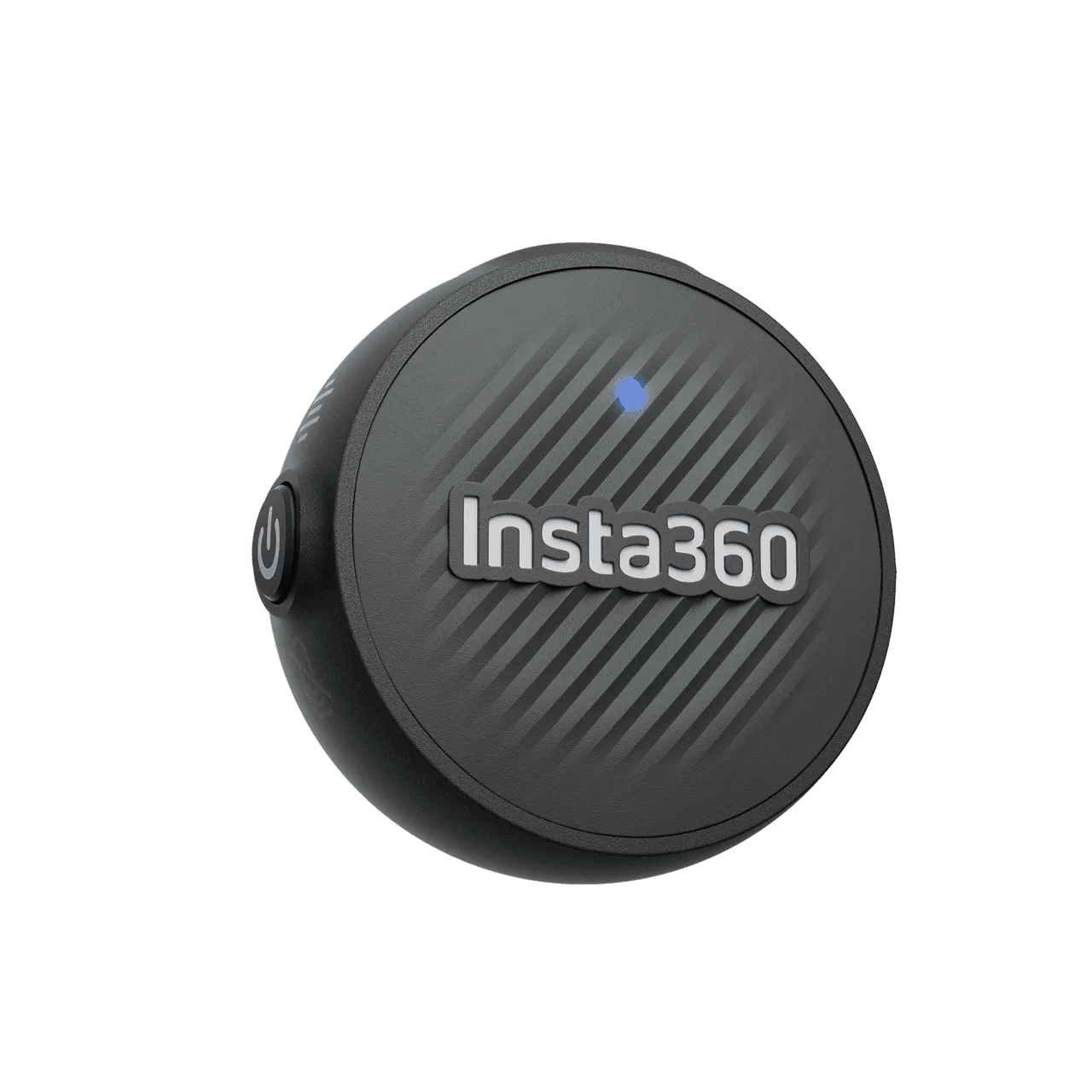 |
Snap & Shoot Bundle
Inner adhesive pad unlocks different recording angles
| Included Accessories | |
| Quick Release Mount | |
| Mini-2-in-1 Tripod | |
| Adhesive sheet (3 pieces) | 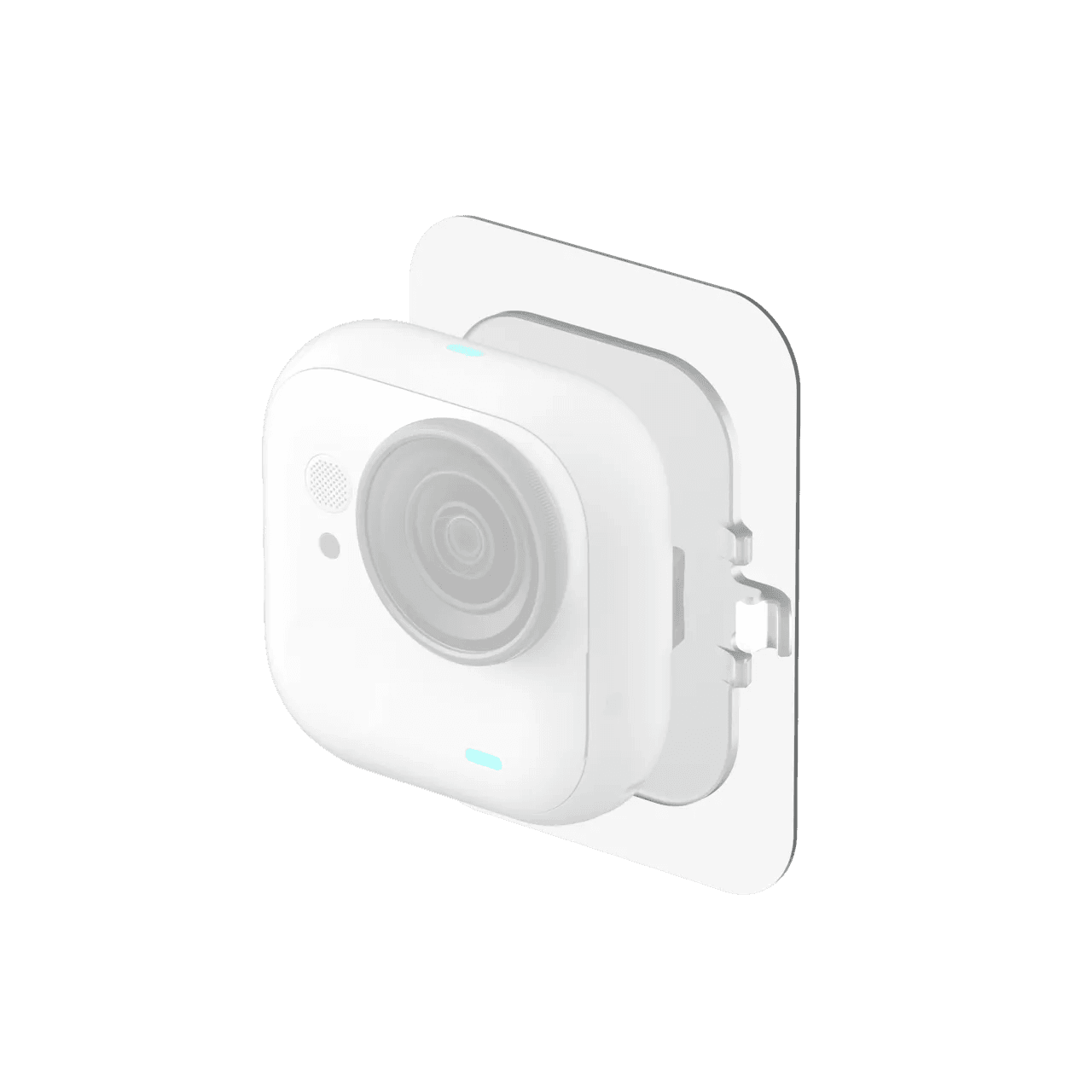 |
Running Bundle
Meets the need for recording short videos while running.
| Included Accessories | |
| Quick Release Mount | |
| Screen Protector |  |
| Simple Headband |  |
| Backpack Clip |  |
Cycling Bundle
The Must-Have Bundle for Cycling🚴
| Included Accessories | |
| Quick Release Mount | |
| Screen Protector | |
| Flexi Strap Mount |  |
| Action Mount |  |
GO Ultra vs GO 3S Product Design
From Thumb Camera to Cube Camera
Compared to GO 3S, GO Ultra has 3 major changes in its design.
- 25% heavier than GO 3S, no longer a thumb camera but a square camera
- Thinner and shorter than GO 3S
- Increased number of specialized accessories
The GO 3S features a horizontal thumb-sized design, while the GO Ultra has been redesigned with a rounded square form factor
While the camera body appears to be approximately 1.5 times larger, the actual volume has only increased by about 25%, which is far less than it seems.
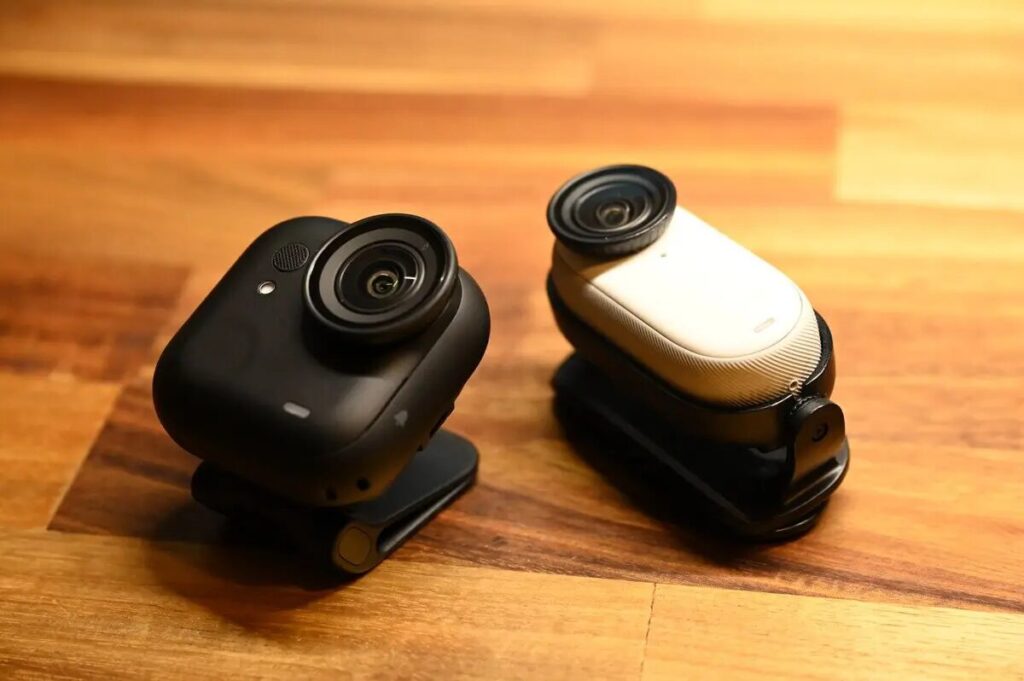
Thanks to the GO Ultra's slimmer body and increased magnetic contact area, it actually provides enhanced stability during use, delivering a further refined feel and reassuring sense of security.
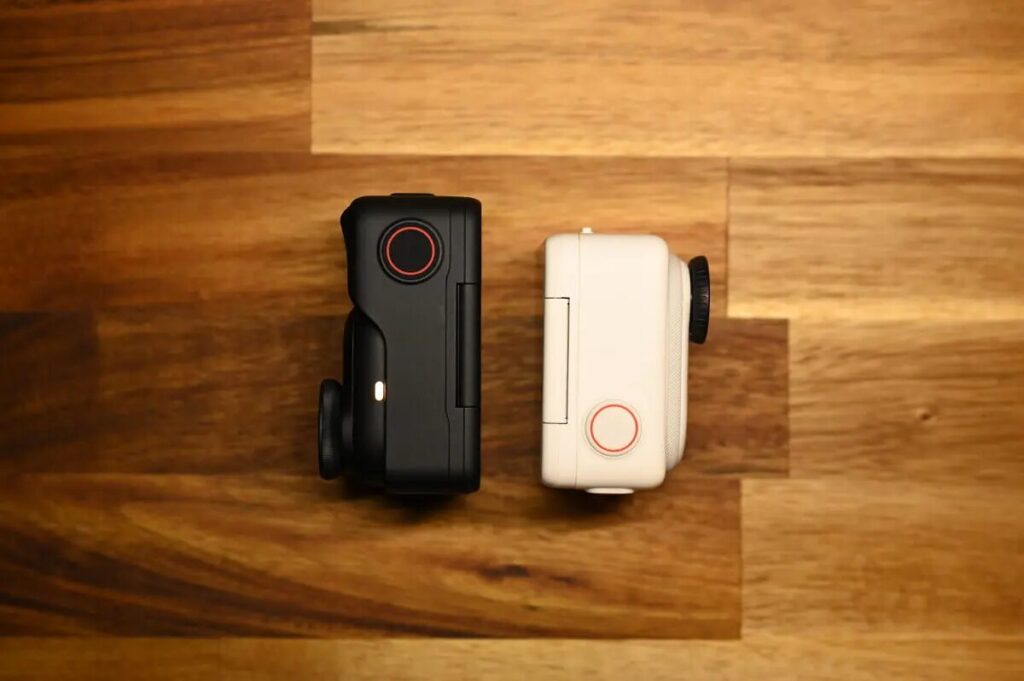
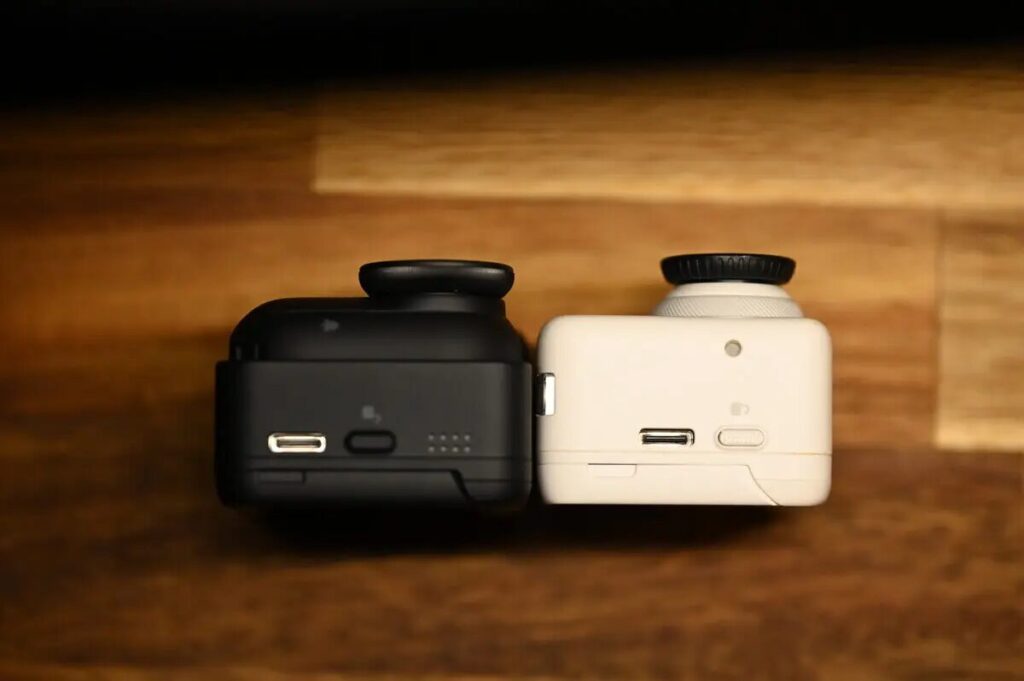
Measuring the camera body alone, the GO Ultra is 18mm while the GO 3S is 20mm, meaning the GO Ultra is approximately 10% thinner than the GO 3S.
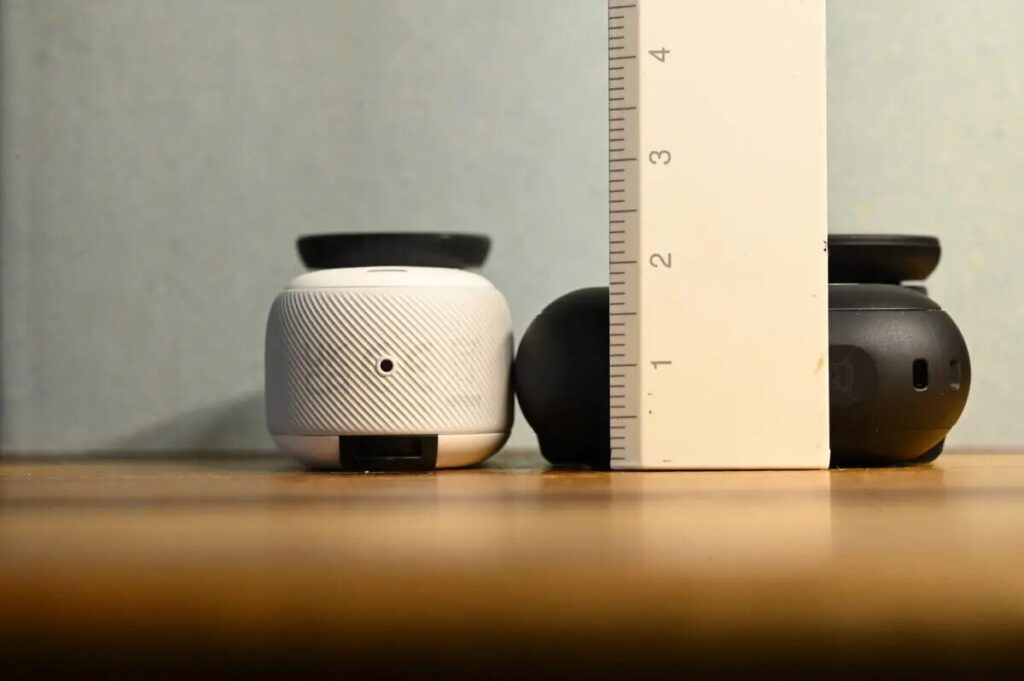
Thickness Change
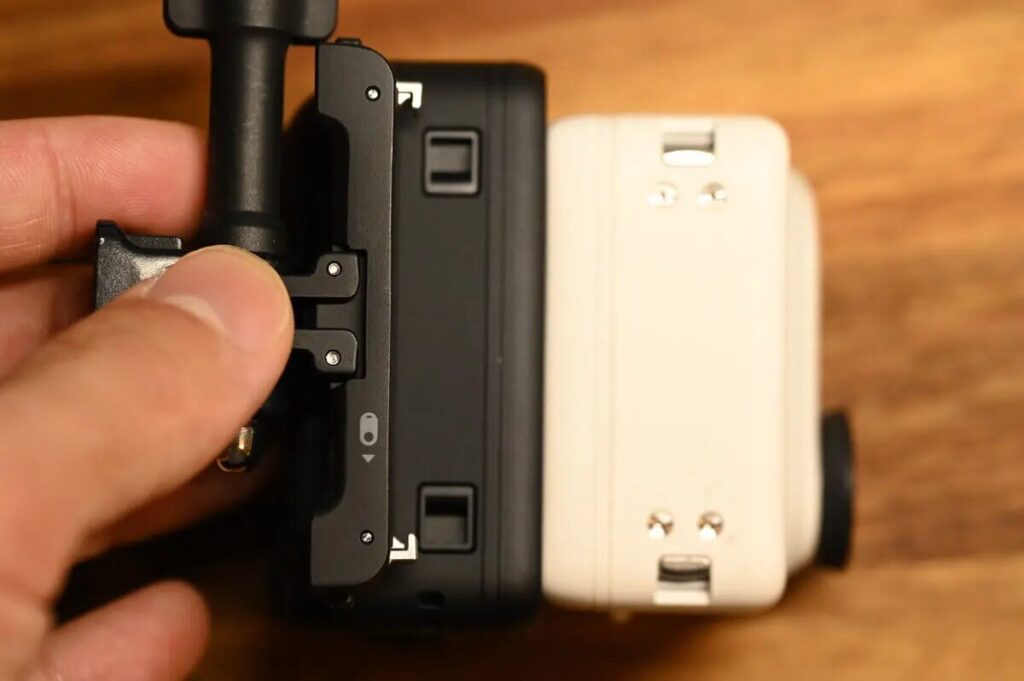
The design of the GO Ultra Quick Release Mount has also been updated. The mounts between the GO Ultra and GO 3S are not compatible with each other.
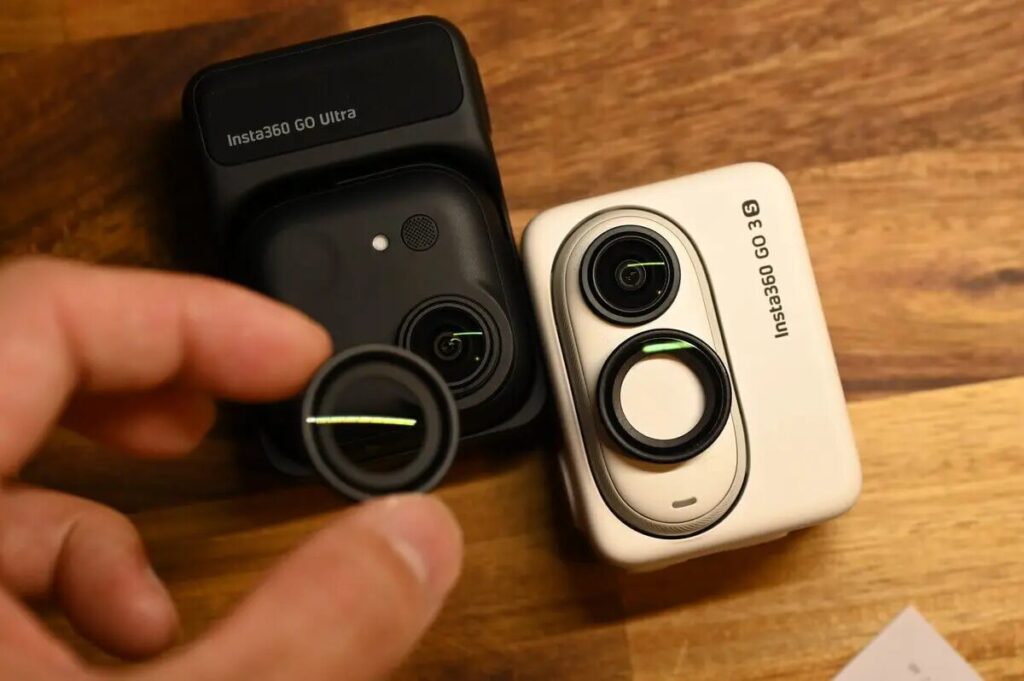
While the GO 3S lens appears larger, actual measurements reveal that the GO Ultra's lens is slightly bigger. Like the GO 3S, the GO Ultra also features a removable lens protective cover.
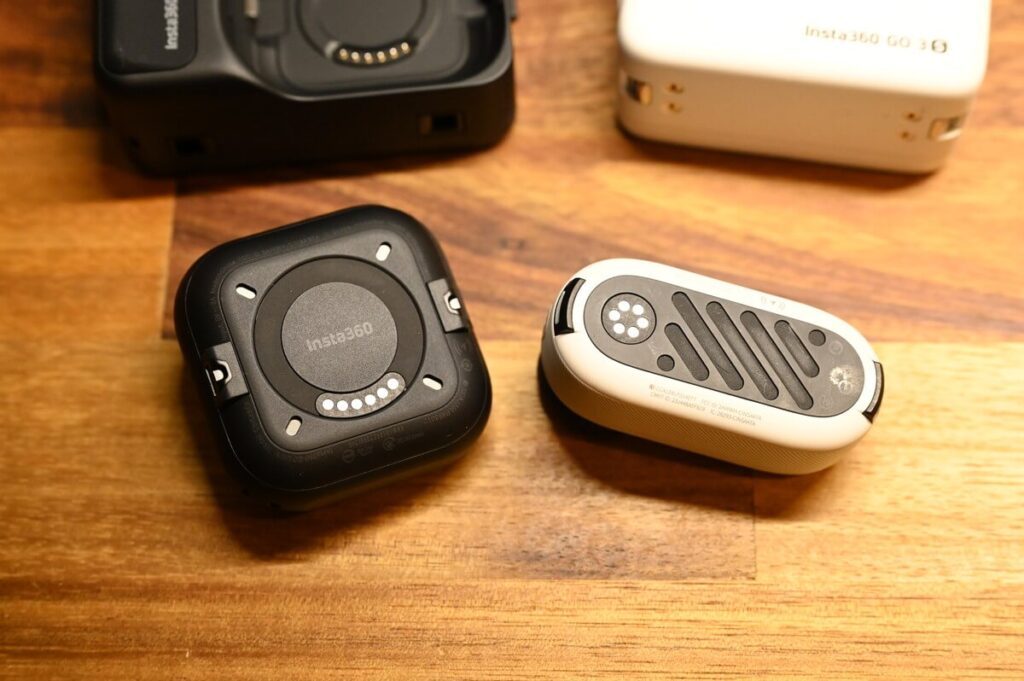
Both the GO Ultra and GO 3S utilize a magnetic design, with the Action Pod wirelessly charging the camera body. Thanks to the GO Ultra's larger magnetic contact area, it not only offsets the impact of the increased weight but actually enhances stability beyond previous models. Additionally, the GO Ultra allows you to remotely view playback footage directly without needing to place the camera in the Action Pod.
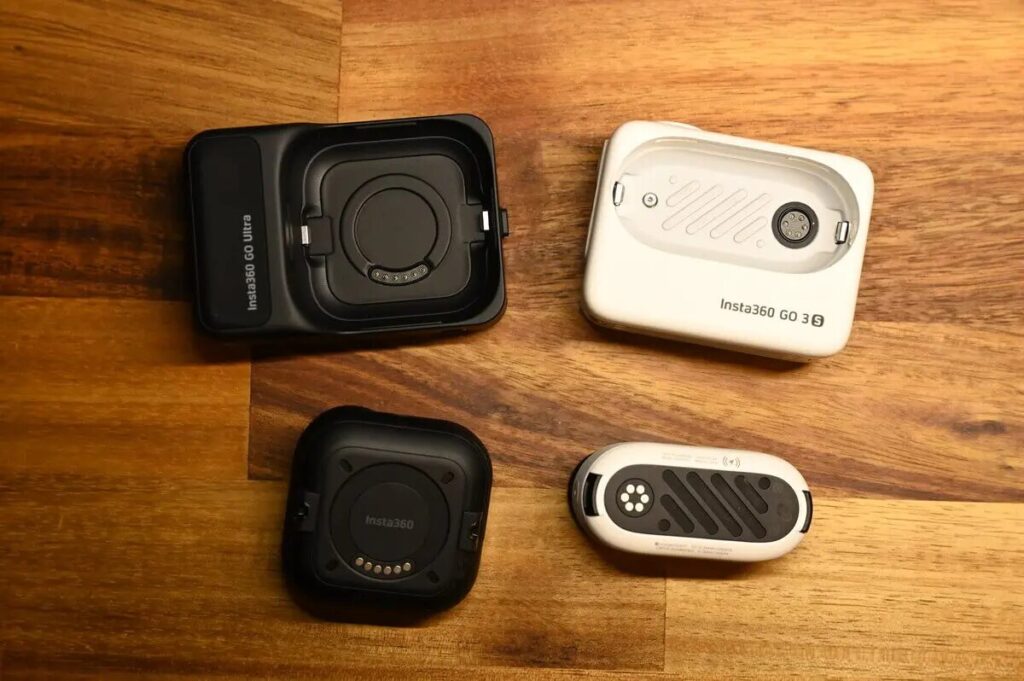
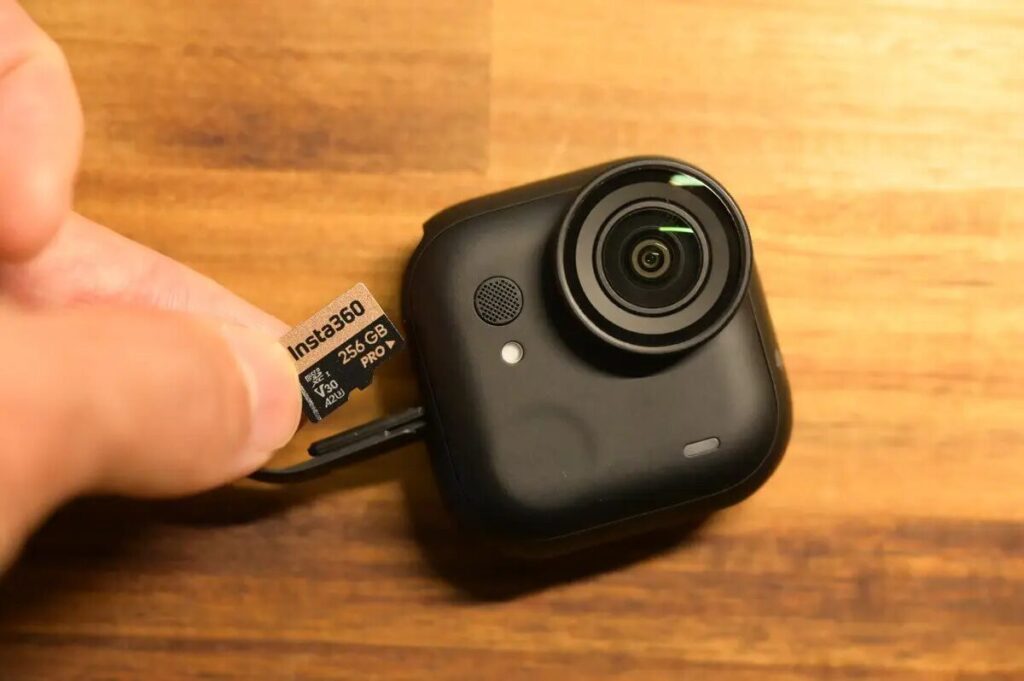
The GO 3S uses built-in storage (128/256GB), while the GO Ultra has switched to supporting SD memory cards. Although you'll need to purchase a memory card separately, you won't have to worry about choosing the right capacity, and you can easily expand storage at any time, which is very convenient.
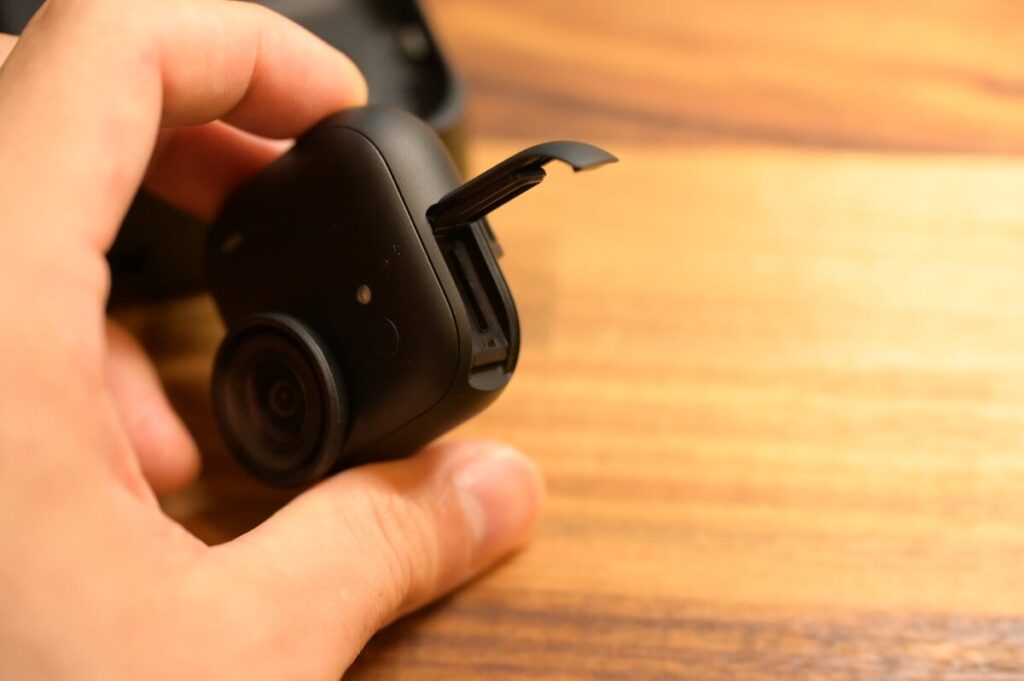
Supports insertion of SD memory card
The new generation GO Ultra supports microSD memory cards with a maximum capacity of up to 2TB. Compared to the GO 3S's reliance on limited built-in storage, this upgrade significantly enhances flexibility for extended shooting sessions.
Memory card capacity choice varies by individual needs, but I highly recommend getting 256GB—it provides approximately 9 hours and 47 minutes of recording time at 4K/30fps, which is sufficient for daily shooting requirements. Additionally, 256GB currently offers the best value for money on the Insta360 official website, balancing capacity and price perfectly, making it an excellent purchase.

Weight Difference
Actual weight measurements of the camera bodies: GO Ultra 52.9g, GO 3S 39.4g, with a difference of 13.5g between them.
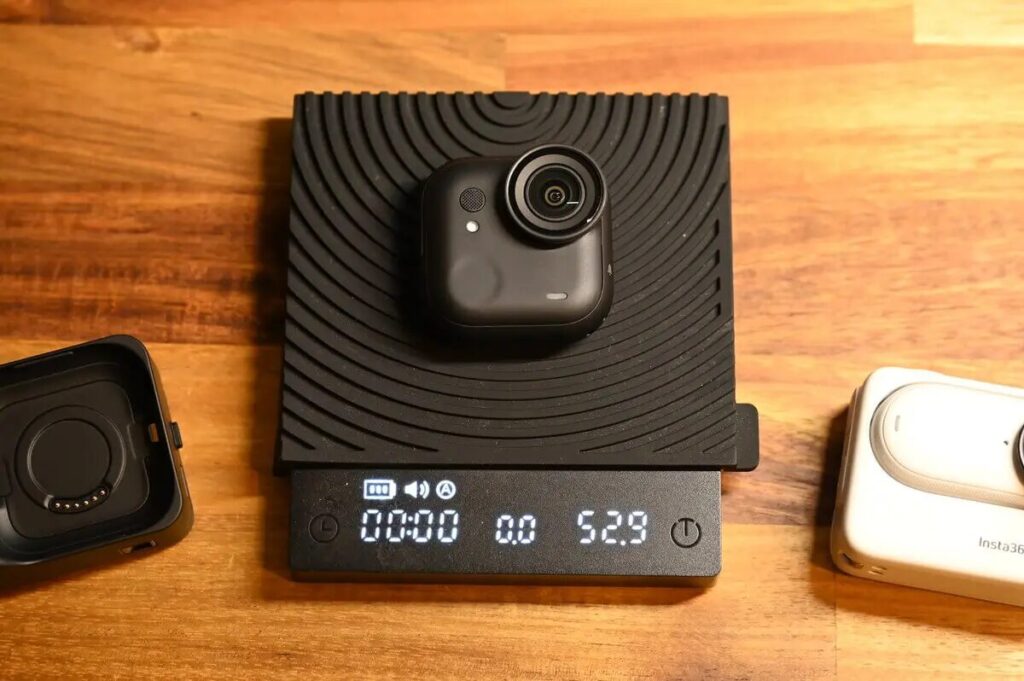
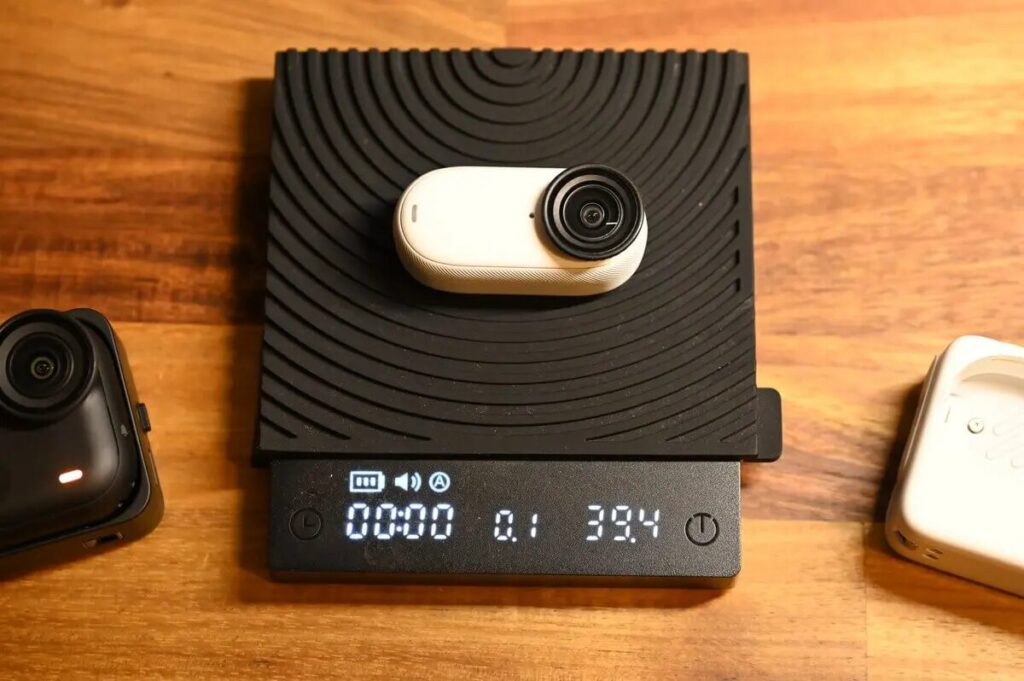
The camera itself weighs 52.9g (officially 53g).
With the addition of the Action Pod, the total measured weight is 160.9g. Although the first impression is that the camera is bigger and heavier, in reality the increase in weight of the camera alone is only about +25%.
For reference, the Ace Pro 2 body weighs 180g, so in terms of action cameras, the GO Ultra still falls into the relatively lightweight category.
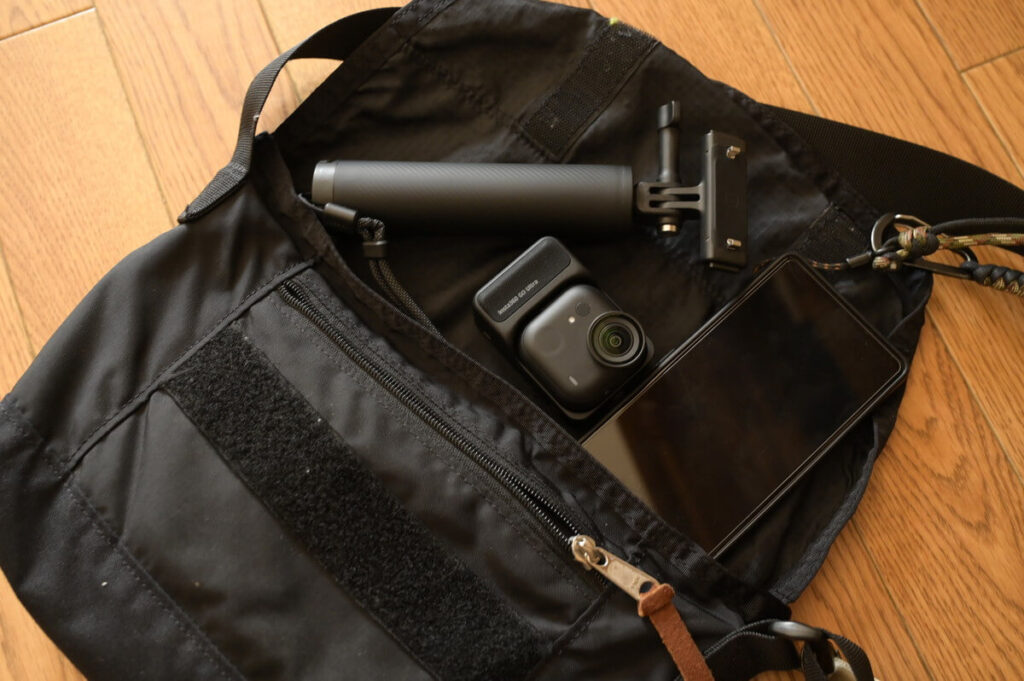
Thanks to the increased magnetic contact area and the body being approximately 10% thinner than the GO 3S, the center of gravity is actually more stable.
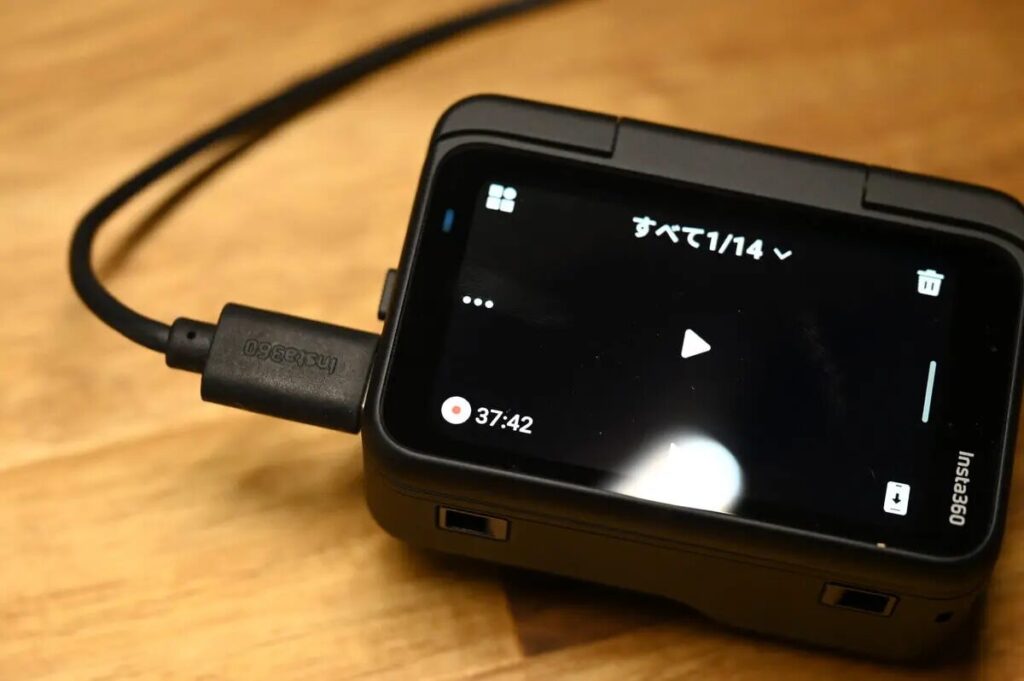
Running Time
| GO Ultra | GO 3S | |
|---|---|---|
| 1080P | 70 mins 200 mins | 38 mins 140 mins |
| 4K30fps | 60 mins 170 mins | / |
The GO Ultra's runtime has significantly improved, particularly with the standalone camera shooting time nearly doubling. Even when shooting in 4K, it can record continuously for nearly 1 hour, which is more than sufficient for daily vlogging.
GO Ultra vs GO 3S
Upgraded Image Quality - Compared to GO 3S
Daytime Quality
In daytime 4K shooting, I enabled the GO Ultra's HDR mode (suitable for most scenes, recommended for long-term use). Testing showed that whether capturing cloud shadows or the vibrant colors of rice fields, the GO Ultra's footage displays richer light and shadow gradations and depth, thanks to the larger sensor being able to capture more light detail.




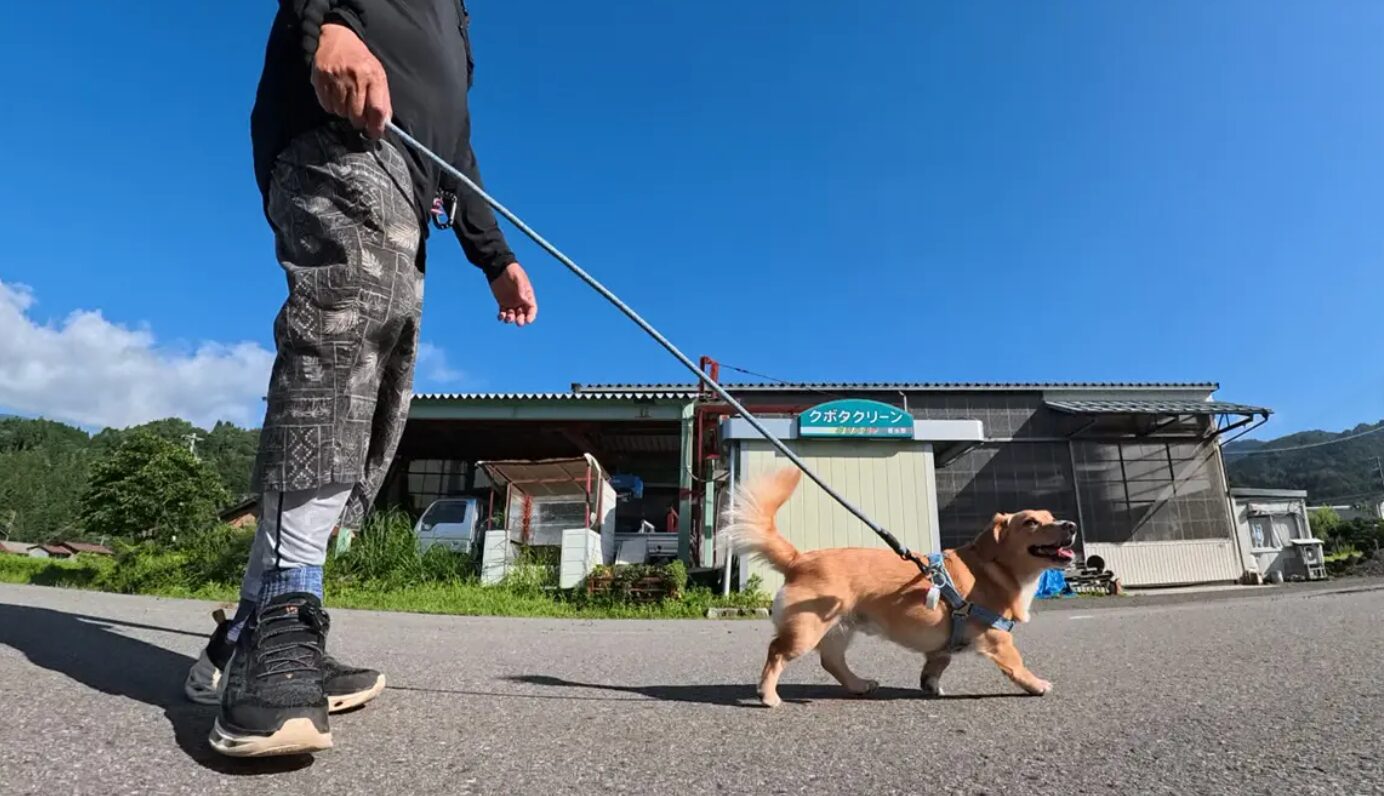
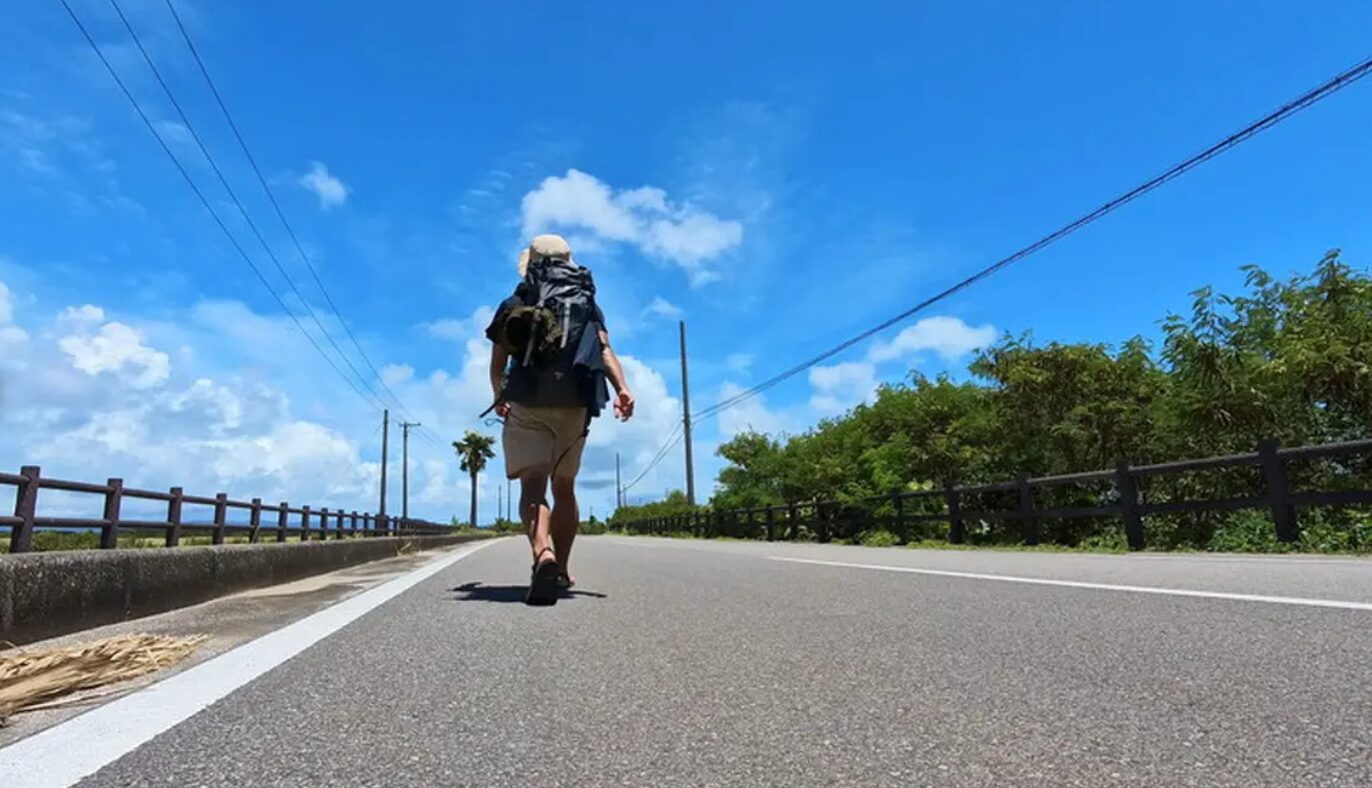
Low-Light Night Shooting Quality Pure Video
Thanks to the Pure Video night shooting mode, the GO Ultra's light processing in low-light environments is noticeably superior to the GO 3S.

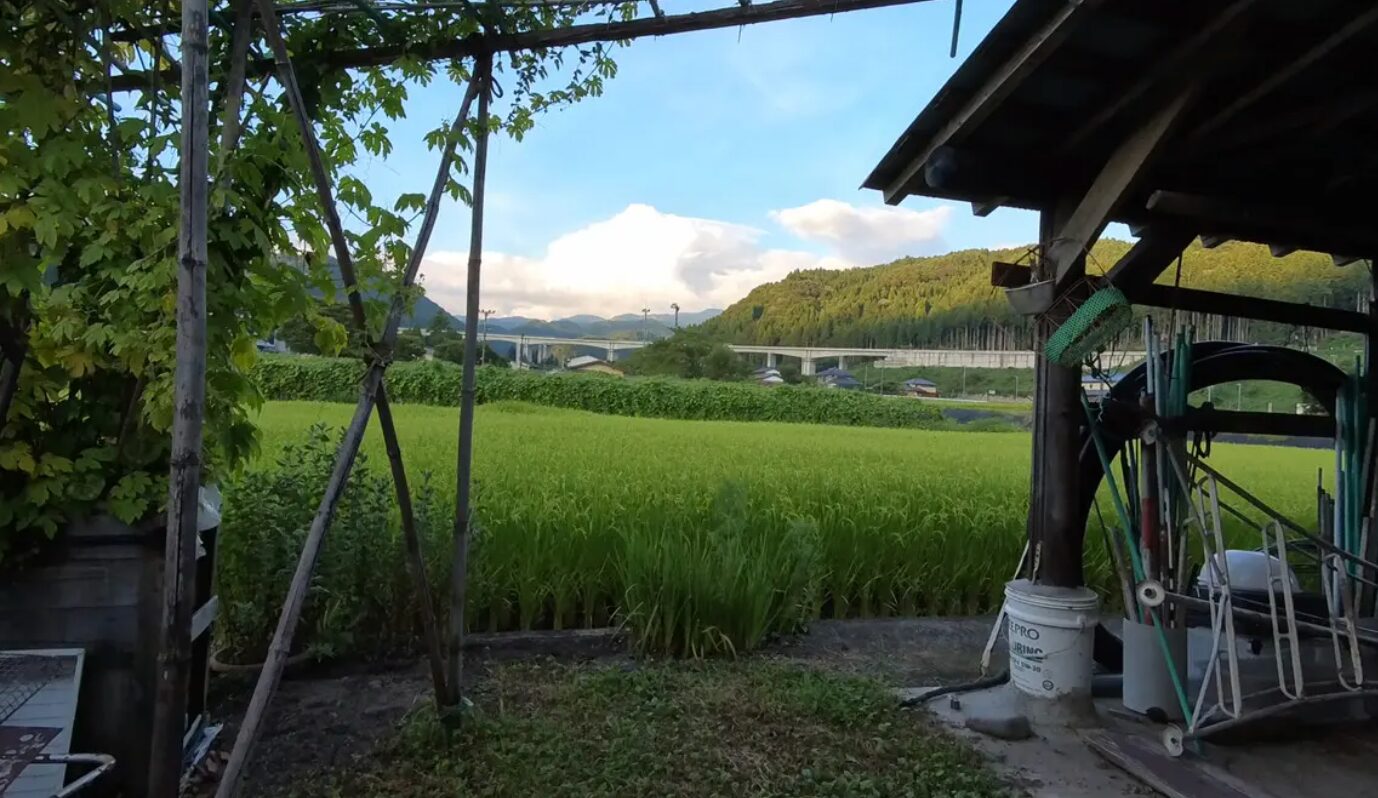
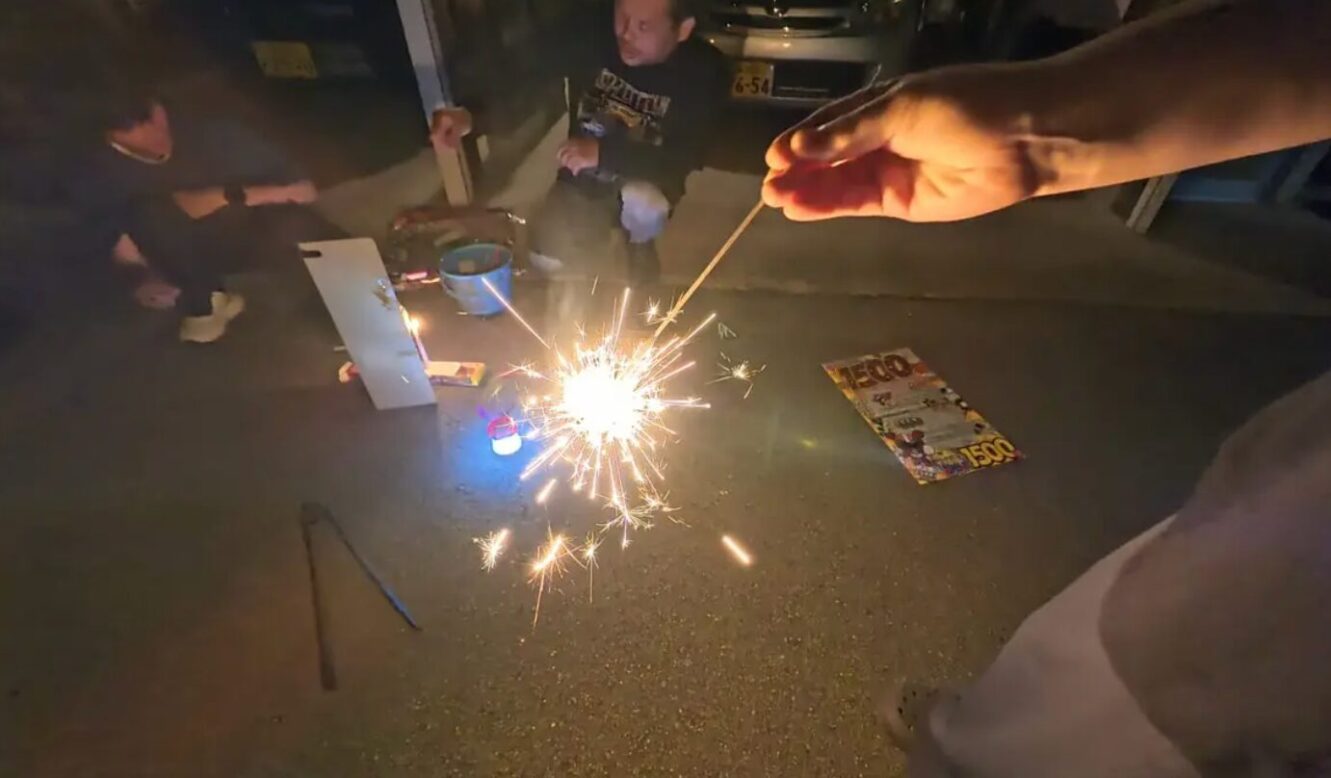
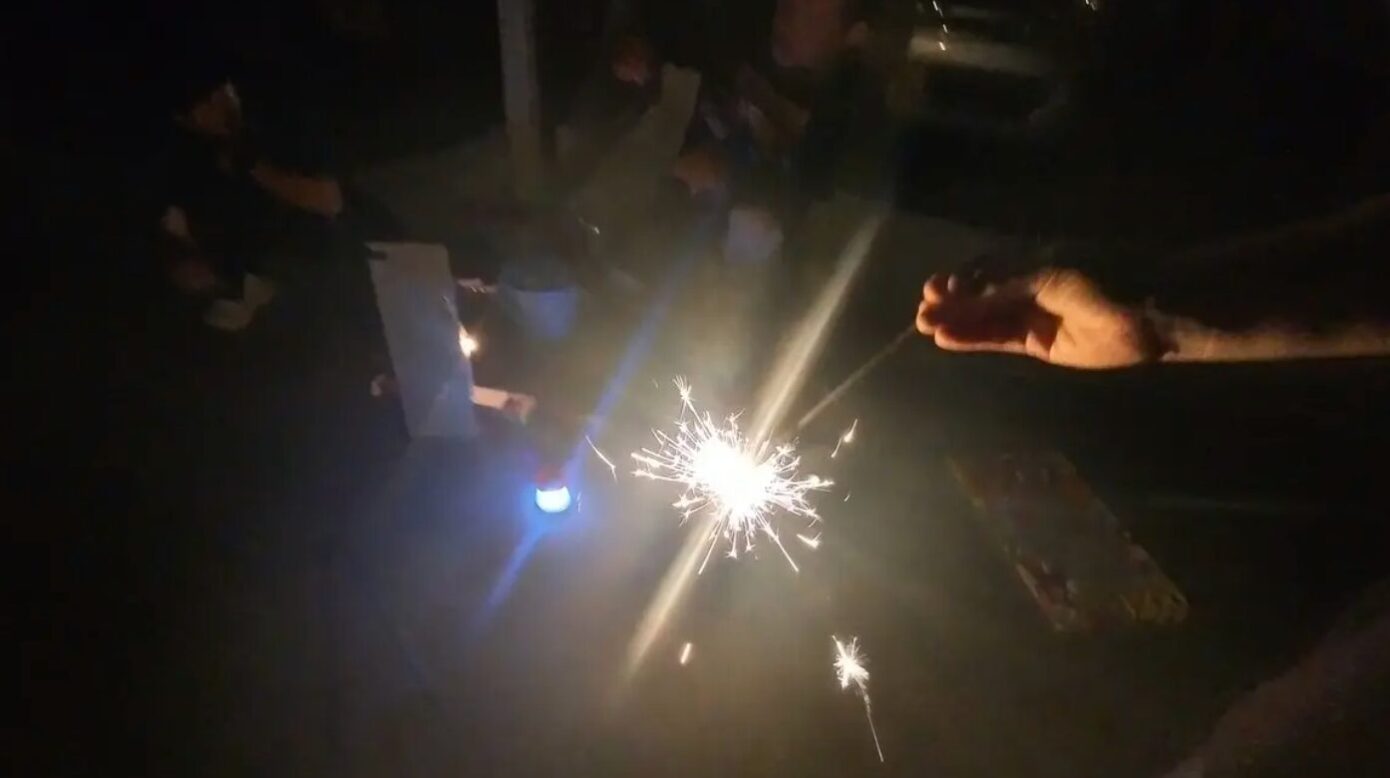
It's no match for the Ace Pro 2, the king of night shots.
Upgraded Image Quality - Compare to Ace Pro 2
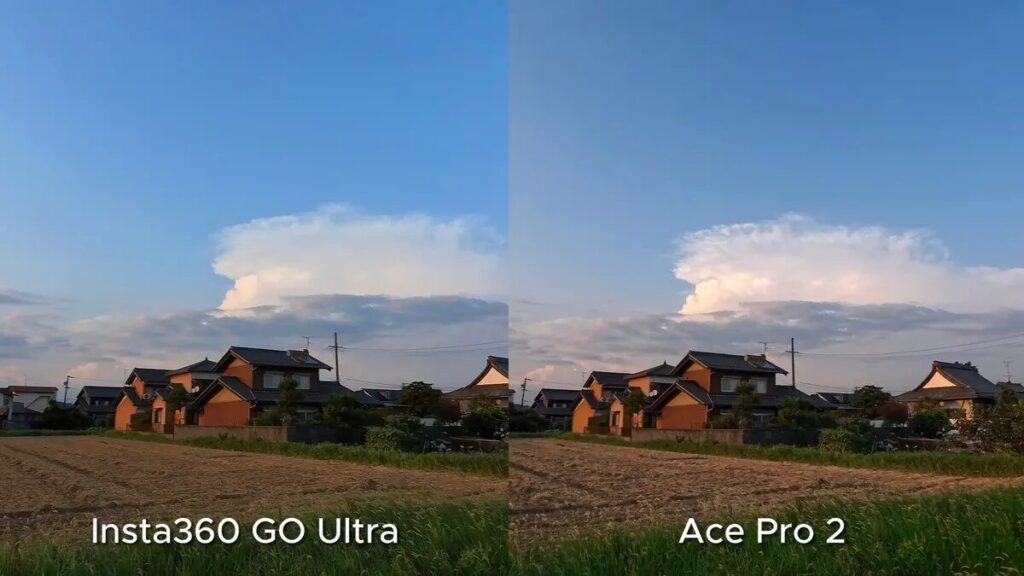
From my actual experience, the GO Ultra's image quality has almost reached a level comparable to the Ace Pro 2. The footage colors are rich and vibrant, while also featuring the same wide-angle field of view as action cameras, making the shots more immersive.
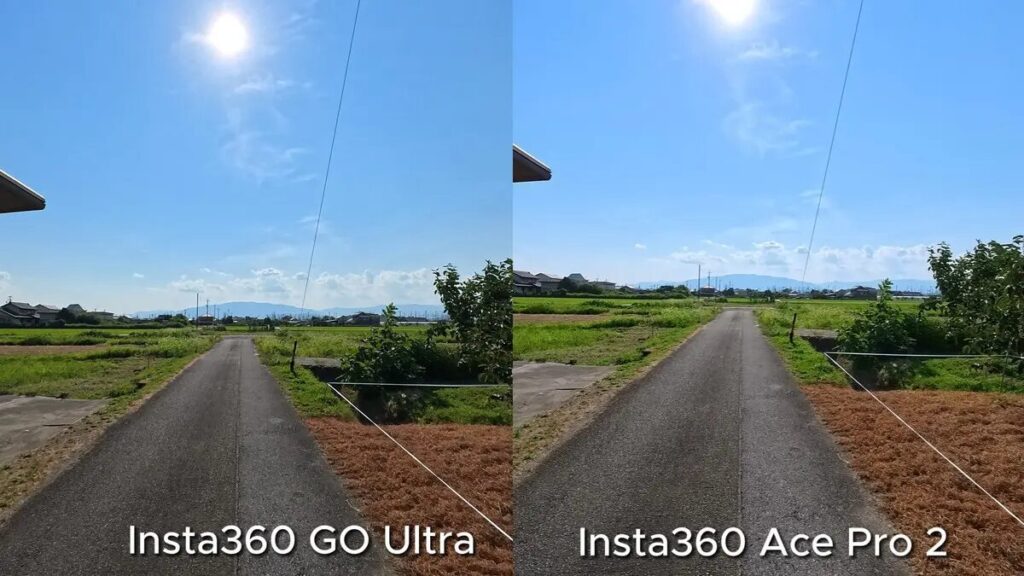
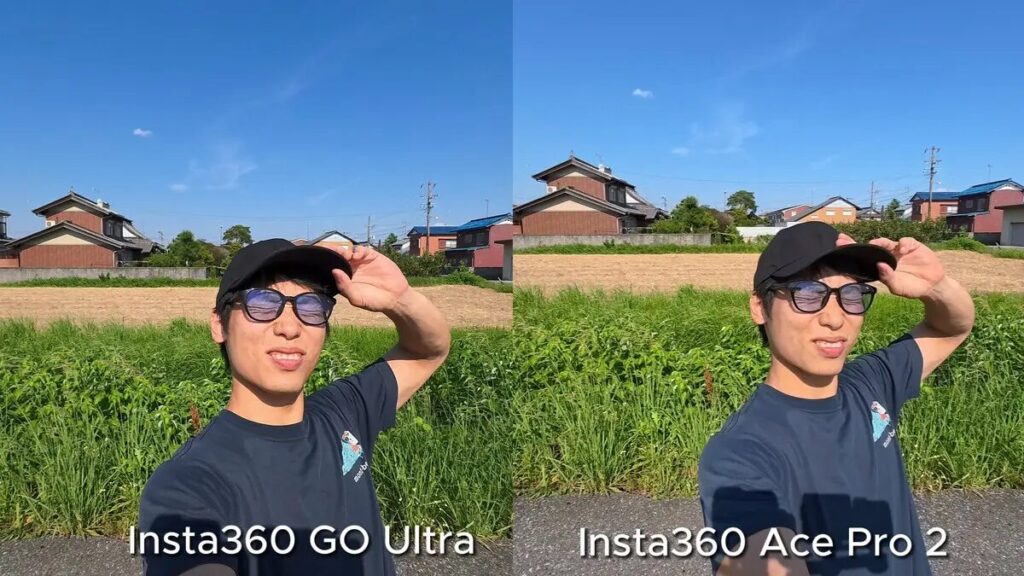
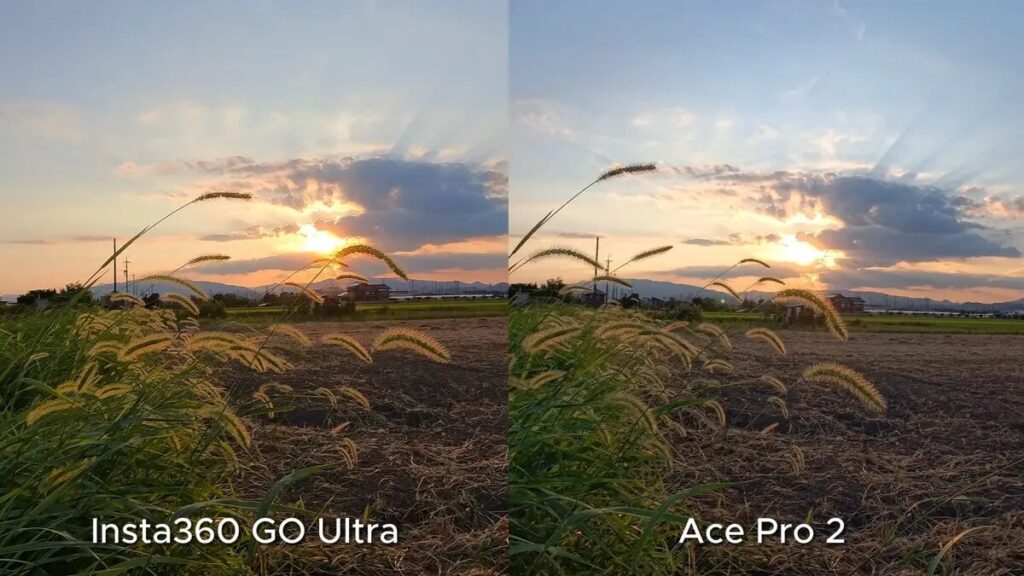
Unsurprisingly, the depth and detail rendering of clouds still don't match the Ace Pro 2's 8K quality; however, in terms of color and dynamic range, there's no noticeable difference.
4K 2x Clarity Zoom
Surprisingly, the Ace Pro 2's major selling point, Clarity Zoom (lossless digital zoom), has also been brought to the GO Ultra. Now you can perform 2x clarity zoom while maintaining 4K quality, with post-zoom image quality ranking among the top tier of action cameras. Below is the actual shooting result after 2x zoom↓
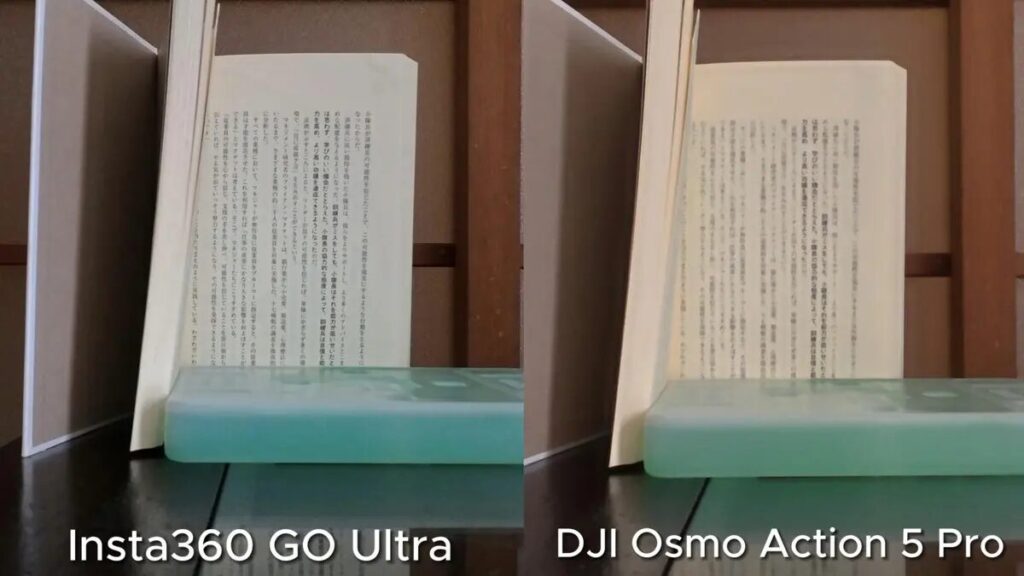
Even after cropping and zooming, the GO Ultra's footage remains sharp and detailed, with no compromise in clarity.
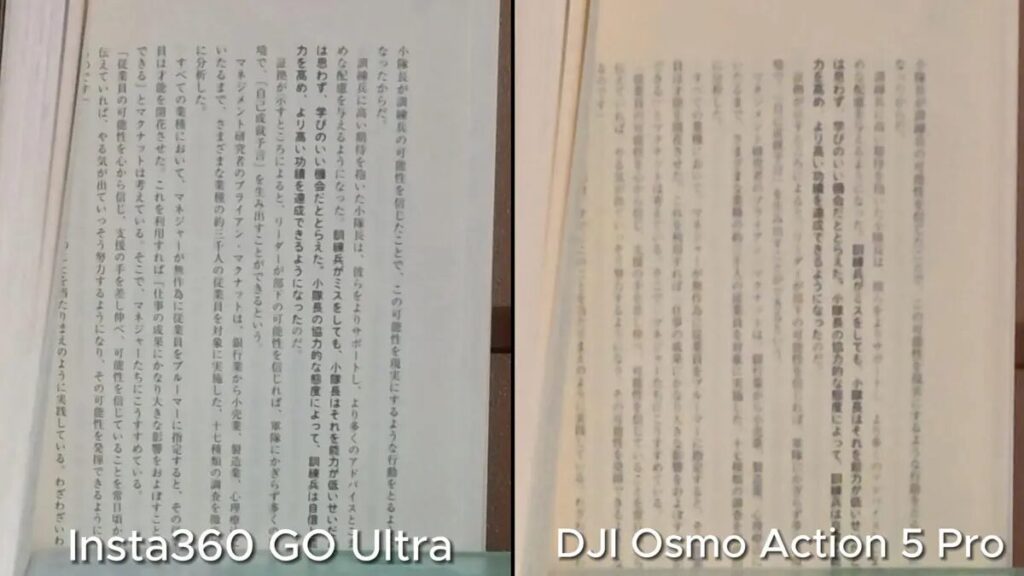
But if you zoom in and crop further, it looks like this:
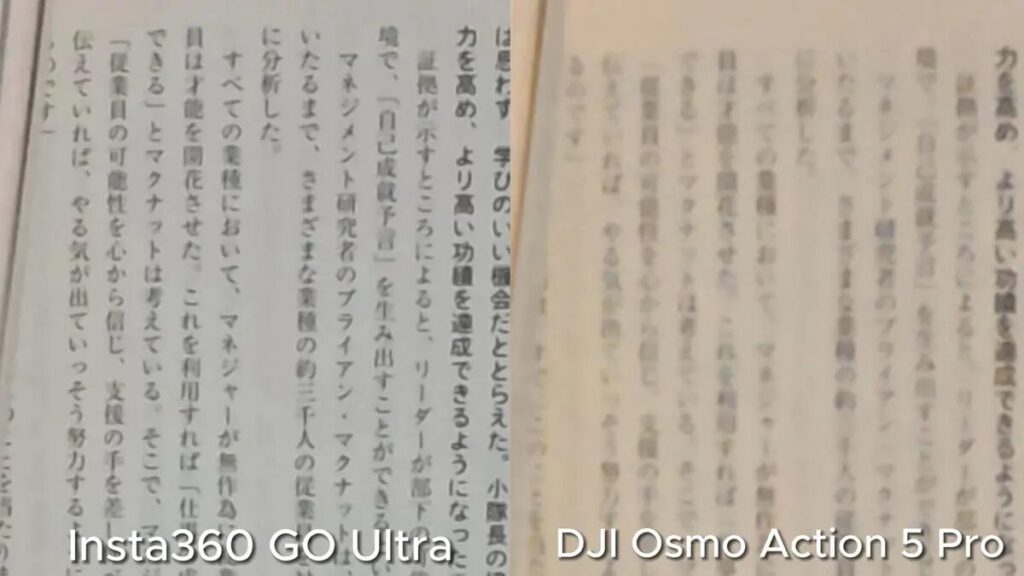
Being able to zoom while maintaining 4K quality makes lossless zoom a feature that can be actively utilized, also enhancing the camera's overall practicality.
Field of View (FOV)
The GO Ultra's maximum field of view has increased to 156°, now on par with the standard specification of action cameras—the GoPro HERO 13. All tests below were shot with unified settings of Standard Stabilization Mode + 16:9 Aspect Ratio + Maximum Wide Angle ↓


FreeFrame Flexible Aspect Ratio Recording Mode
This feature is also available on the Ace Pro 2, and on the GO Ultra, it can record at up to 4K 30fps.
Using this recording mode, you can simultaneously preserve the full vertical and horizontal frames while recording, without any edge cropping. This allows you to freely decide the final aspect ratio during post-production. No more worrying about: "I should have shot it vertically!" or "Horizontal would have been better after all!"
As long as you record in FreeFrame mode from the start, you preserve all your options. This is especially convenient for unpredictable subjects like pets or children who move around constantly, allowing you to fully capture every moment.


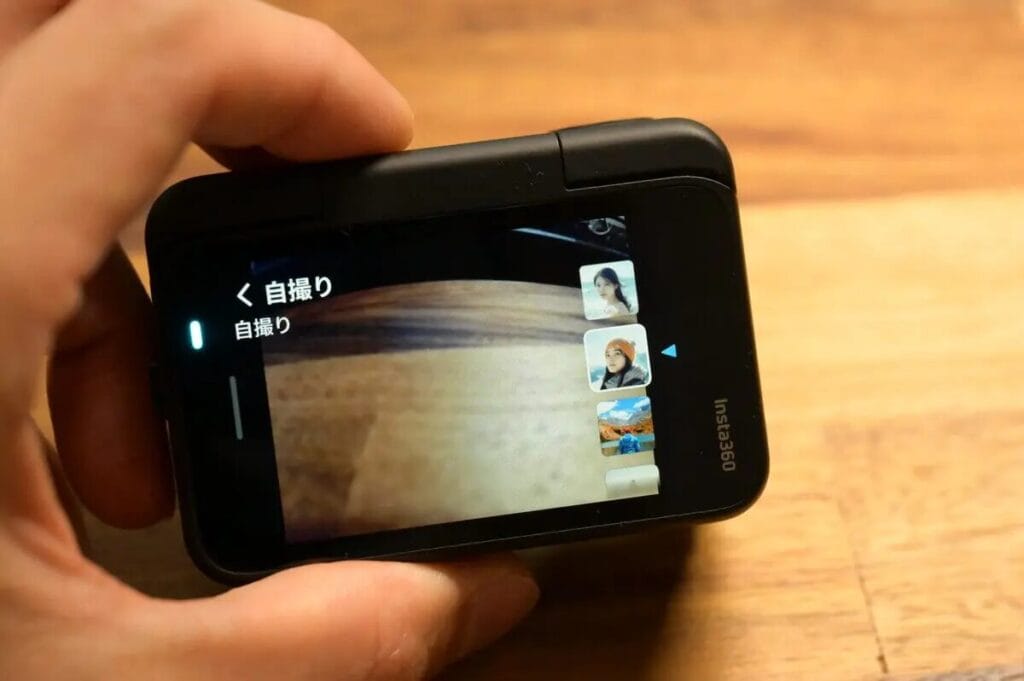
Selfie Filter
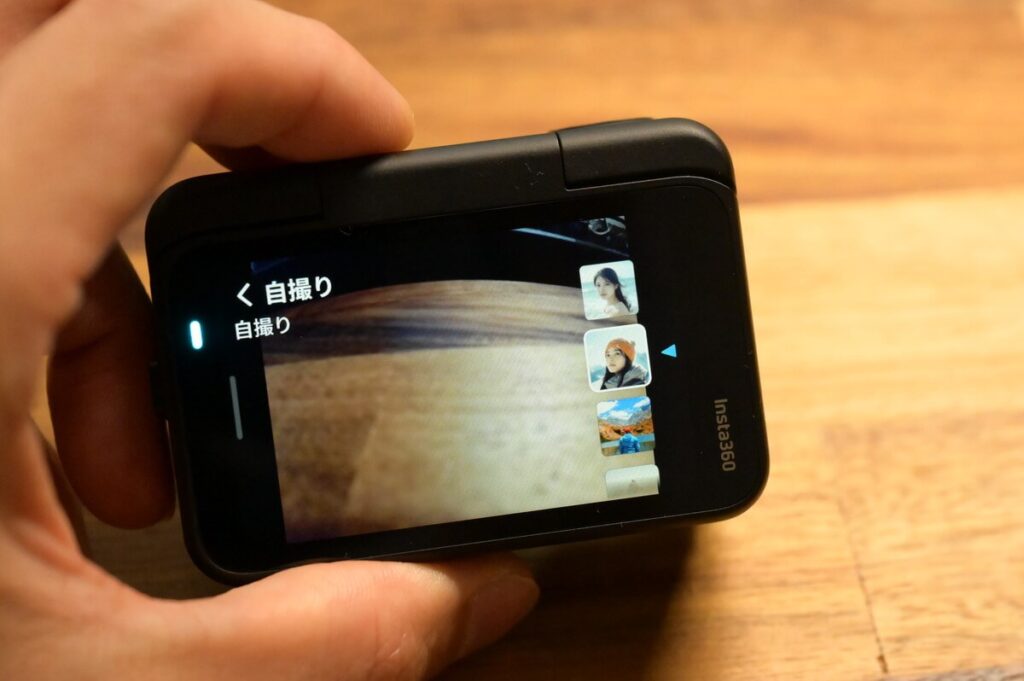
When using selfie filters, the contrast is slightly reduced, presenting a soft texture typical of portrait photography. You can directly select different selfie filters in the filter settings.
Insta360 APP Auto Editing
The Insta360 GO Ultra is still paired with the official Insta360 App. This app features built-in auto-editing functionality that's practical and convenient, making the operating experience more intuitive and easy to use. For daily recording or travel video sharing, you can complete post-production editing directly through the App. If you want to try higher bitrate output, you'll need to edit with the desktop version of Insta360 Studio.
First, here's the auto-edited video from the GO 3S for your reference.
GO Ultra's Travel Videos Follow-up Updates
Other Upgrades - Quick Charge & Remote Confirmation of Recorded Footage
In addition to improved image quality and runtime, the GO Ultra also brings fast charging and the ability to remotely view recorded footage without placing the camera in the Action Pod, comprehensively enhancing the user experience.
Charging speed becomes much faster than GO 3S.
| GO Ultra Charging | GO 3S Charging | |
|---|---|---|
| Camera Only | 12 mins | 23 mins |
| Camera + ActionPod | 18 mins | 47 mins |
You can remotely check the recorded image without putting the camera into the Action Pod.
GO Ultra vs GO 3S Wearing Style
Magnetic Mounting Capability
The following video shows me wearing the GO Ultra in action, and you can see the magnetic hold of the GO Ultra in action.
Use with selfie stick
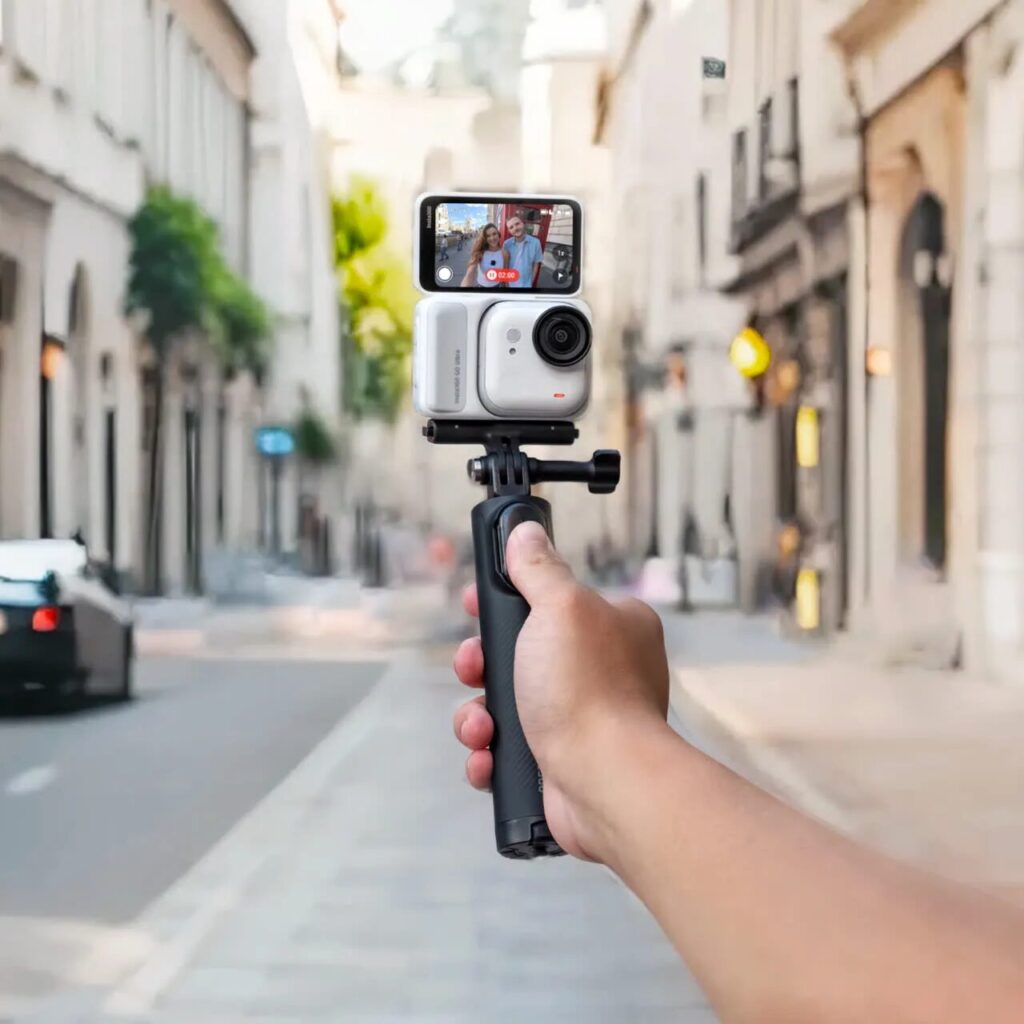
If there isHandheld Recordingsneeds, you will need to get your hands on a separate GO Ultra Specialty TripodThis tripod is included in the GO Ultra Family Pack respond in singing Creator Bundle You can purchase the package and own it directly.
Head-Mounted Recording
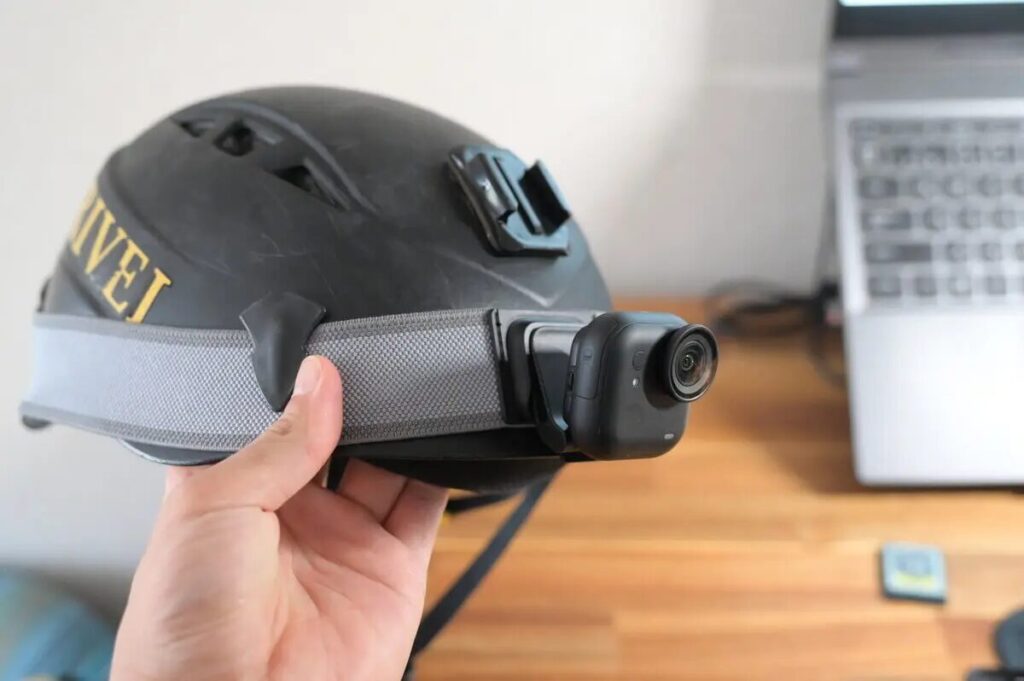
If you need head-mounted recording, you’ll need to purchase the Easy Clip Head Mount separately to securely attach the GO Ultra to a cap. The Running Bundle already includes this accessory, making it convenient for runners who prefer head-mounted shooting.
What are the recommended scenarios to use GO Ultra ?
Running, Cycling
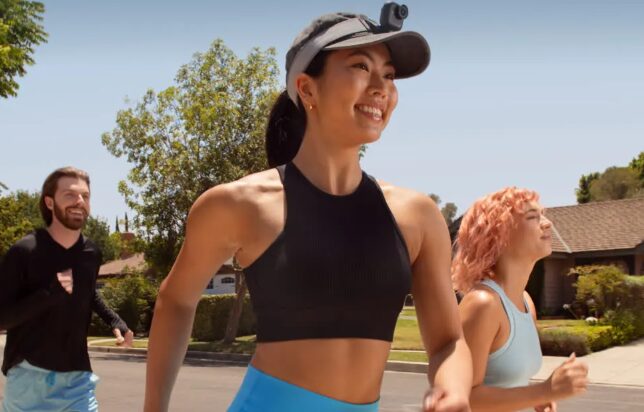
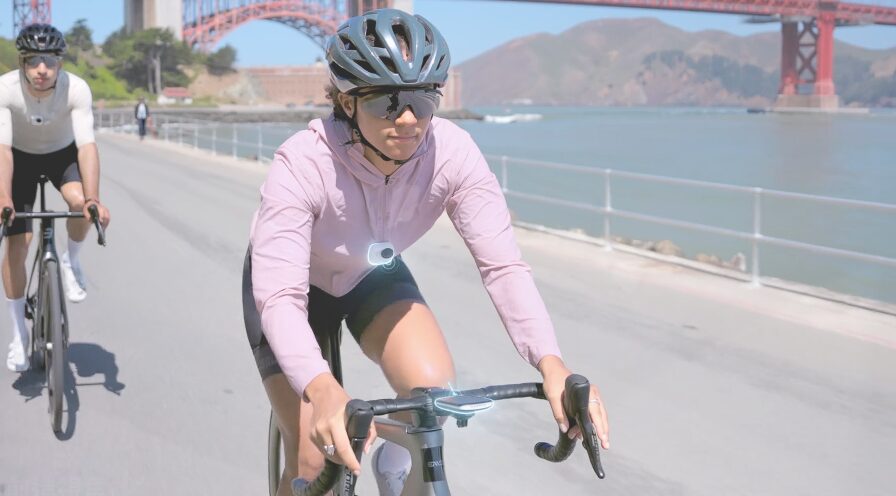
The GO Ultra is ideal for cycling, running, skiing, and similar scenarios. It can be mounted on helmets, bike frames, or selfie sticks, delivering an immersive first-person perspective.
I personally feel the GO Ultra is noticeably more suitable for sports scenarios than the GO 3S. The main reason is its wider field of view compared to the GO 3S, allowing it to capture more dynamic details. It's particularly ideal for cycling and running—you can purchase the Cycling Bundle 🚴 or Running Bundle 🏃 directly from the Insta360 official website. These bundles include all the essential accessories for their respective scenarios, eliminating the hassle of deciding which accessories to buy separately.
Essential for vlog creation and 2-day-1-night trips
The GO Ultra is compact and portable, and when paired with the Action Pod screen, it's perfectly suited for travel, daily documentation, and vlog shooting.
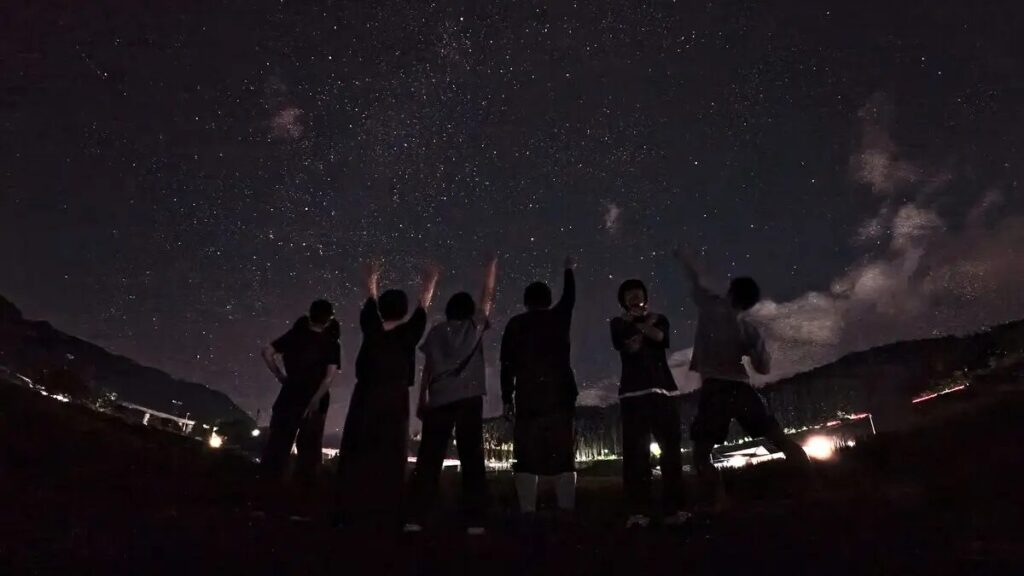
If you're planning a trip of 2 days and 1 night or longer, I recommend bringing the GO Ultra over the GO 3S, as it offers extended runtime and fast charging capabilities, and can even handle starry sky time-lapse recording.
For long term Vlog recording, it is recommended to go straight to Creator's Kit, which includes a tripod and a swivel bracket, supports first-person POV, handheld, or head-worn filming, and allows for more freedom of creativity without the hassle of having to buy a separate accessory. If you need an external microphone for vlogging, you can also consider getting the Vlogger Suite.
Parent-Child Interaction
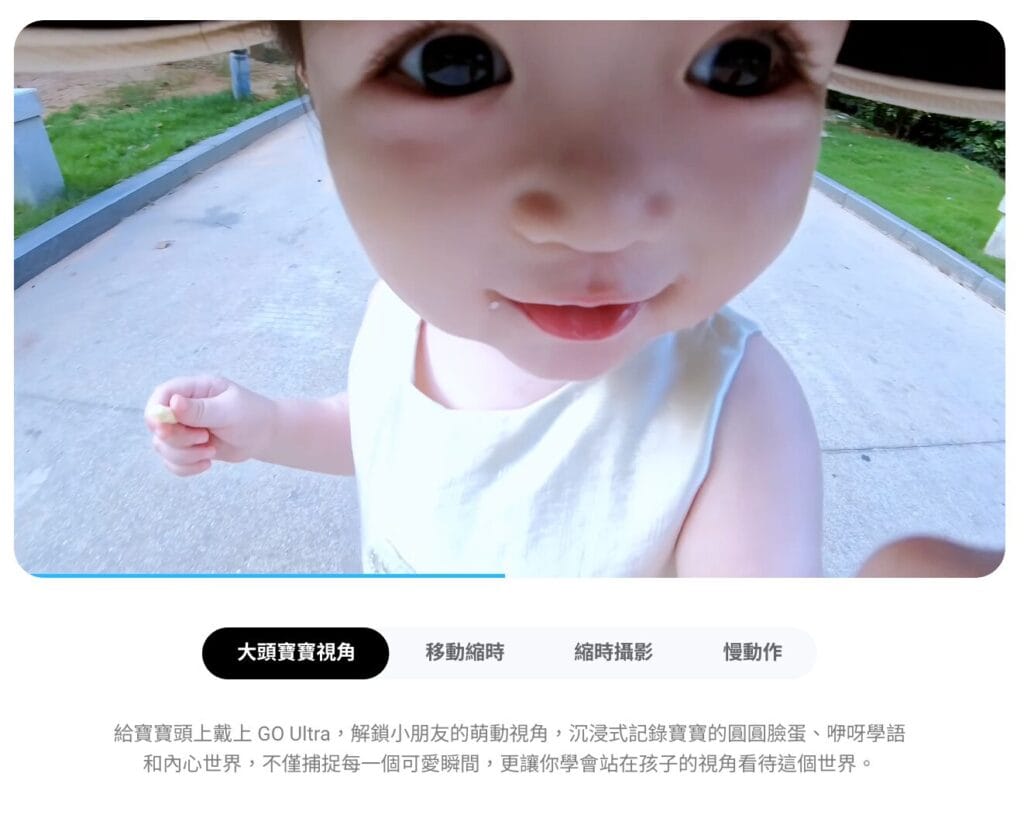
The lightweight design, paired with the magnetic lanyard or hat clip, captures your child's first-person perspective, with AI features automatically generating family photo albums. Recently, using the GO Ultra to capture big-head baby perspective shots has become incredibly popular.
What are the most recommended scenarios to use GO 3S?
Portability is a Priority
The GO Ultra is not an upgraded version of the GO 3S, but rather a product line that coexists alongside it. If portability is your priority, the GO 3S remains the best choice. As the lightest thumb-sized camera, it's extremely portable and more convenient to carry around than the GO Ultra.
Recorded short films, Price conscious
If you're only recording short vlogs and prioritizing interesting perspectives over image quality, the GO 3S remains an ideal choice. Following the GO Ultra's launch, the GO 3S is now available with ongoing discounts. Purchase through our exclusive link on the Insta360 official website to receive a complimentary "screen protector" and "carrying case."
Conclusion
In summary, the cube-shaped Insta360 GO Ultra not only fully inherits the portability and ease of use of the thumb-sized GO series, but also delivers comprehensive upgrades in image quality and functionality. Equipped with a 1/1.28-inch image sensor and an all-new design, it supports 4K 60fps and PureVideo night shooting. The addition of dedicated running/hiking bundles, along with expandable memory card storage, fast charging, extended battery life, and refined features like Action Pod remote preview, make it virtually unmatched among the latest 2025 vlog cameras.
The GO Ultra combines high-quality day and night footage, compact convenience, and creative multi-angle shooting—like carrying a "pocket genie" with you at all times.
If you're looking for a mini vlog camera that's both portable and capable of delivering quality imagery with creative perspectives, the GO Ultra is undoubtedly the perfect choice.