



360 cameras typically require a memory card to store captured footage, and when using the Insta360 X4, many users feel confused about which SD card capacity to choose.
This article will recommend SD cards suitable for the Insta360 X4, helping you quickly make the best decision. It will also provide an in-depth look at the key points to consider when choosing a memory card for a panoramic camera, ensuring a smoother shooting experience.
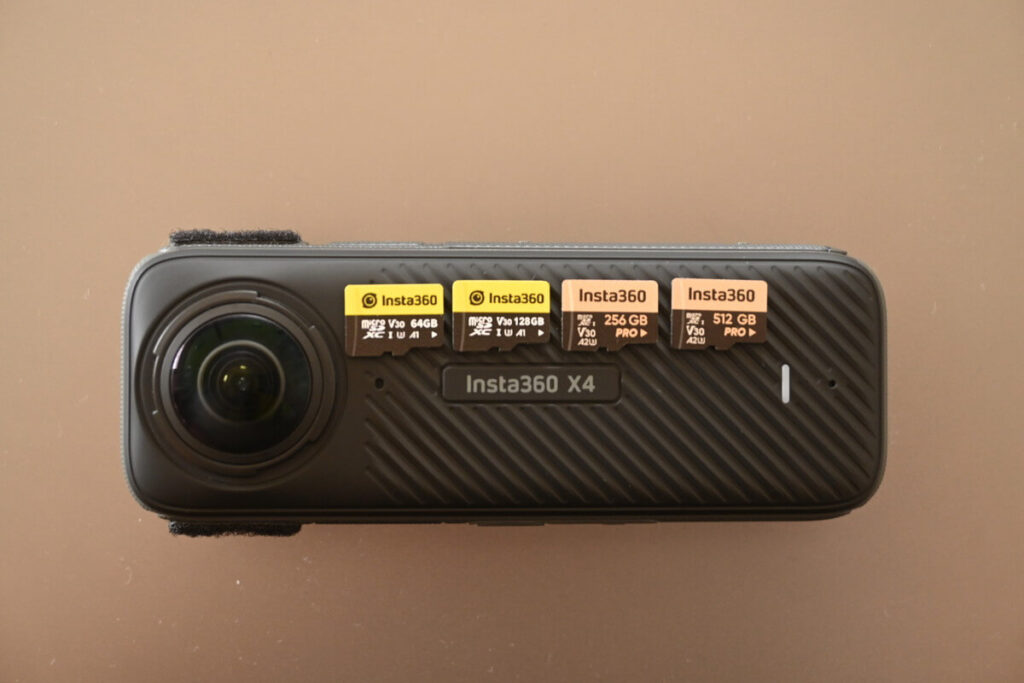
- What SD memory cards are available for Insta360 X4?
- 64~512GB
- Recommended brands of micro SD memory cards
- Why don't you recommend getting a cheap micro SD card?
MicroSD memory card for X4
To get straight to the point, my top recommendation is to use SanDisk – Extreme Series or SD cards sold through the official Insta360 store.
It's worth noting that SanDisk offers three SD memory card specifications, ranging from entry-level to high-end: " Ultra ," " Extreme ," and " Extreme PRO ." The Extreme series "V30" offers a speed level sufficient for most panoramic cameras' recording needs.
To ensure smooth shooting, X4 requires a UHS-I, V30 Micro SD/TF memory card with exFAT format, otherwise recording may be interrupted or files may be corrupted due to insufficient speed. In addition, theDo not use UHS-II, UHS-III or memory cards larger than 1TB.Otherwise, the recording may stop due to compatibility issues.
X4 Official Service and Support
Simply put, if the write speed is not fast enough, data writing may fail during high-load shooting such as 8K resolution or 120fps . To ensure successful video writing, it is crucial to follow the official recommendations when choosing an SD memory card.
- Speed class V30 or higher
- UHS-I compliance is recommended
- Do not use an SD card with a capacity of more than 1TB.
- Recommended 256GB or 512GB Memory card to ensure storage space
The Insta360 online manual states that the following Sandisk SD memory cards are compatible with the X4 .
| branding | Model | Size | Speed Rating |
| Sandisk Extreme V30 A1 | sdsqxvf-032g-gn6ma | 32GB | V30 |
| Sandisk Extreme Pro V30 A1 | sdsqxcg-032g-gn6ma | 32GB | V30 |
| Sandisk Extreme Pro V30 A1 | sdsqxcg-064g-gn6ma | 64GB | V30 |
| Sandisk Extreme V30 A1 | sdsqxaf-128g-gn6ma | 128GB | V30 |
| Sandisk Extreme V30 A2 | sdsqxaf-128g-gn6ma | 64GB | V30 |
| Sandisk Extreme V30 A2 | sdsqxa1-256g-zn6ma | 256GB | V30 |
| Sandisk Extreme V30 A2 | sdsqxa1-512g-zn6ma | 512GB | V30 |
| Sandisk Extreme Pro V30 A2 | sdsqxcz-1t00-zn6ma | 1TB | V30 |
| Lexar 1066x microSD UHS-I SILVER Series | LMS1066064G-BN | 64GB | V30 |
| Lexar 1066x microSD UHS-I SILVER Series | LMS1066128G-BN | 128GB | V30 |
| Lexar 1066x microSD UHS-I SILVER Series | LMS1066256G-BN | 256GB | V30 |
| Lexar 1066x microSD UHS-I SILVER Series | LMS1066512G-BN | 512GB | V30 |
Capacity of SD memory card -- 64~512GB
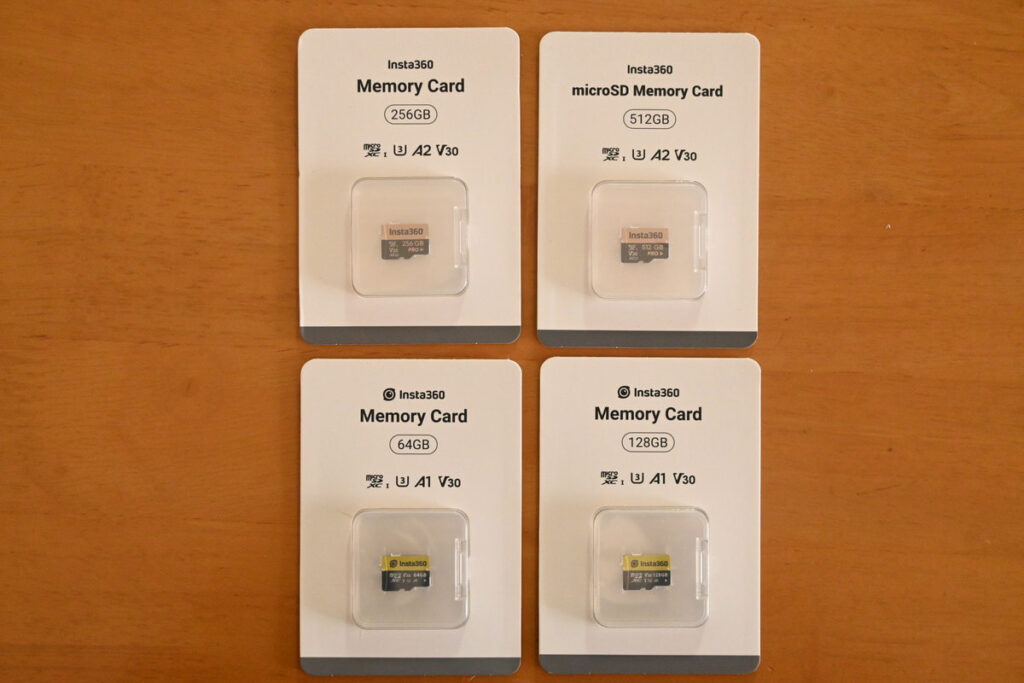
The X4 can be paired with memory cards ranging from 64GB to 512GB. Below is a table summarizing the recording time for each SD card capacity for your reference.
| 64GB | 128GB | 256GB | 512GB | |
|---|---|---|---|---|
| 8K30fps (5.7K60fps) | 50m | 1h40m | 3h20m | 6h51m |
| 5.7K+ 30fps | 1h20m | 2h42m | 5h23m | 11h03m |
| 5.7K30fps | 1h41m | 3h24m | 6h46m | 13h53m |
| 4K60fps (single lens mode) | 1h34m | 3h90m | 6h17m | 12h53m |
| Me Mode | 50m | 1h30m | 3h20m | 6h51m |
Recommended Panorama Camera Setup -- 8K30fps
| 64GB | 128GB | 256GB | 512GB | |
|---|---|---|---|---|
| 8K30fps (5.7K60fps) Recording Time | 50m | 1h40m | 3h20m | 6h51m |
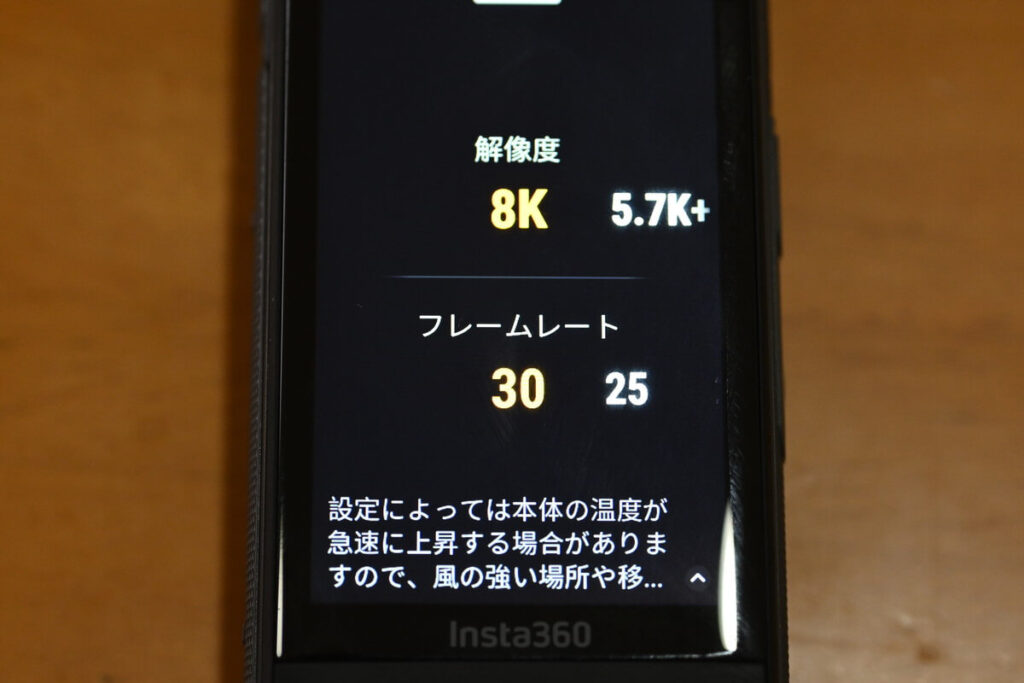
If your computer has sufficient specifications, I recommend recording in 8K resolution with the X4 before editing . Since 8K 30fps and 5.7K 60fps consume the same amount of data, my most recommended basic setting for the X4 is 8K 30fps.
64GB microSD memory card
| 64GB Memory Card Recording Time | |
|---|---|
| 5.7K + 30fps | 1h20m |
| 8K30fps | 50m |
A 64GB memory card can only record for 50 minutes. Even when fully charged, it can only record for a maximum of 75 minutes, so I think 64GB is a bit insufficient .
128GB microSD memory card
| 128 GB Memory Card Recording Time | |
|---|---|
| 5.7K + 30fps | 2h42m |
| 8K30fps | 1h40m |
A 128GB memory card can record 100 minutes of 8K video . If you frequently organize your data, a 128GB memory card might be just enough. However, if you often use a spare battery to shoot videos, a 256GB or larger capacity SD memory card is highly recommended.
256GB microSD memory card
Using a 256GB memory card, you can record 8K video continuously for 3 hours and 20 minutes. Even after a full charge, there will still be remaining storage space, making 256GB my top recommendation . 256GB is also the memory card capacity included in the X4 kit, indicating that this capacity is officially recommended by Insta360 and is likely the most popular .
| 256 GB Memory Card Recording Time | |
|---|---|
| 5.7K+ 30fps | 5h23m |
| 8K30fps | 3h20m |
512GB microSD memory card
Using a 512GB SD memory card , I can record a full 6 hours of 8K video. However, I have never used up the 512GB card, but choosing this capacity allows me to view data from months ago at any time.
Buying a large-capacity memory card can make you reluctant to organize it, and the price is relatively high, so I would recommend the 256GB X4 memory card .
| 512GB | |
|---|---|
| 5.7K+ 30fps | 11h03m |
| 8K30fps | 6h51m |
5.7K + 30fps
| 64GB | 128GB | 256GB | 512GB | |
|---|---|---|---|---|
| 5.7K + 30fps Recording Time | 1h20m | 2h42m | 5h23m | 11h03m |
Despite offering 8K resolution, the X4 also introduces a 5.7K+ recording mode, which reduces the amount of data saved. Since data size is easily compressed, 5.7K+ is a recommended setting for users with lower-spec computer editing systems.
popular5.7K+ Mode RecordingWhich capacity?
If you consistently record in 5.7K+ mode, you can choose a 128GB memory card to reduce costs. However, this also means you'll need to process the data after each recording session.
If you choose a 64GB card, you will only be able to record 80 minutes, which is very tight. It's not practical to format the data to zero every time, so I don't really recommend choosing a 64GB card.
Insta360 Panorama Camera How to insert SD memory card?
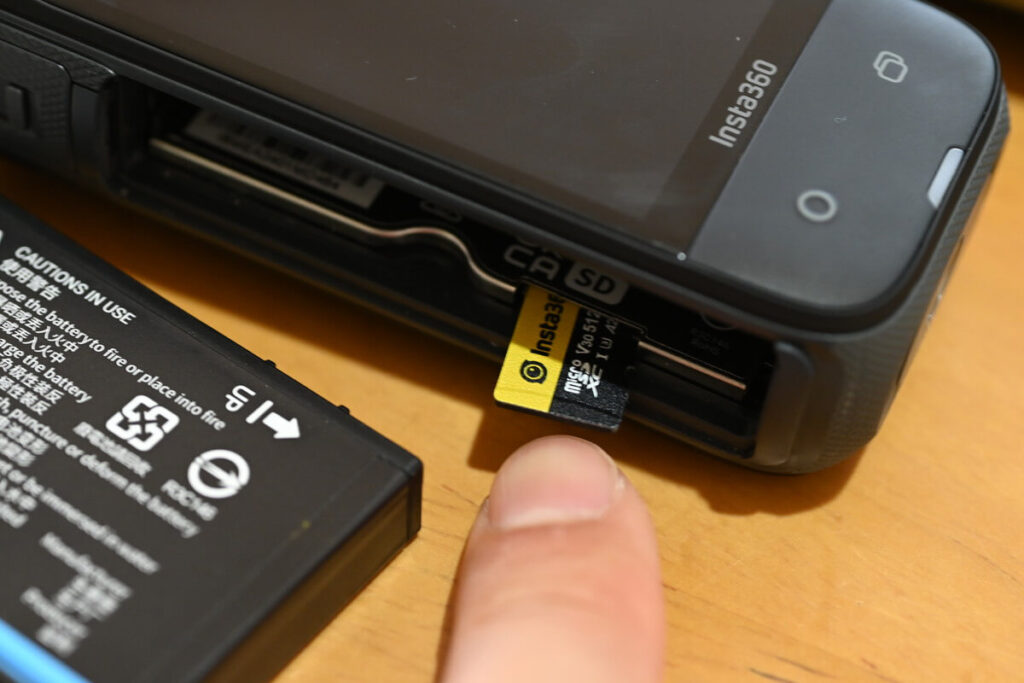
The memory card slot is on the inside when the battery is removed.
Make sure to press the card in until you hear a “click” sound—this confirms it is correctly installed. When removing it, you also need to press the card again, as the X4’s memory card slot has a spring-loaded mechanism. Be careful not to let it eject too quickly.
Notes on choosing an SD card
There is always a margin of error.
Since the SD card is not only used for storing footage but also reserves about 1–2GB of space for buffering during recording, a difference of 1–2GB from the listed capacity is normal.
X4 Official Service and Support
The actual usable capacity of an SD card is usually less than the labeled capacity. In general, the usable capacity is about 90% of the manufacturer’s stated capacity, so it’s recommended to allow some margin when purchasing.
Periodic formatting
An SD card is a memory medium that requires frequent recording and deletion.
Therefore, compared with hard drives (HDDs) or solid-state drives (SSDs) used for long-term storage, SD cards are more prone to accumulating "junk" data from frequent recording and deletion. This is why it’s important to regularly format (clear) the memory card.
Failure to format regularly may tax the SD card and affect the smoothness of recording.Insta360 officially recommends regular formatting of the X4's SD card to extend the life of the SD card.Slide down the screen on X4 to access the shortcut menu and click "Settings > SD Card > Format" to format the card.The
It is recommended to regularly transfer your camera files to a smartphone or computer for backup, and then format the camera’s internal storage to avoid potential storage errors.
X4 Official Service and Support
Please be aware of Sandisk fake cards.
Insta360 officially recommends using SanDisk memory cards, but be aware that many counterfeit SanDisk cards still exist on the market. If you’re unsure how to completely avoid fakes, purchasing official memory cards directly from Insta360’s official store is a reliable option.
There are many cheap memory cards labeled “X4 Compatible” or “Confirmed X4 Compatible” in their product descriptions, but honestly, I don’t recommend buying low-cost cards due to the high risk of data loss. Losing important videos because of the wrong SD card is never worth it. I hope this guide helps you choose the right memory card for your Insta360 X4.