


With the release of Insta360 Panoramic Sports Camera X4 and X5, more and more people have started to pay attention to the panoramic camera and get their hands on it. Through this review, I hope to help you solve the most common problem that occurs during the use of Insta360 panoramic cameras - camera overheating.
"Sports cameras" usually face the challenge of overheating, especially for those who record for a long period of time, it's easier to worry about the camera overheating and crashing. This review will share 7 effective ways to solve the X4/X5 overheating problem, hopefully it can provide some useful reference for you!
Does Insta360's panoramic camera tend to overheat?

In conclusion,Insta360's panoramic cameras are not prone to overheating.。
Unlike GoPro's sports cameras, which are designed for extreme sports, Insta360 focuses more on the overall "ease of use" of the whole family's camera, and the problem of overheating has been taken into consideration from the very beginning of the product design, so Insta360's cameras don't often have the negative feedback that the batteries are prone to overheating and causing crashes.
Below is a comparison of X4 and X5 battery capacity and battery life, X5 has a larger battery capacity than X4, supports fast charging, and is therefore less prone to overheating.
| X5 | X4 | |
|---|---|---|
| Battery Capacity | 2400mAh | 2290mAh |
| 8K30fps Recording Time | 88 minutes. | 75 minutes. |
| 5.7K30fps Recording Time | 135 minutes. | 135 minutes. |
| 5.7K24fps Recording Time | 185 minutes. | Recording is not supported |
| Quick Charge | ||
| Time required for battery full 80% | 20 minutes. | 38 minutes. |
| Battery charge time for 100% | 35 minutes. | 55 minutes. |
Panoramic cameras tend to overheat in [3 scenarios].
| Scene | Picture Quality | Applicable Temperature | Recording Time (X4) |
|---|---|---|---|
| 8K Recordings | 8K30fps | 25°C | 42 minutes, 32 seconds. |
| Fixed to the locomotive. | 8K30fps | 25~30°C | One hour and 15 minutes. |
| Recording while charging | 8K30fps | 20°C | 18 minutes, 34 seconds. |
I shot the X4 in 8K in all three of these scenarios, and the results showed that the duration of continuous recording was only as I expected when recording while stationary on the locomotive - being able to record until the battery ran out.
Overheating due to 8K recording

8K recording: X4 starts to overheat after 42 minutes and 32 seconds, X5 can record for 85 minutes until the battery runs out.
In an indoor environment in May (25°C), the X4's camera stopped functioning due to overheating when it had 32 minutes left on the battery, while the X5 was able to record for 85 minutes without noticeable heating.
Since the recording was made in a windless environment not affected by direct sunlight, it can be assumed that the overheating was caused entirely by the internal operation of the camera. If factors such as rising temperatures or direct sunlight were added, the overheating could have occurred earlier and the recording time would have been shorter.
Overheating due to fixed filming on a locomotive
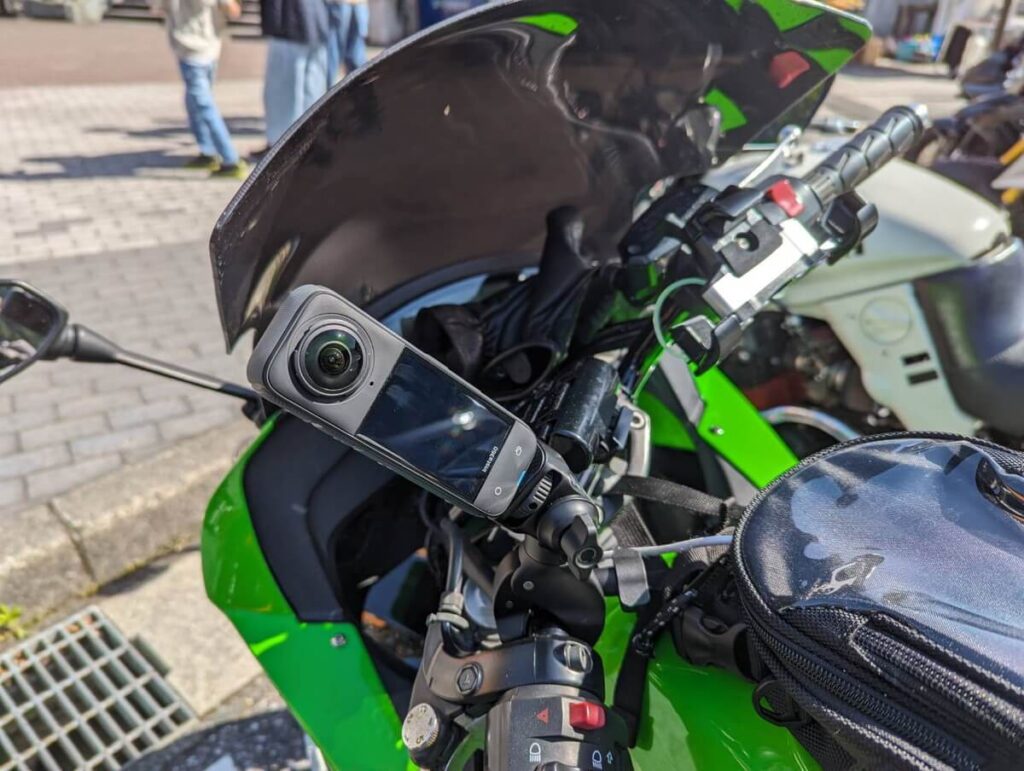
Fixed on the locomotive: X4 battery runs out after 1 hour 15 minutes, X5 battery runs out after 1 hour 28 minutes.
According to the official information from Insta360, the X4 is able to record 75 minutes continuously at 8K30fps, while the X5 is able to record 88 minutes, which is in line with my test results.
Although there was some time spent waiting for signals, most of the time was spent recording the locomotive in motion. The weather was sunny with thin clouds, so the camera was actually exposed to constant direct sunlight. As the battery neared depletion, the camera heated up a bit, but not to the point of overheating.
Overheating due to USB charging and video recording
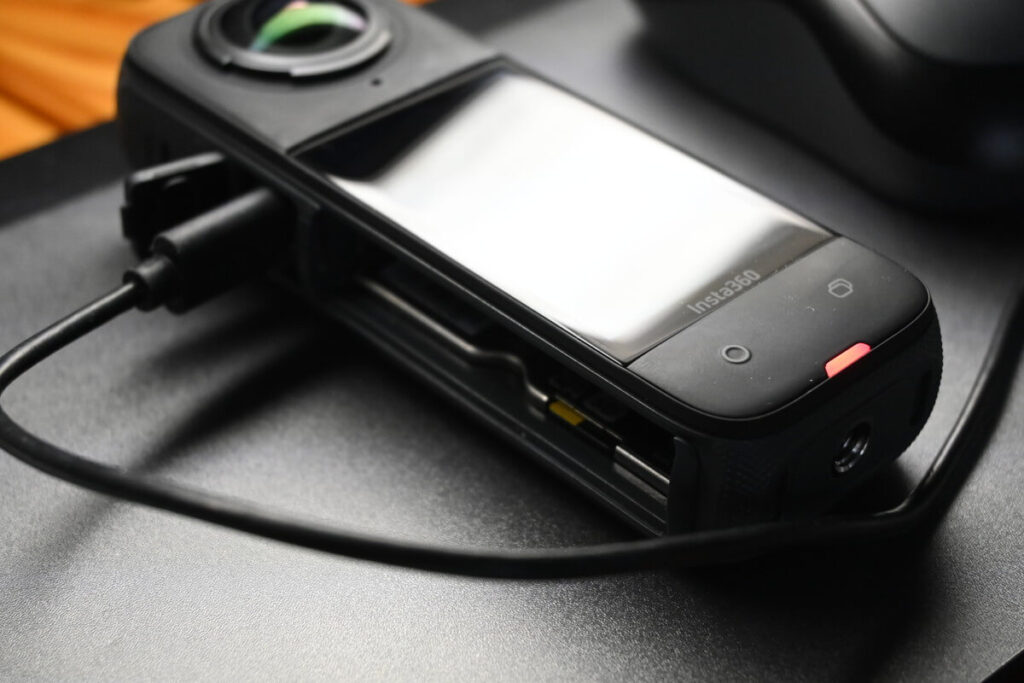
USB powered shooting: X4 starts to heat up after 18 minutes 34 seconds, X5 has no heating problem.
With USB power, the X4 can continue to record even if the battery is removed. However, when I tried to record using only the USB power supply, unexpectedly the camera stopped recording after 18 minutes due to overheating.
Previously, when I used the X3 for 5.7K shooting, I found that the trick to shooting for long periods of time was to remove the battery and only use the USB power supply to avoid overheating and stopping shooting, even in hot sunlight. So I was a little surprised that the X4 heated up so quickly.
When using X4 for 8K 30fps recording, you should avoid using USB power supply or recording while charging. If you intend to use X4 as a car recorder, it is recommended to adjust the camera resolution to 5.7K to reduce the risk of overheating.
7 Ways to Solve Panorama Heat Problems
As the external design of X4/X5 is not significantly different from that of normal sports cameras, its camera structure is not outstanding in terms of heat dissipation.
The X4/X5 features a relatively large battery in a compact body with a number of performance upgrades. In addition, the body is waterproof, creating an enclosed space. Unlike a mobile phone, a panoramic camera lacks a large surface area to effectively dissipate heat, making it all the more important to take measures in advance to prevent overheating during use.
Next, I will introduce you several effective ways to avoid X4/X5 overheating.
- Lower fps
- Shooting at 5.7K
- Avoid HDR shooting
- Using Me Mode
- Avoid shooting while charging
- Avoid hot sunlight
- Filming in short clips
Lower fps
Do I need to shoot in slow motion?
fps (frame rate) refers to the smoothness of a film's playback; the higher the value, the smoother the picture. For example, 60fps means 60 frames per second, while 120fps means double the speed. The higher the fps, the greater the load on the processor, which can cause the machine to heat up more easily.
If you don't plan to shoot in slow motion afterwards, it is recommended to set the fps at 30 or up to 60, which can effectively reduce the heat generation of the device.
Regarding the human eye's perception of frame rate, there are some opinions that the human eye can only distinguish 30fps, but there are also studies that indicate that the human eye is able to perceive 240fps. However, from personal experience, the difference between 30fps and 60fps is not obvious in daily viewing.
I usually shoot at 60fps, but if I feel the camera is getting too hot, I will lower the frame rate to 30fps to minimise heat. As for 120fps, I mainly use it to shoot quadruple slow motion, which is good for capturing short bursts of exciting action scenes, such as sports or fast moving images. This setting makes the film more visually appealing, but you need to pay attention to the heat dissipation of the equipment.
5.7K shooting
If you are experiencing overheating in 8K, it is recommended to try recording at 5.7K.
Although the X4 and X5 have been upgraded to 8K 30fps recording, it is also stated that it will bring a larger overheating load. If you are experiencing overheating problems during use, using 8K for special clips and lowering the frame rate to 5.7K for general filming is not a bad solution.
In addition, the difference between 4K and 8K is not a double difference, but a four-fold increase in the amount of data handled (due to a two-fold increase in both vertical and horizontal directions). In this case, the reduction from 8K to 5.7K will also significantly reduce the overheating load.
Avoid HDR shooting
HDR - The Most Forgotten Mode
With HDR, the sun's rays and details in dark areas will not be easily lost, and the overall result will be more colourful. So this mode is very suitable for daytime sunny day to use.
But HDR means taking video of two different exposures, light and dark, and compositing them together. This "compositing" increases the number of shots taken and the processing load on the camera, which tends to generate heat.
Dynamic HDR produces beautiful colours on a sunny day, so I use this mode myself even if I have occasional heating problems. If you don't use HDR mode to prevent overheating, you can improve the colours by adjusting the "Saturation" and "Contrast" when you edit the video later.
Using ME Mode
X-Series exclusive shooting modes
The X3's Me mode shoots at resolutions up to 1080p, but the X4 and X5 can both shoot up to 4K, making Me mode much more useful. This makes the Me mode much more useful. Also, the thermal load is less at 4K than at 8K.
No post-production editing is allowed after shooting in Me mode, which means this mode not only prevents the camera from overheating, but also saves memory on the SD card.
Avoid shooting while charging
X4's unique heating scenario
In the case of the Ace Pro 2, heat generation can be suppressed to a certain extent when the battery is removed and shooting with an external power supply. However, the X4 quickly overheats even when the battery is removed, so you should avoid taking pictures while charging.
Avoid hot sunlight
After all, people feel uncomfortable in high temperatures!
It's a bit of a boring topic, but it's inevitable that a camera will overheat when recording in the hot sun, so it's best to avoid it if you can. And the X4 can shoot at temperatures ranging from -20°C to 40°C, which is pretty good.
Filming in short clips
It's better to just record a short film for later editing.
With the exception of motorbike travelling where I need to shoot for a long period of time, I use the 360 degree panoramic camera mainly to record a few short videos that last only a few minutes. If you want to use the panoramic camera as a vlog camera for a long period of time, it is recommended to use the 4K single lens mode. In addition, Insta360 has also released a temperature control grip for the panoramic camera.
How to use the temperature control grip
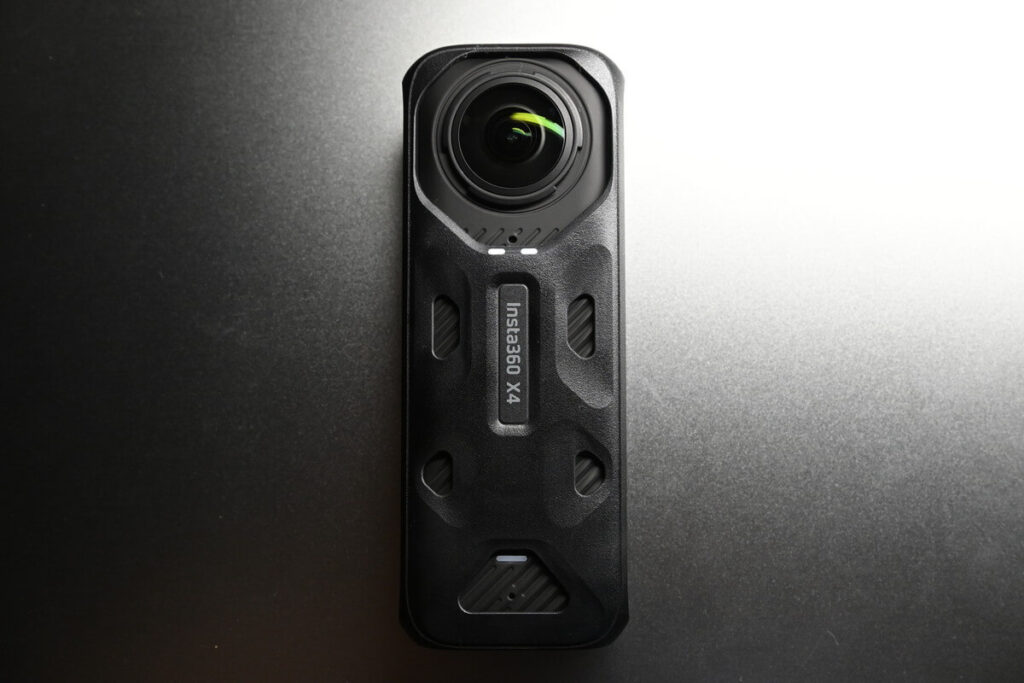
This temperature control grip is made of "polycarbonate" and uses "graphene" which is said to have three times the thermal conductivity of the traditional material "copper". I initially thought this was an accessory to help dissipate heat to extend continuous shooting time, but it seems that's not the case.
- What are temperature control grips used for?
The temperature-controlled grip reduces the surface temperature of the camera, making it more comfortable to hold when shooting 8K for long periods of time.
- Does the temperature control clip reduce the temperature of the camera? Does it have the function of suppressing the heat of the camera?
No, the temperature control grips do not suppress the heat generated by the camera itself.It is used to reduce the temperature that is felt when held in the hand. Graphene helps to dissipate heat.
- Can I use the temperature control clip in a sports scene?
Thermal grip covers are not recommended for use in sports situations. Natural cooling is recommended.
Cameras are more prone to overheating when shooting in 8K, so this accessory is a great way to get the most out of your camera.Designed for long term 8K recording users.The camera is designed to allow you to hold the camera more easily for better heat dissipation.
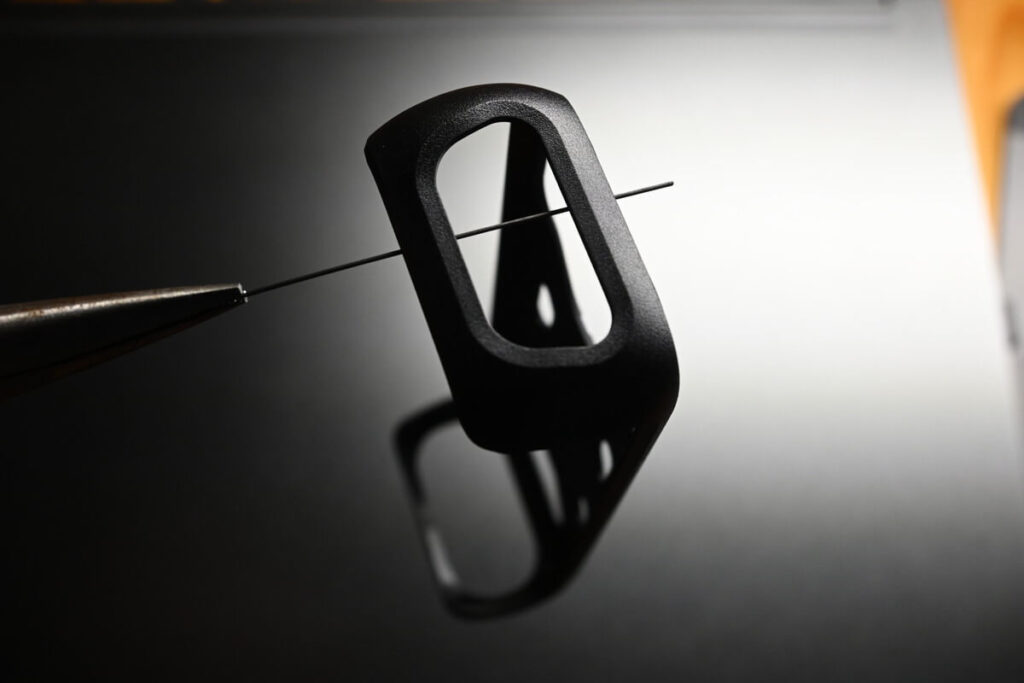
This accessory is very lightweight at only 11.3 grams and is highly recommended to prevent scratches on your camera.
I've tested 8K shooting at the same temperature conditions.The original X4 bare metal camera could only shoot for 42 minutes, but after using the temperature control clip, the shooting time was extended to 47 minutes.So it does have some cooling effect? However, letting the camera blow directly into the natural wind when shooting outdoors may be more effective in preventing heat crashes than a temperature-controlled clip.
It's important to note thatThe X4 and X5 temperature control grips are not interchangeable., If you are using X5, please be careful to choose the exclusive temperature control grip.


6 Ways to Extend Insta360 X5 Battery Life
The key to effectively solve the overheating problem is to protect the camera battery, through the appropriate care to increase the battery life, the following is to introduce you to 6 can effectively extend the life of the panoramic camera battery, welcome to refer to ~!
- Use of spare batteries
- Use the mobile charger if necessary
- Adjusting Screen Settings
- Close Bluetooth
- Select the most power-efficient recording mode
- Turn off voice control and gesture control
Use of spare batteries
The Insta360 X5 has a recording time of about 85 minutes on a single battery, so if you need to record for longer than 100 minutes, it is recommended to use it with a backup battery. However, it is important to note that the actual recording time is not only dependent on the battery, but also on the capacity of the SD memory card. For long duration continuous recording, it is recommended to purchase a 512GB memory card to ensure sufficient storage space and uninterrupted recording.
| Memory Card Capacity | Recordable Duration |
|---|---|
| 64GB | 1 hour and 1 minute |
| 128GB | 2 hours 3 minutes |
| 256GB | 4 hours, 7 minutes. |
| 512GB | 8 hours and 27 minutes. |
For those who are confused about the memory card capacity of X5, please refer to the related review on this website.
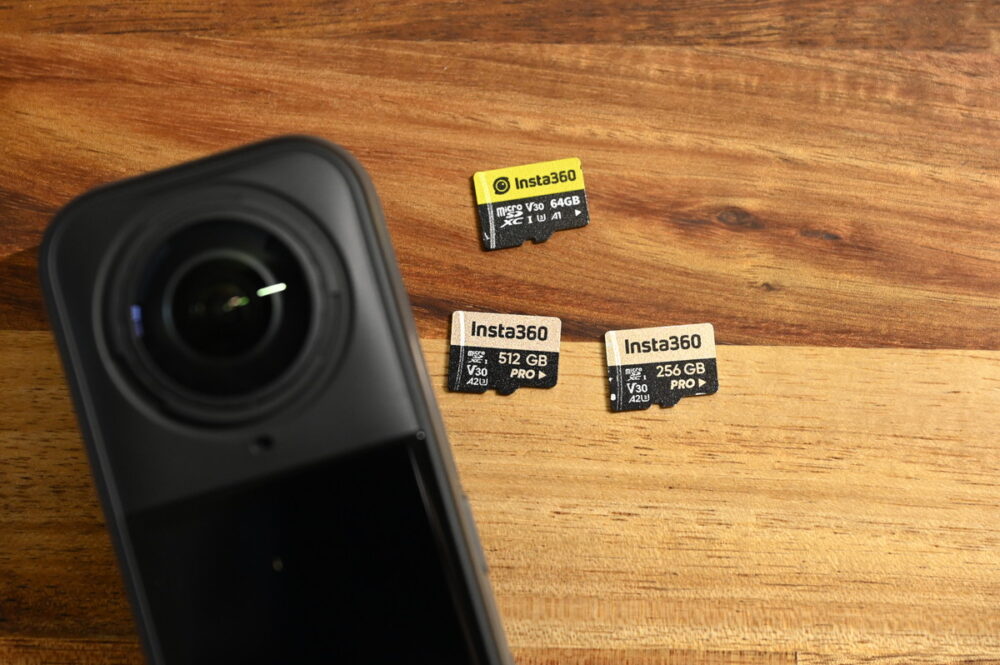
For example, on a two-day, one-night outdoor hiking trip, if you expect to record a total of about 8 hours (480 minutes) of video, a 512GB memory card will usually be more than enough. However, due to the need to recharge the camera during the trip and the difficulty of obtaining a stable power source when camping in the mountains, it is recommended to have at least 3 batteries to ensure uninterrupted recording and peace of mind throughout the trip. PHN2ZyBoZWlnaHQ9IjFlbSIgd2lkdGg9IjFlbSIgeG1sbnM9Imh0dHA6Ly93d3cudzMub3JnLzIwMDAvc3ZnIiBhcmlhLWhpZGRlbj0idHJ1ZSIgdmlld0JveD0iMCAwIDI1NiAyNTYiPjxyZWN0IHdpZHRoPSIyNTYiIGhlaWdodD0iMjU2IiBmaWxsPSJub25lIj48L3JlY3Q + PGxpbmUgeDE9IjEyOCIgeTE9IjQwIiB4Mj0iMTI4IiB5Mj0iMjE2IiBmaWxsPSJub25lIiBzdHJva2U9ImN1cnJlbnRDb2xvciIgc3Ryb2tlLWxpbmVjYXA9InJvdW5kIiBzdHJva2UtbGluZWpvaW49InJvdW5kIiBzdHJva2Utd2lkdGg9IjE2Ij48L2xpbmU + PHBvbHlsaW5lIHBvaW50cz0iNTYgMTQ0IDEyOCAyMTYgMjAwIDE0NCIgZmlsbD0ibm9uZSIgc3Ryb2tlPSJjdXJyZW50Q29sb3IiIiIHN0cm9rZS1saW5lY2FwPSJyb3VuZCIgc3Ryb2tlLWxpbmVqb2luPSJyb3VuZCIgc3Ryb2tlLXdpZHRoPSIxNiI +PC9wb2x5bGluZT48L3N2Zz4=)" data-icon="PhArrowDown" data-id="144" aria-hidden="true" class="swl-inline-icon">
| Battery顆數 | Recordable Duration |
|---|---|
| 1 | 1 hour 25 minutes |
| 2 | 2 hours 50 minutes |
| 3 | 4 hours 15 minutes |
| 4 | 5 hours 45 minutes |
Use the mobile charger if necessary
If you find it inconvenient to carry a spare battery, you can also consider charging X5 with a mobile power supply.
Since the battery capacity of the X5 is 2,400mAh,it is recommended to choose a 10,000mAh or 20,000mAh mobile power supply for long duration shooting. However, it should be noted that the higher the capacity, the heavier the power supply will be. In terms of portability, I personally prefer to carry a few spare batteries to make it lighter and more practical. In addition, Insta360 has also introduced a 2800mAh enhanced battery for the X5, which is 17% higher than the standard X5 battery.
| Battery Capacity | Recordable Duration |
|---|---|
| 2,400mAh | 1 hour 15 minutes |
| [Enhanced] 2,800mAh | 3 hours 55 minutes |
| 10,000mAh | 5 hours and 40 minutes |
| 20,000mAh | 4 hours 15 minutes |
Adjusting Camera Settings
- Reduce camera brightness
- Turn on the sleep function which can be set to "10 seconds" or "30 seconds" to reduce battery consumption without affecting normal use.
- Recording can be started or stopped without waking up the screen by pressing a physical button.
Close Bluetooth
Turning off Bluetooth communication reduces battery consumption.
Bluetooth is mainly used for connecting to low-power devices and therefore does not consume a lot of power on its own. However, if you do not need to use Bluetooth for a while, it is recommended to turn it off to further reduce battery consumption.
Select the most power-efficient recording mode
Adjusting the recording mode and recording settings according to the scene helps to reduce battery consumption. Increasing the frame rate or picture quality unnecessarily not only accelerates battery consumption, but can also take up a lot of storage space.
If battery life is a priority, we recommend using the Insta360 X5's new "Enhanced Duration Mode" for shooting. With the X5's enhanced battery life mode, even with a 2400mAh battery, you can shoot for 208 minutes at 5.7K24fps.
Turn off voice control and gesture control
The following functions for assisted shooting leave the camera in standby mode for long periods of time, so if you want to reduce power consumption, it is recommended that you enable them only when necessary and use them sparingly.
Assisted Shooting Supported by X5
- Voice Control
- Gesture Control
- Turn and shoot.
- Pre-recorded
- One-click quick start
Insta360 Buying Guide Conclusion
I hope you can effectively solve the overheating problem of X4/X5 through the methods introduced in this article. I will keep updating Insta360 product reviews and brand research in my blog, so stay tuned and read the other articles 😊.