



GO 3S Availability
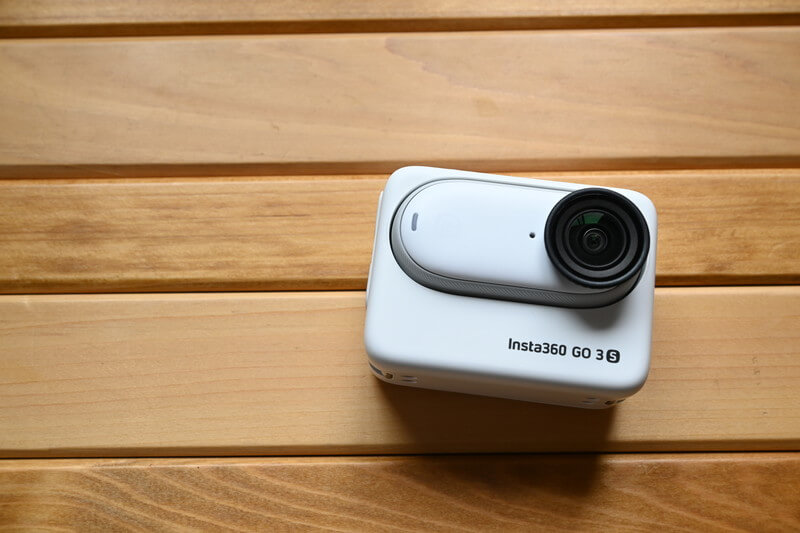
Insta360 GO 3S was released on June 13, 2024, at 10:00 PM. This product is not called “GO 4,” but instead GO 3S, because while it preserves the classic design and ease of use of the GO 3, it further enhances image quality and battery performance, offering support for higher-resolution 4K shooting.
This review will bring you an unboxing and detailed analysis of the GO 3S. Before diving into the full breakdown, I’d like to briefly introduce the core highlights of the GO 3S and share my real-world usage experience over the past six months. I hope this provides valuable insights for anyone considering the GO 3S.
Use this link to get a free gift, while stocks last.
- Lightweight Thumb Camera
- 4K Quality
- Magnetic design
- Suitable size and battery capacity for travelling VLOG recording
- Ideal for documenting pets and babies, recording first person POV view.
- The GO 3S expansion bin is compatible with the GO 3, so if you already own a GO 3, you can get it.GO 3S Single Body
Ultra-Compact Thumb Camera
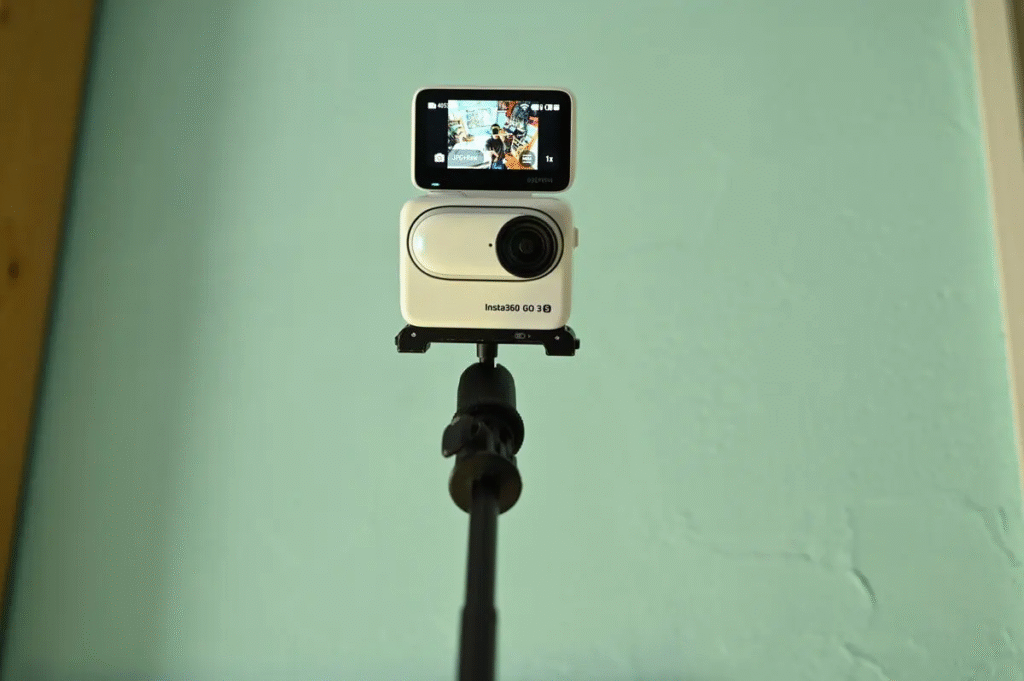
The GO Series began as ultra-compact, thumb-sized cameras, and with its third-generation model, the GO 3, it introduced a flip screen. It can be easily mounted on a hat or magnetically attached to a shirt, and with its reversible display, it serves as a truly portable, thumb-sized action camera.
4K Video Shooting Capability
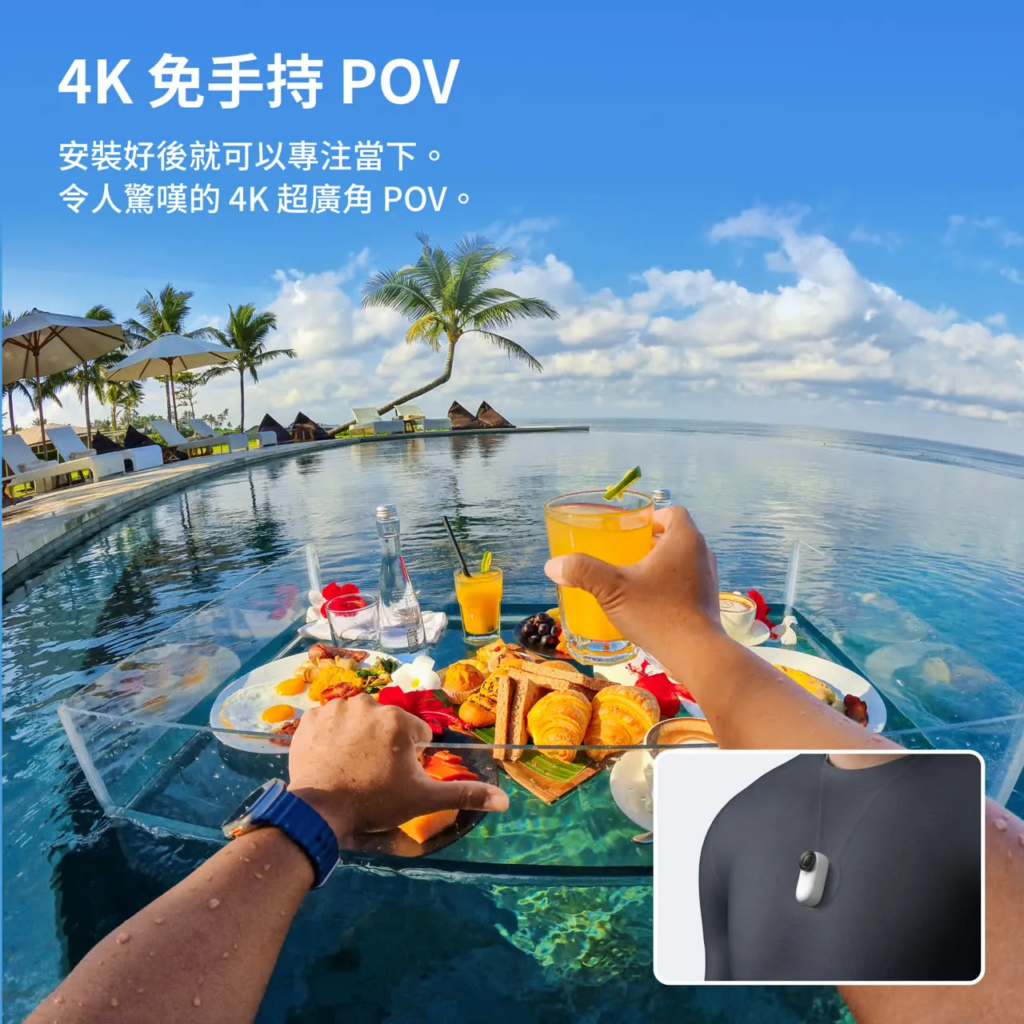
The GO 3 records video in 2.7K, while the GO 3S upgrades to 4K resolution for shooting. This improvement puts the GO 3S on par with other action cameras in terms of image quality and recording specifications.
Hands-Free Magnetic Mount
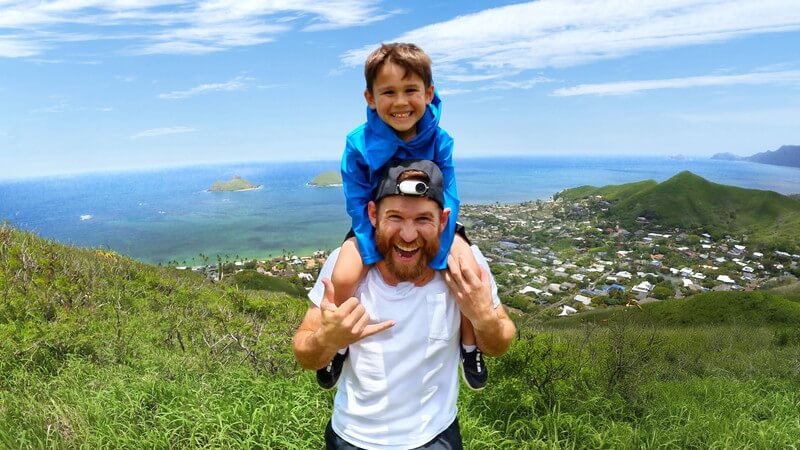
The GO Series has become extremely popular because it differs from traditional action cameras, which usually require screws or complex mounts to attach to a helmet. In contrast, the GO Series cameras can be easily secured with magnetic mounting, making them far more convenient to use.
After the GO 3 introduced its flip screen, the series saw a surge in popularity. With the launch of the GO 3S, this thumb-sized camera still stands out among mainstream action cameras (such as the DJI Osmo Action series, GoPro HERO series, and Insta360’s own X Series and Ace Series). In addition, Insta360 is a brand known for frequently releasing new accessories, and the GO 3S accessory upgrades are definitely a highlight worth noting!
Perfect for Travel VLOGs: Size & Battery Capacity
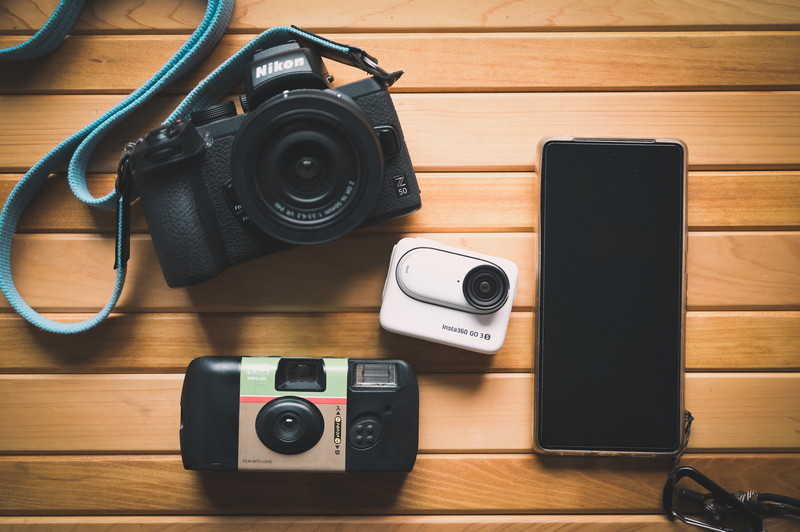
The GO 3S offers performance solid enough to serve as a main camera, yet its compact size also makes it ideal as a sub-camera. It’s perfect for short-trip vlogging, as the flip screen makes self-shooting easy, and its pocketable design allows for effortless everyday carry.
Capturing Pets & Kids with GO 3S
One of the reasons behind the GO 3’s explosive rise in popularity is its lightweight, thumb-sized design that makes it easy to capture POV footage from the perspective of pets or children, allowing you to record the world through the eyes of your dog or your child.
Use this link to purchase, you can get a special gift, limited stock, while stocks last.
GO 3S Review
- Compact and lightweight
- Bracket accessories made easier to use
- The shooting will not be noticeable.
- Easy Editing
- Night photographyImprovements still needed
- Poor picture quality of the expansion bin display
The GO 3S is without a doubt a highly practical camera that can easily handle everything from travel recording to action shooting.
The biggest highlight of the GO 3S is its ease of use: the magnetic mounting system makes setup effortless, and the flip screen allows for intuitive framing and quick visual checks. The new 4K recording capability further elevates the experience, delivering noticeably improved clarity and image quality. This upgrade is undeniably a major plus and deserves strong praise.
However, the GO 3S falls a bit short in low-light performance, showing a noticeable gap compared to more advanced models like the Ace Pro 2. In addition, the display quality of the Action Pod can sometimes appear slightly coarse.
These issues may stem from the limitations of its sensor size, as well as the smaller sensor used in the Action Pod to enable remote monitoring. As a result, the Action Pod’s display can exhibit noticeable latency.
Even so, the GO 3S remains a highly competitive product thanks to its strong advantages in portability and ease of use.
Lightweight and easy to use
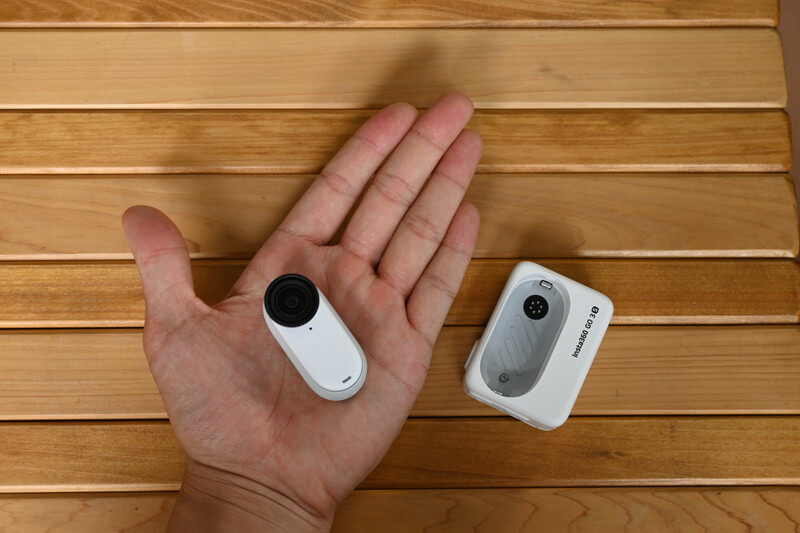
Whether used alone with a mount or paired with the Action Pod while traveling, the GO 3S can easily handle a wide range of shooting scenarios.
The GO 3 already pushed compact design and convenient operation to the extreme, and the GO 3S continues this advantage, perfectly demonstrating how to achieve the ideal balance between a small form factor and user-friendly functionality. It truly embodies the concept of a “small yet powerful” camera.
Easy installation and hands-free shooting
This mount features a clever design that allows you to quickly attach it to your chest or hat with ease. The GO 3S’s compact style can even blend seamlessly with your everyday OOTD, while giving you a wide variety of shooting angle options.
Compared with traditional action cameras, the GO 3S’s low-profile design makes it much more discreet. This unobtrusive characteristic not only helps keep your subjects in a natural state, but also reduces the psychological pressure on people around you, creating a more relaxed shooting environment.
Easy Editing
With the continuous upgrades of editing software and mobile apps, the AI auto-editing feature has become even more practical and intelligent since the launch of the GO 3.
It’s worth noting that the GO 3S introduces a new one-tap video transfer feature, which significantly reduces the user’s workload during the editing process and makes content creation much more effortless.
Capture your best travel moments quickly with the GO 3S, then use the Insta360 App for automatic editing—the entire workflow is smooth and efficient.
Being able to complete the entire creative workflow—from shooting to editing—with such ease is truly remarkable. This seamless experience genuinely reflects the revolutionary impact that technology has brought to modern content creation.
Use this link to purchase, you can get a special gift, limited stock, while stocks last.
Battery Duration
The GO 3S offers two shooting modes: you can either film using the camera body alone, or pair it with the Action Pod. When used with the Action Pod, it can record for up to about 140 minutes (2 hours and 20 minutes). When using only the camera body, it can shoot for approximately 38 minutes. These options allow you to choose freely based on your filming needs, balancing mobility and battery life.
The GO 3S can record up to 38 minutes on a single camera.
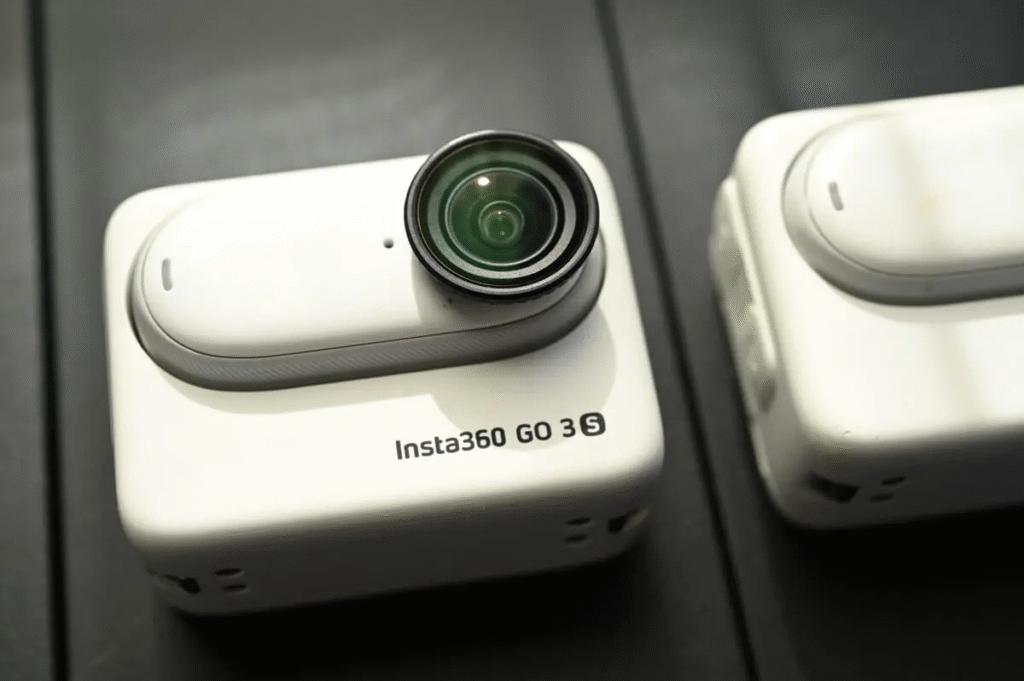
The GO 3S single camera body + Action Pod can record up to 140 minutes continuously.
Use this link to purchase, you can get a special gift, limited stock, while stocks last.
Comparison of GO 3S and GO 3 Specifications
| GO 3S | GO 3 | |
|---|---|---|
| highest resolution | 4K30fps | 2.7K30fps |
| Maximum frame rate | 1080p200fps | 1080p120fps |
| Code rate (Mbps) | 120Mbps | 80Mbps |
| Natural Wide Angle FOV | – | |
| Apple Find My Support | – | |
| Interval Recording | – | |
| Quickly switch between vertical and horizontal shots | – | |
| Gesture Control | – | |
| FlowState Anti-Shake | ||
| Waterproof | Single camera: 10m | Single camera: 5m |
| Action Pod: IPX4 | Action Pod: IPX4 | |
| Battery Capacity (1080p) | Single Camera: 38 points + Action Pod: 140 points | Single Camera: 45 points + Action Pod: 170 points |
| Weights | Single camera: 39.1g | Single camera: 35.5g |
| Action Pod: 96.3g | Action Pod 96.3g | |
| Price | 64GB:HK$3,149 NT$14,999 128GB:HK$3,459 NT$16,999 | 64GB:HK$3,058 NT$14,799 128GB:HK$3,458 NT$15,999 |
Video quality upgraded to 4K
The GO 3S upgrades its image quality from the GO 3’s 2.7K30fps to 4K30fps, narrowing the gap between it and other action cameras such as the X4 and Ace Pro 2.
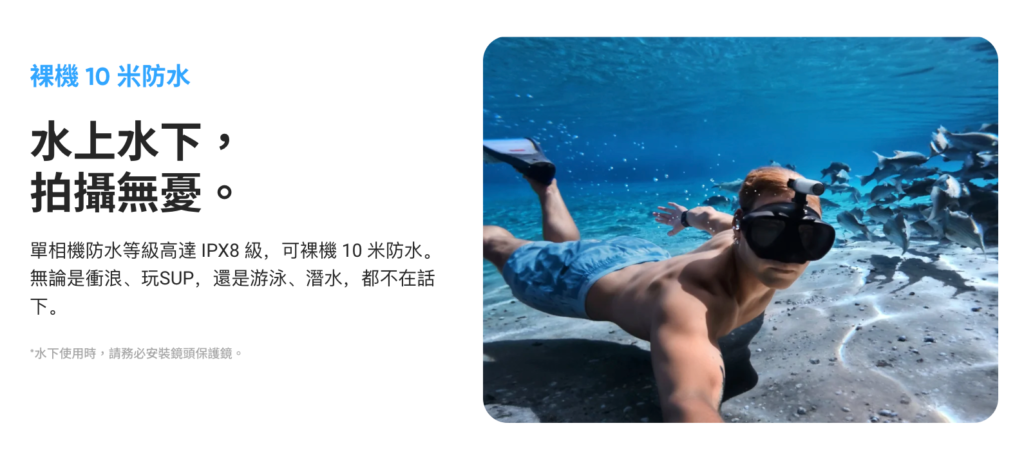
Increased water resistance to 10 metres
In terms of the camera body itself, it appears almost unchanged compared with the GO 3, but its waterproof rating has been improved from 5 meters to 10 meters.
The Action Pod’s IPX4 water resistance is suitable only for everyday use. If you plan to submerge the GO 3S in the ocean, you can only use the camera body itself (waterproof up to 10m).
Equipped with convenience features
The GO 3S also includes convenient features first introduced on the Ace Pro, such as gesture control and the ability to cancel recording mid-shoot.
This makes taking photos while traveling—and organizing them once you return home—much easier.
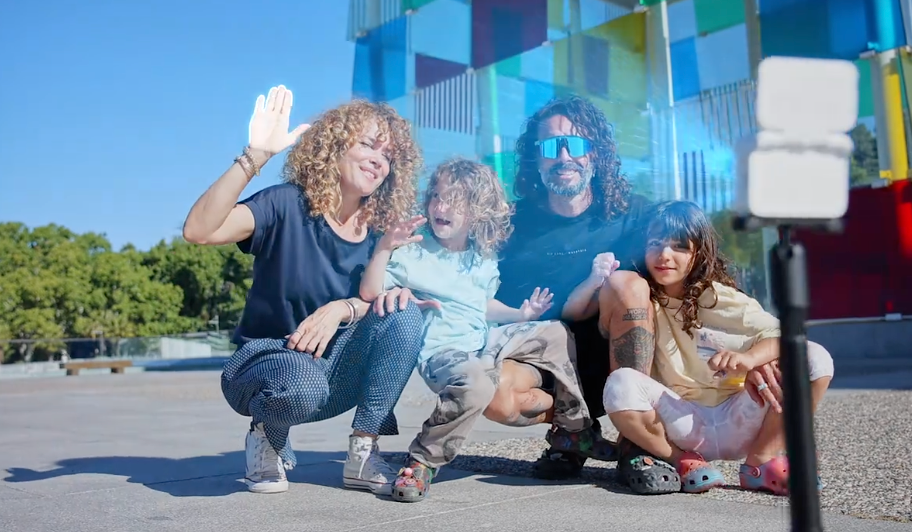
Compatible with GO 3 Action Pod
The GO 3S’s Action Pod looks almost identical to that of the GO 3, with the only noticeable difference being the addition of the “S” logo.
There are a few design changes on the camera itself, but since it remains compatible with the GO 3 Action Pod, you can choose to upgrade only the camera if you already own a GO 3. Now, let’s dive into the unboxing and review of the GO 3S!
GO 3S Unboxing Review
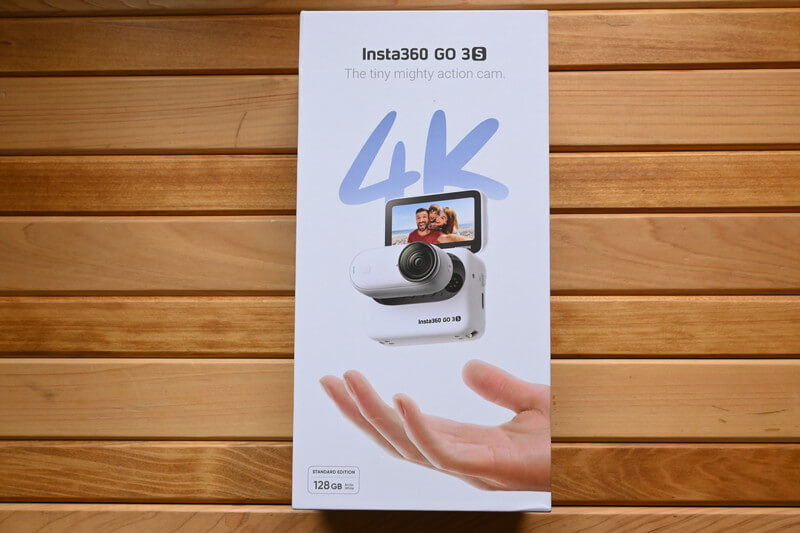
The GO 3S packaging is very lightweight and prominently marked with “4K.” This alone already makes it clear what the main selling point of the GO 3S is.
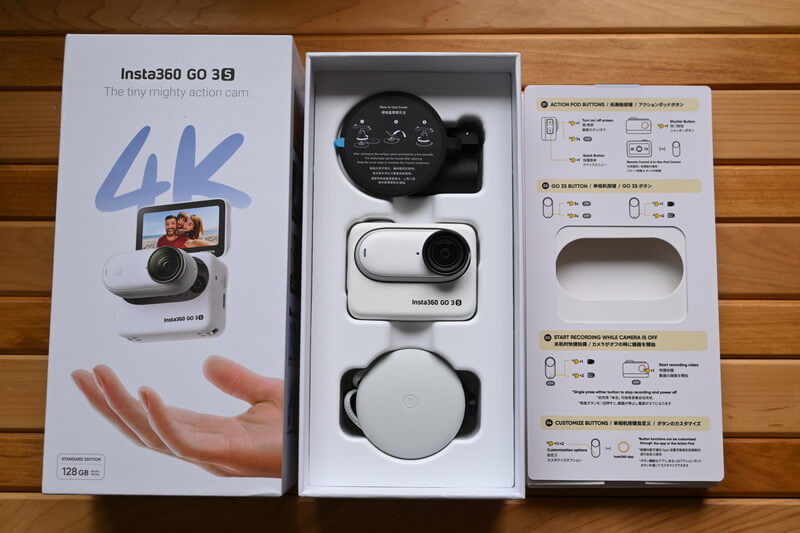
Inside the box, you’ll find the accessories along with the camera body.
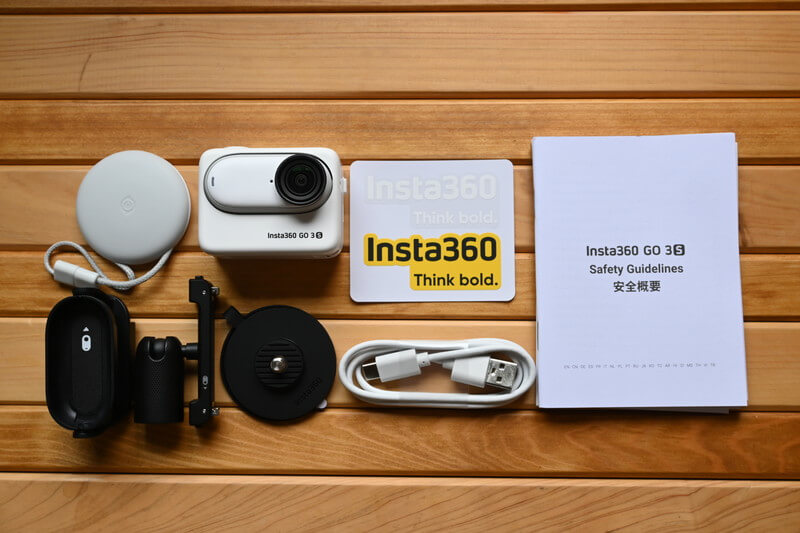
The package includes the camera, accessories, a charging cable, stickers, and various documentation. The GO Series offers a wide variety of accessories, so unboxing it feels a bit more exciting compared to other products.
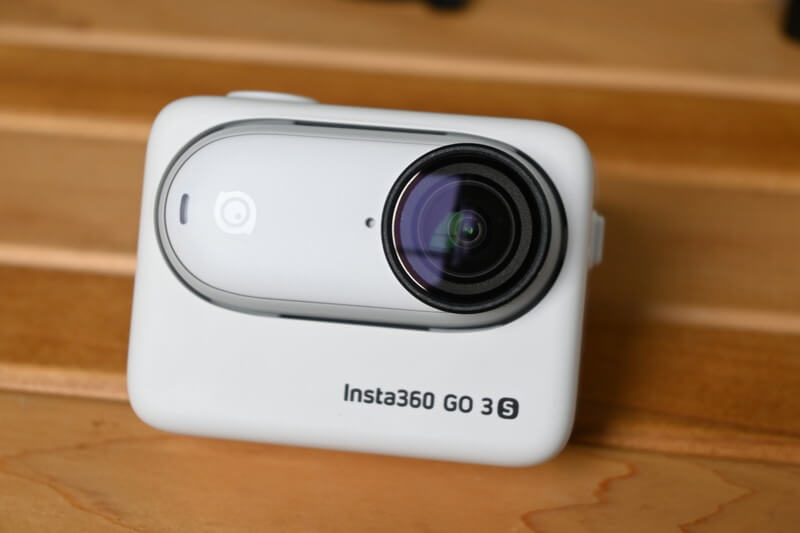
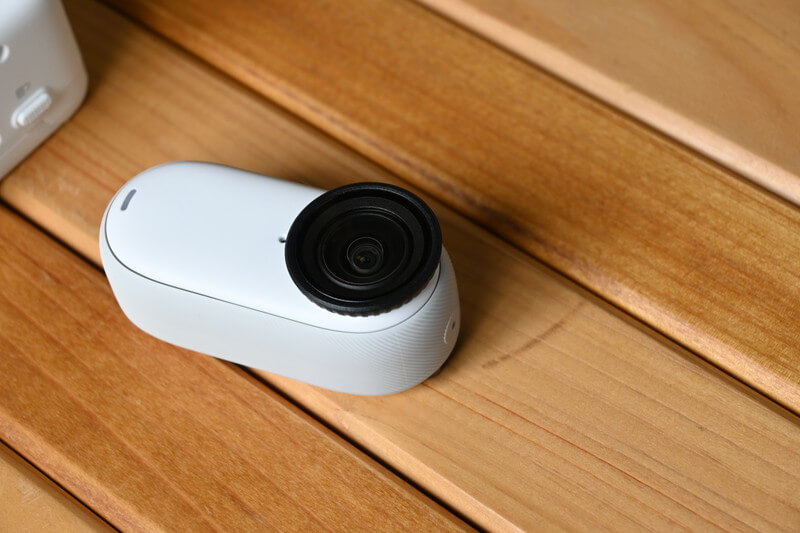
In terms of appearance, it looks almost identical to the GO 3, featuring a matte texture, rounded corners, and a simple curved design that gives it a very cute look.
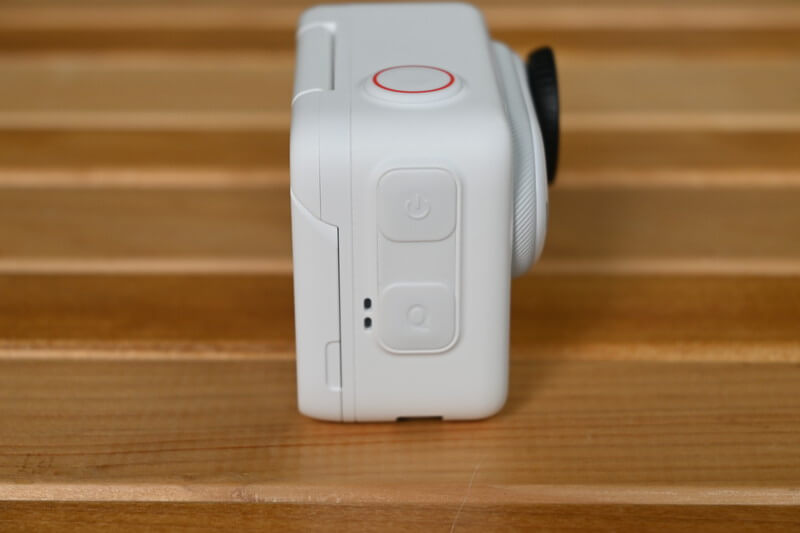
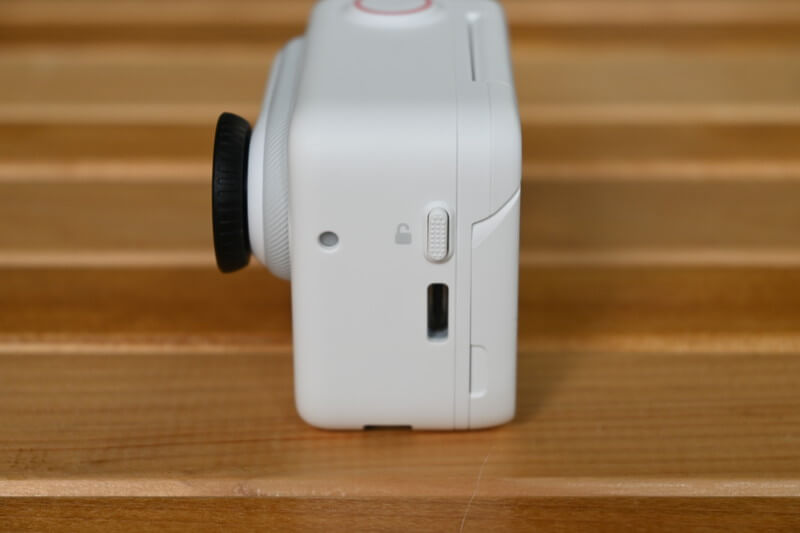
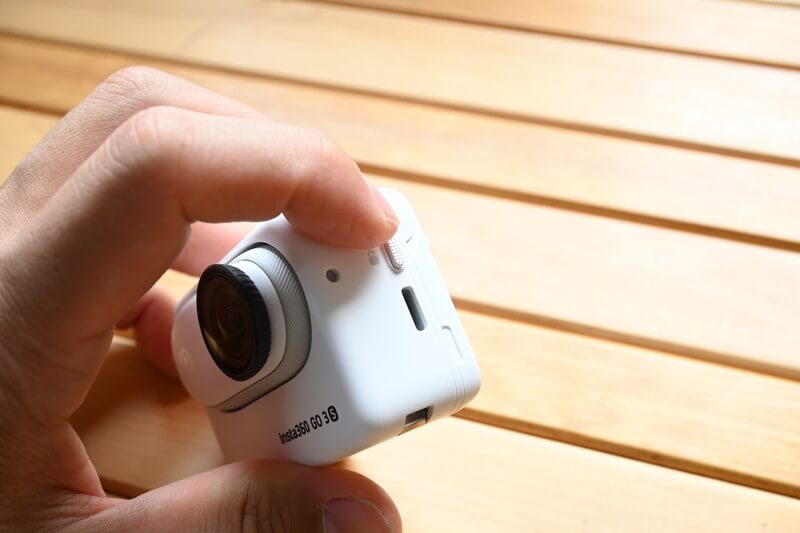
The button layout remains unchanged, featuring only three buttons: the power button, the camera button, and the quick capture button.
On the right side is the release button for removing the camera, and below it is the Type-C port.
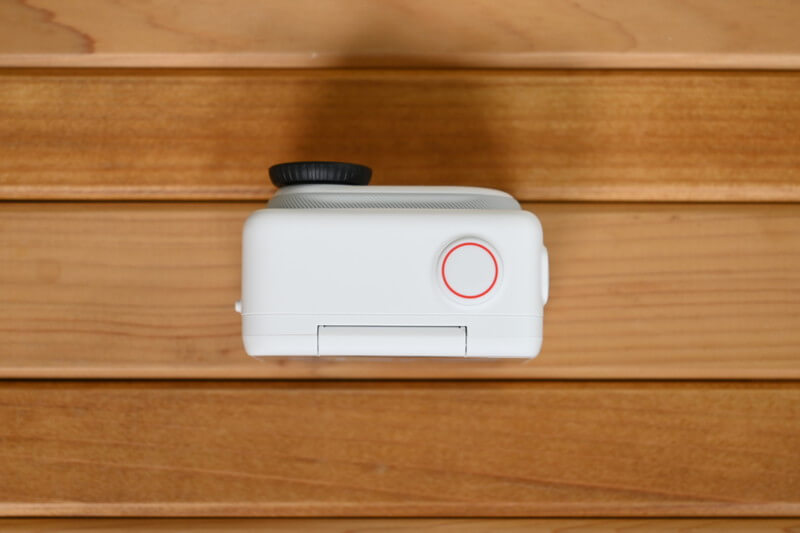
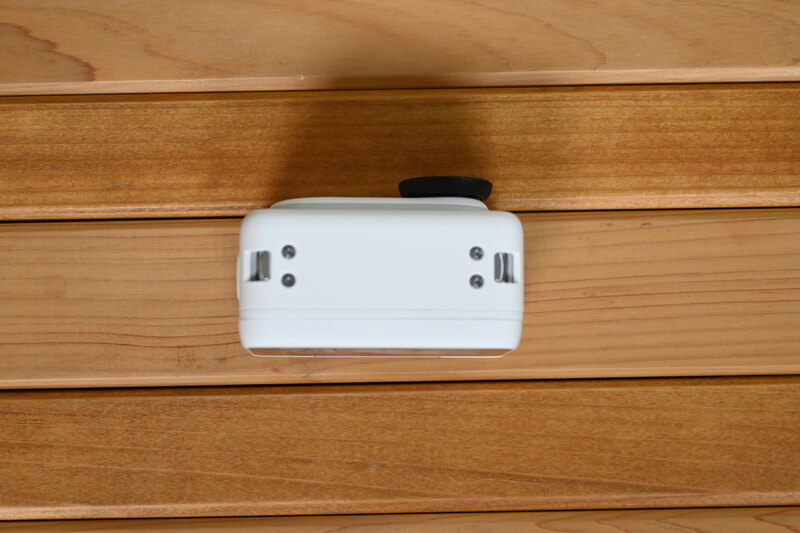
The top and bottom are very simple and look exactly the same as the GO 3.
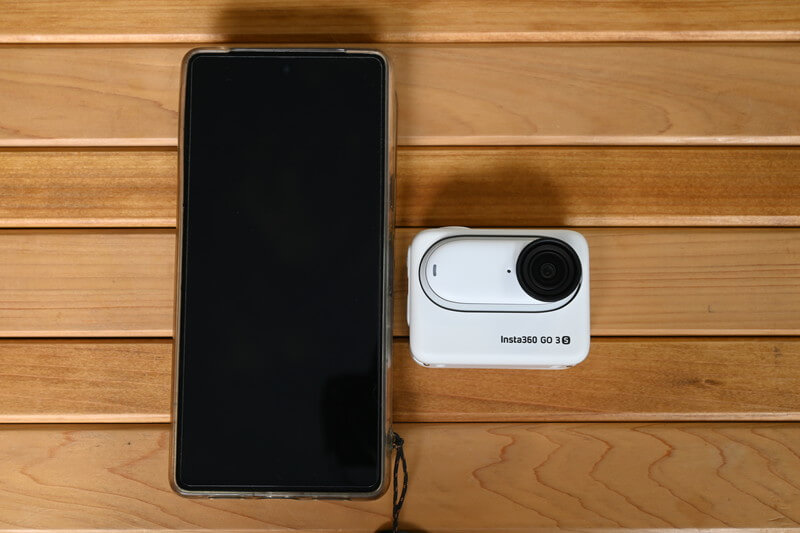
Compared to a smartphone (Google Pixel), the GO 3S is noticeably compact. Its size means you can slip it into your pocket without it feeling bulky or drawing attention.
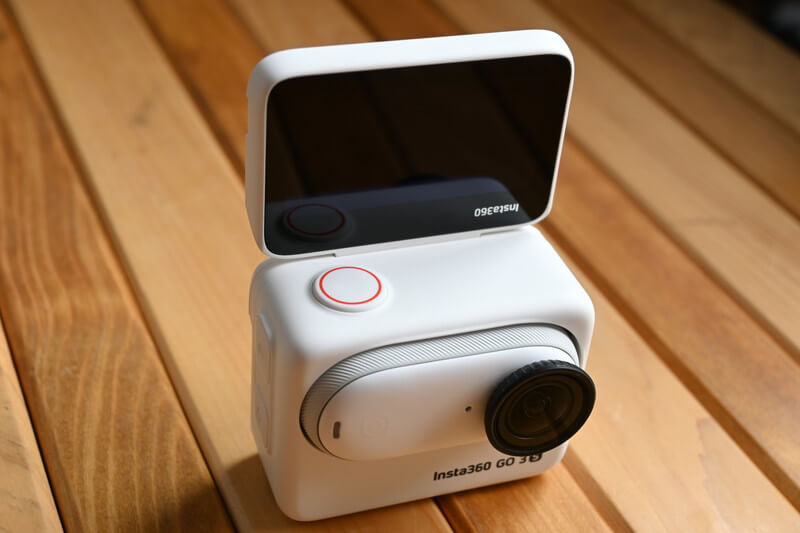
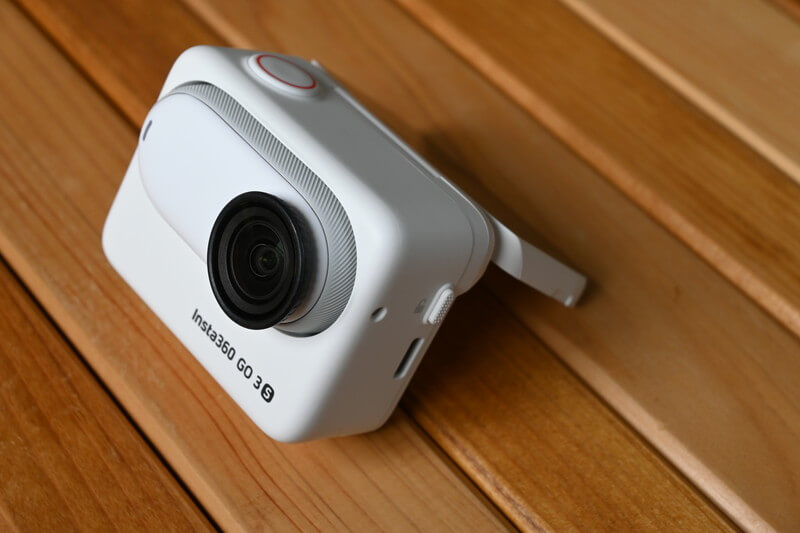
When the flip screen is fully extended, it becomes an ideal front-facing display for selfies. When opened halfway, it can function as a simple stand, providing a stable shooting angle.
The camera’s build quality is impeccable—solid, sturdy, and great to the touch. This flip-style design is undoubtedly more convenient than a traditional fixed screen, offering a significant boost in usability, especially when taking selfies or filming from low angles.
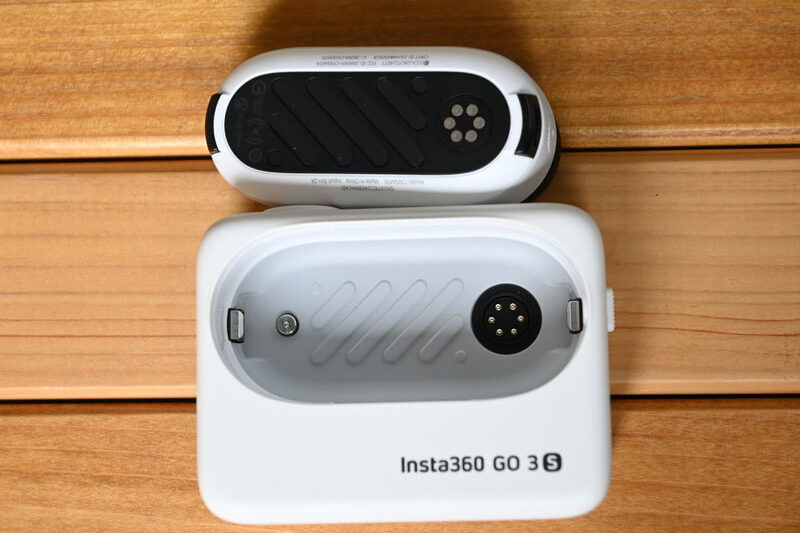
Press the lock button on the right side of the Action Pod, then pull the camera out to remove it from the pod.
You can see that both the back of the camera and the inside of the Action Pod have been designed with heat dissipation in mind.
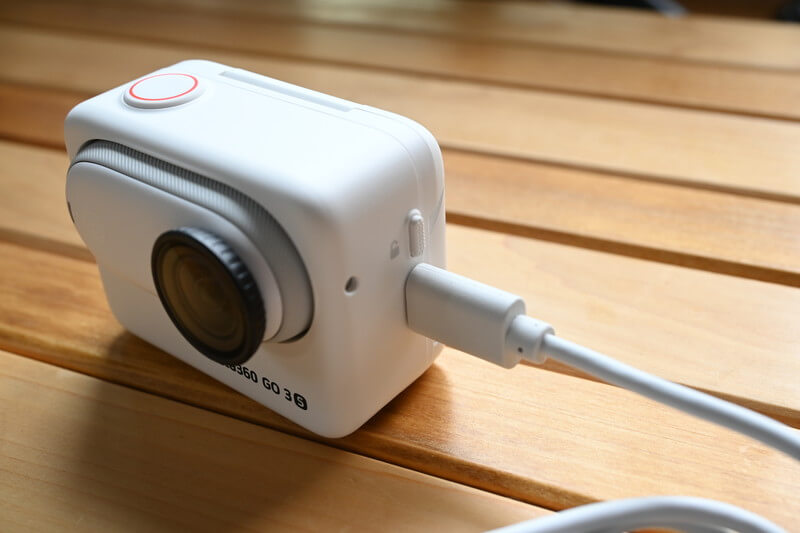
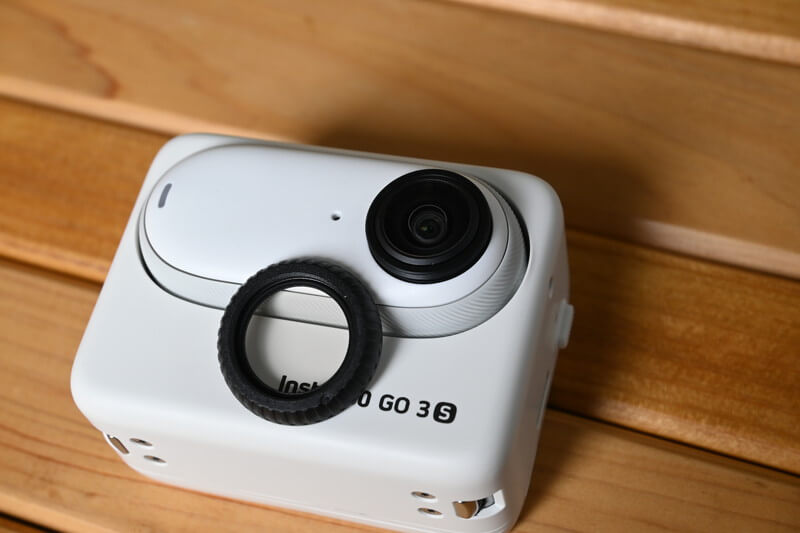
Charging is done by plugging the Type-C cable directly into the device, so you’ll need to be careful to keep it away from moisture to avoid damage. As long as you’re using it in a dry environment, there’s nothing to worry about.
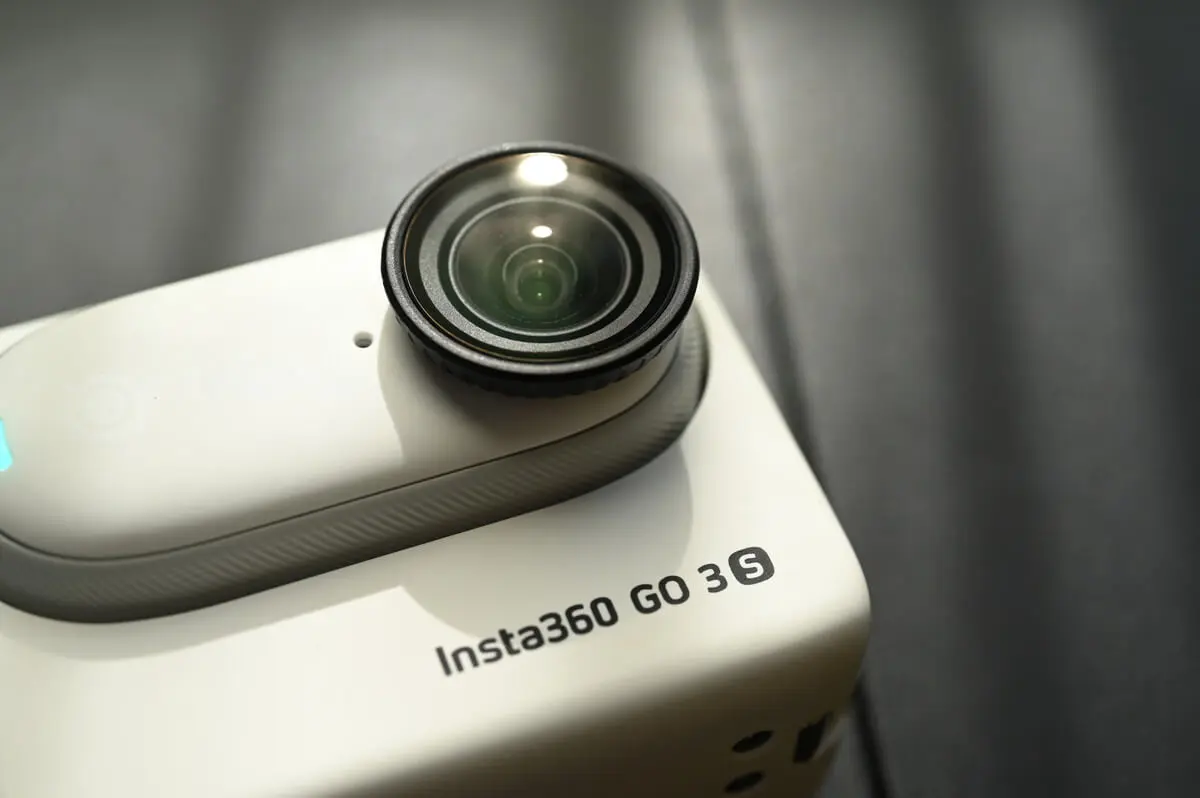
The lens protector features a clever design that allows it to be easily removed with a simple twist. If the protector gets scratched, you only need to replace this single part—making it both economical and convenient—without having to replace the entire lens.
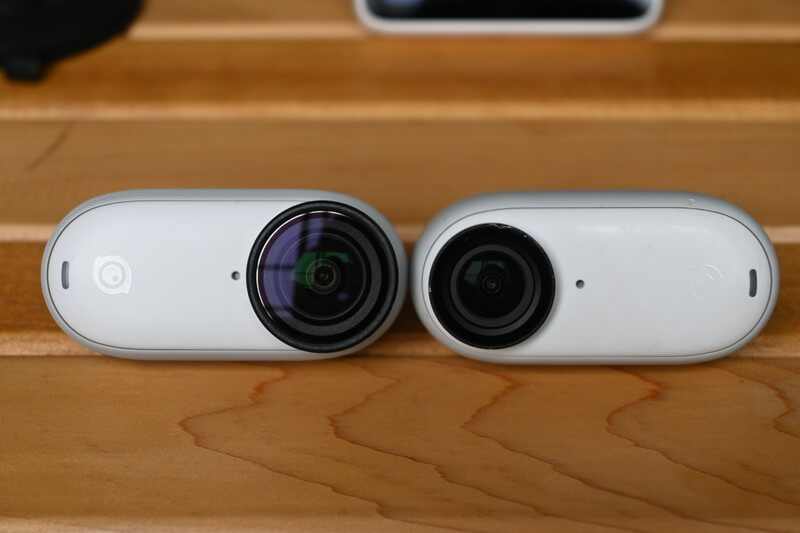
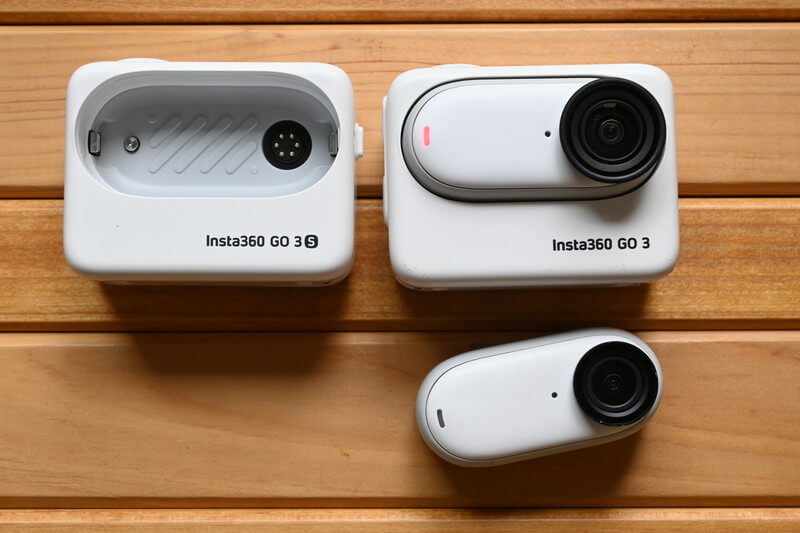
When placed next to the GO 3, you can see that the area surrounding the GO 3S lens is slightly larger.
The camera body size remains unchanged, so you can still insert the GO 3S into the GO 3 Action Pod just like this.
Use this link to purchase, you can get a special gift, limited stock, while stocks last.
GO 3S Accessory Recommendations
Next, I will take a closer look at the standard accessories included with the GO 3S. It features the same magnetic mounts as the GO 3, but each mount has been carefully refined and improved.
Standard Accessories
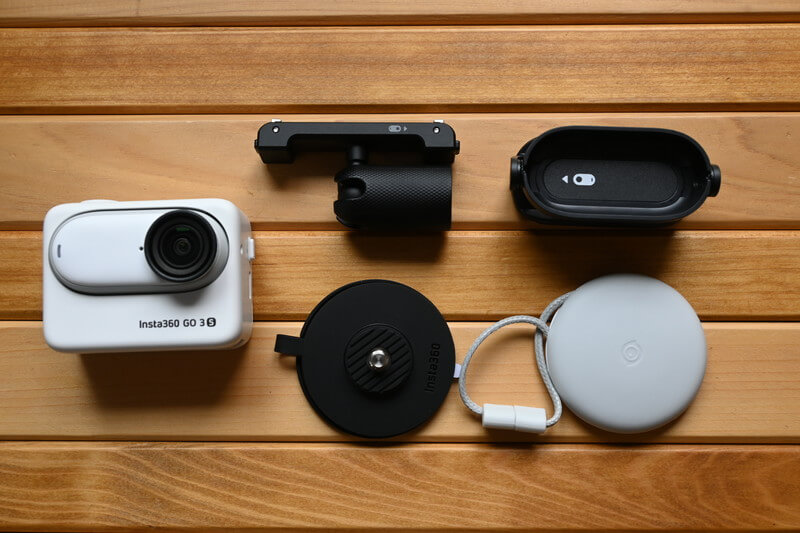
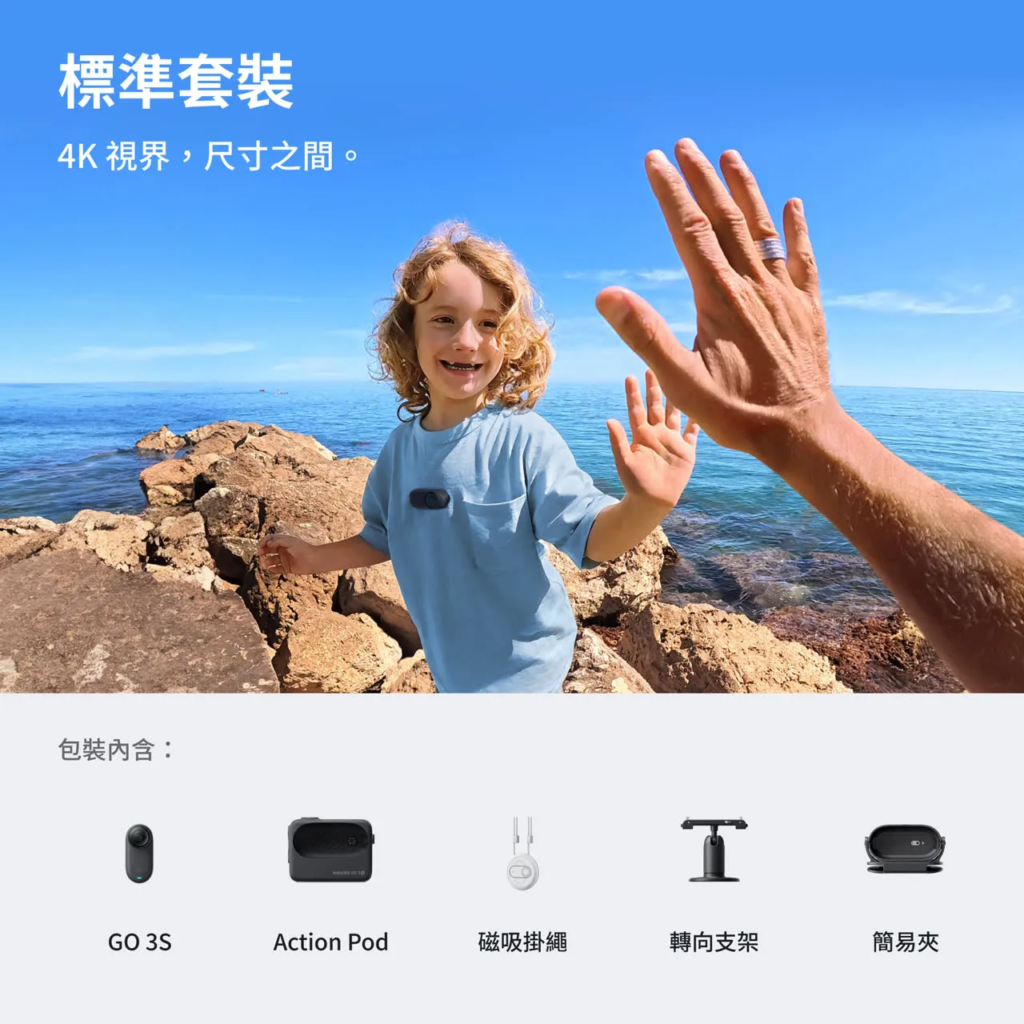
In addition to the main unit, the GO 3S standard package also includes four accessories.
- Horizontal Bracket
- Magnet Pendant
- Pivot Mount
- Simple Clip
First, let’s take a look at the GO 3S horizontal mount.
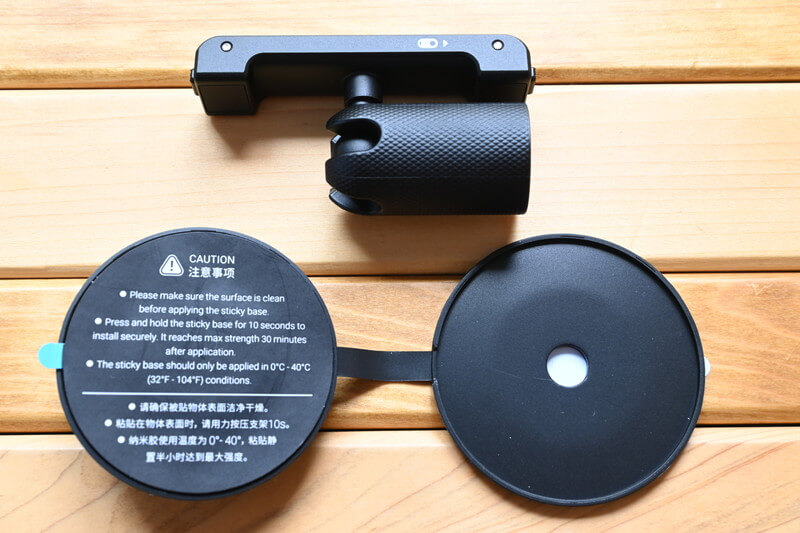
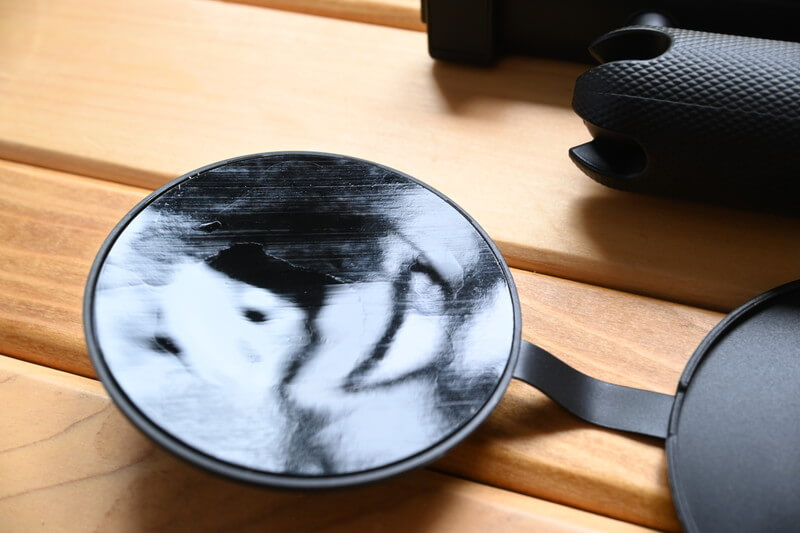
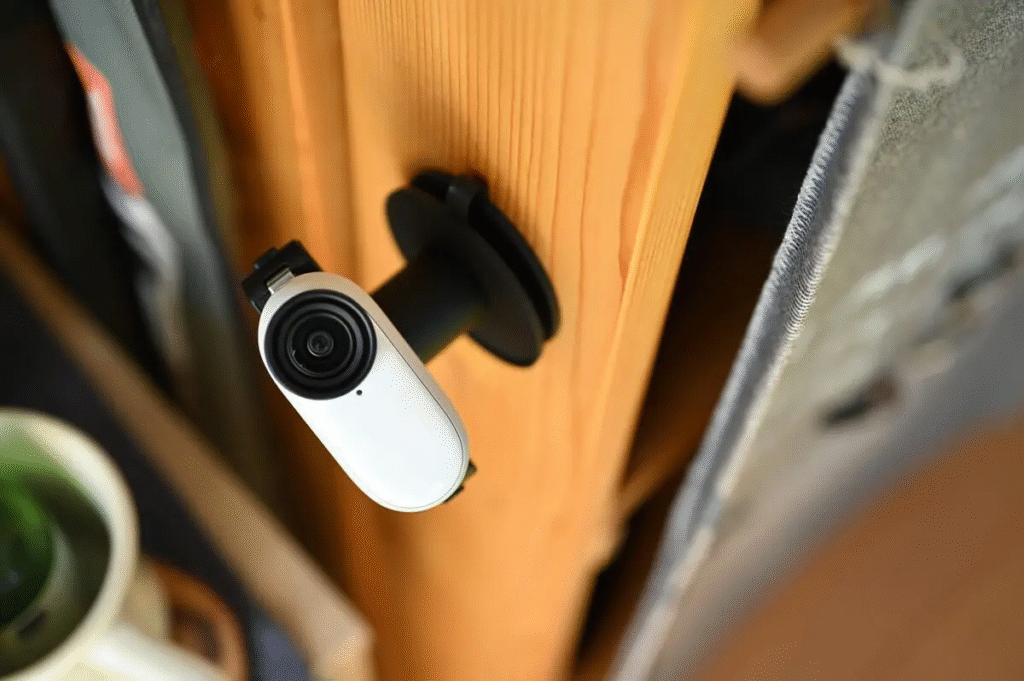
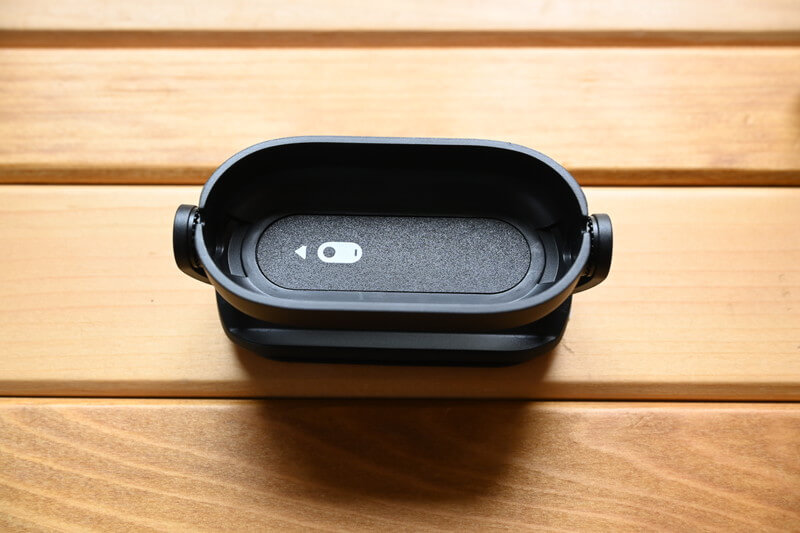
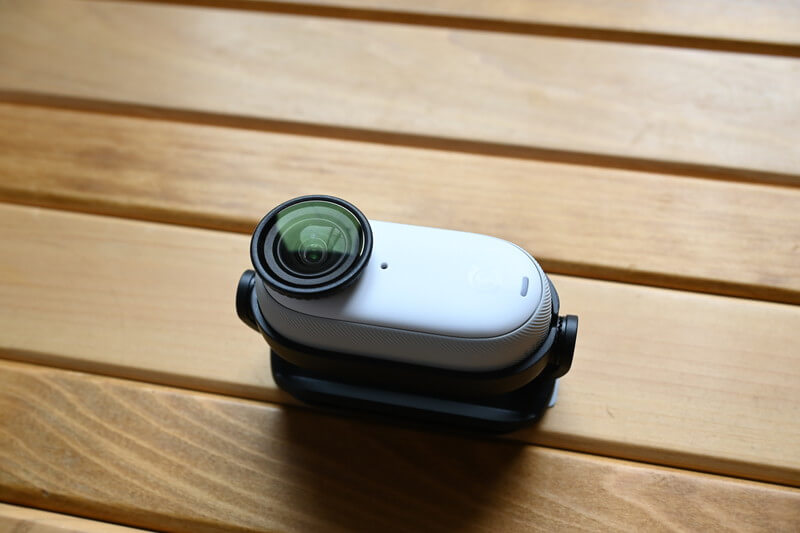
The horizontal mount consists of two parts: a ball joint and an adhesive base. Even if the adhesive base loses its stickiness over time, simply rinsing it with water will restore its grip, making it reusable without worries. The adhesive strength is also more solid and reliable than I expected.
In my opinion, the integrated design of the cover and the adhesive base is a major highlight. Not only is it convenient to use, but it also effectively prevents the cover from getting lost, greatly enhancing overall usability.
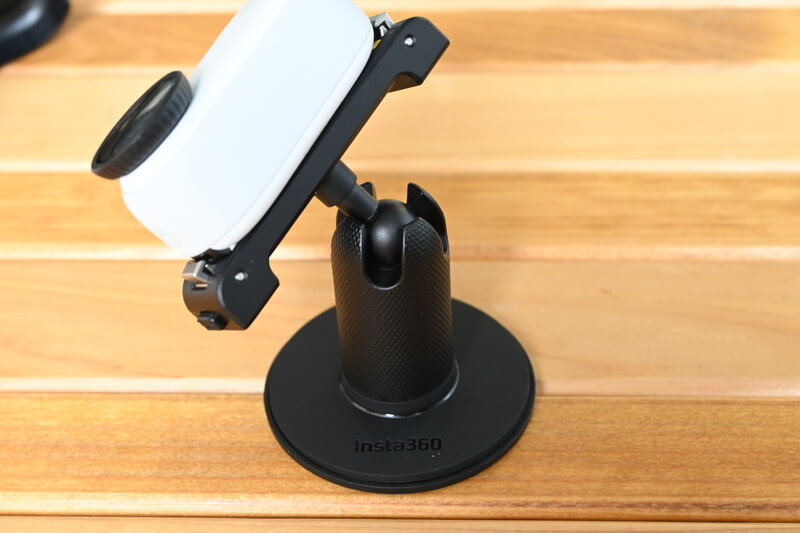
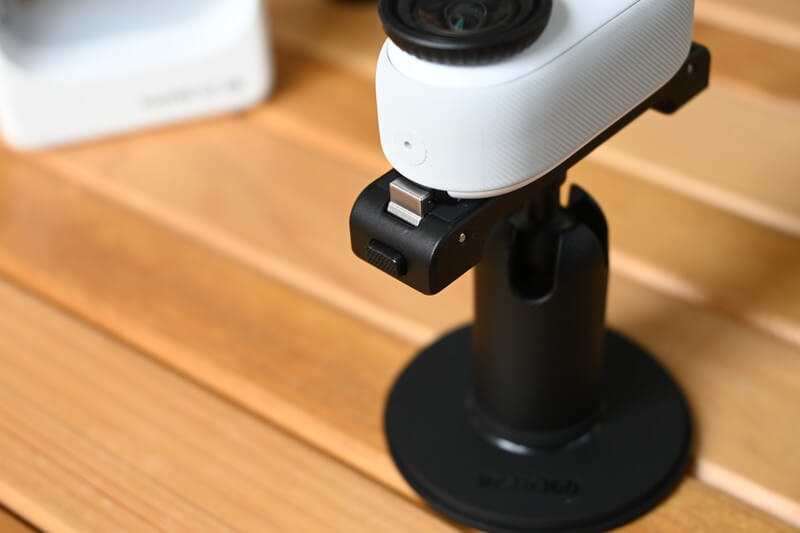
During filming, I’ve come to deeply appreciate the precise resistance provided by the horizontal mount, as well as the perfect compatibility between the magnet-and-lock system and the GO 3 camera. These design details undoubtedly enhance the overall user experience.
Both in terms of functionality and practicality, the GO 3S clearly demonstrates a mature and well-refined product philosophy.
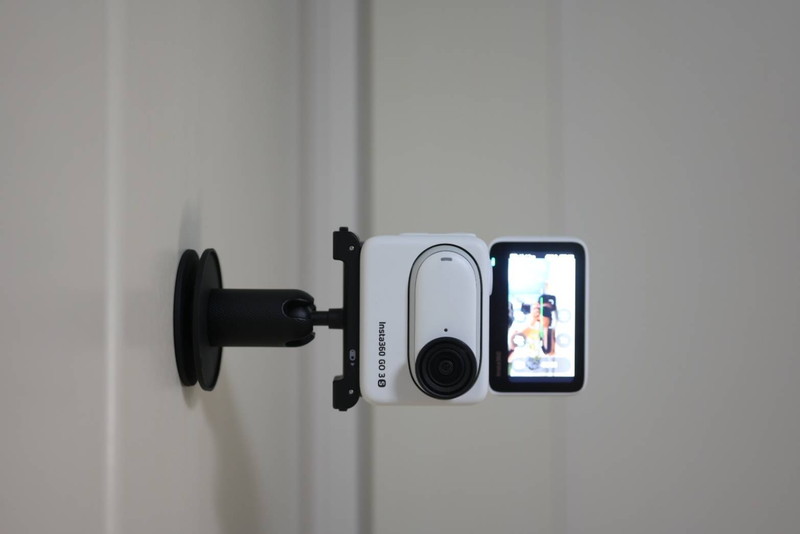
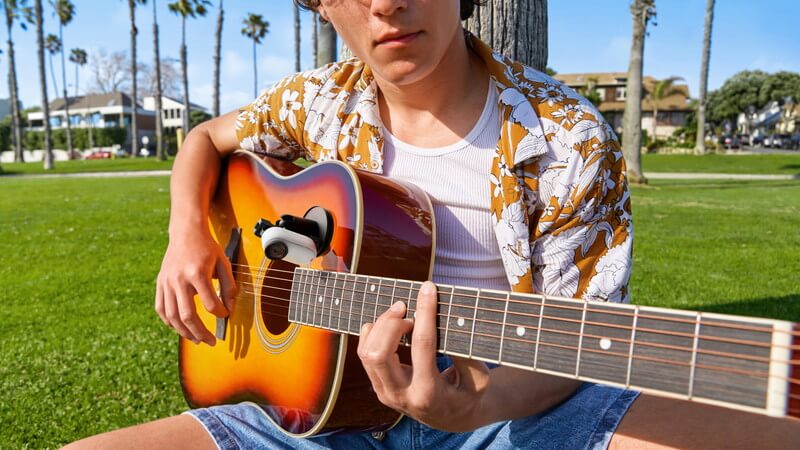
This accessory can be easily attached to walls, and as shown in the official promotional videos, it can even adhere firmly to curved surfaces such as guitars or skateboards. Its adhesive strength is excellent—much stronger than you might expect—providing impressive stability and confidence during use.
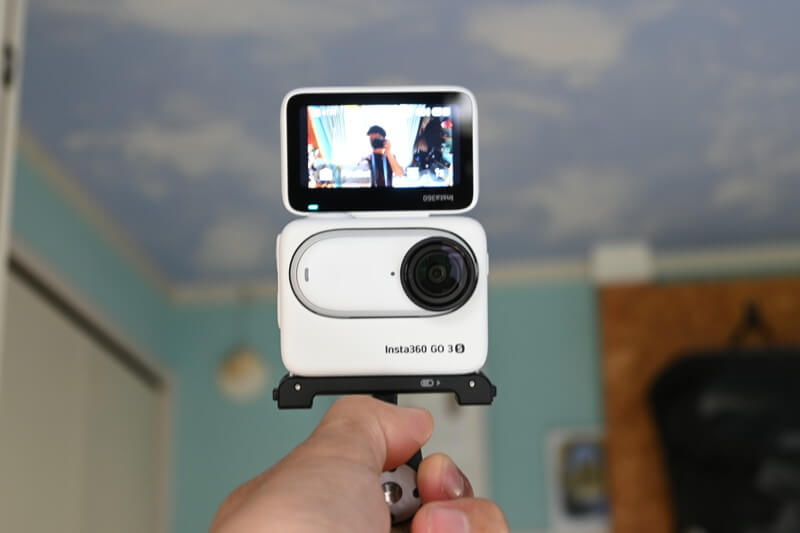
In selfie scenarios, you can flexibly adjust the angle using the joint section, or connect the GO 3S to a mini selfie stick to further expand your shooting possibilities and meet a wide range of creative needs.
Next is the GO 3S Easy Clip. This mount is made of lightweight, durable plastic and fits snugly and comfortably against the GO 3S camera body.
Although the magnet may look weak at first glance, it is actually very reliable in use and does not fall off.
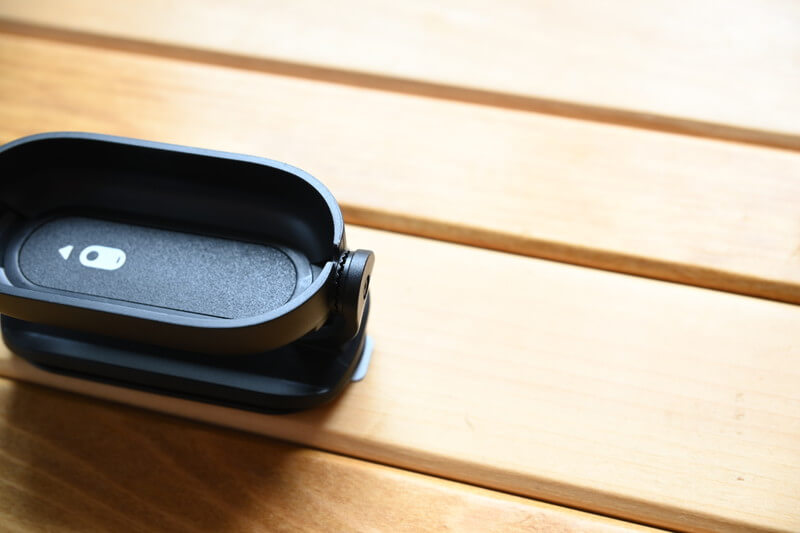
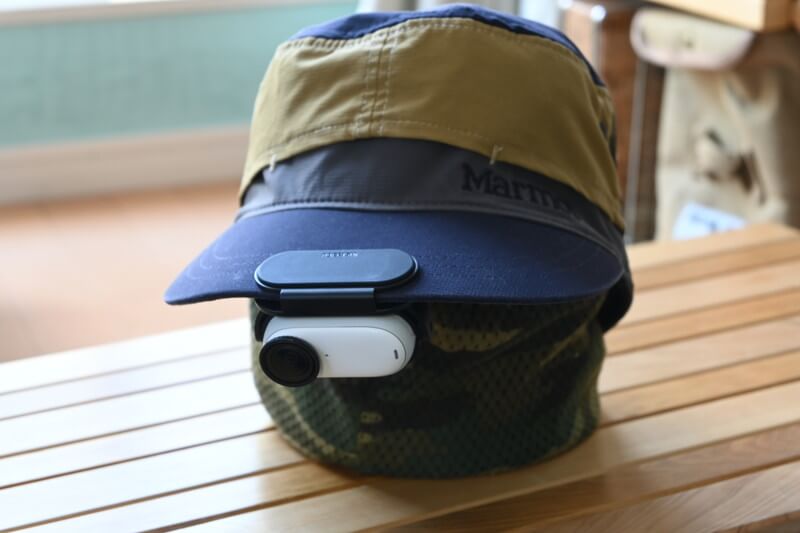
It can be attached to a hat, making it easy to capture footage from eye level.
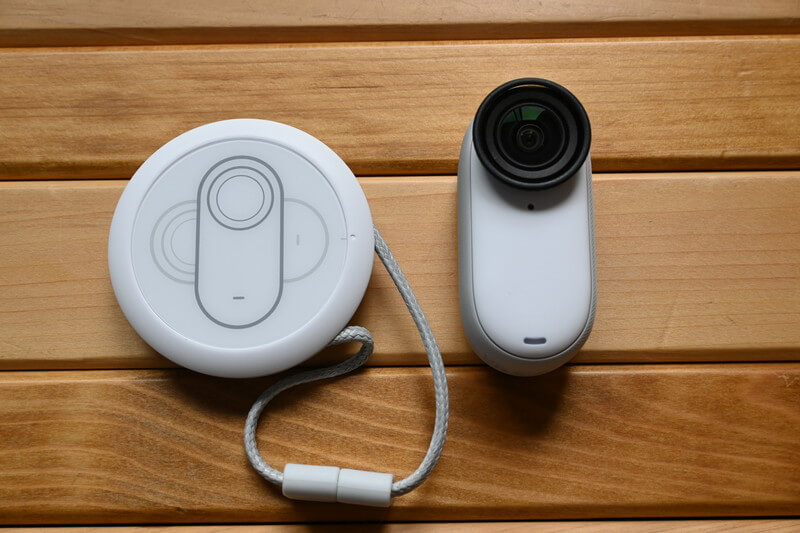
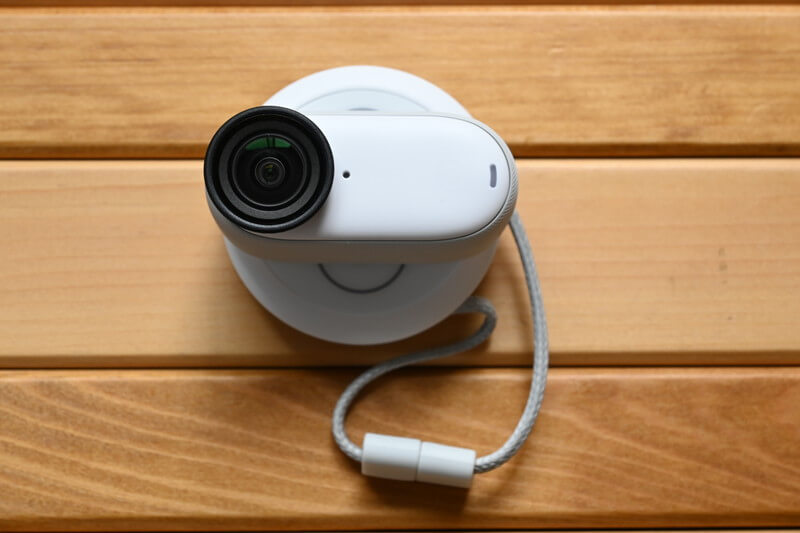
The magnetic lanyard can be worn around your neck like a necklace, with the magnet inside the pendant securing the accessory firmly in place. Although it is the least noticeable mount of all, it is an excellent accessory for effortlessly capturing first-person POV footage.
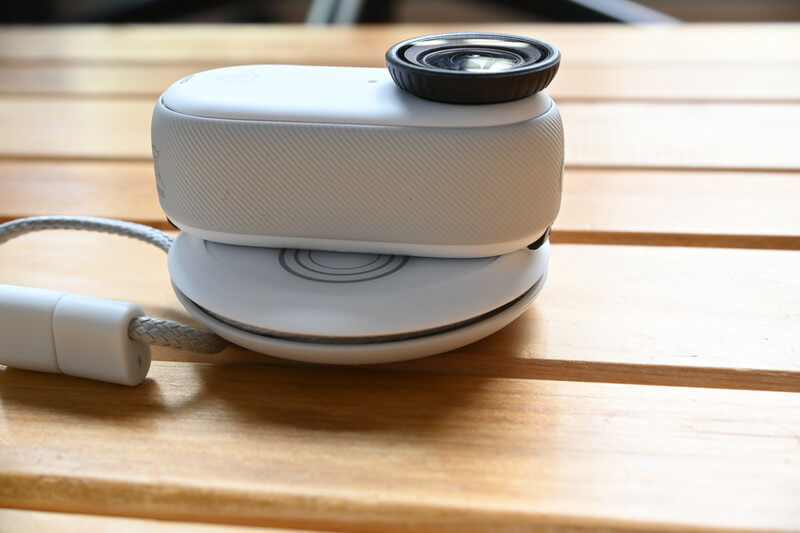
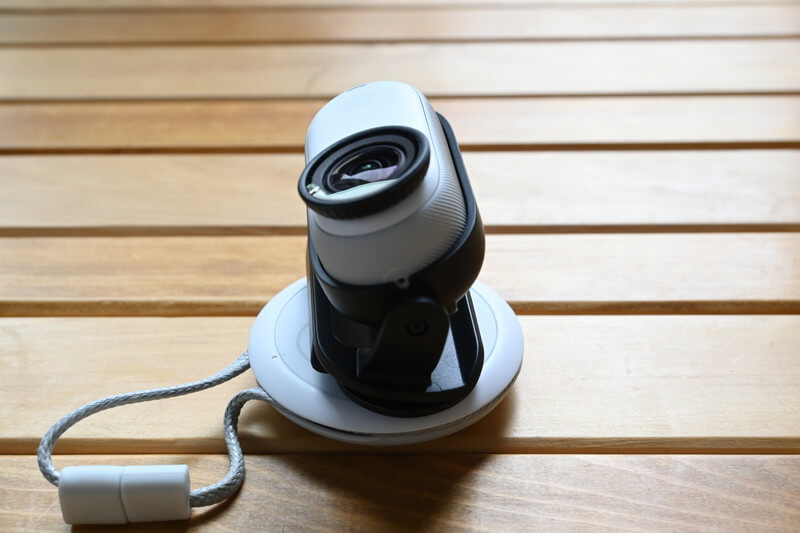
A subtle yet practical improvement is that the GO 3S magnetic pendant mount now features a curved design, which effectively reduces pressure on the chest and enhances overall comfort. For male users, the position of the pendant naturally rests just below the sternum, making it feel more ergonomic and secure when worn.
In terms of accessories, the main change is the addition of a magnet-responsive Easy Clip. Compared with the GO 3, which could only adjust to a single angle using a spacer, the new Easy Clip offers a wider range of angles, making your shooting angles far more flexible and versatile.
These subtle adjustments clearly show that Insta360 has thoroughly studied real user scenarios and made targeted optimizations to enhance the overall experience.
Mini Invisible Selfie Stick with Flexible Stand
I would recommend two accessories for everyone: the mini invisible selfie stick and the flexible tripod stand.
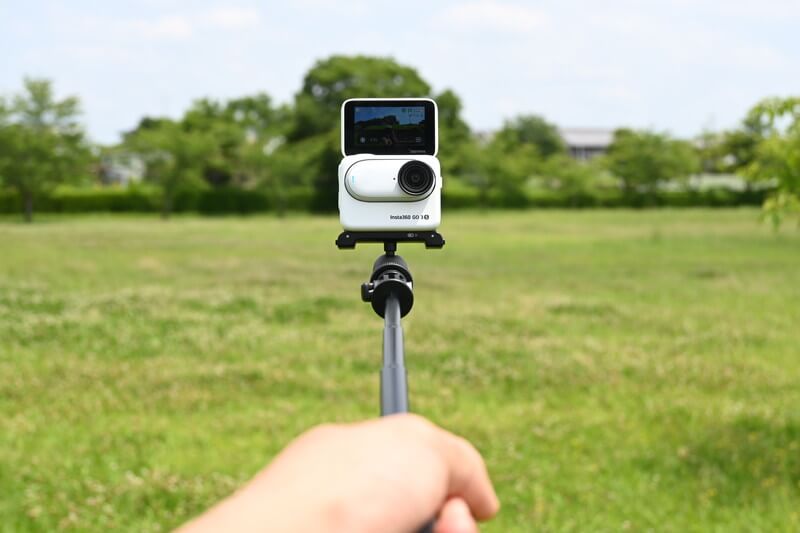
The Mini Invisible Selfie Stick is a portable selfie stick that also functions as a tripod. Its compact size allows it to be easily carried in your pocket, and I consider it one of the most highly recommended accessories for the GO 3S.
By mounting the rotating bracket on top of the selfie stick, you can seamlessly switch between multiple accessories such as the magnetic pendant, quick clip, or mini selfie stick, significantly enhancing shooting flexibility and overall convenience.
When the selfie stick is fully extended, its length is perfectly suited for capturing selfies that blend naturally with scenic backgrounds. In addition, it serves as an ideal handheld tool for vlogging, allowing you to effortlessly record both selfies and dynamic video content. Combining practicality with excellent portability, it is a versatile accessory designed for travel photography, daily shooting, and on-the-go content creation.
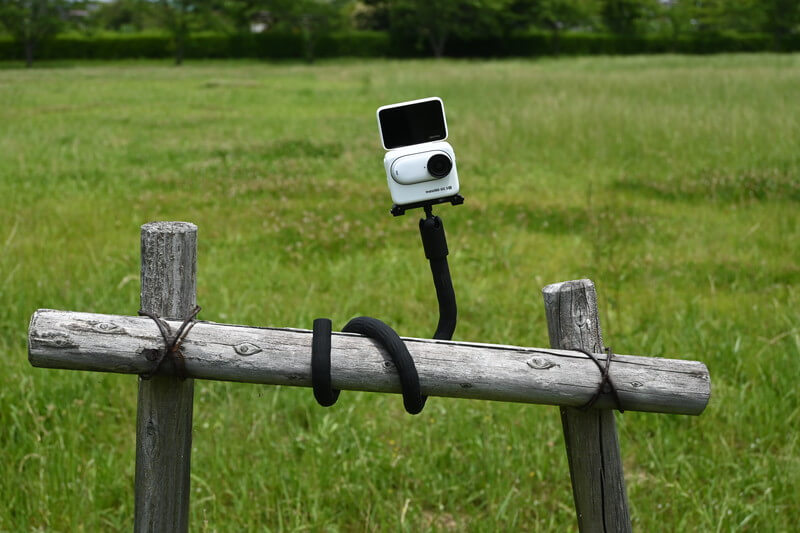
The free-form flexible mount impresses with its versatile design. Whether used as a tripod, selfie stick, or stabilizing support, it easily adapts to a wide range of shooting scenarios.
It strikes an impressive balance between flexible shape-shifting capabilities and structural durability, making it both reliable and easy to use. Its thoughtfully designed surface texture further enhances stability and provides a secure, comfortable grip.
This accessory offers outstanding value at an affordable price. I highly recommend it as an add-on for the GO 3S. Whether for daily shooting or travel photography, it delivers greater convenience and expanded creative possibilities.
GO 3S Setup
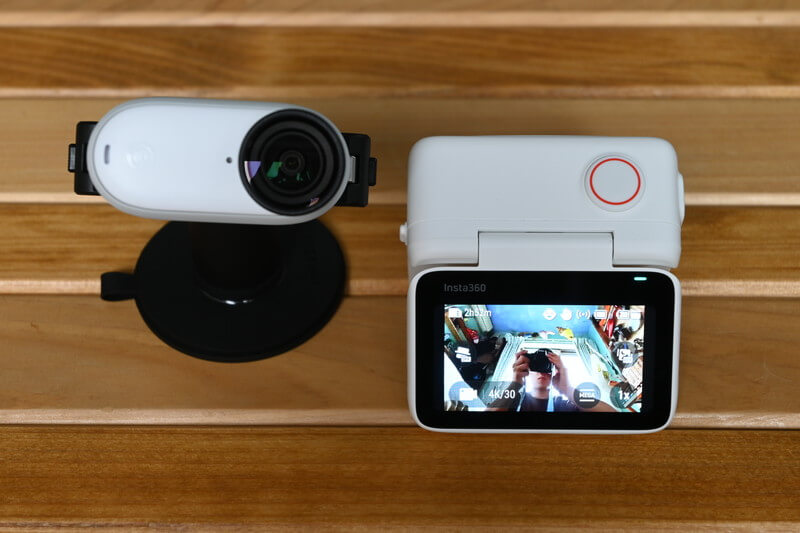
Next, let's walk through the basic operations of the GO 3S.
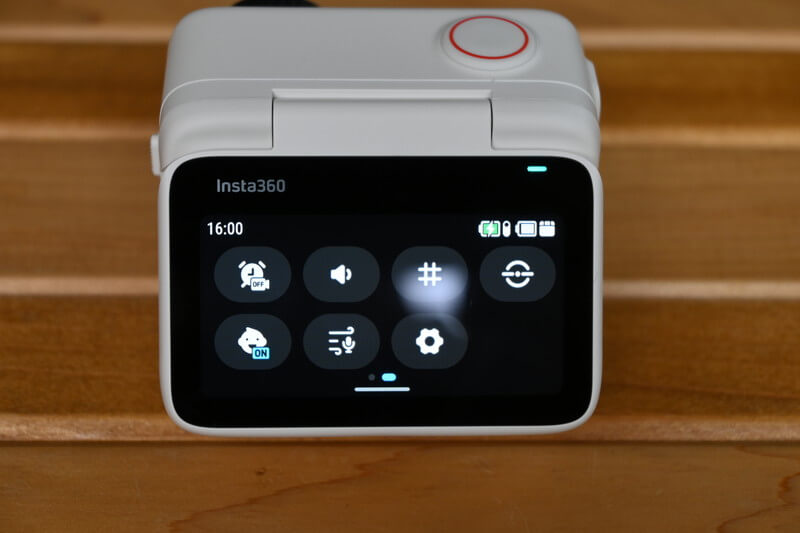
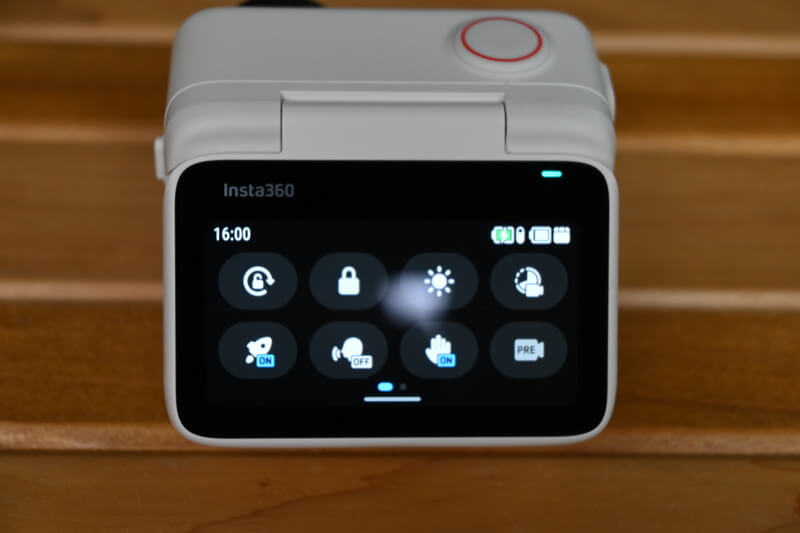
Swipe down from the top to the bottom to reveal the basic settings.
Each setting comes with its own icon, and tapping on it will display detailed explanations and instructions on how to configure it, so we won’t go into those specifics here.
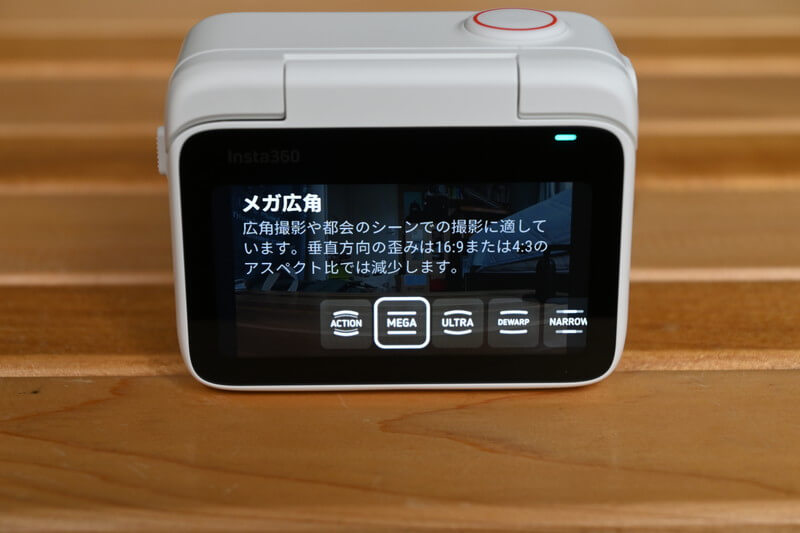
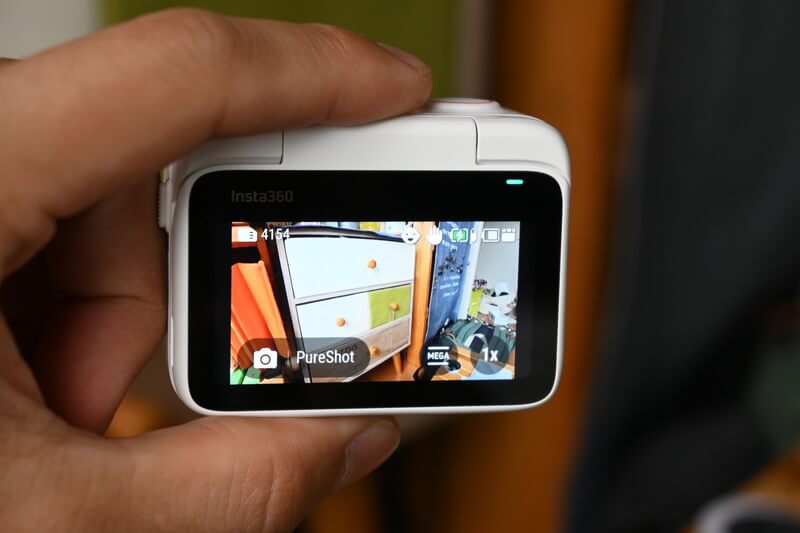
Tap the Field of View (FOV) icon located at the bottom right corner, and you can choose between a wide-angle view or a distortion-corrected view that best suits your shooting scenario.
I personally recommend the “Mega Wide Angle” mode. It is extremely easy to use, captures a broad field of view, and minimizes distortion to the greatest extent. This makes it perfect for a wide range of shooting scenarios, providing both convenience and high-quality image results.
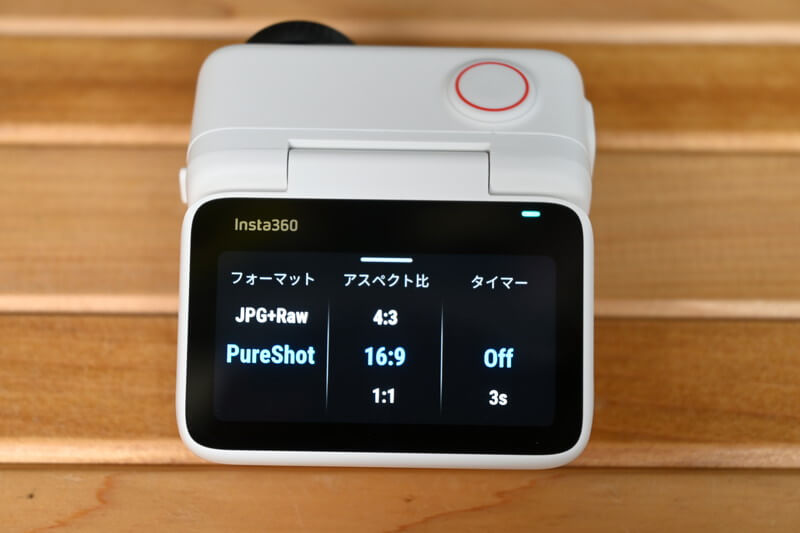
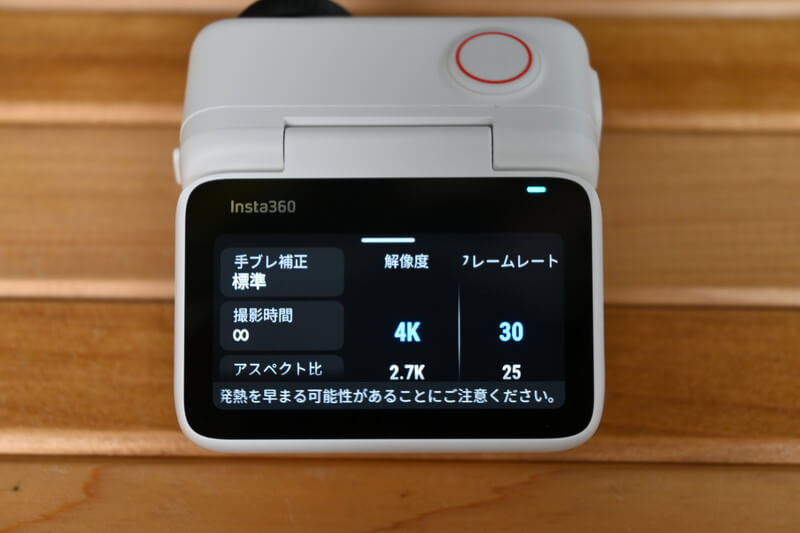
Swipe up from the bottom to the top to adjust the aspect ratio settings based on the selected mode. In Photo Mode, you can customize the aspect ratio and timer settings, as well as choose between Raw or PureShot for higher-quality image capture.
In shooting mode, video resolution and frame rate are also key settings that you’ll often need to review and adjust.
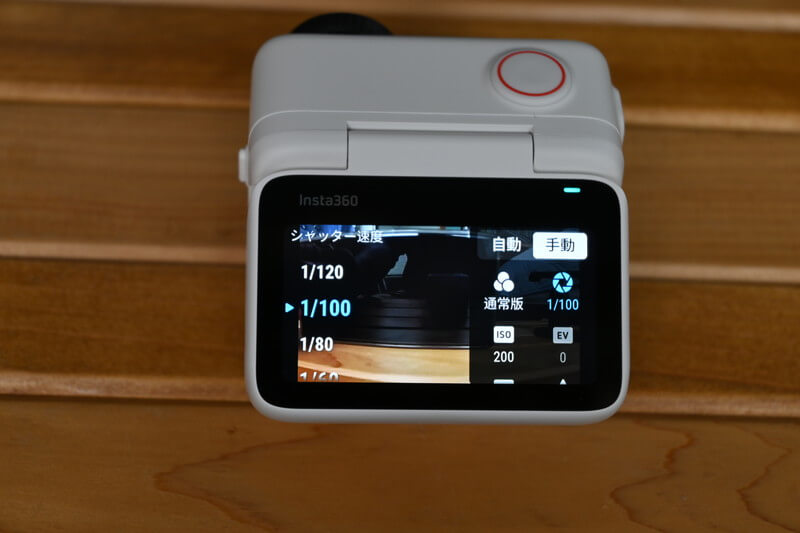
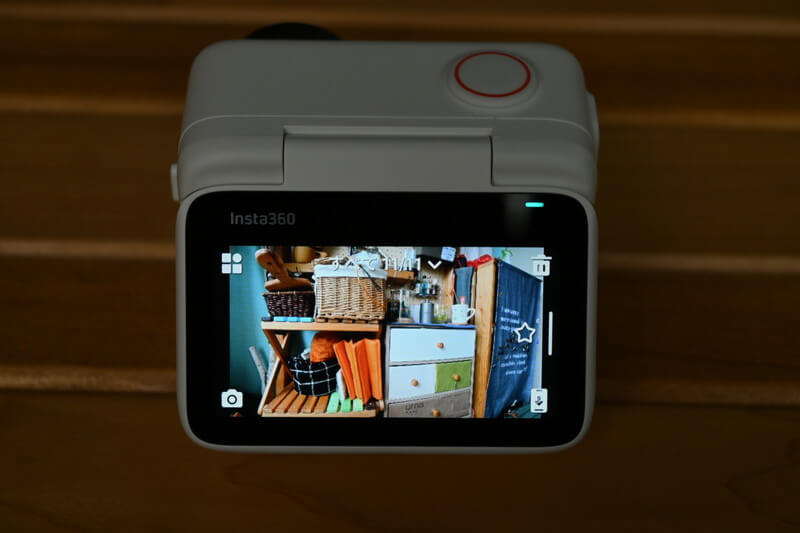
You can adjust the shutter speed while taking photos by swiping left or right on the screen.
Basically, keeping it in Auto mode works perfectly in most situations. However, you can also adjust the exposure and white balance to match the scene, helping you create more vivid or more emotionally expressive colors.
You can swipe from the left edge of the screen to the right to review your recorded videos and photos, making media checking fast and convenient for optimal GO 3S shooting workflow.
GO 3S Video Quality
Next, we will take a deeper look at the GO 3S’s video performance capabilities.
The footage showcases a casual walk on a sunny day, highlighting the camera’s impressive color reproduction and dynamic range. Whether in bright highlights or deep shadows, the GO 3S captures details beautifully, delivering natural and vibrant visuals.
I will also share photos taken outdoors with the GO 3S while shooting pets, using various mounts and creative angles. This demonstrates its versatility across different scenarios and its strong potential for creative shooting.
Feel free to explore these real-world shooting examples to experience the powerful features and versatile applications of the GO 3S!
4K Animation
This is the video I recorded while taking a walk around the area.
Overall, the color performance is natural and accurate. Thanks to the ample sunlight, the outdoor scenery is captured clearly with rich details and bright visuals. I also tried recording while running, and the results show that the video remains very stable with almost no visible camera shake. The stabilization performance is highly satisfying.
Notably, you can clearly hear the distant chirping of Japanese bush warblers in the video. The sound is captured fully and with fine detail, showcasing the GO 3S’s impressive audio recording performance.
This video is a compilation of footage captured by the GO 3S across multiple scenarios, fully showcasing its flexible and versatile shooting capabilities.
In the video, you can see how the “Selfie Stick” helps you effortlessly capture wide outdoor landscapes, how the “Magnetic Pendant” enables unique low-angle shots, and how the “Flexible Mount” provides stable shooting moments even in complex environments.
Through these real-world shooting examples, you can already get a clear sense of the GO 3S’s remarkable convenience and versatile functionality.
Compare with GO 3
This is a video captured with the same perspective for a direct comparison with the GO 3.
Please watch the video — I will share my thoughts through the images!
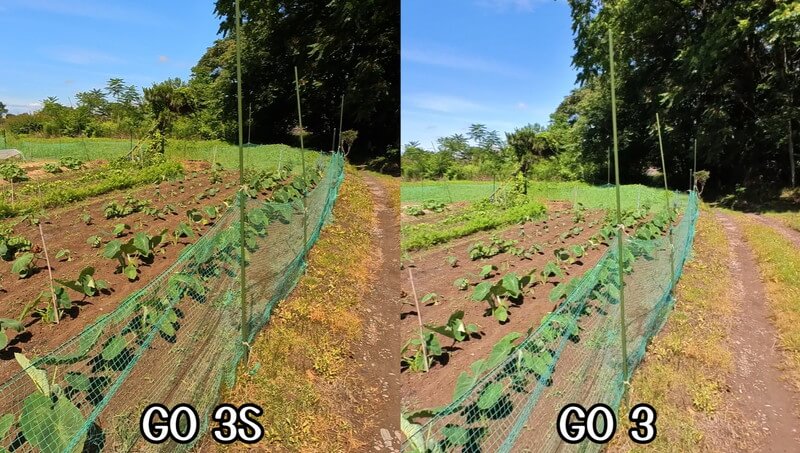
First of all, in terms of overall color rendering, the GO 3S delivers tones that are much closer to the real-world appearance.
Since this photo was taken on a rainy day the day before, the road surface was still wet. However, the GO 3S makes it much easier to see the subtle textures of the damp pavement.
In simpler terms, the GO 3S delivers a deeper and more three-dimensional look.

As you can see, the backlighting seems to have less impact on the colors, so the skin tones on the GO 3S may appear more natural and visually appealing.
As you can see, backlighting seems to have less impact on the overall colors, so the skin tones captured on the GO 3S may appear more natural and visually pleasing.

When it comes to scenes with strong light-and-shadow contrast, the overall image quality may be affected.
While this may be easier to notice in the video, you can clearly see in the photo that at this moment, the rear block of the GO 3 has already been blown out.
GO 3S’s lighting performance isn’t perfect either, but I still believe it performs better than its predecessor.
Although everyone has their own color preferences, you can easily adjust the tones using filters such as “Vivid,” “Urban,” and “Portrait,” as well as customize the white balance settings.
The GO 3S now produces more natural colors under its default settings, giving you greater flexibility and freedom in post-editing.
GO 3S photo (from the film)
Next, here are the photos captured with the GO 3S. Most of these images were extracted directly from the video footage.
Angle of self-timer

Bicycle Shooting

This shot was captured from a first-person perspective using the magnetic pendant. With the magnetic lanyard, you can easily record videos (and photos) like this.
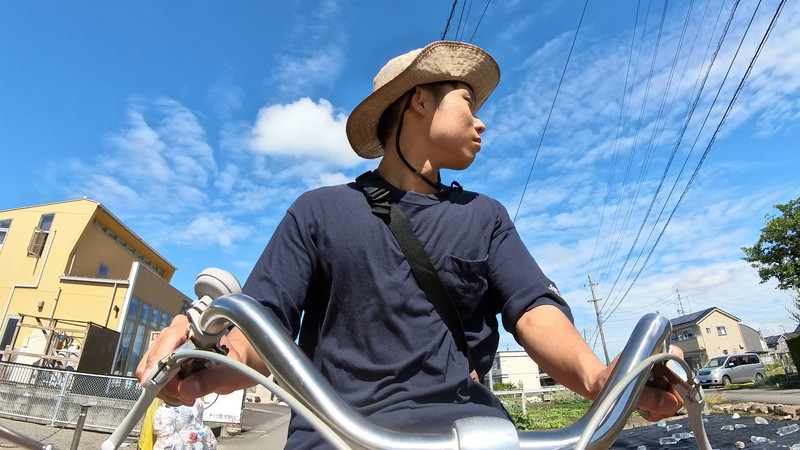
I mounted the camera body onto a flexible mount attached to the basket and took the photo. The brand-new ultra-wide-angle lens allows you to capture wide-angle images with minimal distortion, making it easy to film both yourself and the surrounding environment.
Fishing (Magnetic Pendant)
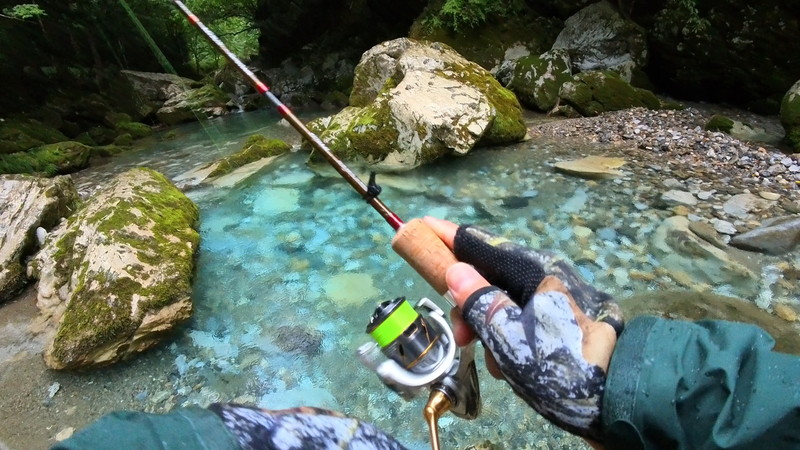
The GO 3S is capable of capturing close-up shots better than other action cameras thanks to its shorter minimum focus distance, making it ideal for recording what’s happening right in front of you while still showcasing the surrounding scenery.
By shooting in 4K resolution, the GO 3S is able to perfectly capture the shimmering surface of the water. The colors are vivid and accurate, faithfully reproducing the water’s natural clarity and transparency.
Shooting with GO 3S in hand
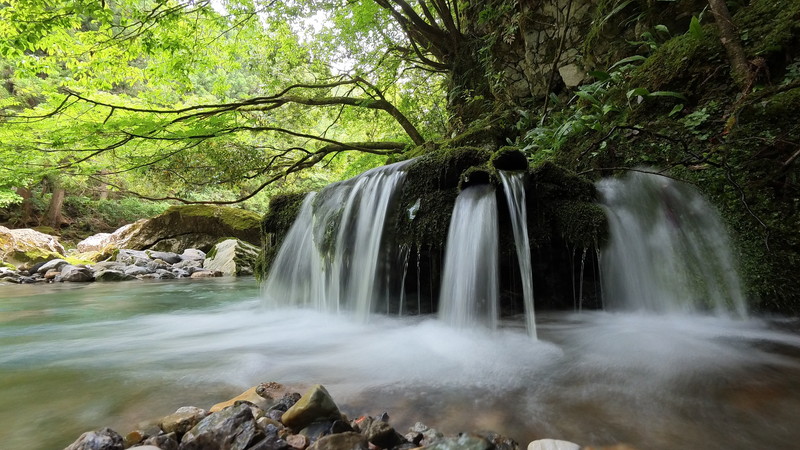
This photo was taken while I was fishing.
To capture the sense of flowing water, I set the camera’s shutter speed to 1/2 second and shot in manual mode, which creates a smooth and silky water effect. I carefully stabilized the camera to avoid any motion blur during the long exposure.
During this process, the image stabilization feature played an important role, effectively reducing camera shake and ensuring smoother and clearer footage.
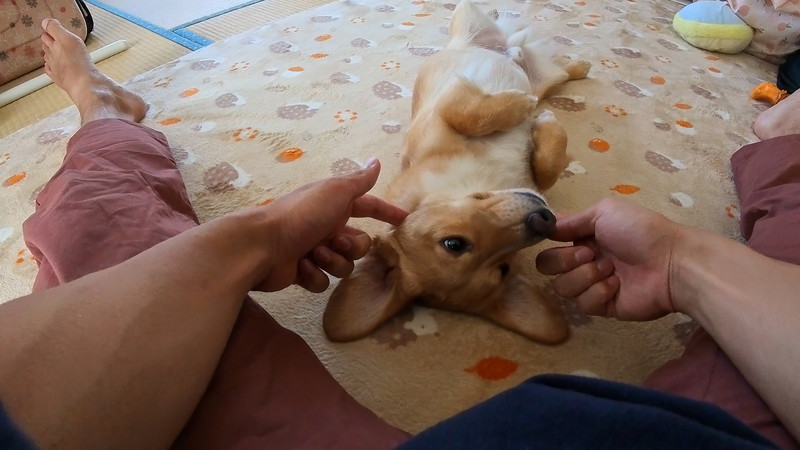
Dog's Perspective
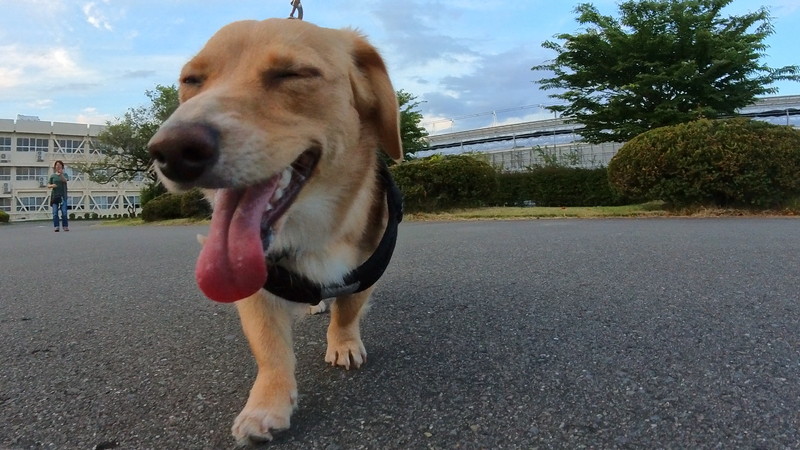
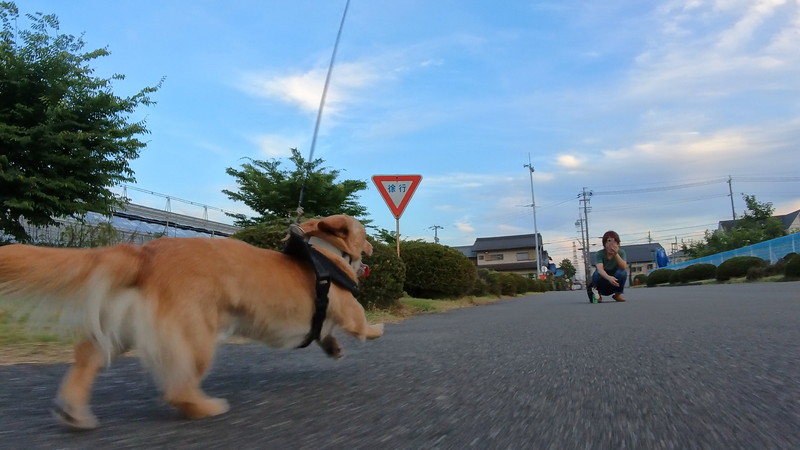
The GO 3S is an extremely convenient and compact action camera, lightweight enough to mount easily on a selfie stick and swing around with ease.
One of its key advantages is the ability to capture fast-moving animals, which is especially useful when filming active dogs. Thanks to its compact and lightweight design, the GO 3S does not interfere with your pet’s natural movements.
The GO 3S offers an extremely short minimum focusing distance, allowing you to capture sharp and clear images even when the lens is very close to the subject — a highly practical feature for various shooting scenarios.
PureShot

PureShot is an incredibly practical feature designed to enhance low-light photography by boosting sensitivity and reducing noise. Once enabled in the camera’s photo settings, it works effectively in dark environments, helping you capture cleaner and more detailed night shots with the GO 3S.
One of the biggest advantages of this feature is its ability to brighten subjects that would otherwise appear dim in backlit or low-light scenes. In addition, PureShot performs exceptionally well at reducing noise, ensuring that your night photos remain clear and detailed. Even in dark environments, it helps maintain a high-quality, refined look in every shot.

However, the GO 3S also saves unedited photos in RAW format, giving you full flexibility for post-processing and allowing you to fine-tune the final image according to your creative needs.
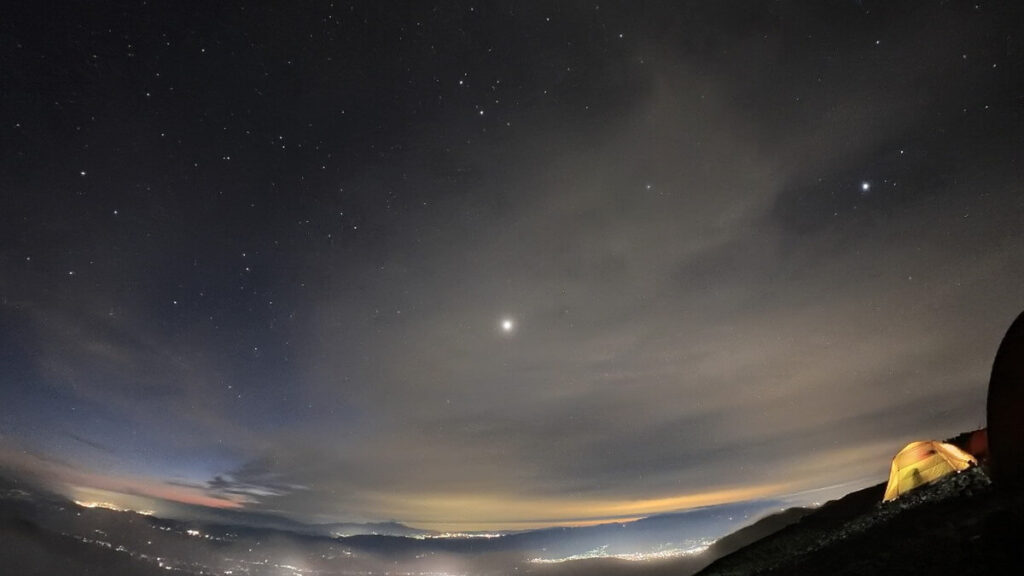
This photo was taken with the GO 3, using a shutter speed of around 15 seconds, and it unexpectedly captured a beautifully detailed starry sky.
PureShot can be activated with just a simple setting, making it a feature I’m really excited to use more often!
Use this link to purchase, you can get a special gift, limited stock, while stocks last.
Free Recording Mode
GO 3S offers an independent shooting mode called “FreeFrame Video Mode”, a feature that provides exceptional flexibility for post-production editing.
In this mode, you can freely adjust the video’s aspect ratio after shooting, without worrying about cropping or distortion. This is extremely practical for users who pursue perfect composition. For example, you can convert the footage into a 16:9 aspect ratio suitable for YouTube, or a 9:16 vertical format ideal for short-video platforms, allowing the same clip to seamlessly adapt to different publishing needs.
This feature not only enhances shooting convenience but also provides content creators with more creative flexibility, allowing videos to be applied more adaptably across various scenarios. It truly enables a highly efficient workflow of “shoot once, use across multiple platforms.”
GO 3S Other Recommended Settings
Time-lapse photography
Time-lapse recording captures one photo every 0.5 seconds to several seconds and then plays them back frame by frame to create a short video. The video above was shot at a 0.5-second interval, making it perfect for capturing movement or creative activities.
If you’re capturing a sunrise or moving clouds, I recommend setting the interval to around 4 to 10 seconds.
Time Shift
TimeShift works similarly to time-lapse photography, allowing you to use it while moving and adjust the speed later during editing.
Slow motion
In 4K resolution, the maximum frame rate is limited to 30fps, but you can increase the frame rate by lowering the video quality by one level. The slow-motion mode on the GO 3S can reach up to 200fps when shooting in 1080P, allowing you to capture ultra-smooth slow-motion footage.
At 200fps, the GO 3S delivers smooth footage even when played back in 4× slow motion. If you're shooting at around 2× slow motion, I believe that 2.7K 100fps is more than sufficient.
Cycle Shooting
This mode is designed to automatically delete data that exceeds the preset time limit.
You can choose to record up to 30 minutes of footage, using it as a dash cam; alternatively, you can keep only about 5-minute clips, such as capturing the exact moment when a fish bites during your fishing sessions.
Starry Night Mode
This is a shooting mode designed to capture the movement of stars throughout the entire night. I recommend recording for at least 4 to 6 hours, using a tripod and providing continuous power to the GO 3S for stable long-duration shooting.
Interval Shooting
This is a shooting mode that captures photos at fixed time intervals, making it ideal for recording specific and memorable moments with precision.
The photos captured in this mode can later be stitched together into a time-lapse video, showcasing the effect of the passage of time.
Since the photos are taken at fixed intervals, you can select the most satisfying shots, offering more flexibility than extracting stills from a video.
Compared to directly recording a video, this mode is less affected by camera shake, allowing for more stable and clearer shots. It's especially useful when you want to capture a precise moment, making it ideal for shooting landscapes, events, or scenes that require high-quality still images.
HDR Photography
HDR is a feature that simultaneously captures both dark and bright photos to create images with a wide dynamic range. It is especially useful in situations with high contrast, such as at night or when shooting indoors near windows.
The image can easily become blurry, so if you try to keep it as still as possible, you’ll end up with a sharp and vivid photo with clear colors.
Use this link to purchase, you can get a special gift, limited stock, while stocks last.
GO 3S shooting scene
VLOG Artifact
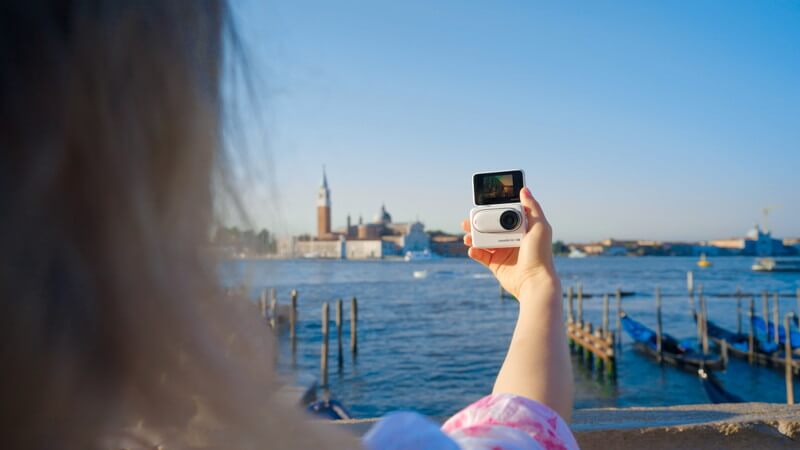
The GO 3S, with its compact design and convenient operation, is the ideal VLOG camera for capturing precious memories during your travels.
You can use the Timeshift feature to capture dynamic street scenes in the city or transfer the footage to your phone, where Insta360's AI in the app can automatically edit the video for you. While shooting with just a phone might feel a bit monotonous, having a versatile camera like the GO 3S adds creativity and fun, enhancing your shooting experience.
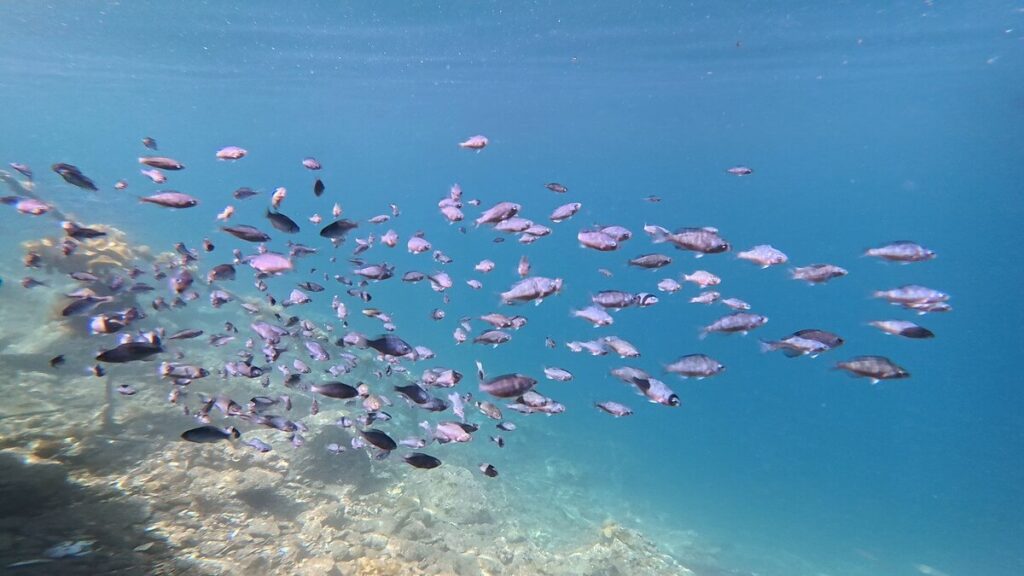
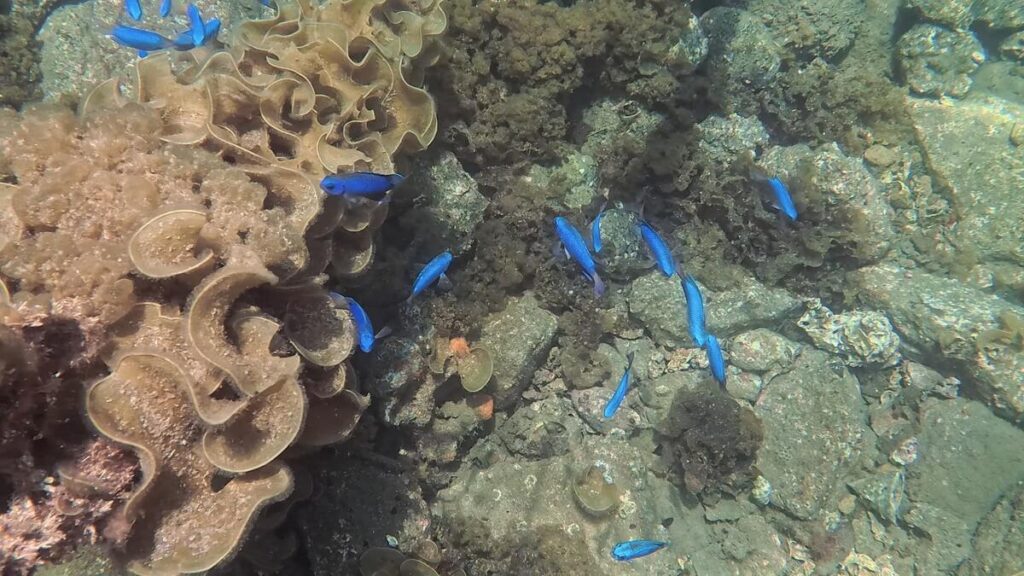
When diving, you can also use the GO 3S as a secondary camera.
Photographing children or pets
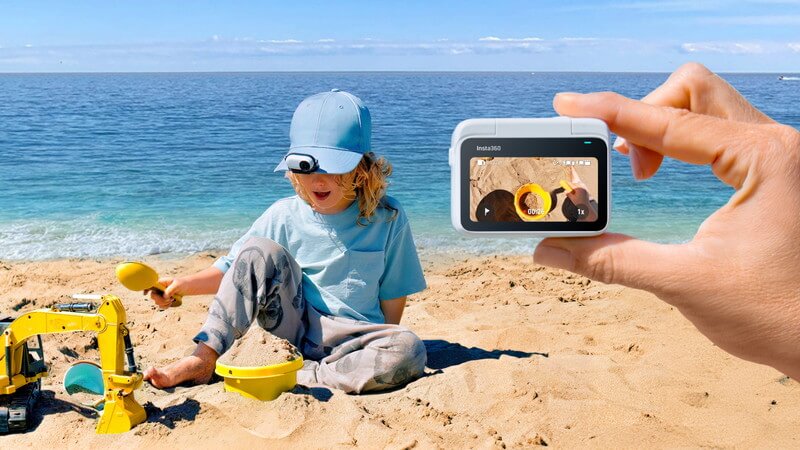
Surprisingly, videos shot from a baby’s or pet’s perspective using the GO 3S have become quite popular.
Unlike smartphones or DSLR cameras, the GO 3S is less conspicuous, and its flexible mount design makes it easier to create the ideal shooting angle. When taking pictures of my dog at home, I found that using this camera captured more natural and lively moments compared to other cameras.
Easy-to-use Vlog Camera
Although its performance in low-light conditions is slightly lacking, I believe most shooting scenarios typically take place during the day. The GO 3S features basic 4K specifications, along with a lightweight design, compact structure, and magnetic mount, making it an excellent camera for vlogging.
Use this link to purchase, you can get a special gift, limited quantity, while stocks last.
As a cycling sports camera
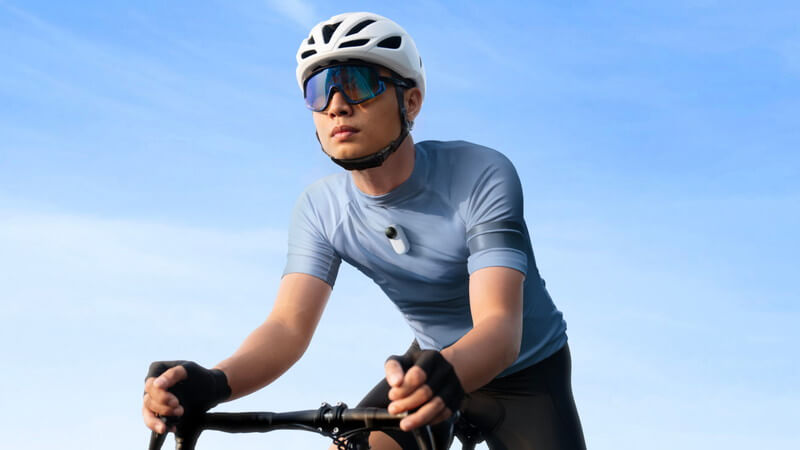
The GO 3S can also be used as a regular action camera.
On sunny days, the quality differences between cameras become less noticeable, which makes the smaller GO 3S sometimes easier to use than high-performance action cameras. For example, it’s highly suitable for activities like motorcycle or bicycle riding.
Many Insta360 users also choose the GO series as their entry-level action camera.
GO 3S Microphone
- Wind noise reduction (default)
- stereo sound
- Direction Emphasis
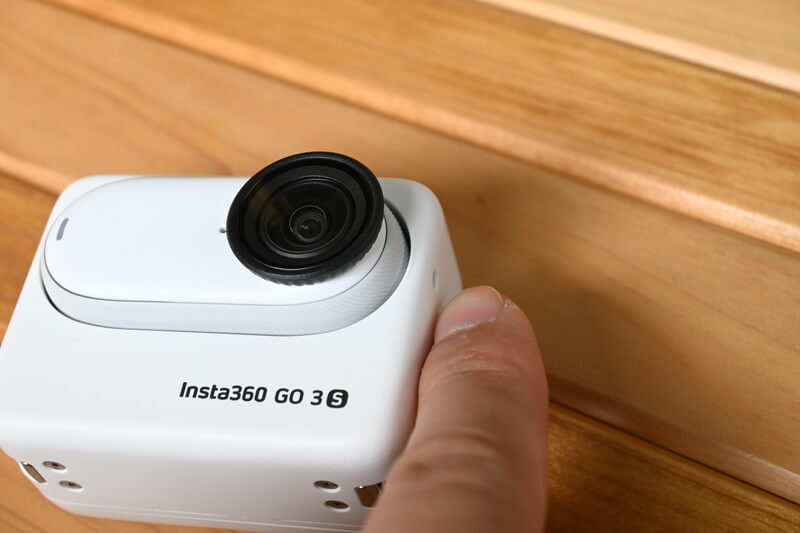
The microphone on the GO 3S is located in the same position as the GO 3. On the side of the Action Pod, you can see a small hole.
In the settings menu, you can change the microphone mode, but I didn't notice much difference between the three modes, so I believe the default wind noise reduction setting works just fine.
New utility features added to GO 3S
Here are some useful features added to the GO 3S. Some of these features are also available on the Ace Pro and X4, while others are exclusive to the GO 3S.
Gesture Control
| paradigm | Gesture | |
|---|---|---|
| Shooting the film | Open Palm 🖐️ | Start recording. |
| Taking photos | Bier ✌️ | Start taking photos (3-second countdown) |
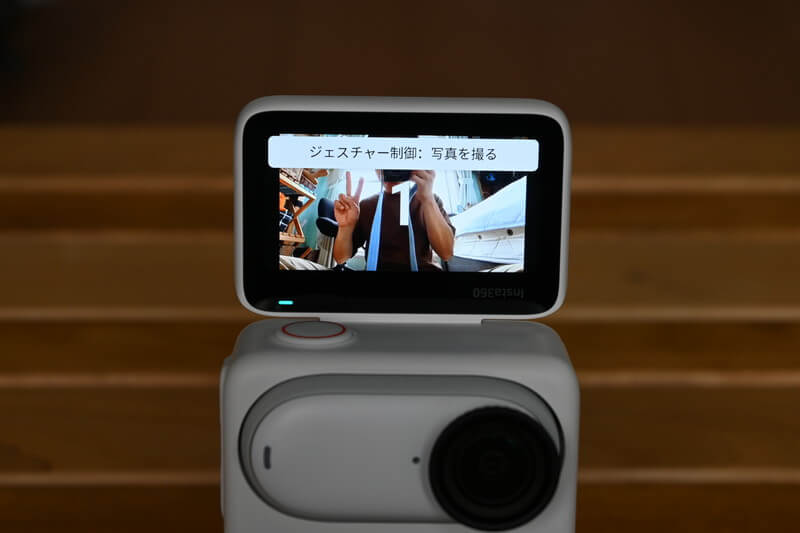
The gesture control feature first appeared on the Ace Pro, but it is now also available on the GO 3S.
When you enable gesture control in the settings menu, it will be activated in either video or photo mode. The activation condition is that your face must be visible, and the camera will respond by pointing the corresponding icon towards the camera for each mode.
If you're too close or too far from the camera, it won't respond. The gesture control is very convenient for selfies.
Apple Find My
This feature helps you locate the lost GO 3S using Apple Find.
- The camera still has power.
- This feature is only available on camera bodies (not compatible with Action Pod).
Cancellation Video
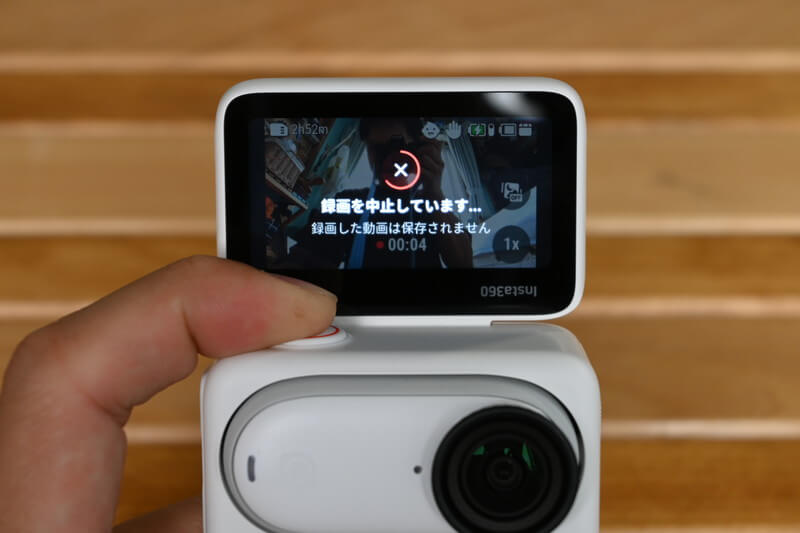
The Ace Pro and X4 also have the feature to cancel recording mid-shoot. If you're interrupted during filming and decide it's unnecessary to continue, you can press and hold the record button to stop the recording.
I've developed the habit of deleting unnecessary videos immediately, which makes it much easier to clean up video data when I get home. The system will confirm whether you really want to delete a video before it gets erased, so accidental deletions are less likely.
Easy switching of aspect ratios
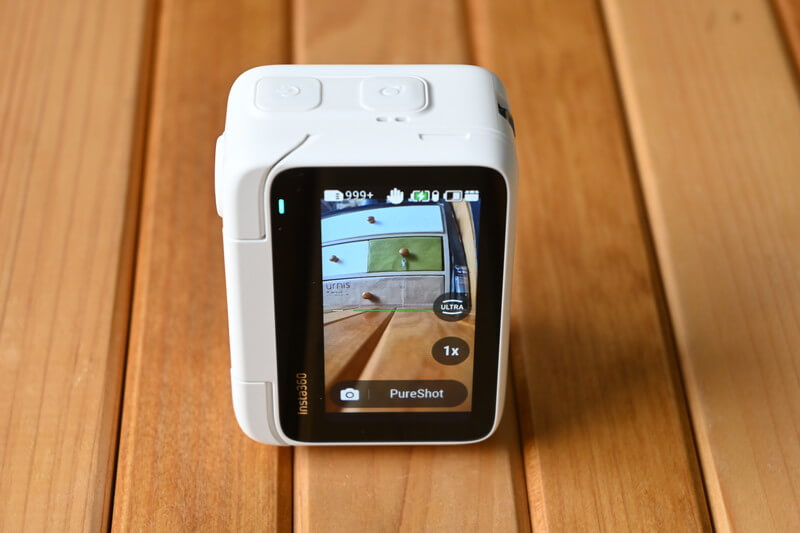
To change the aspect ratio on the GO 3, you would need to enter the settings and manually select the desired ratio, such as 16:9 or 9:16, similar to how it works on smartphones. However, the GO 3S now has an automatic tilt detection feature. This prevents setting errors and makes it easier and more intuitive to choose the aspect ratio.
GO 3S Water Resistance
| GO 3S | GO 3 | |
|---|---|---|
| Single Camera Waterproof | 10m | 5m |
| Action Pod waterproof | IPX4 | IPX4 |
The waterproof standards for the camera body and the camera module are different. The GO 3S camera body is waterproof up to a depth of 10 meters and can be submerged in water. However, the Action Pod has an IPX4 rating, which makes it suitable for everyday use but not fully waterproof. Underwater photography can only be done with the camera body itself.
GO 3S Image Stabilisation
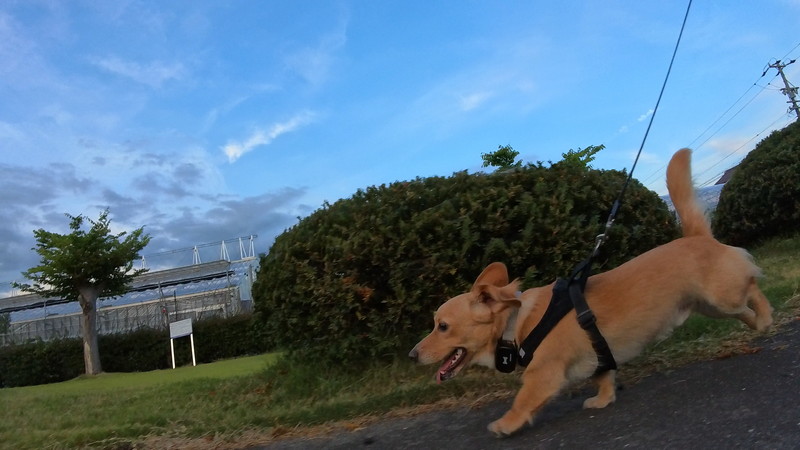
Despite being a compact camera, the GO 3S delivers excellent stabilization, making it perfect for recording travel VLOGs.
GO 3S Post-Edit
The videos shot with the GO 3S can be seamlessly connected to your phone through the Insta360 app, and editing the videos is incredibly easy. Since 2023, this trend has become even more evident in Insta360, making both connection and editing simpler and more convenient.
Quick File Transfer
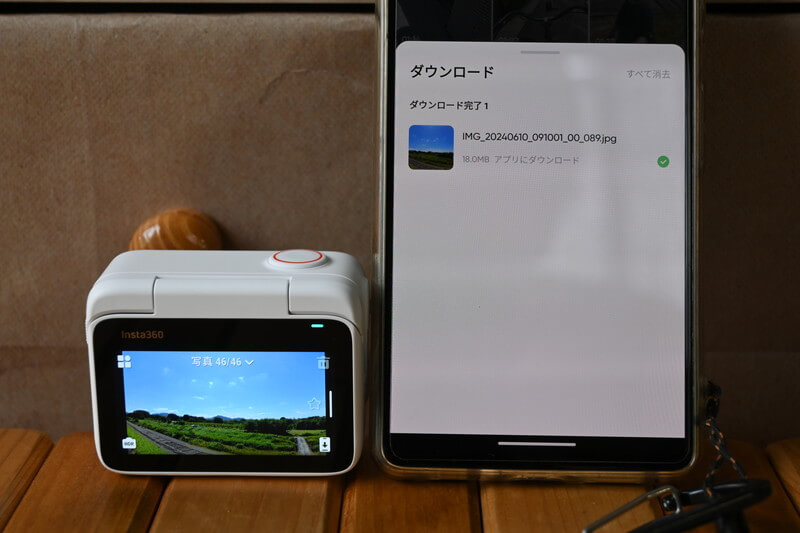
Now, you can preview the videos and images captured with the GO 3S on the Action Pod, and then tap the download icon in the bottom right corner to transfer them directly to the Insta360 app.
Automatic editing with human intelligence
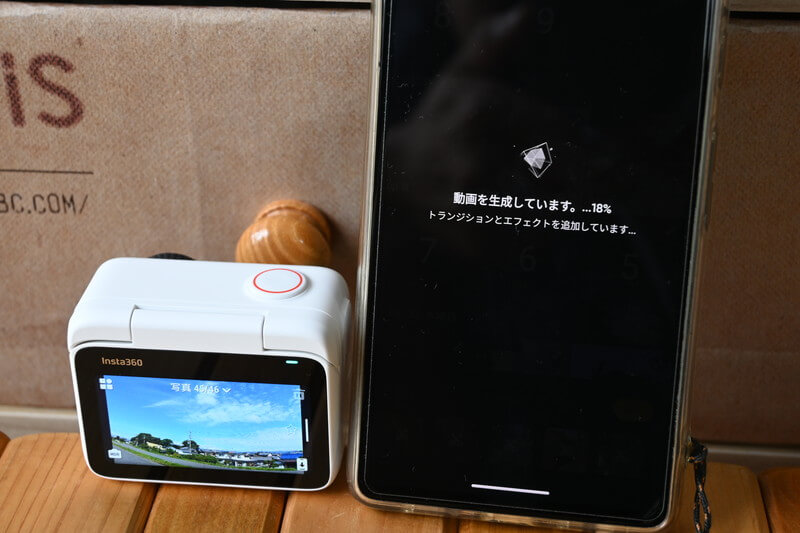
You can easily collect several transferred videos and then let the Insta360 app handle the editing.
Unlike 360-degree panoramic videos, the video processing speed of the GO 3S is very fast. I believe that after just 2 to 3 minutes, the automatically generated video will be ready.
This video editing is entirely done by AI, with no human intervention required.
Edit according to preference
Of course, while AI auto-editing is convenient, if you're familiar with editing, doing it manually is also quite easy and highly recommended. Using the PC software "Insta360 Studio" or the Insta360 mobile app, you can easily edit videos shot with the GO 3S, such as adding effects and text.
Should I choose 64GB or 128GB?
With a 128GB card, you can record up to 2 hours and 54 minutes of 4K at 30fps, which is enough for nearly 3 hours of continuous filming.
Considering that you can film for more than two hours using the included Action Pod, I recommend choosing the 128GB storage option for the best balance of capacity and convenience.
Use this link to purchase, you can get a special gift, limited quantity, while stocks last.
GO 3S Colour
GO 3S comes in two colors: white and black, identical to the color options available for the GO 3.
GO 3S with Insta360 APP
Insta360 APP



If you purchase the GO 3S, you can edit your footage using the Insta360 APP. I often make use of the following features when editing with the app.
- Check photo videos via Bluetooth connection
- Editing Laboratory
- Automatic Video Editing
- Manual Video Editing
In recent years, the Insta360 APP has made significant progress. With continuous feature enhancements and improved stability, users can now take advantage of this high-performance application to perform a wide range of creative and practical tasks, such as 360° video editing, smart tracking, dynamic zoom, and more.
One particularly noteworthy point is that while some of these features may require a monthly subscription with other brands, all of them are offered for free within the Insta360 APP.
Insta360 Studio
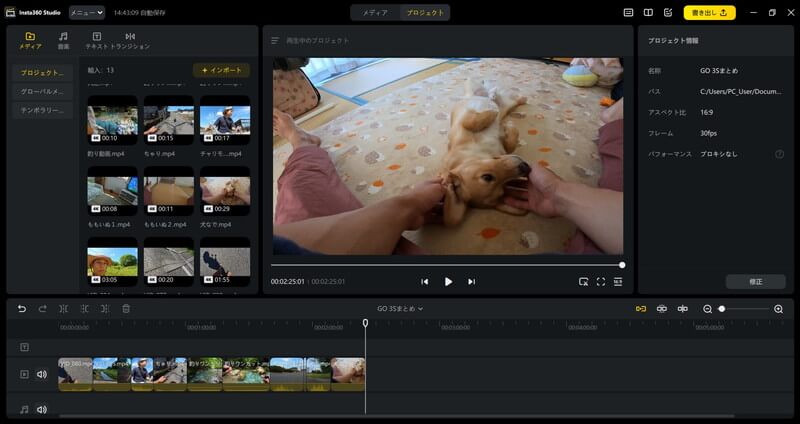
You can edit videos using the mobile APP, but manual editing is more convenient with the PC software. Since the GO 3S can shoot 4K video, you don’t need to worry too much about PC performance requirements—unlike when editing clips from the X4.
Initial setup of GO 3S
- Keep your lenses clean
- Horizontal indication: on
- Colour setting: Standard
- Bit rate: High
- Clarity: medium
level indicator
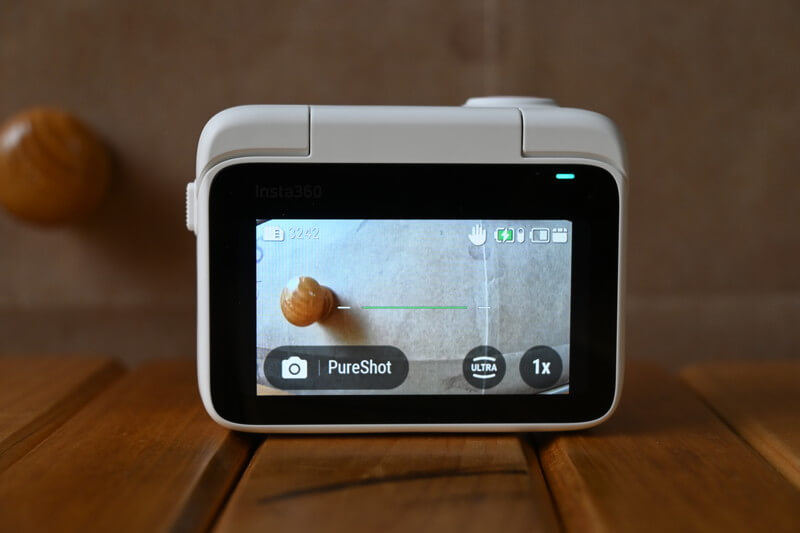
This is very useful when taking photos, so I think it's a good idea to keep it turned on.
Check resolution and frame rate
These are the video recording resolution and frame rate settings, such as 4K, 2.7K, 30fps, or 50fps.
It is recommended to set the initial configuration to 4K at 30fps.
If you’re particularly concerned about overheating or you prioritize smoother video playback, you should choose the 2.7K 50fps setting.
Dark Optimisation
The GO 3S has limited low-light performance, so if you try to shoot videos in dark environments, you may encounter typical camera shake associated with low-light conditions.
Enabling low-light optimization makes the video slightly darker, but I find it preferable to flickering.
This option is set to OFF by default, so I personally recommend turning it ON.
Auto Mode
By swiping the screen from right to left, you can adjust the color and brightness settings while recording videos. Generally, it’s recommended to keep the mode set to “Auto,” allowing the camera to automatically adjust parameters based on the ambient light, which is suitable for most shooting scenarios.
If you are familiar with ISO sensitivity and shutter speed settings, you can also switch to “Manual” mode for more precise control.
Even in Auto mode, you can adjust the EV value (exposure compensation) and white balance according to your preferences. However, for most users, Auto mode is sufficient for everyday shooting needs.
It’s worth noting that the “Filters” option is a very practical feature, offering a variety of color styles from “Vivid” to “Warm”, allowing you to add unique visual effects to your videos.
Whether you want to enhance image quality or create a specific mood, this feature is definitely worth trying.
Where can I buy Insta360 GO 3S for cheap?
Insta360 products can be tried out at physical stores, but I recommend purchasing directly from the official website.
Use this link to purchase, you can get a special gift, limited quantity, while stocks last.
Free Benefits
New products or physical stores usually don’t include any freebies, but cameras and gimbals purchased from the Insta360 official website come with complimentary gifts.
12 months free warranty
Insta360 products purchased from the official website come with a 12-month free warranty, ensuring comprehensive after-sales support for your device within one year.
In addition, Insta360 offers paid extended warranty plans such as “Insta360 Care” and “Insta360 FlexiCare,” which further extend the warranty period or provide additional coverage.
If you want to provide more comprehensive protection for your camera, these paid options are an excellent choice, giving you greater peace of mind during use.
Free Delivery
Purchasing the GO 3S from the Insta360 official website includes free shipping.
Getting Started with GO 3S
Nowadays, many cameras on the market increase in size as they pursue higher specifications, often sacrificing portability in the process.
The GO 3S takes a different approach, focusing on enhancing usability and portability, making it a fun, pocket-sized camera. Whether recording everyday moments or capturing exciting outdoor adventures, from selfies to pet photography, the GO 3S handles it all with ease, meeting a wide range of shooting needs.
Compared to its predecessor, the GO 3S offers significant improvements in image quality and overall performance while maintaining its compact and lightweight design, allowing you to easily slip it into your pocket and capture inspiration anytime, anywhere. Whether for travel, sports, or daily vlogging, the GO 3S is an ideal choice 👍.
Use this link to purchase, you can get a special gift, limited quantity, while stocks last.
GO 3S vs GO Ultra
With the launch of the GO Ultra, the GO 3S has entered a long-term discount period, allowing you to grab it now at a great price! Many people wonder, “Is the GO Ultra the next generation of the GO 3S?” or want to know, “What are the key upgrades of the GO Ultra compared to the GO 3S?” You can refer to the reviews below for detailed insights.

It’s important to clarify that the GO Ultra is not an upgraded version of the GO 3S, but a completely new product line—a cube-style camera. Its positioning differs from the GO 3S thumb-sized camera.
The GO Ultra focuses on image quality and specification upgrades, while the GO 3S still leads in portability. If your priority when choosing a Vlog camera isn’t ultimate image quality but rather lightweight, pocketable convenience, the GO 3S remains the most portable mainstream Vlog camera on the market.
Use this link to purchase, you can get a special gift, limited quantity, while stocks last.