



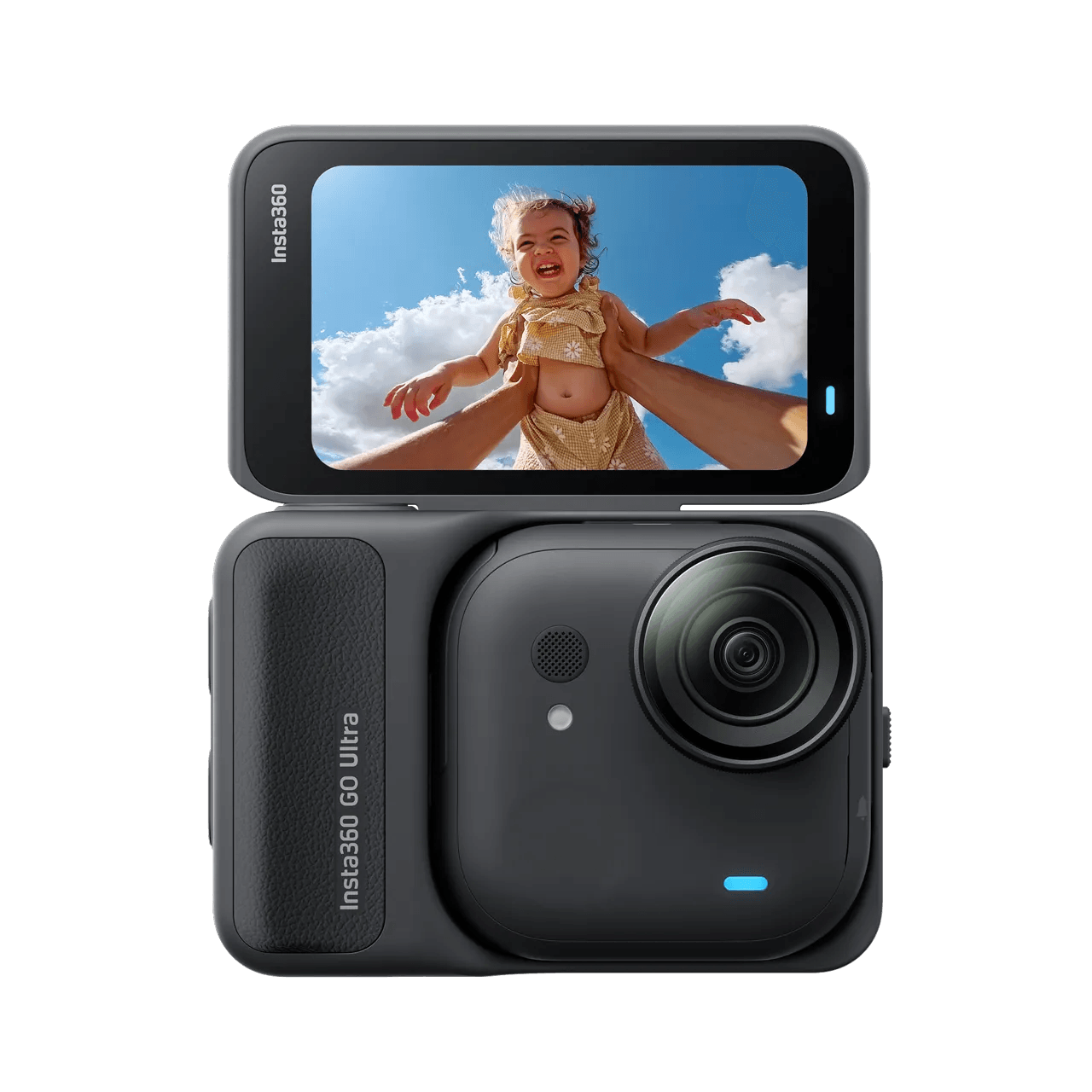
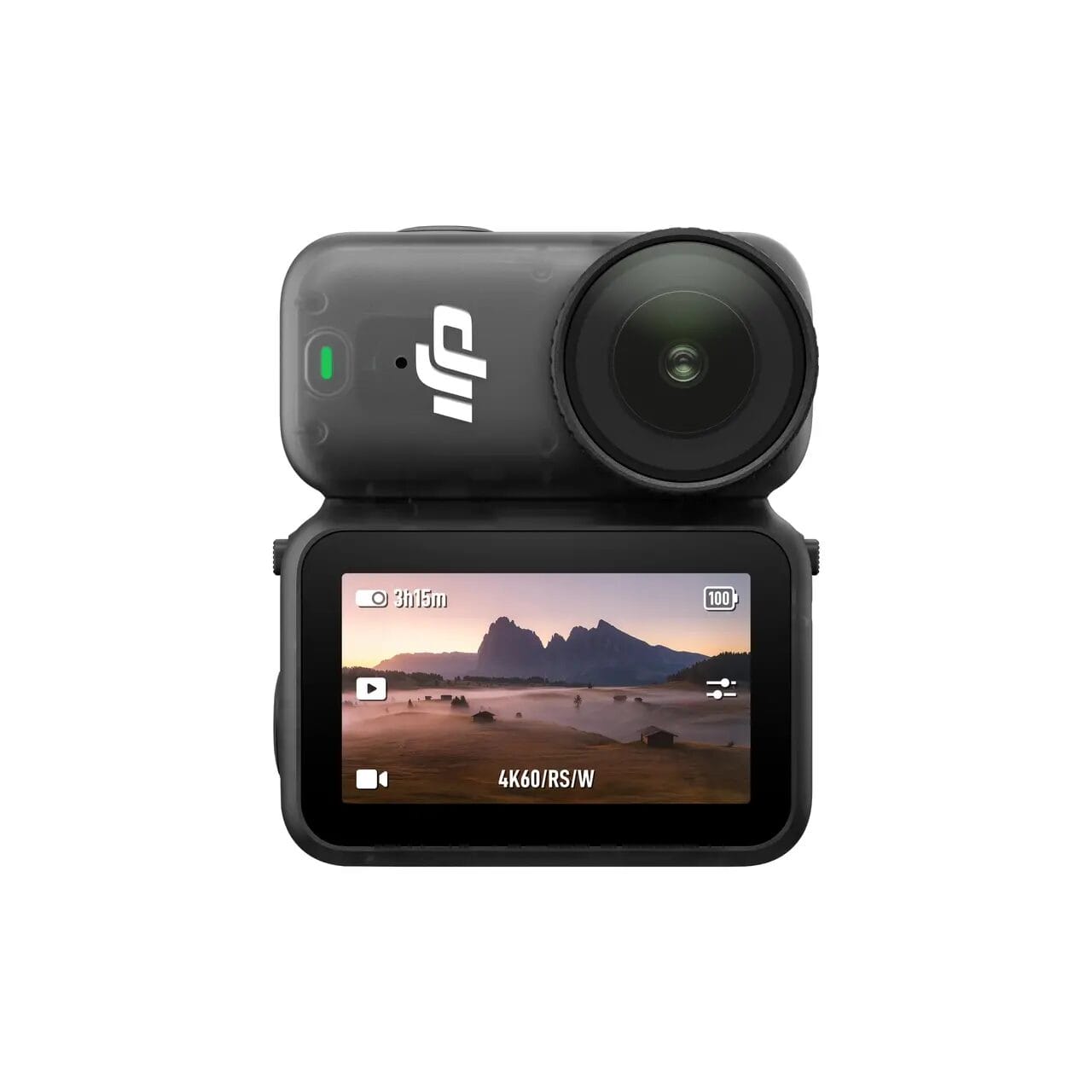
In 2025, both DJI and Insta360 launched their latest 4K mini pocket cameras. Insta360 was the first to announce the " Insta360 GO Ultra " on August 21, and DJI followed suit with the " DJI Osmo Nano " on September 23.
As a loyal fan of Insta360 and DJI, I immediately purchased the Insta360 GO Ultra and DJI Osmo Nano upon their release. After three months of using the GO Ultra and one month of experiencing the Osmo Nano, I have gained an in-depth understanding of both products. This review will provide a comprehensive comparison of the GO Ultra and Osmo Nano, delving into various details and delivering the most realistic test results to help you make the best purchase choice.
Key points of the evaluation include.
- Specification Comparison
- Dimension
- thicknesses
- Weights
- Daytime Quality
- Night Quality
- Field of View FOV
- anti-shake
- APP Software
- Boot speed
- Camera overheating problem
- Charging Speed
- Battery Life
- Accessory Packages
- Remote Controls
Although some details are not visible on the specification sheet, they will greatly affect the actual use experience. After testing and organising, we believe that this content will be an important reference for you when you make a purchase.
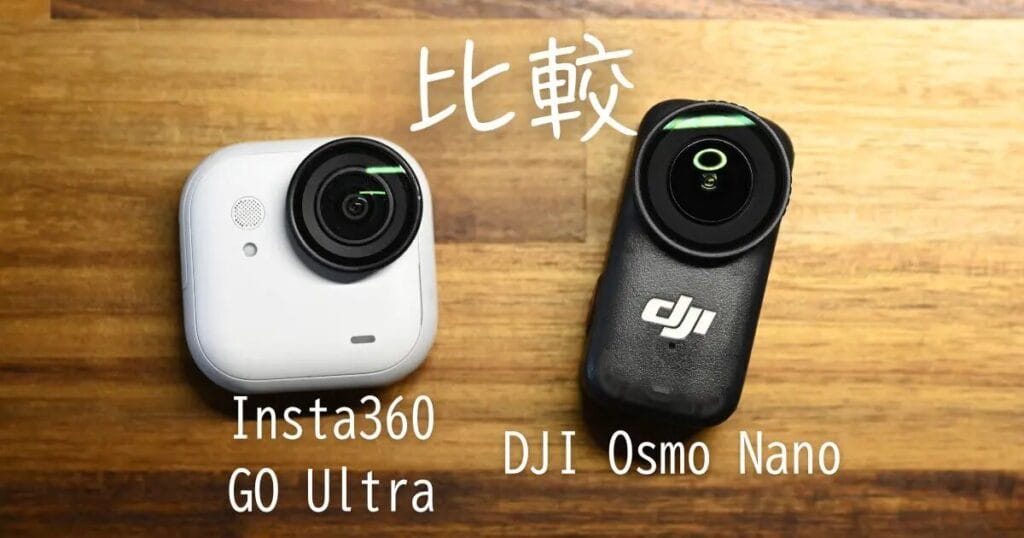
Specification Comparison
Firstly, a comparison of the GO Ultra and Osmo Nano, for reference, and the GO 3S. and the GO 3S.
| Insta360 GO Ultra | DJI Osmo Nano | Insta360 GO 3S | |
|---|---|---|---|
 |  |  | |
| Sensor | 1/1.28 | 1/1.3 | 1/2.3 |
| maximum resolution | 4K 60fps | 4K 60fps | 4K 30fps |
| Dedicated Night Shot Mode | PureVideo | ||
| Slow Motion Time-Lapse Recording | 4K 60fps 2.7K 120fps 1080P 240fps | 4K 120fps 2.7K 120fps 1080P 240fps | 2.7K 100fps 1080P 200fps |
| Realistic Resolution | 50MP | 35MP | 9MP |
| Film Storage | SD Memory Card | SD memory card + built-in storage | Built-in Storage |
| Maximum angle of view FOV | 156° | 143° | 150° |
| runTime (single body without Action Pod) | 1080P: 200 points (70 points) 4K: 170 points (60 points) | 1080P: 200 points (90 points) 4K: 120 points (out of 50) | 1080p: 140 cents (38 cents) |
| 80% Quick Charge | Camera body: 12 minutes | Camera Standalone: 15 minutes | Camera body: 23 minutes |
| 100% Fully charged | 40 minutes. | 50 minutes. | |
| Screen Size | 2.5″ Flip Screen | 2.0″ Screen | 2.2″ Flip Screen |
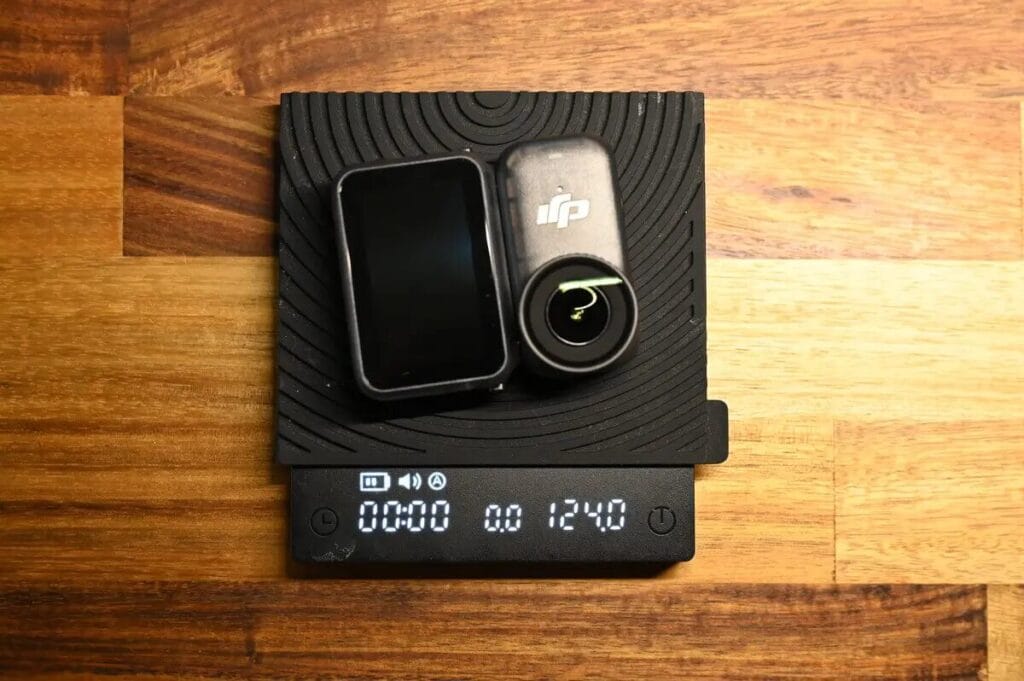
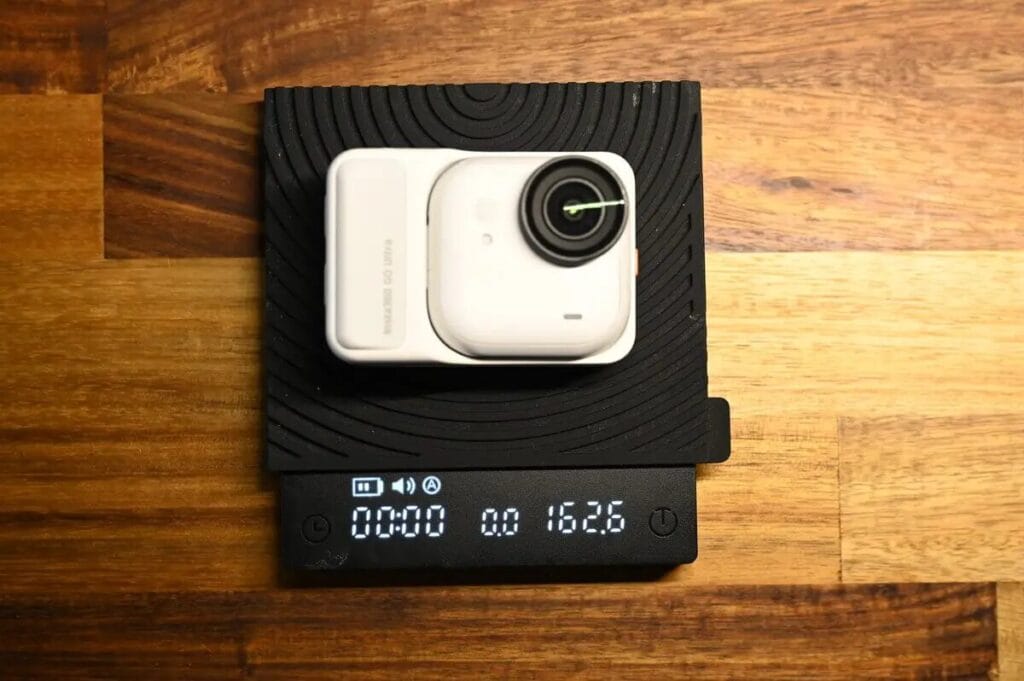
| Weights | Single Body: 53.2g Camera overall: 162.6g | Single Body: 52.6g Camera overall: 124.0g | Single Body: 39g Camera overall: 135g |
| Waterproof | Single body: 10m Camera Overall: IPX4 | Single body: 10m Camera Overall: IPX4 | Single body: 10m Camera Overall: IPX4 |
| Recording Environment | -20°C ~ 40°C | -20°C to 45°C | -20°C ~ 40°C |
| Price | HKD $2,999 NTD $13,980 | HKD $2,219 NTD $8,890 | HKD $2,759 NTD $12,900 |
In addition to the specifications published on the official website of the manufacturer, there are some other important points worth paying attention to when purchasing a camera. These points are based on my experience of using mini sports cameras for more than two years. I started with the Insta360 GO 3 released in 2023.
| Insta360 GO Ultra | DJI Osmo Nano | |
 |  | |
| Daytime tanning | ||
| Night Shot Quality | ||
| Maximum Field of View FOV | 156° | 143° |
| 120 fps slow | 2.7K | 4K |
| Photo Resolution | ||
| Built-in Storage | ||
| Run Time | ||
| Charging Time | 40 minutes. | 50 minutes. |
| Fever | ||
| Windproof Microphone | ||
| Remote Confirmation Screen | ||
| Slow motion recording | ||
| Price | NTD $13,980 HKD $2,999 | NTD $8,890 HKD $2,219 |
Insta360 GO Ultra vs DJI Osmo Nano | Key Points Summary
This review is probably going to be quite long, so I'll start by briefly summarising a few of the conclusions.
Which is the better quality?
I personally prefer the video quality of the GO Ultra. It doesn't artificially exaggerate color temperature or saturation, but rather reproduces images in a natural and realistic way, making for a very comfortable viewing experience. In addition, the Insta360 GO Ultra has three other advantages that impressed me:
- Wide field of view of 156°, wider than Osmo Nano.
- Intuitive touch control for a smoother shooting experience.
- Remote control for more flexible and convenient handheld or stationary shooting.
Price
Comparing prices, the Insta360 GO Ultra standard bundle is priced at NTD $13,980 (HKD $2,999), while the DJI Osmo Nano is priced at NTD $8,890 (HKD $2,219), a price difference of approximately 1.5 times.
Despite DJI's high brand awareness, the Insta360 is usually priced slightly higher in its category (thumb, panoramic, sports), and still sells well because it's a clear differentiator from DJI and has a more complete feature set.
"Price is of course an important factor, but if price is your main concern and you want a compact thumb-type camera, I'd instead suggest the GO 3S, which is lighter and more cost-effective.
Dimension
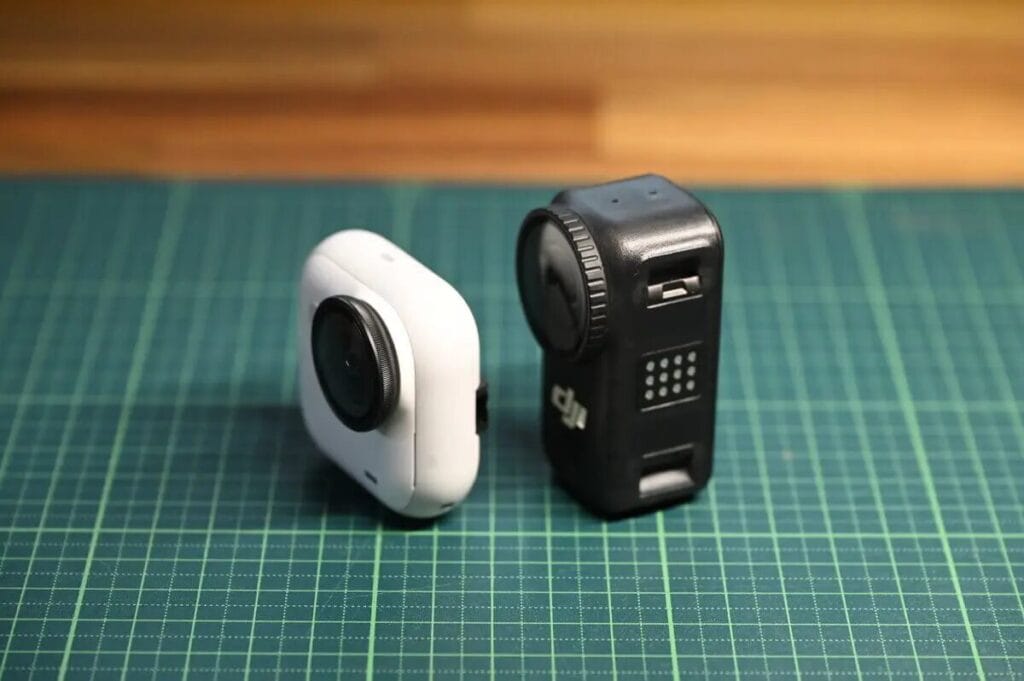
At first glance, the DJI Osmo Nano appears quite small, but actual testing revealed that the DJI Osmo Nano weighs only 0.6g less than the Insta360 GO Ultra . The reasons for this similar weight may include:
- Magnet Area: The two cameras have different mounting methods and the magnet design affects the overall weight distribution.
- The Insta360 GO Ultra features a slim design , which makes the weight concentrated in one area yet feel light overall.
Due to structural differences, the cube-shaped Insta360 GO Ultra is relatively more stable during recording, with less shaking when recording handheld.
Hardware Differences
- Insta360 GO Ultra Record longer 4K video.
- DJI Osmo Nano Longer recording time at 1080P
- GO Ultra supports quick charging
- Recording Heat Resistance: GO Ultra supports up to 40°COsmo Nano Maximum Support 45°C
- Waterproof rating: Both are up to IPX4The single camera can withstand waterproofing 10 metres
Both cameras have their own advantages: The Insta360 GO Ultra prioritizes "practicality," while the DJI Osmo Nano leans towards "durability." Although there are some differences in battery and waterproofing hardware performance, their hardware specifications are largely the same.
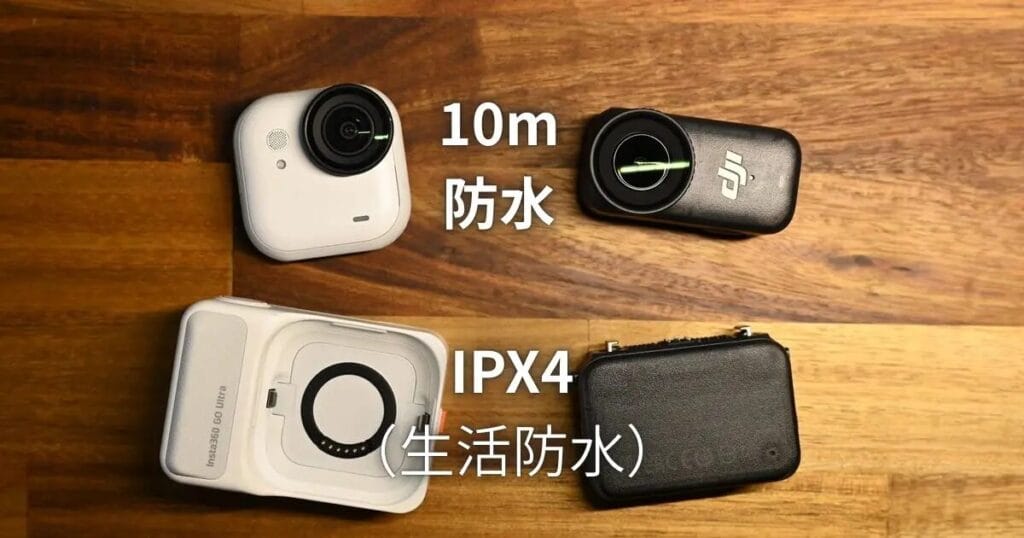
GO Ultra is more practical
Overall, I think GO Ultra is a more beginner-friendly vlog camera that can satisfy the needs of everyday and casual users.
- 4K recording quality is good enough
- Support for various bracket accessories
- More suitable for "travelogue" and "daily vlog" than "sport".
- Friendly people, inconspicuous on the body
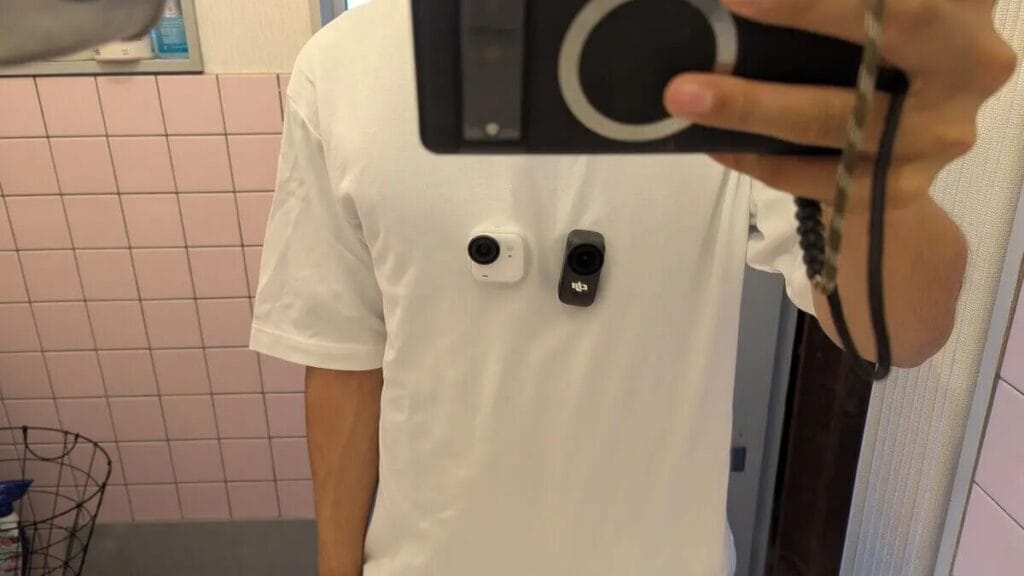
I think Insta360's product design always puts a lot of emphasis on "user experience", and that's why I insisted on doing the review - only after I've used it myself will I have the urge to share it.
With high quality, versatility and easy-to-use design, theInsta360 GO Ultra Appeals to all genders and travelling vloggers. Although the price is a little higher than the DJI Osmo Nano, the value will be worth it for many.
Furthermore, Insta360 has consistently outperformed DJI in terms of its app. In contrast, the DJI Osmo Nano's app connection is often unstable (laughs), and even when switching to the DJI Osmo 360 or Osmo Action 5 Pro, such frequent connection problems do not occur.
When using the DJI Osmo Nano, I encountered another problem: the camera body overheated too easily during recording. It would start getting hot after 15 minutes, and after 20 minutes, it would even overheat and shut down. Anyone who has used action cameras knows that overheating is a common problem, but with Insta360 or DJI products, other action cameras rarely overheat during 10-20 minute recording sessions. This seems to be the first time I've seen such a significant overheating issue with a DJI product. In contrast, the GO Ultra's overheating problem is not severe; it usually doesn't overheat within 20 minutes.
DJI is more interested in the 'sports scene'?
Some features of the DJI Osmo Nano make me think that it's a mini camera that's perfect for recording "sports scenes".
- Inexpensive for entry-level players
- Specialised camera cases are available.
- Supports 4K120fps recording with 4x slow motion time lapse
- The official video has always been "sporty".
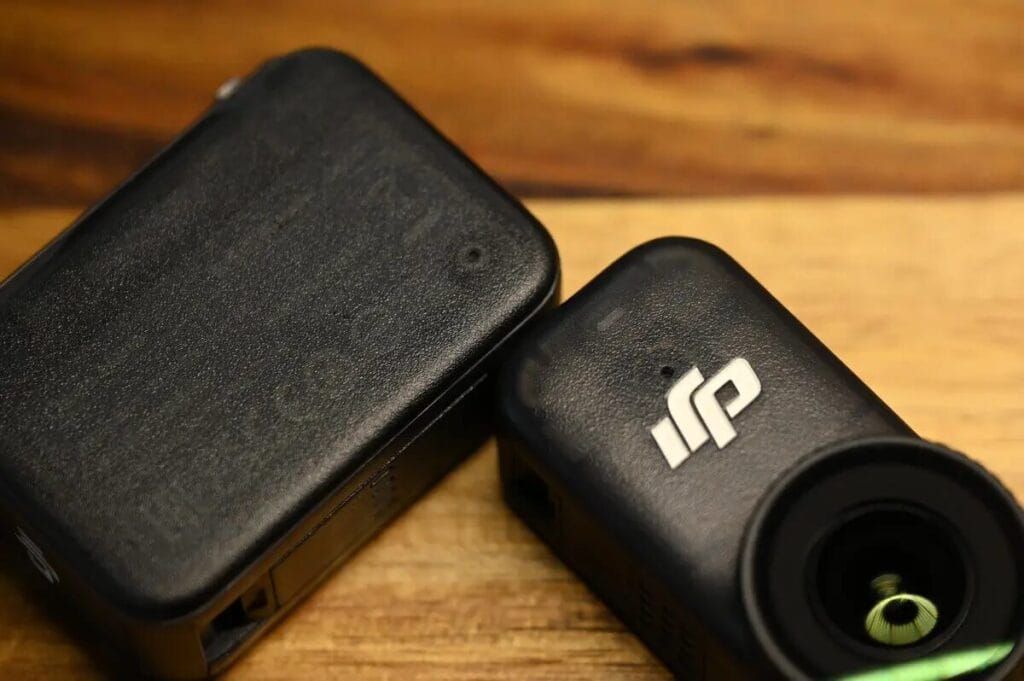
The products launched by DJI in the past two years have a strong "sporty attribute", and a strong "sense of technology" can be felt from the product design.
The DJI Osmo Action 5 Pro's promotional video, for example, makes extensive use of extreme sports scenes to demonstrate the product's performance. By the time DJI Osmo NanoIt's the same style ⬇️
Insta360 focuses more on "ease of use" and "newbie-friendliness", with lower thresholds as the core of the product design and user experience. Compared to DJI's hardcore style, Insta360 is more interested in making it easy for ordinary users to make great looking videos ⬇️.
Picture Quality Comparison
4K vs 2.7K vs 1080p
"4K" represents the picture quality of the film, the higher the picture quality, the more battery consumption. And "fps" is the smoothness of the film. It's similar to how many comics you can see per second. The more images displayed, the smoother the action. Therefore, 120 fps is the most suitable for recording slow-motion videos.
4K 30fps is recommended for first time users.
| Shooting Scene | fps Frame rate | Key Points | Recommended |
| Daily Vlog | 4K 30fps | Better Lighted Scene | GO Ultra |
| Sports Scene | 4K 60fps | Record smooth and natural slow motion. | GO Ultra |
| Slow Motion Delay | 4K 120fps, 2.7K 120fps, 1080p 240fps | Capture the smallest movements | Osmo Nano |
| Low-Light Shooting | 4K 30fps (PureVideo) | Clear and bright at night | GO Ultra |
Daylight Quality ( Still Photo )
In daylight, the Insta360 GO Ultra typically delivers superior video quality. However, starting with the DJI Osmo Action 5 Pro, DJI has made significant improvements in video quality. By the time of the DJI Osmo Nano , the gap in video quality between the Insta360 GO Ultra and the DJI Osmo Action 5 Pro in daylight has narrowed considerably.
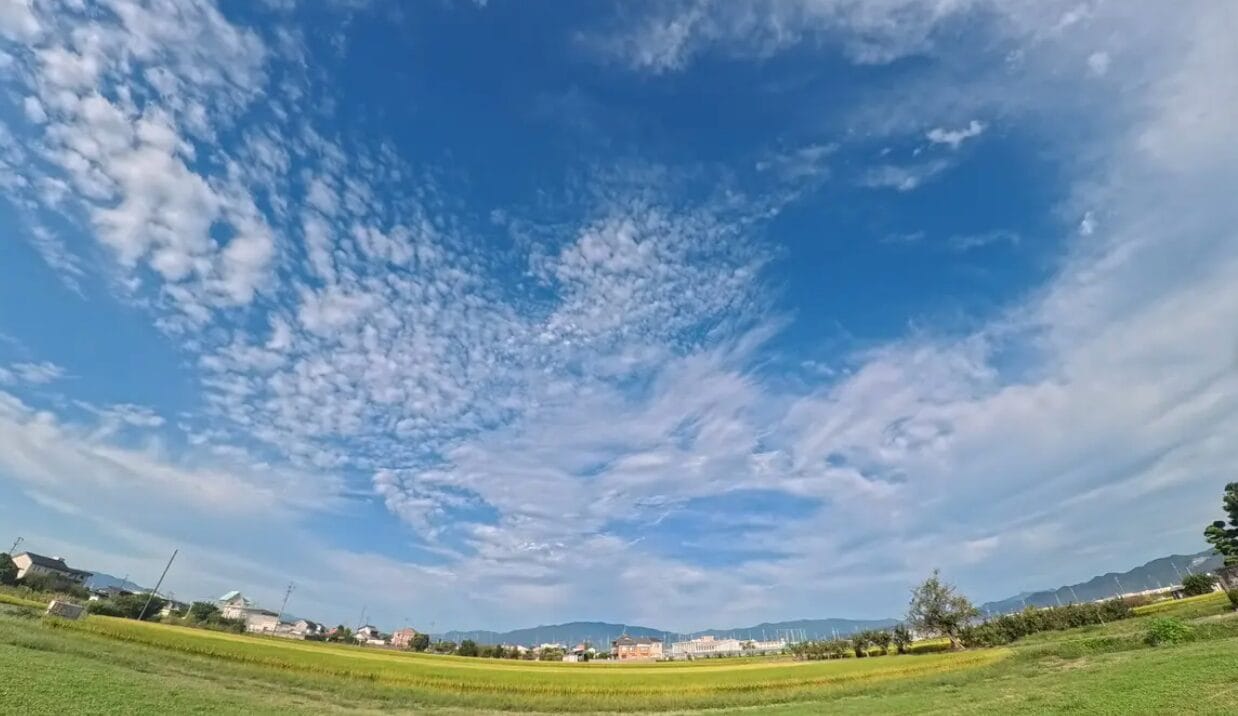
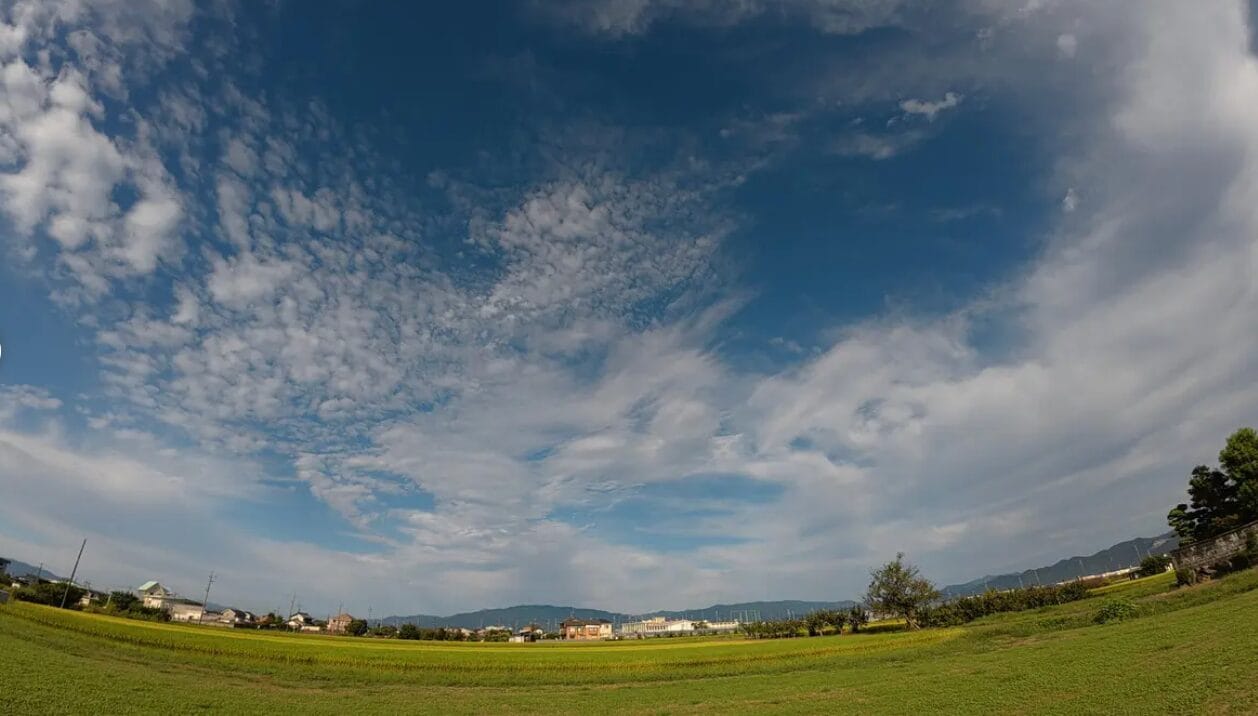
The difference is even more apparent in still photos. The photo taken with the DJI Osmo Nano appears slightly darker, but this is less due to underexposure and more due to the overly strong HDR effect, which suppresses the overall brightness.
Observing more samples reveals that the DJI Osmo Nano is not dark in all scenes. In backlit scenes, the Osmo Nano has higher color saturation and clearer outlines. This is consistent with the tuning style of the Osmo Action 5 Pro and Osmo Action 360— DJI clearly prefers to enhance HDR performance, prioritizing pleasing colors, while making some trade-offs in light and shadow levels and detail resolution.
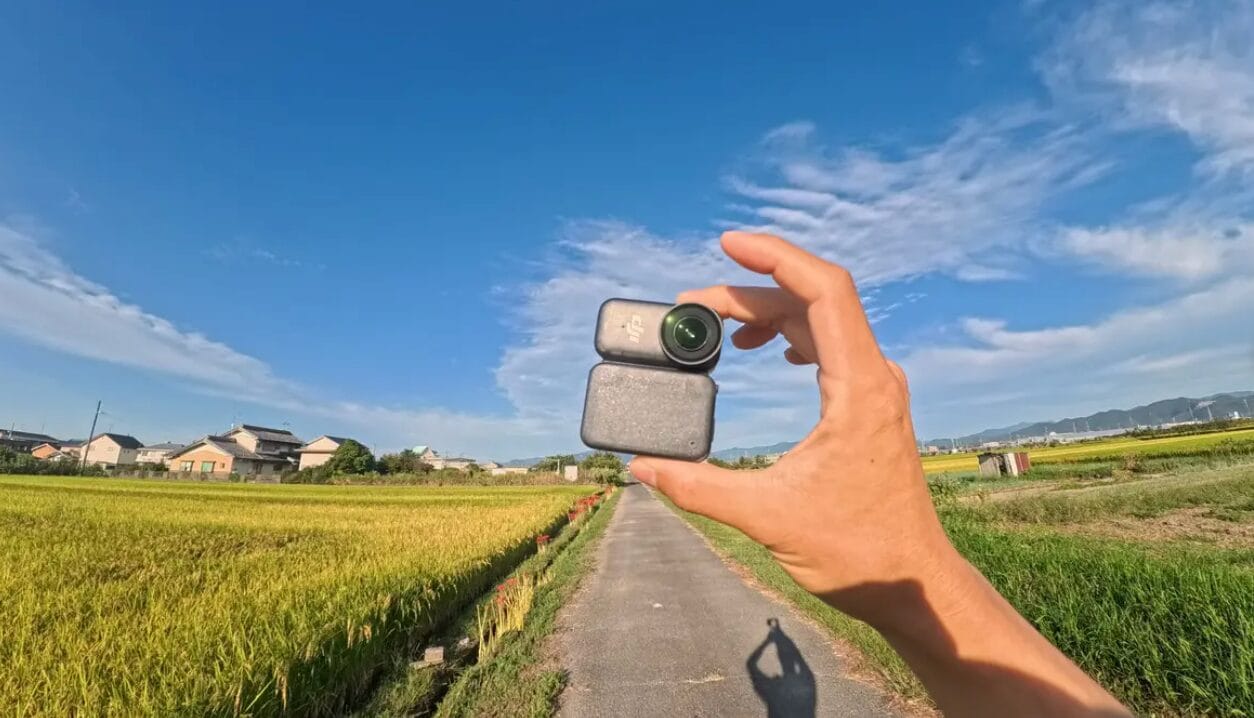
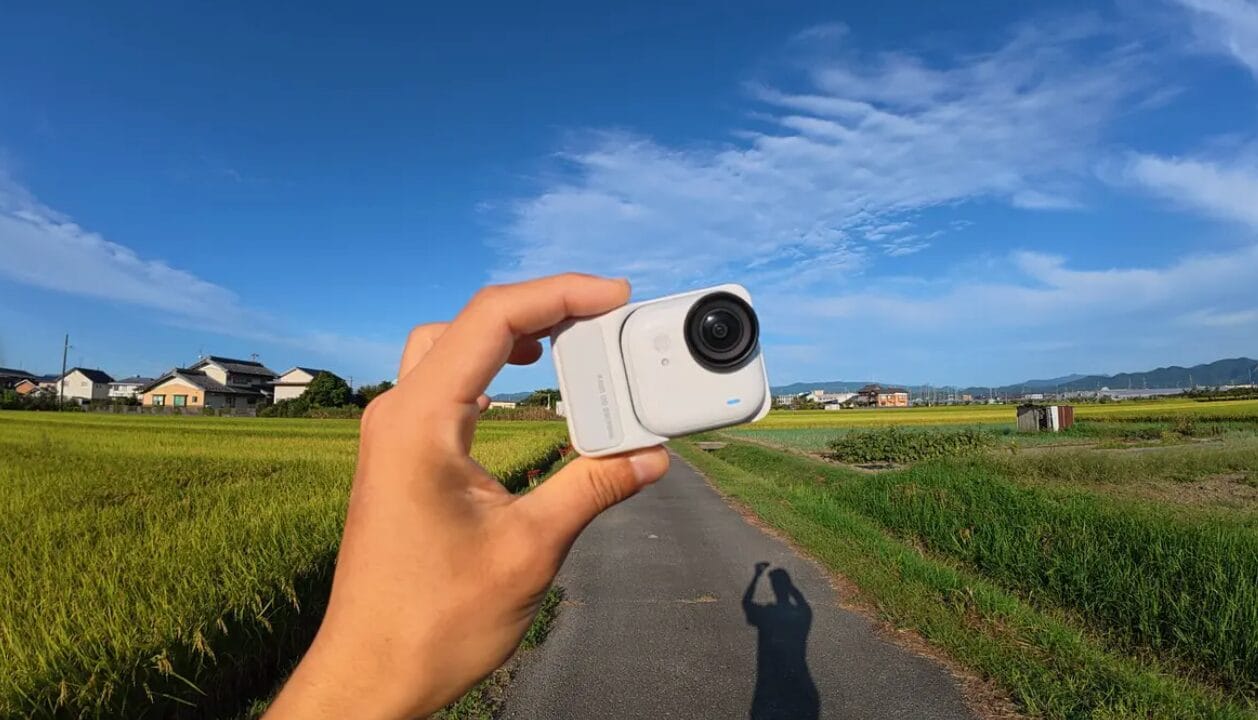
Take this comparison photo of the asphalt road and the sky as an example: at first glance, the DJI Osmo Nano appears vibrant and visually appealing;
However, closer inspection reveals that shadow detail is weaker and the sky is not as layered as on the GO Ultra, which presents a more three-dimensional image, a style that may be preferred by those with a higher level of image quality.
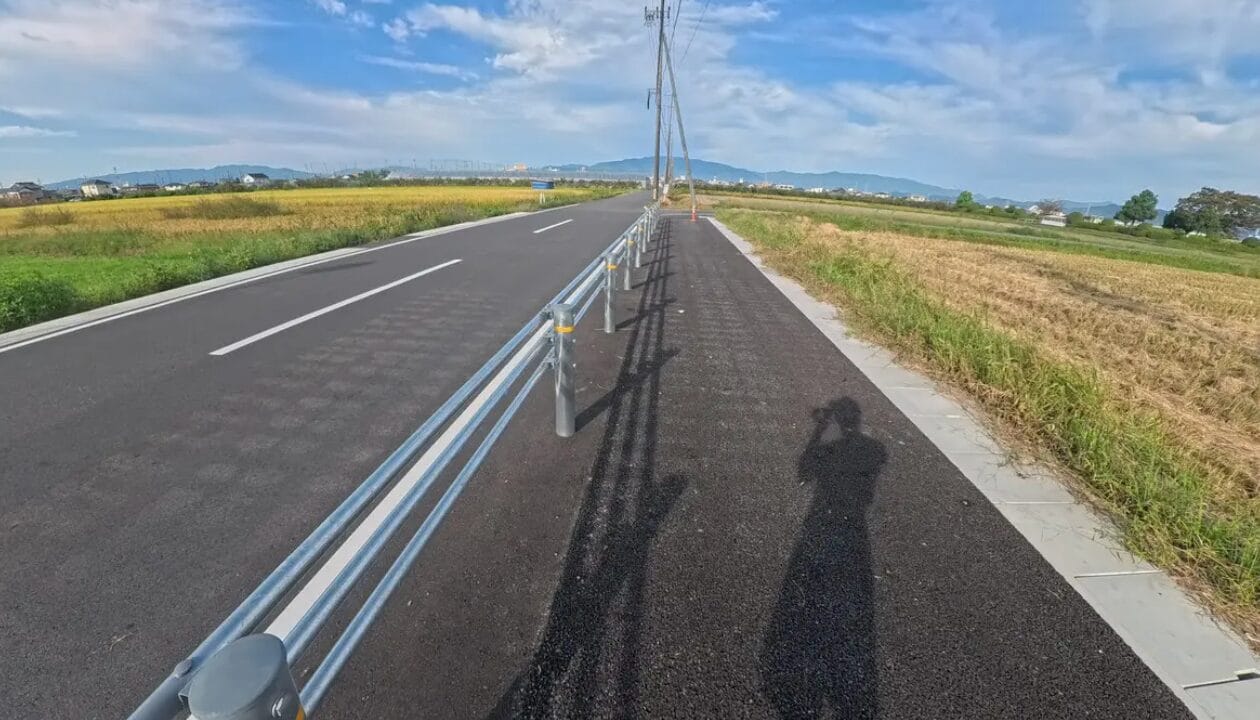
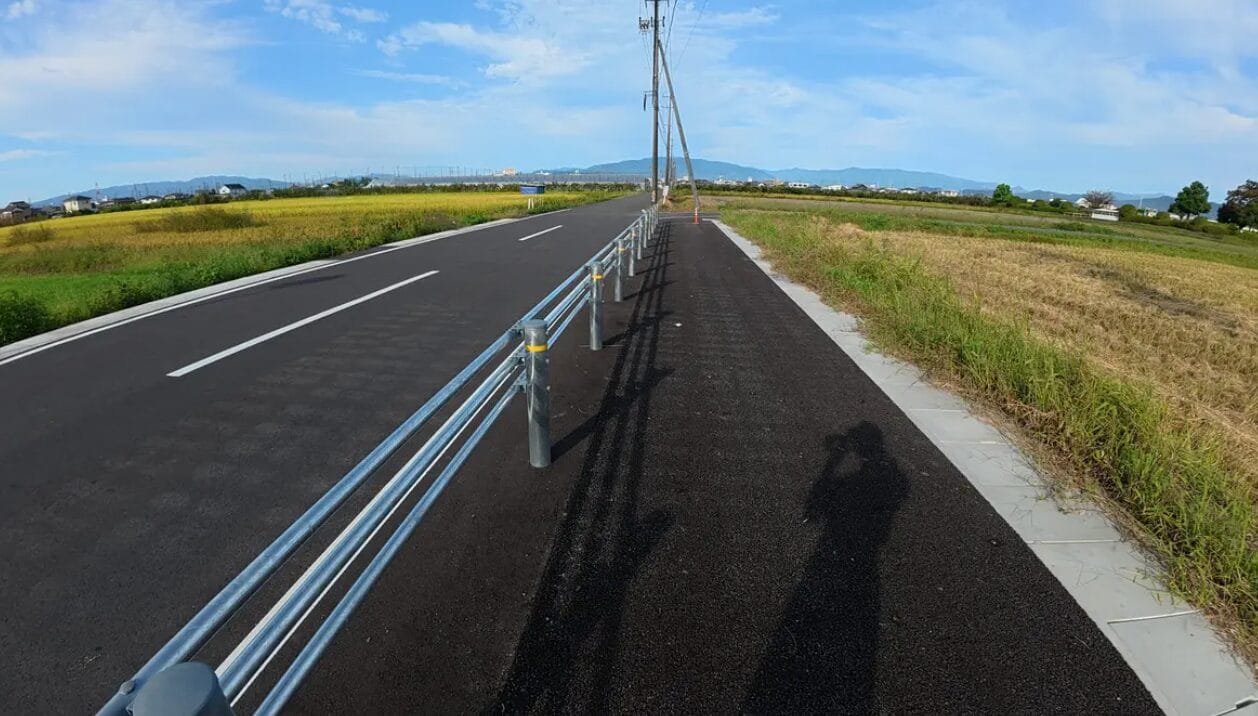
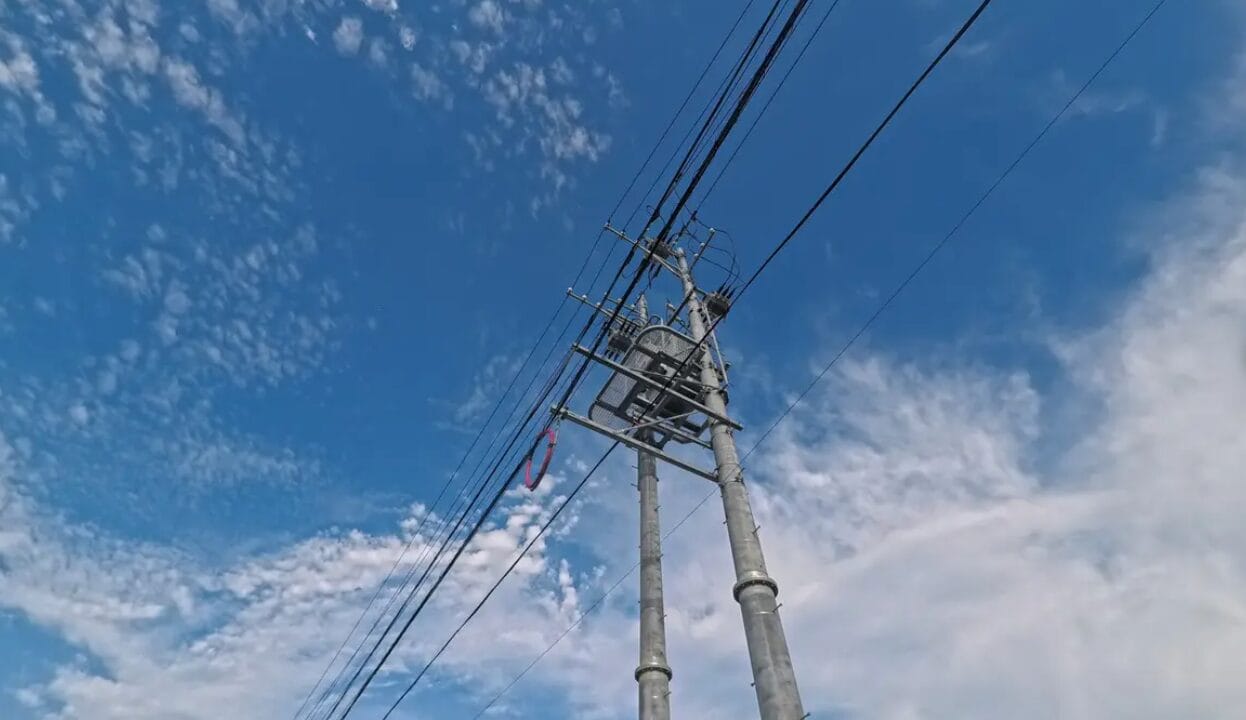
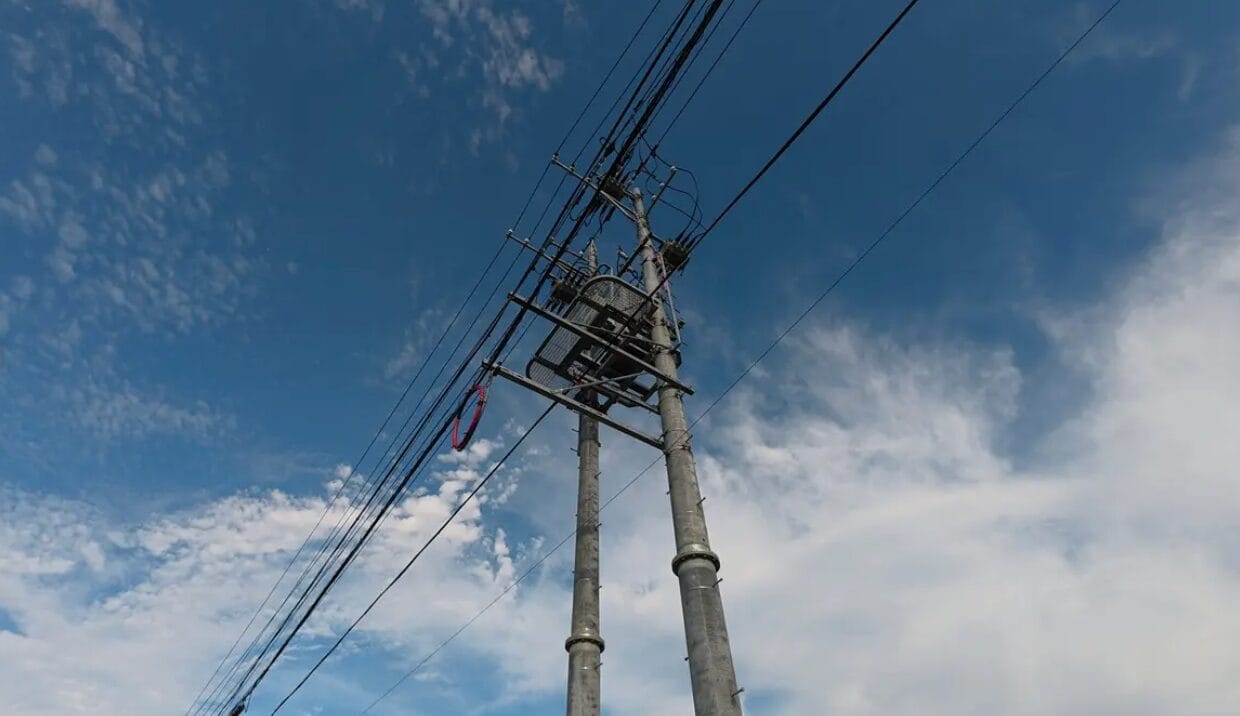
However, it's undeniable that the DJI Osmo Nano's resolution is significantly improved compared to the Osmo Action 5 Pro . DJI continues to make progress in image quality optimization, and perhaps in another 1-2 years, the claim that "DJI's image quality is inferior to Insta360's" will be a thing of the past. But personally, I still prefer Insta360's image quality for now.
Starting from Ace Pro 2, it is obvious that Insta360 has invested a lot of effort in the research and development of picture quality. Better picture quality, better software ecosystems and accessory systems have also made it impossible for the product to be priced like DJI's in pursuit of the ultimate price/performance ratio.
The two companies have chosen different marketing strategies: DJI focuses on high price/performance ratio, while Insta360 focuses on improving the overall user experience.
Daylight image quality (from the film)
4K Video Test
Next, I edited a 4K video for comparison.
Overall, the performance aligns with the trend in still photography— the DJI Osmo Nano 's HDR effect is more pronounced. However, in certain scenarios, this characteristic actually becomes an advantage.
Especially in backlit environments, the DJI Osmo Nano has an advantage. Its powerful HDR function effectively balances the brightness and darkness of high-contrast scenes, avoiding overexposure in highlight areas while preserving details in shadows and preventing completely black areas. In contrast, the GO Ultra is more prone to detail loss in such high-contrast scenes.
The composition isn't perfect, but it clearly shows how the DJI Osmo Nano performs in backlit conditions. Figures and foreground details are well preserved, but at the cost of compressing the sky colours to a light blue - a typical feature of strong HDR processing.
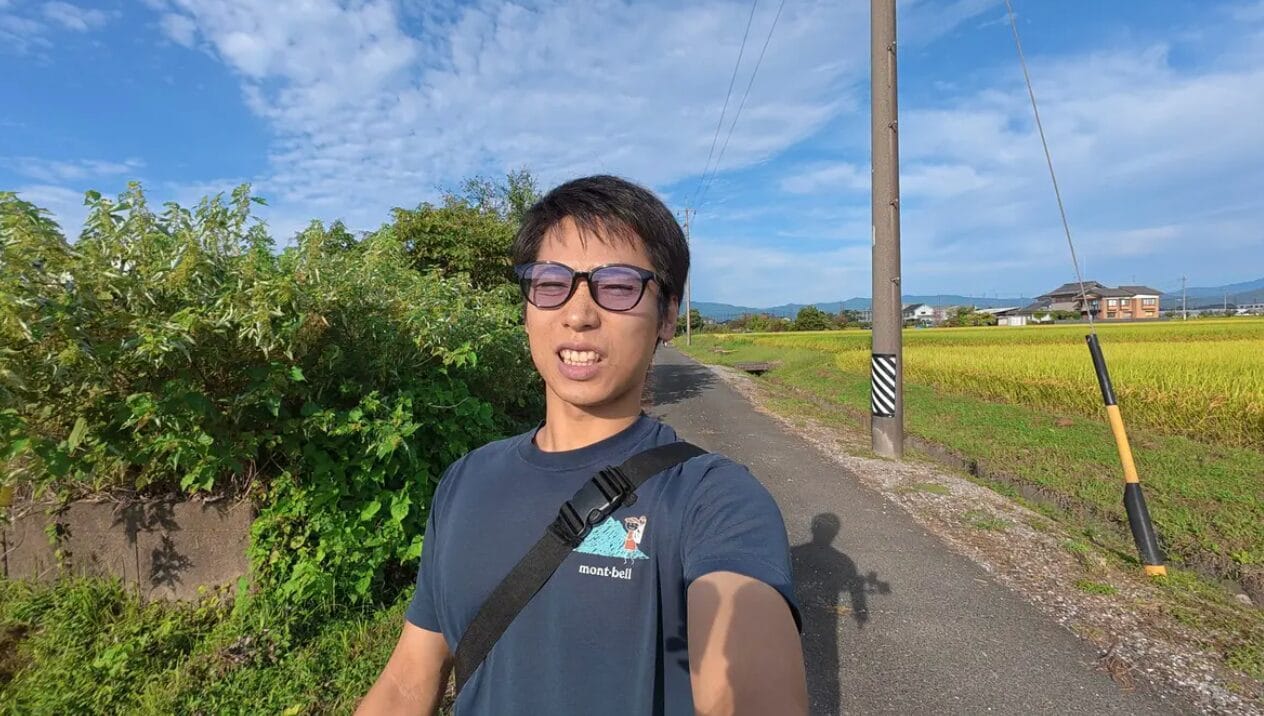
This is a selfie taken in direct sunlight ⬇️.
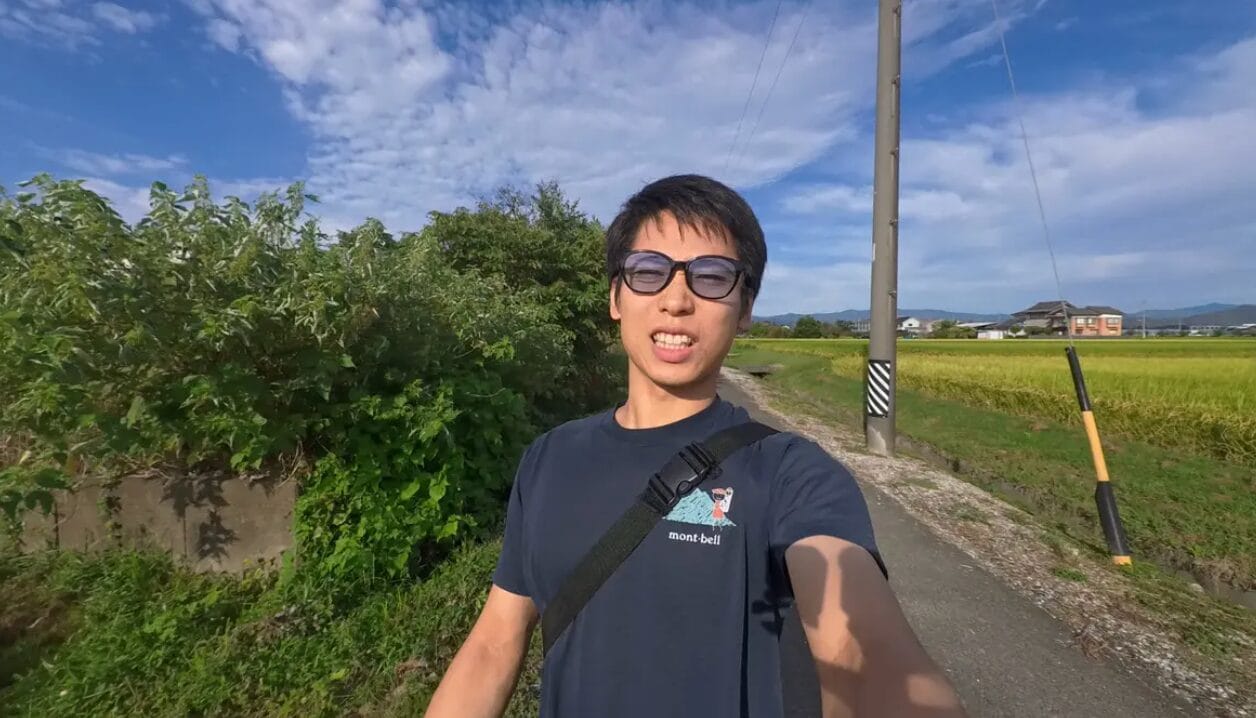
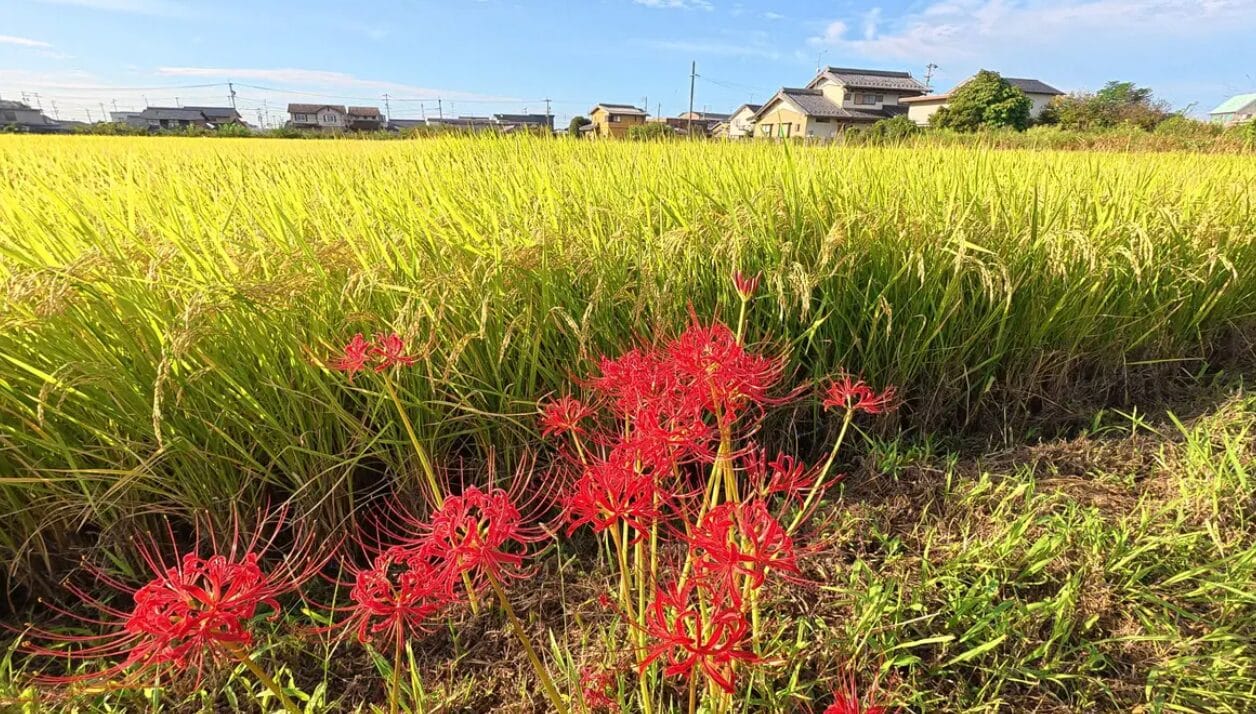
I specifically took this photo of the blooming red spider lilies, and you'll notice that the Osmo Nano's color saturation is significantly too high. Not only is the red of the spider lilies too intense, but the color of the rice paddies in the background is also too vibrant, making the overall image appear somewhat oversaturated. A closer look reveals this even more clearly—the spider lilies photographed by the Osmo Nano, due to excessive saturation, lose their color depth and appear distorted.



Incidentally, DJI's 10-bit Log mode is not very useful when editing with DJI Mimo only. 10-bit + D-Log mode is more suitable for those who subscribe to Adobe Premiere or other professional software (I don't have a subscription myself so I can't test it in depth).
Some people may think I'm too critical of "picture quality", but as a digital SLR fan, I do have a certain obsession with picture quality. From an objective point of view, the vivid and clear colours of the DJI Osmo Nano are more than suitable for sharing directly on social media, even without any post-colouring.
Conclusion
DJI Osmo Nano and GO 3S are "corrective" style with enhanced colours
The Insta360 GO Ultra and GoPro HERO 13 are "natural" in style, closer to what you really see.
Low-Light Shooting
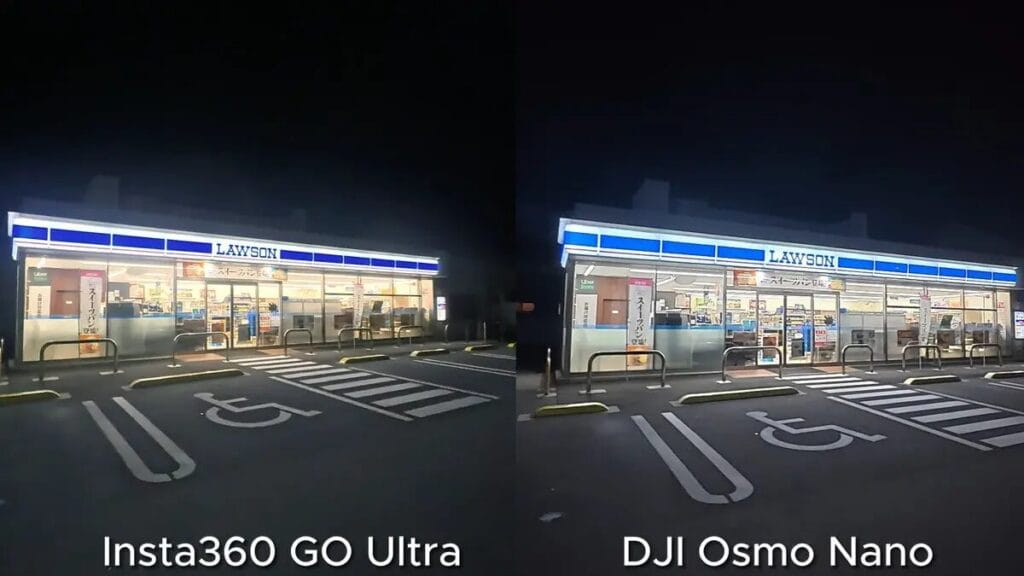
I've made a comparative video about night photography.
Insta360 and DJI have always performed differently in low-light conditions: Insta360 excels at handling shadow details, while DJI's lighting rendering is often too intense. However, the DJI Osmo Nano is quite impressive—its image quality in low-light conditions is surprisingly good.
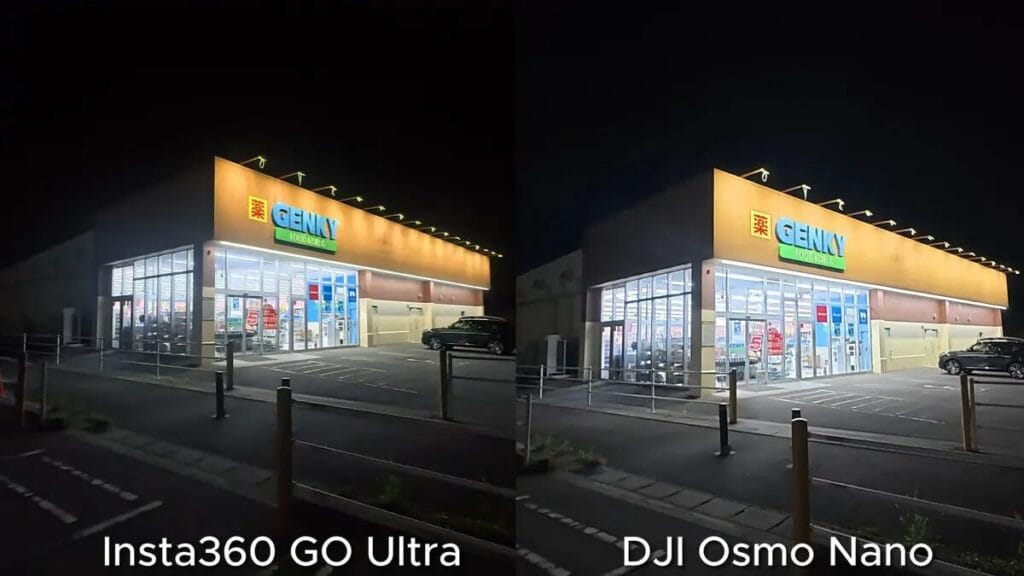
Compared to previous DJI action cameras, the DJI Osmo Nano offers a significant improvement in image quality. Frankly, DJI has historically struggled with high-contrast scenes, such as those with strong light sources in dark environments, but the DJI Osmo Nano handles the contrast very well. In some scenarios, its contrast processing even surpasses that of the GO Ultra.
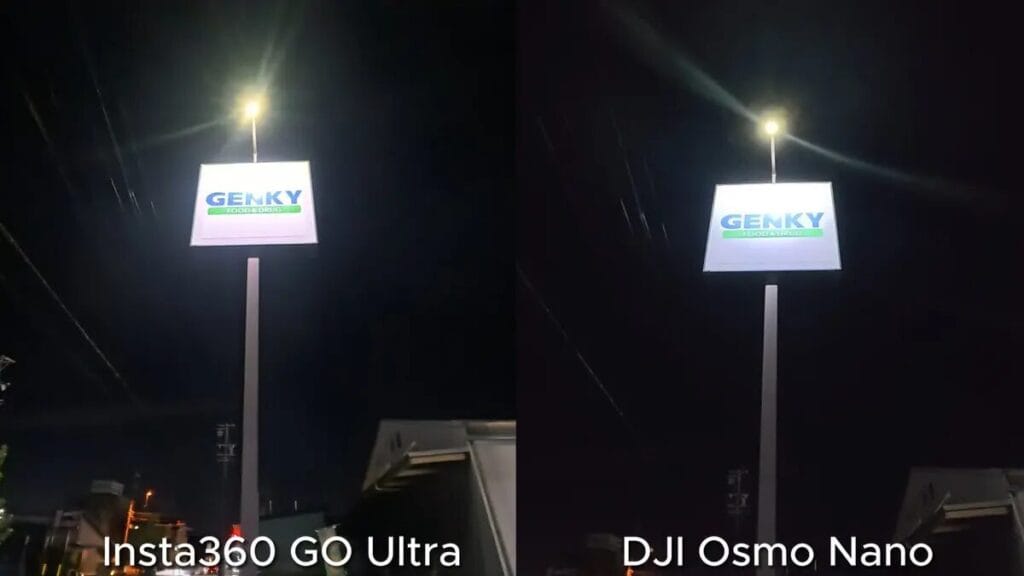
Does the Insta360 GO Ultra excel in color reproduction and detail rendering (including image depth)? Objectively speaking, it does, but compared to previous DJI products, the DJI Osmo Nano has narrowed this gap to an almost negligible level.
It's worth noting that even when walking or running in extremely dark environments, the DJI Osmo Nano doesn't suffer from flickering, which is a common problem in the past, and has excellent stability.
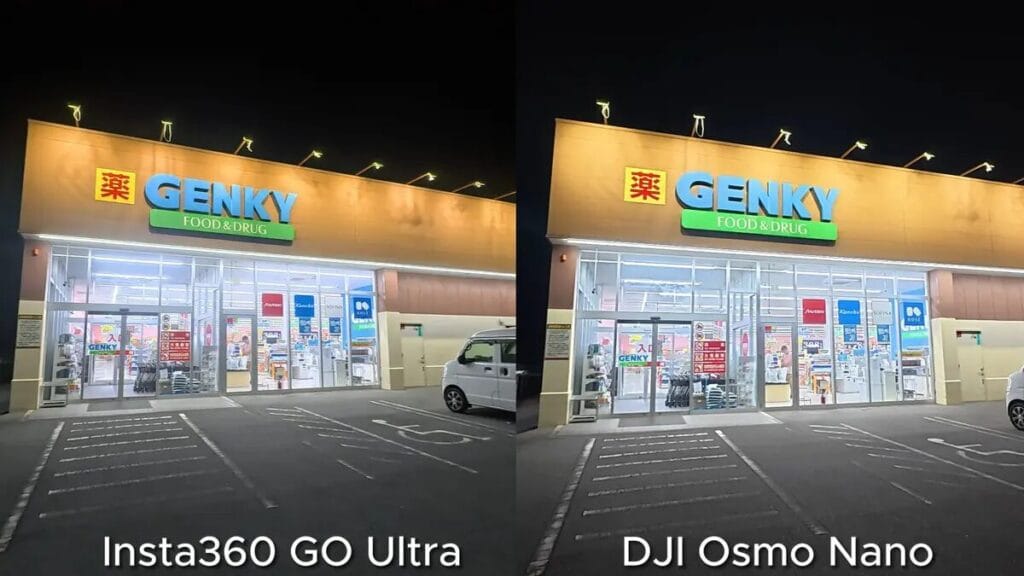
While the DJI Osmo Nano still falls slightly short in color reproduction, it surpasses the GO Ultra in certain scenarios in terms of handling of light and shadow. Overall, the DJI Osmo Nano's optimization in low-light environments can be considered a breakthrough.
FOV Field Angle
The GO Ultra has a maximum wide angle of 156°, the same as the GoPro HERO 13, while the DJI Osmo Nano is slightly narrower, with a POV of 143°. Below is a comparison of the maximum angle of view in "Image Stabilization Standard Mode".
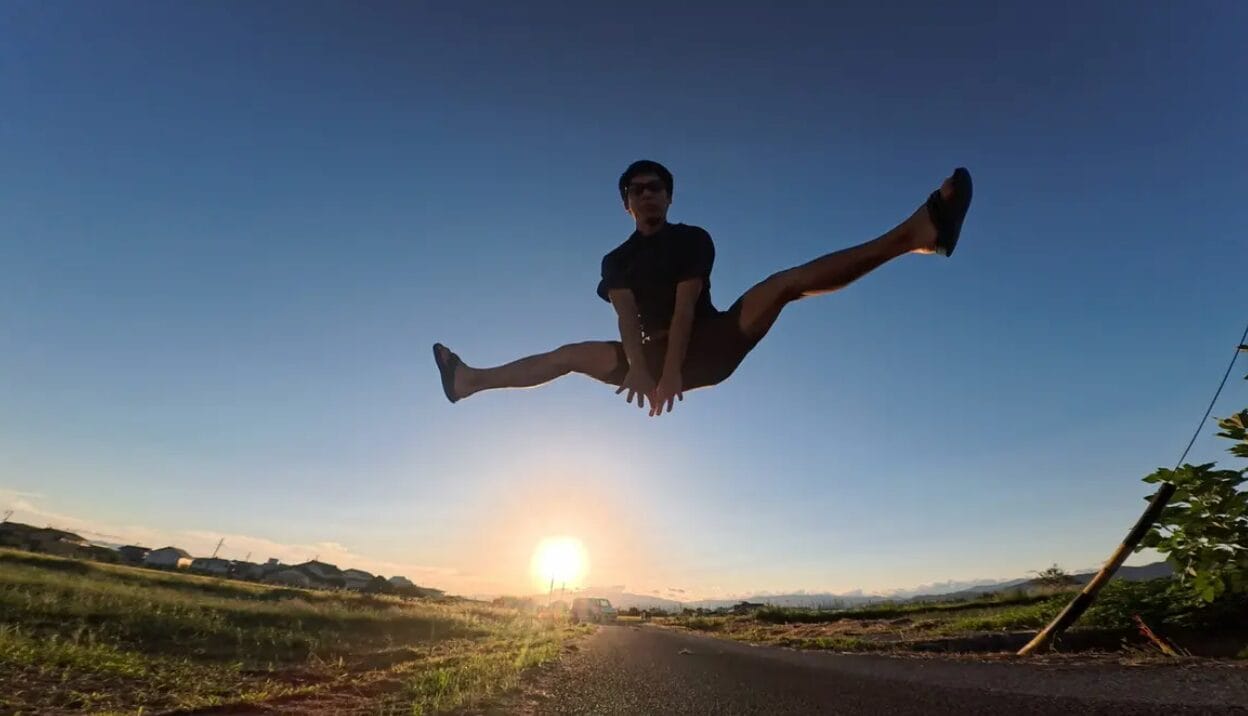
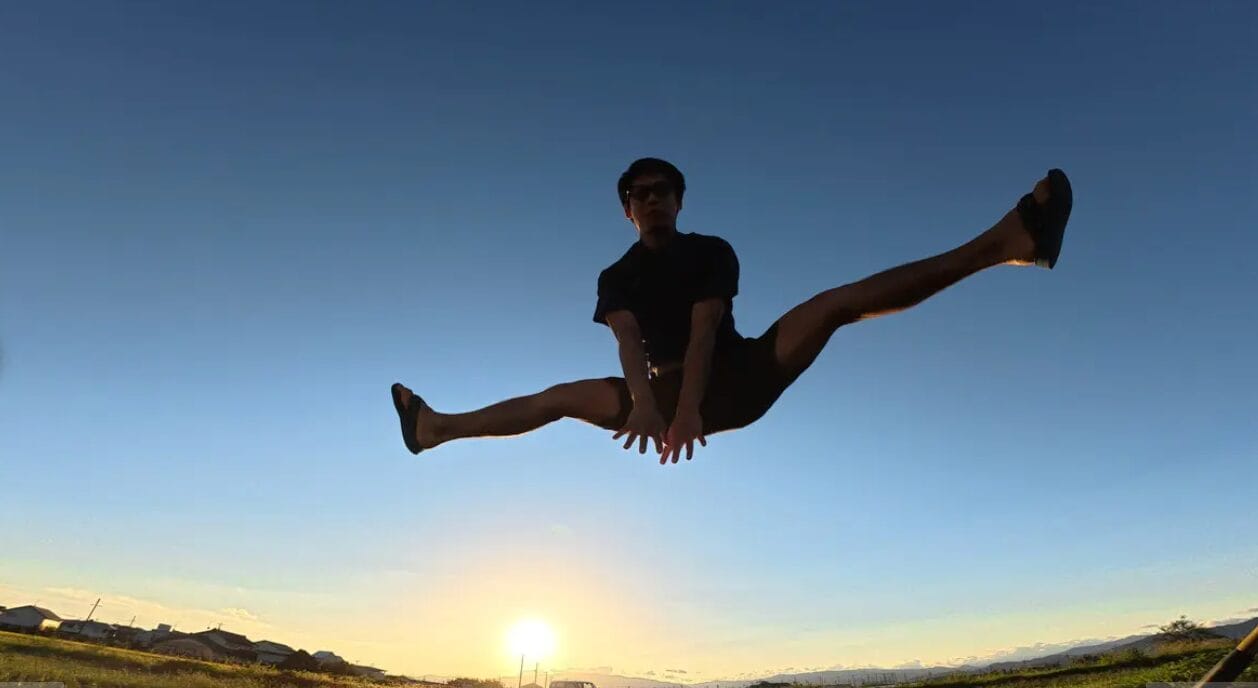
After shooting in the same scene, I edited a clip that clearly shows the differences. In the action of jumping and extending the legs towards the camera, the Insta360 GO Ultra has a significantly wider field of view, creating a stronger dynamic tension and visual impact.
The wider the FOV, the more impressive the sense of spatial extension in the image. This difference is worth paying special attention to if you often shoot extreme sports or need to create exaggerated perspective effects.
Slow Motion Time-Lapse Recording
DJI Osmo Nano The Osmo Nano's performance in slow-motion recording continues the strength of DJI's products. Although the frame rates of 2.7K and 1080P are the same, the Osmo Nano's 4K recording is capable of 120fps, making it possible to record at up to 1080p. 4x slow motion.
In comparison.Insta360 GO Ultra The Osmo Nano's 4K only supports up to 60fps and only up to 2x slow motion. If you're always shooting high-resolution slow-motion footage, the Osmo Nano has a clear advantage in this area.
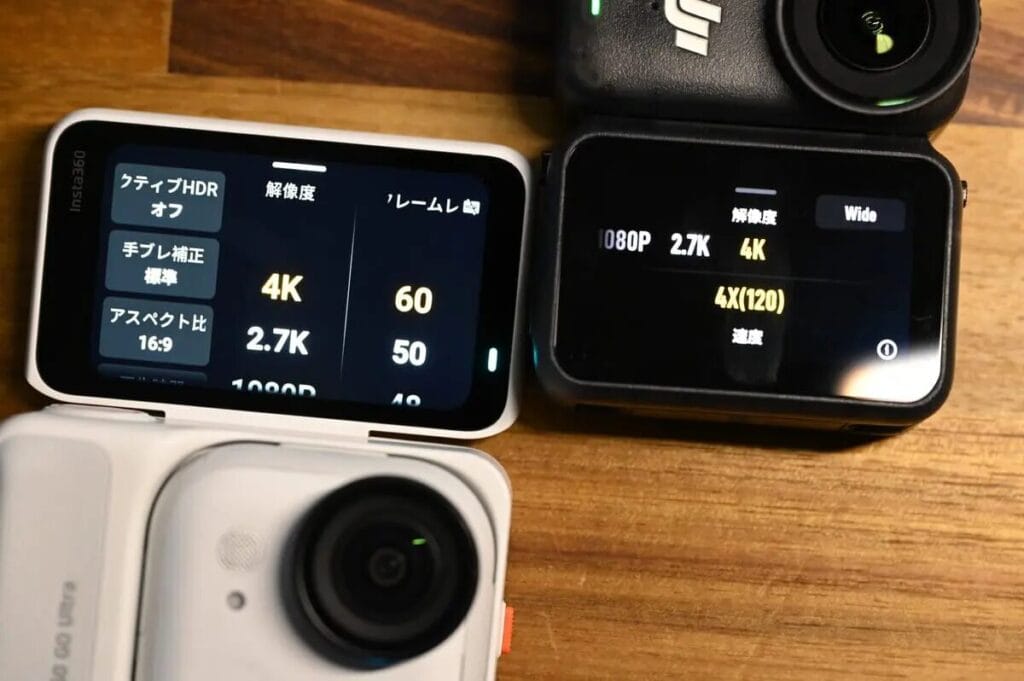
Picture Quality Comparison Summary
A quick summary of the quality comparisons, then on to the next topic!
- Overall Video Quality — GO Ultra Better.
- Colour Performance — DJI Osmo Nano Higher colour saturation and excellent handling of backlit scenes
- Low-light environment - both perform well ◎
- Angle of View - GO Ultra has a 156° wide-angle for more impactful shots.
- Slow motion — DJI Osmo Nano Supports 4K 120fps with enhanced time-lapse recording performance.
Product Design
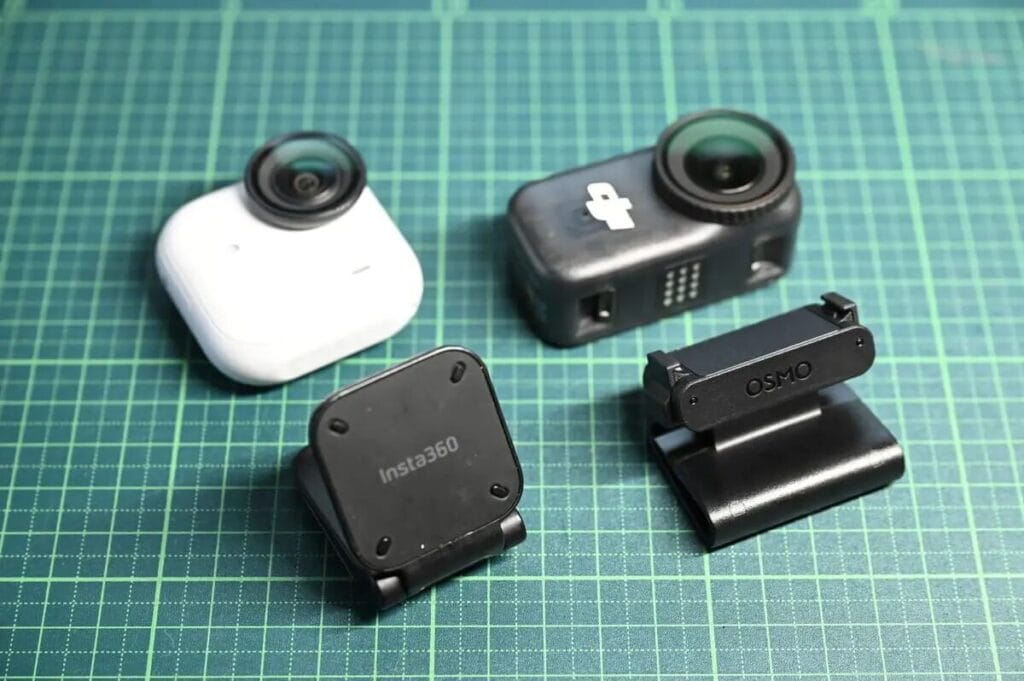
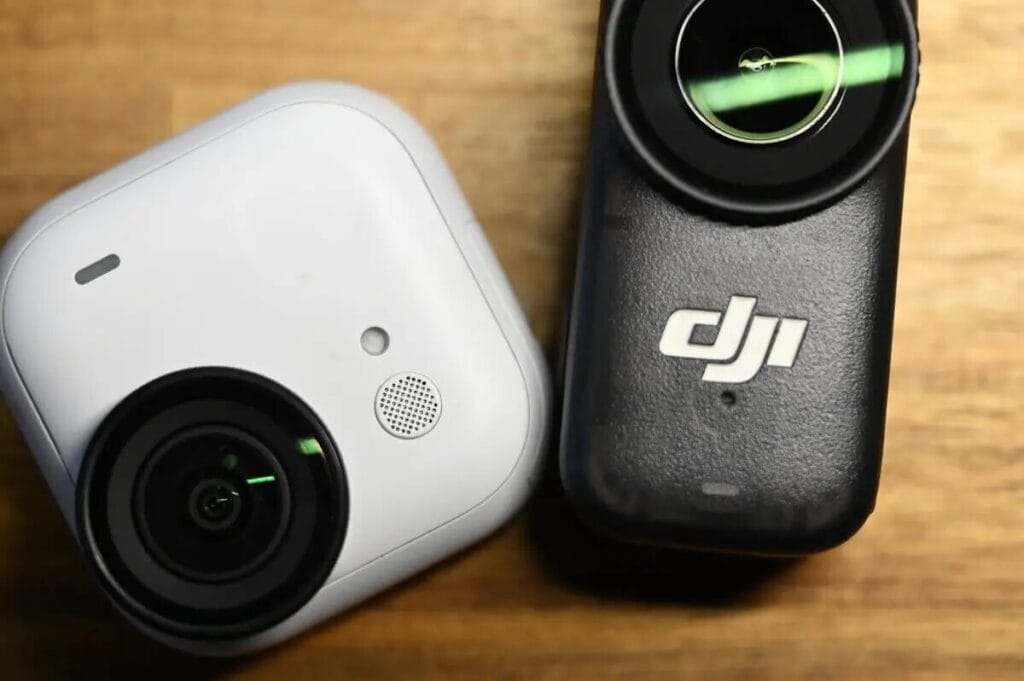
Let's move on to the exterior design. The difference in shape directly affects the user experience, so let's take a quick look at a few key points! For a clearer presentation, here are some photos to illustrate the differences:
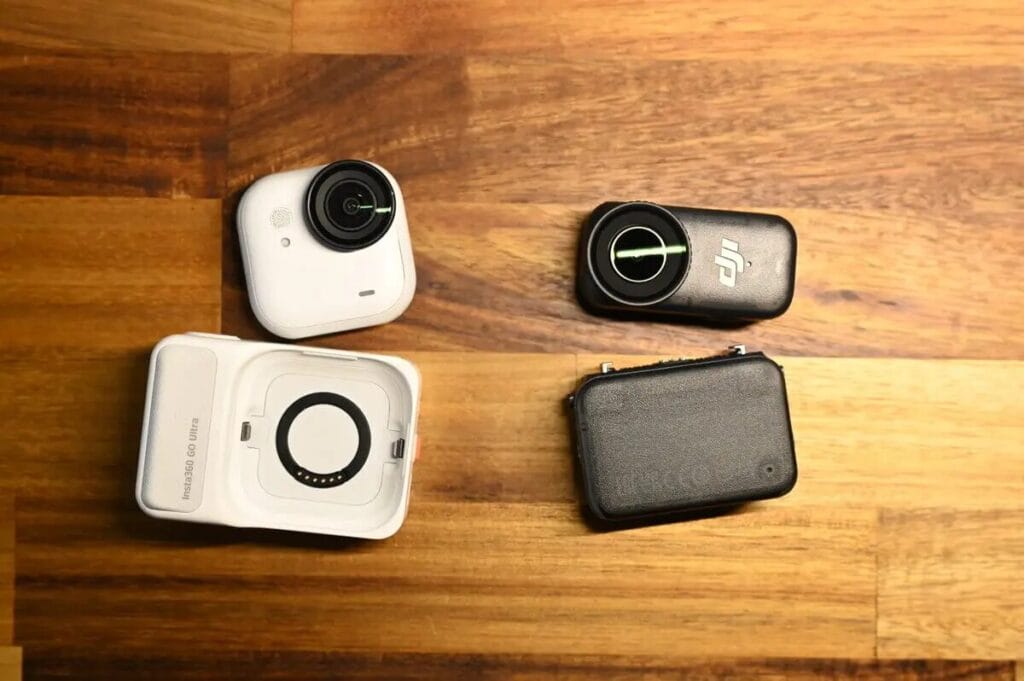
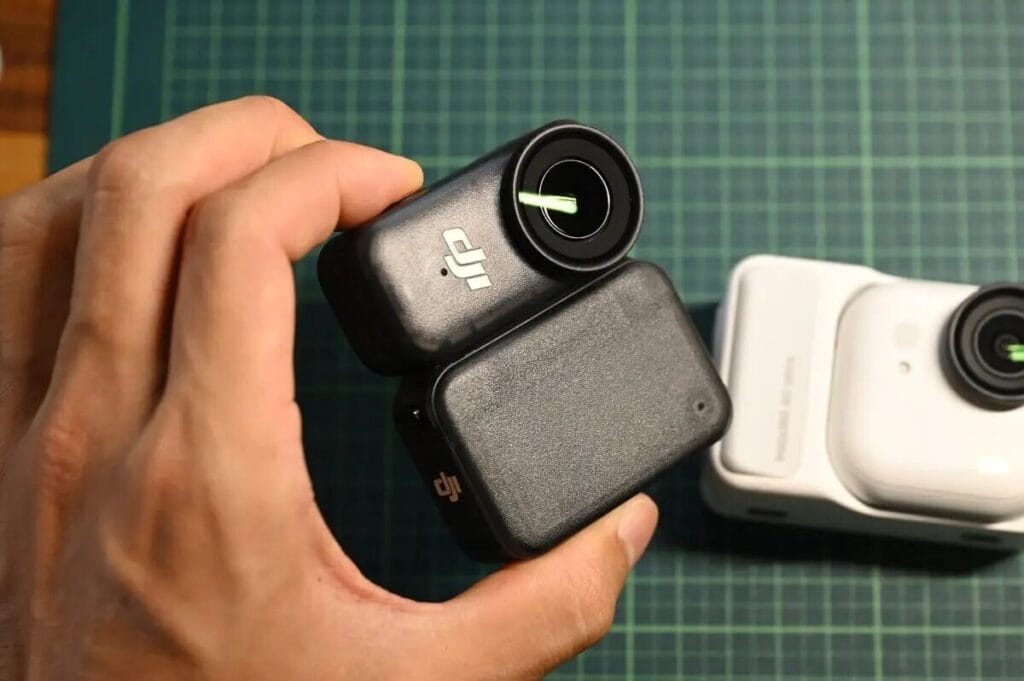
Insta360 GO Ultra The matte texture of the Osmo Nano gives it a premium look and feel, while the Osmo Nano features an openwork design with an eye-catching brand logo for a more personalised visual style.
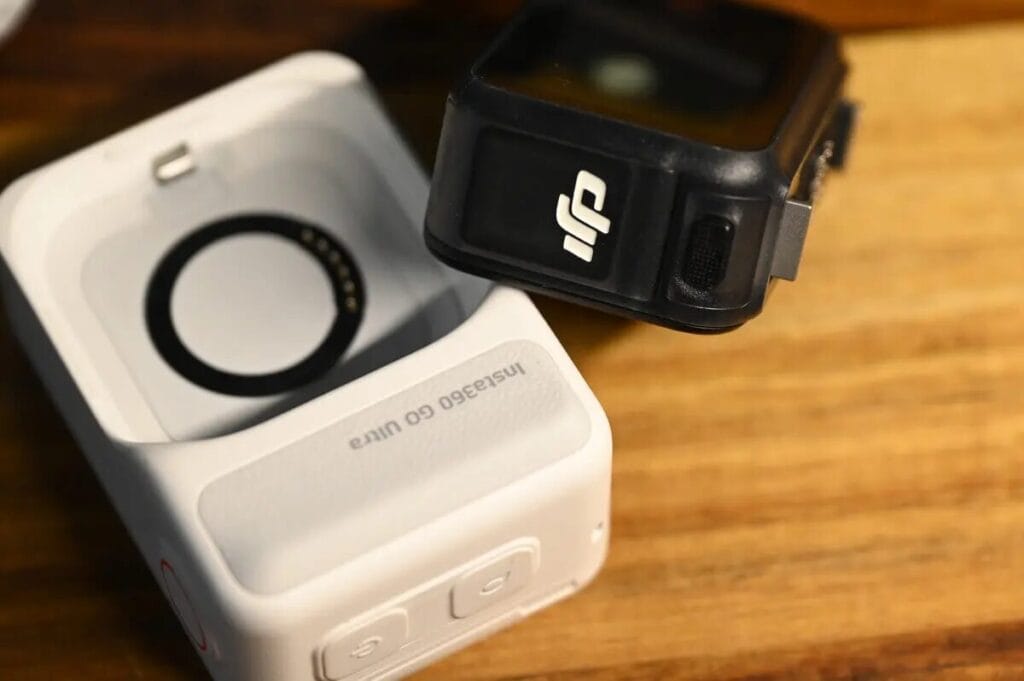
The lenses of both cameras are detachable. Even if they are accidentally damaged, the lenses can be replaced individually at a relatively low price, reducing maintenance costs.
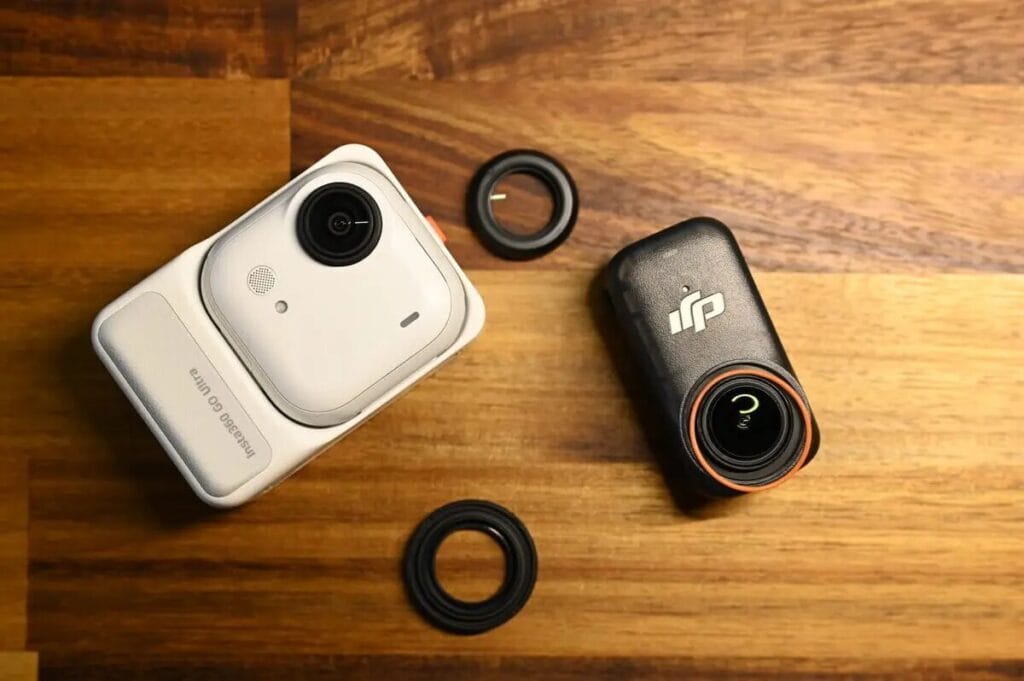
Body size and thickness
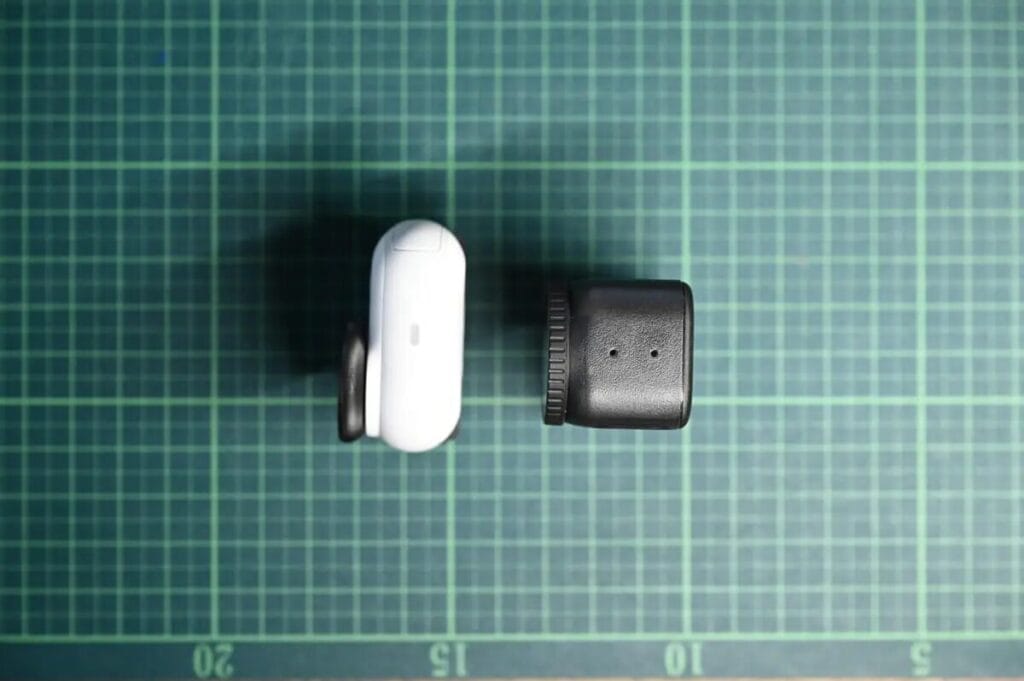
Coming to the weight section, GO Ultra and DJI Osmo Nano The difference between the bare weight of the DJI Osmo Nano and the case is only 0.6g, which is almost negligible. However, with the case on, the weight of the DJI Osmo Nano increases to 12.4g, making it feel significantly heavier in the hand.
Frankly speaking, I originally thought that DJI Osmo Nano It will be lighter, butThe weight difference between the two cameras is much smaller than expected.
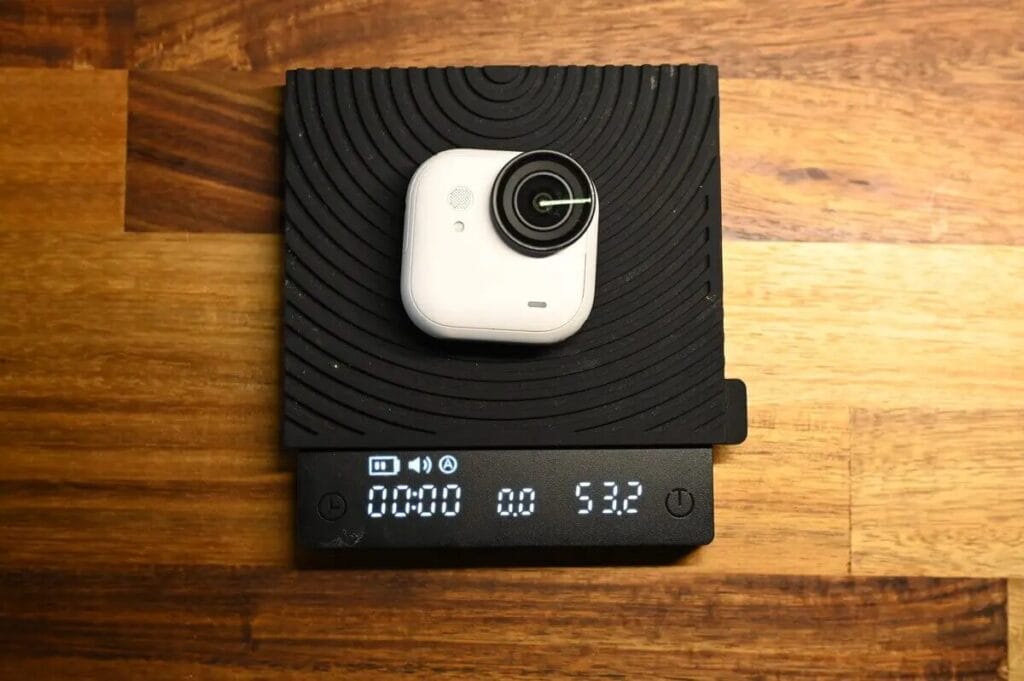
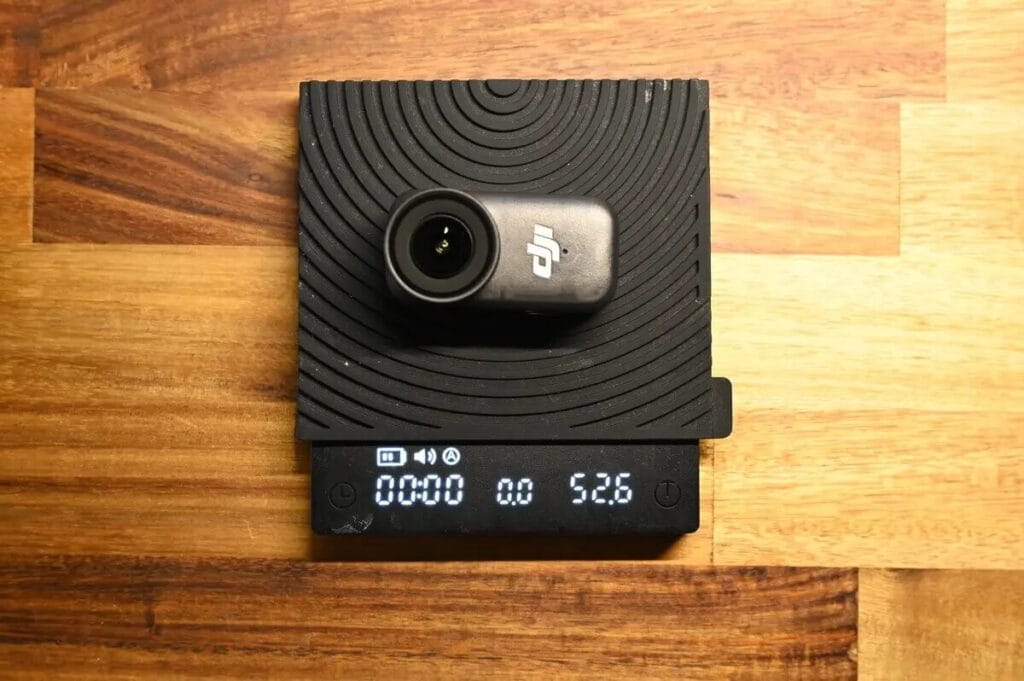
Overall.DJI Osmo Nano The DSLR is indeed slightly lighter, although it's barely noticeable in everyday use, and for frequent climbers or long-distance hikers, every gram counts.
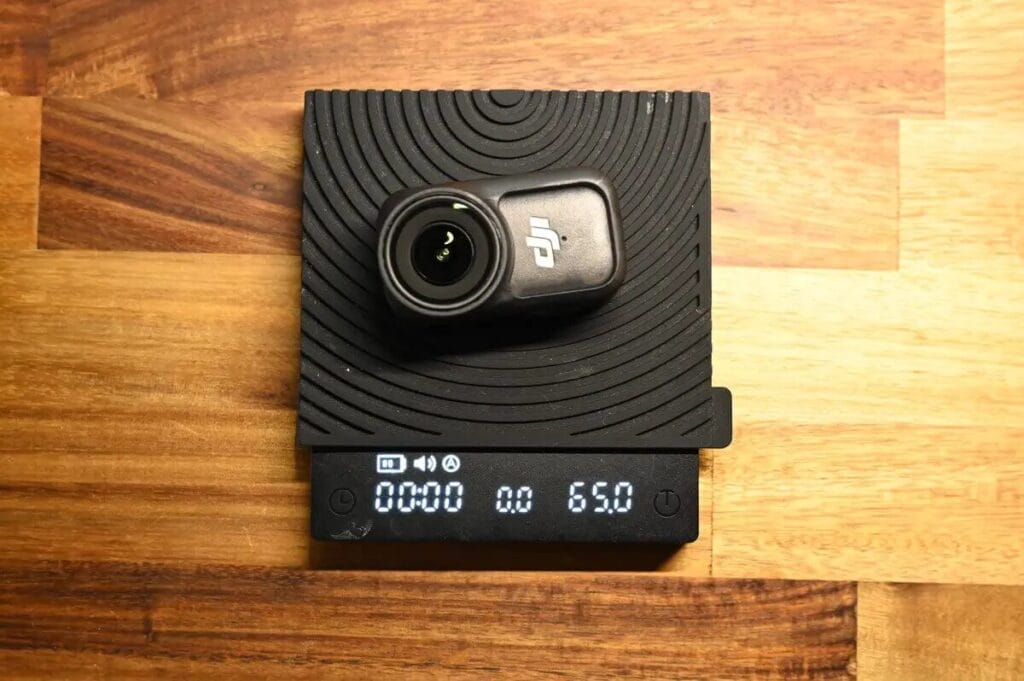
From the front, the DJI Osmo Nano's silhouette is indeed smaller, but it's noticeably thicker.The size of the two cameras is quite similar on average. Considering the weight difference of 0.6g between the two cameras, such a size configuration makes sense - on average, the overall dimensions of the two cameras are quite close to each other. Incidentally, the GO 3S is significantly smaller when compared to the GO 3S.
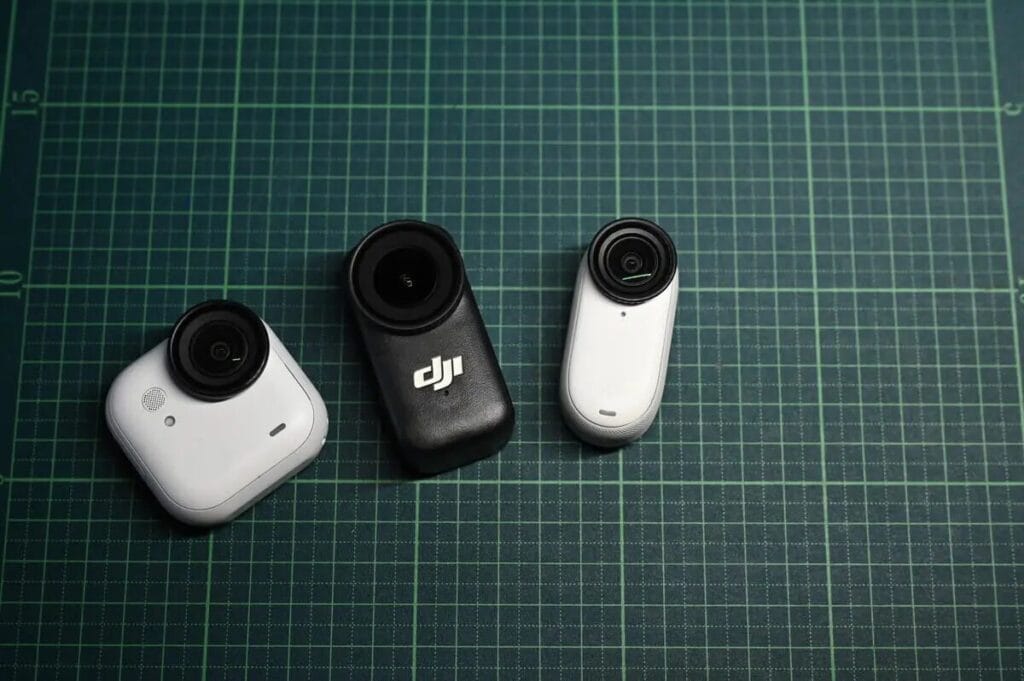
Insta360 GO Ultra Another advantage is the wide range of colours available, which can be matched to your favourite style of dressing. In terms of understatement, theInsta360 GO Ultra The exterior design is also relatively unimpressive.
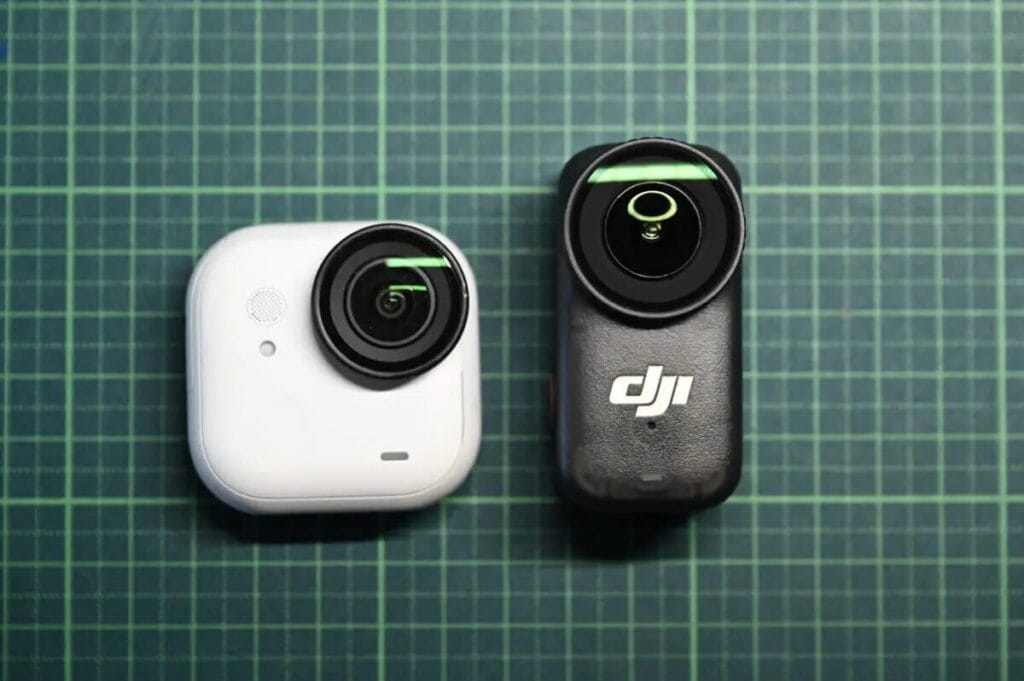
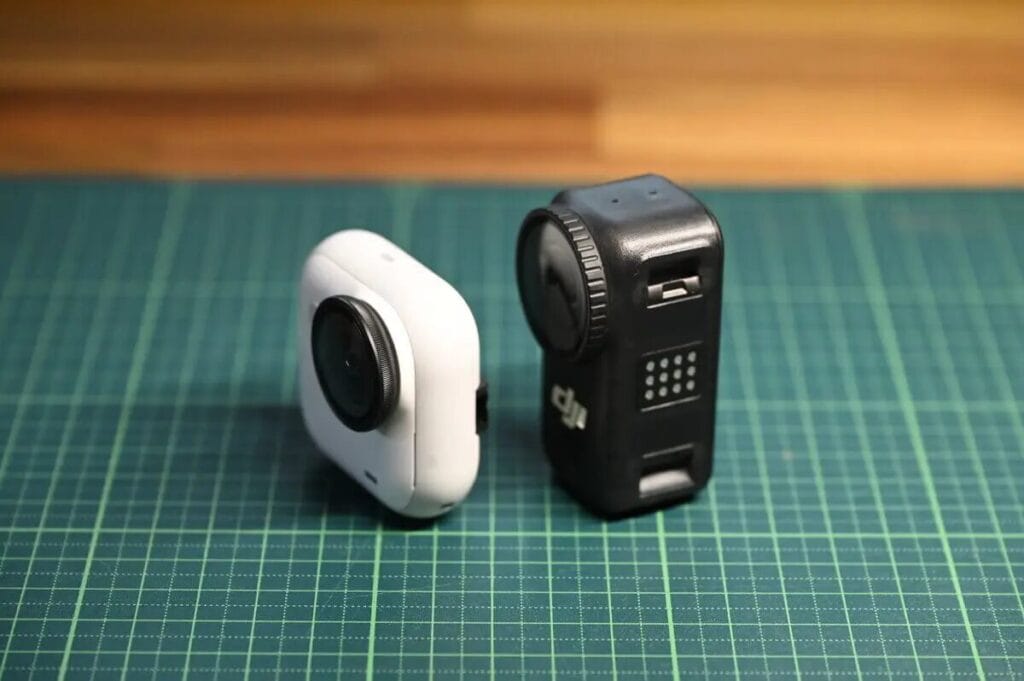
logo
Insta360 GO Ultra There is no logo on the camera and the DJI Osmo Nano The DJI logo is on the camera, and because the Osmo Nano is smaller, the branding is more visible on the camera.
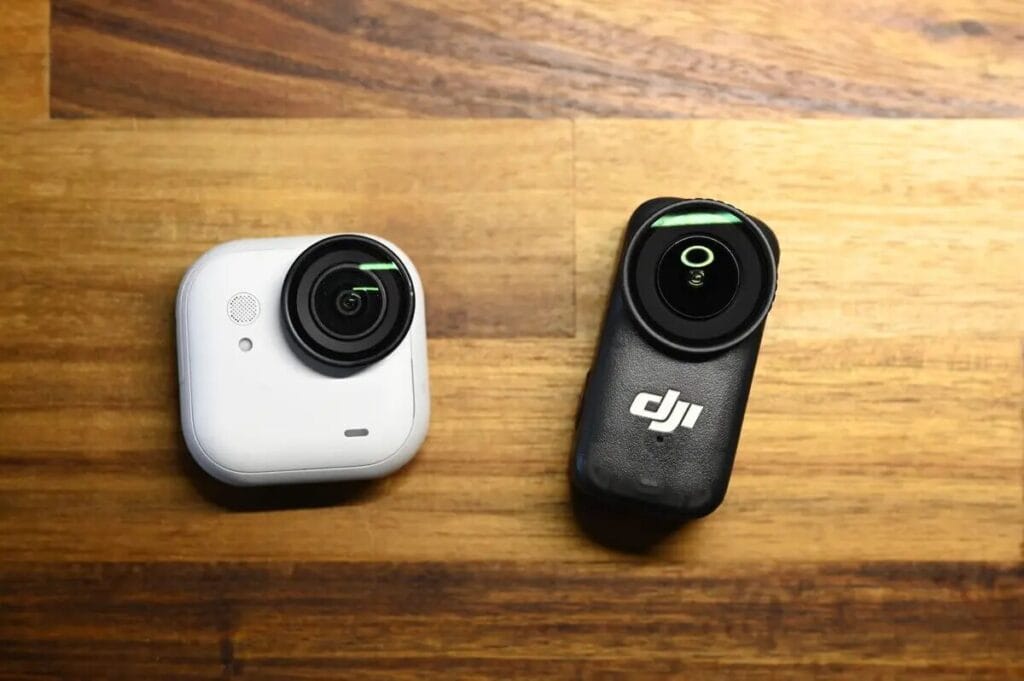
With no visible branding, the Insta360 GO Ultra blends in better with clothing when worn and is less likely to be the centre of attention. However, there are some who believe that DJI Osmo Nano The brand logo design is more personalised and cooler, so this is purely a matter of personal preference.
feeling of use
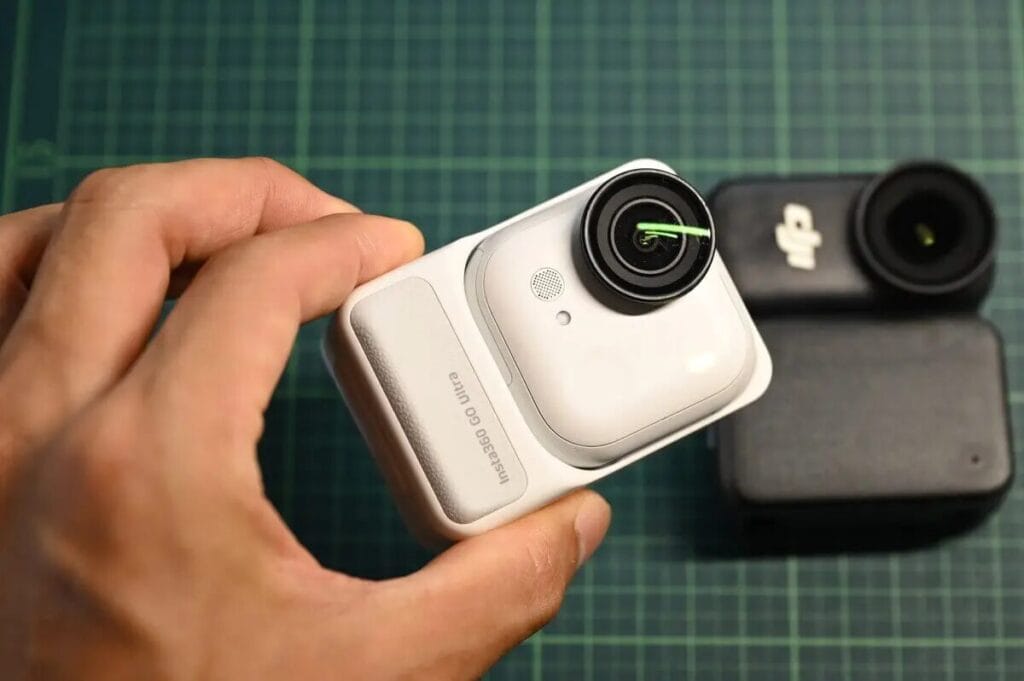
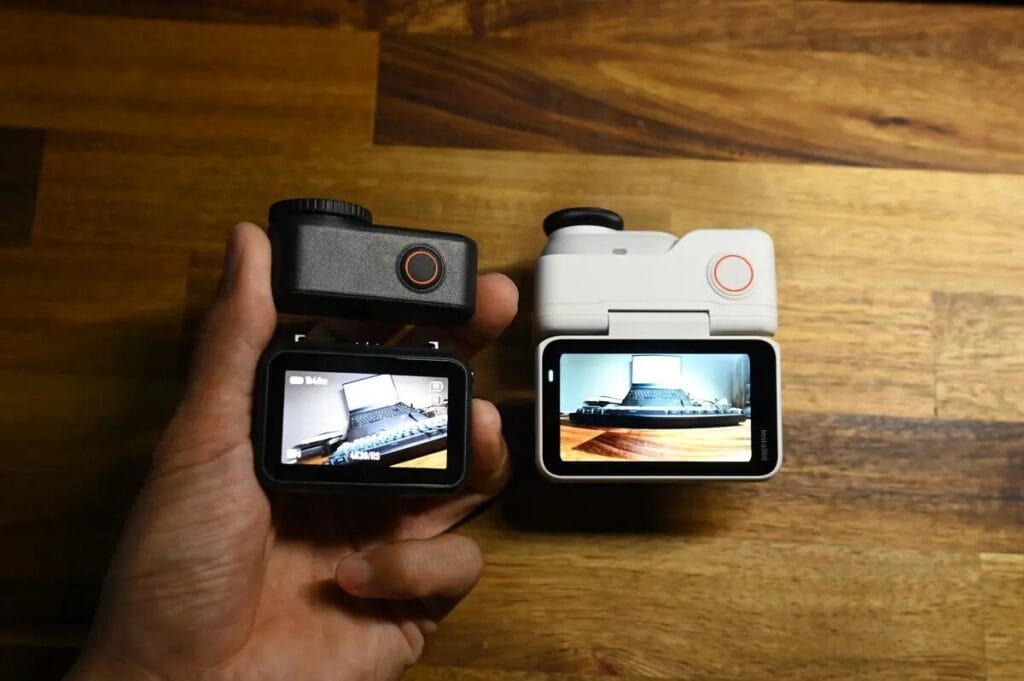
When worn as a sports camera, both perform well. However, in the case ofHandheld recording.Insta360 GO Ultra The gripping sensation is much betterThe shape of the body is more ergonomic. However, it should be noted thatInsta360 GO Ultra With its rounded body, it tends to rotate when held alone, so you need to pay more attention to the stability of your grip.
Screen Size
Insta360 GO Ultra The screen is bigger and easier to see.
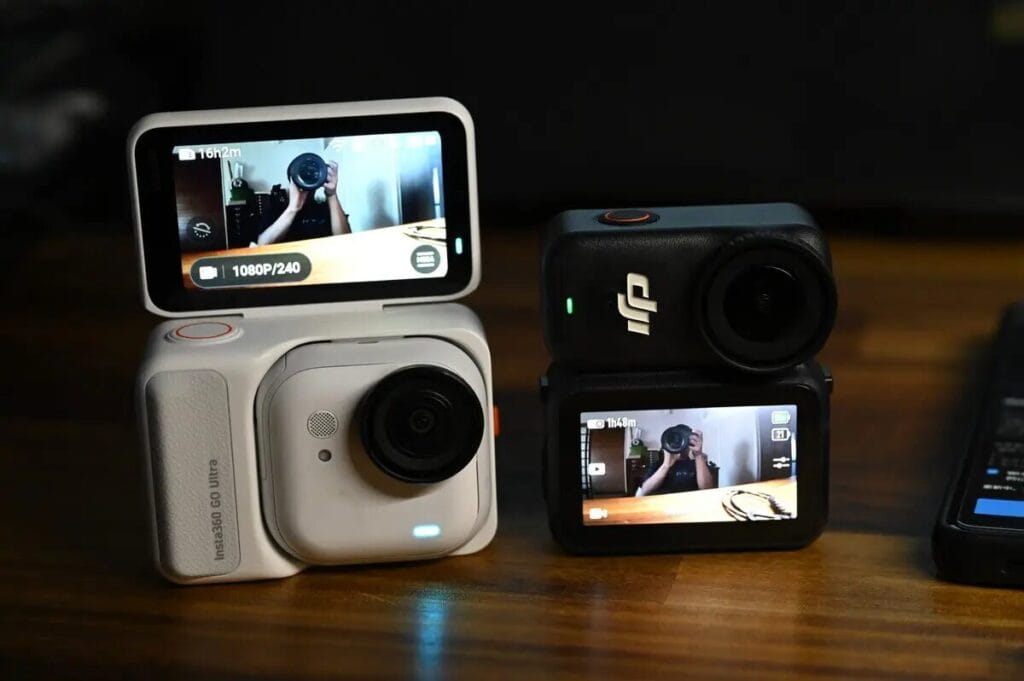
However. DJI Osmo Nano The OLED display is also very beautiful, and the preview image is clear.. But in theSelfie and low angle orInsta360 GO Ultra The flip screen is even better.
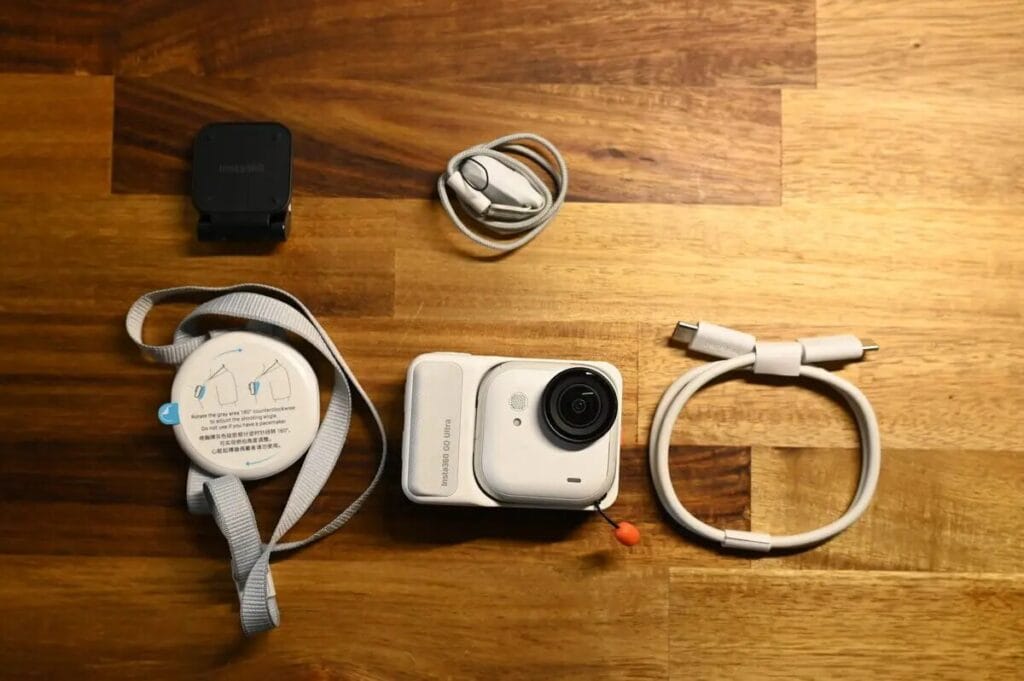
Comparison of standard sets
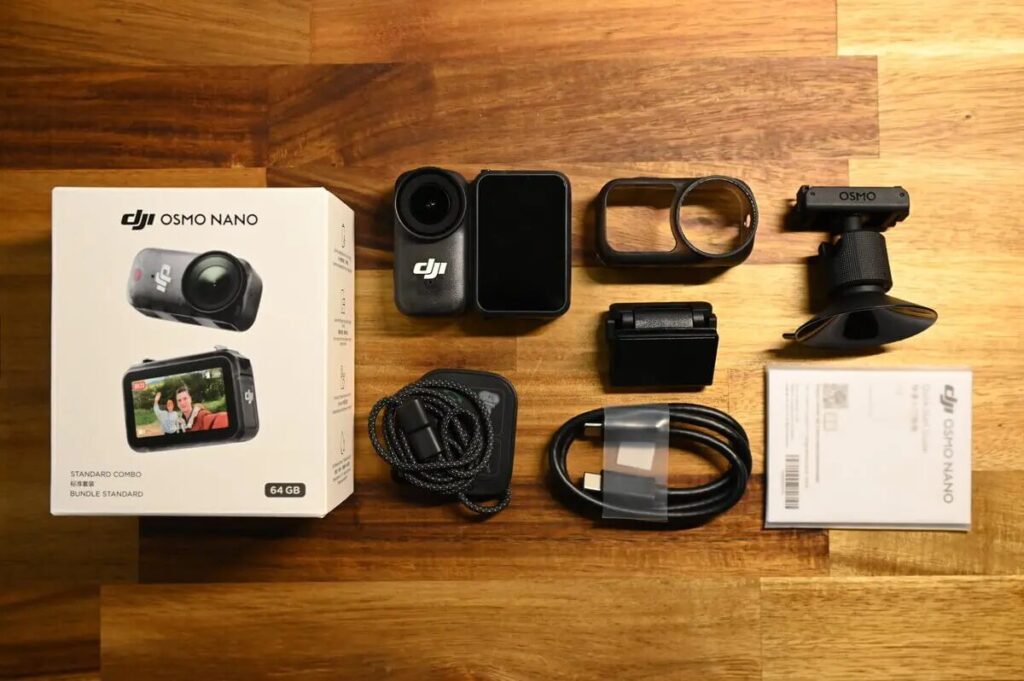
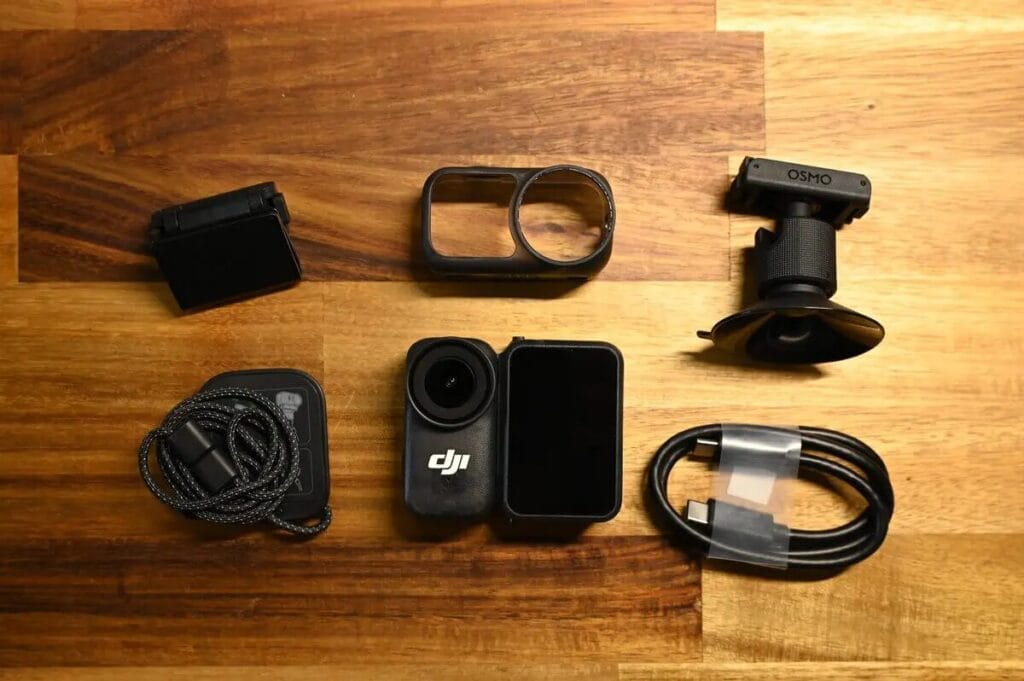
Comparison of the standard set reveals thatDJI Osmo Nano Extra camera case。
Installation and Wearing Style
Fixed to T-shirt
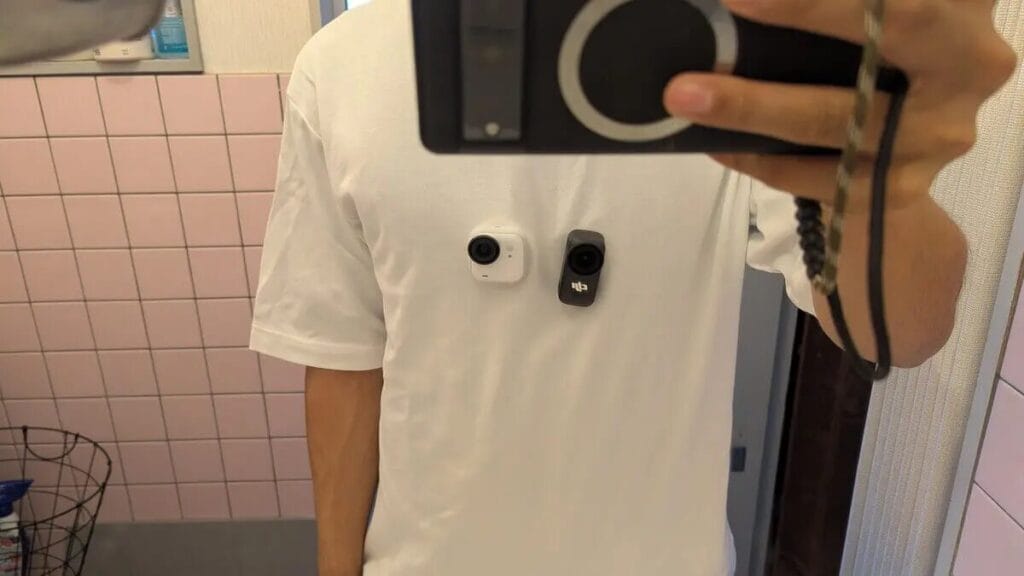
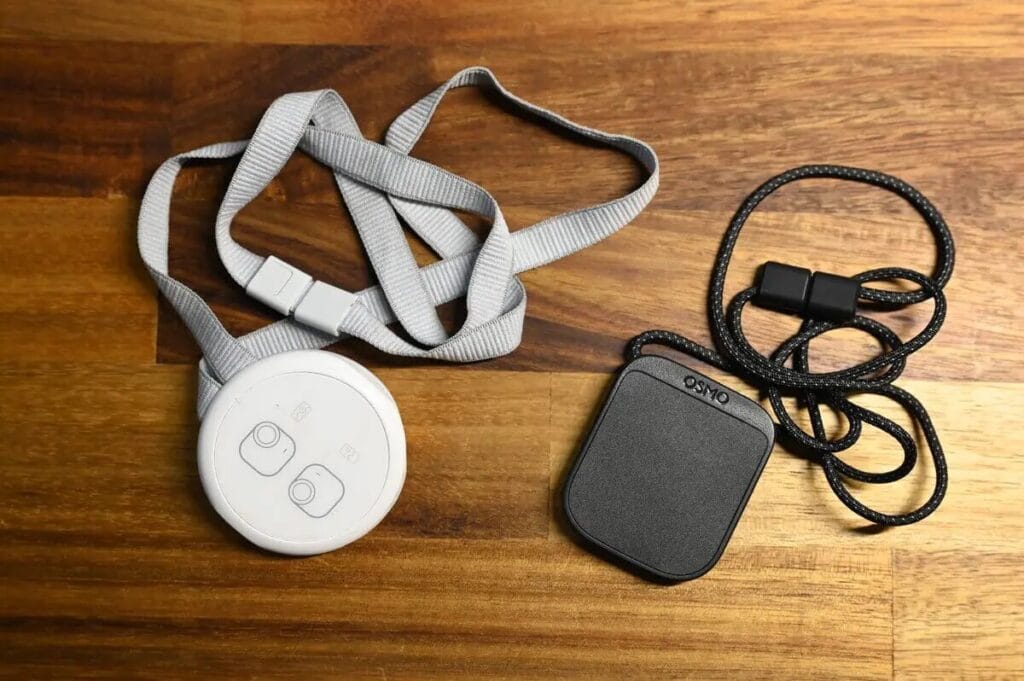
Both cameras can be attached to the T-shirt via magnetic pendants. In terms of discreet concealment, I think theInsta360 GO Ultra Blends in better with t-shirts and is less likely to stand out.
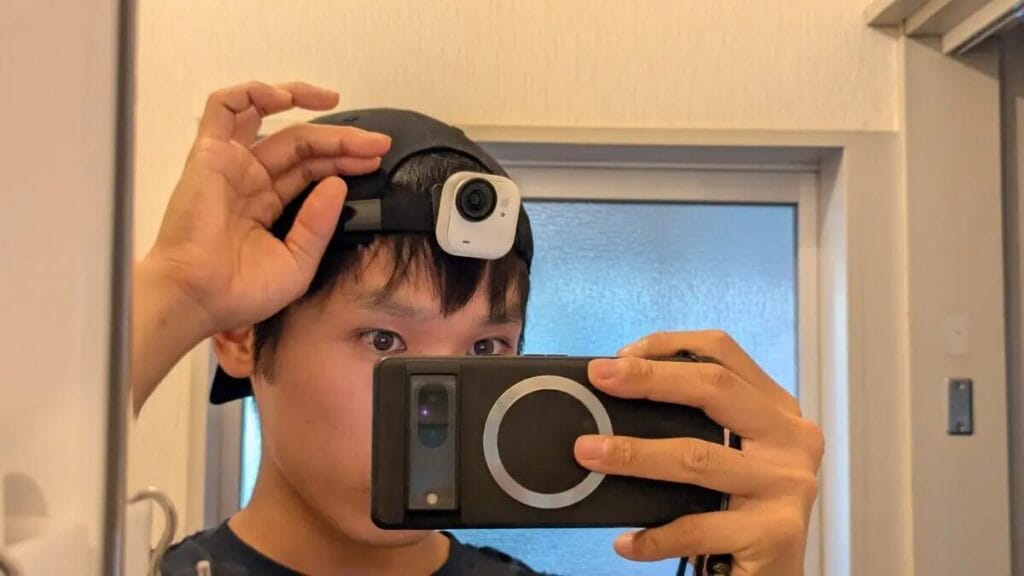
Wear it on your hat.
Insta360 GO Ultra 和 DJI Osmo Nano The standard kit comes with a cap clip that allows the camera to be clipped to a hat for use.
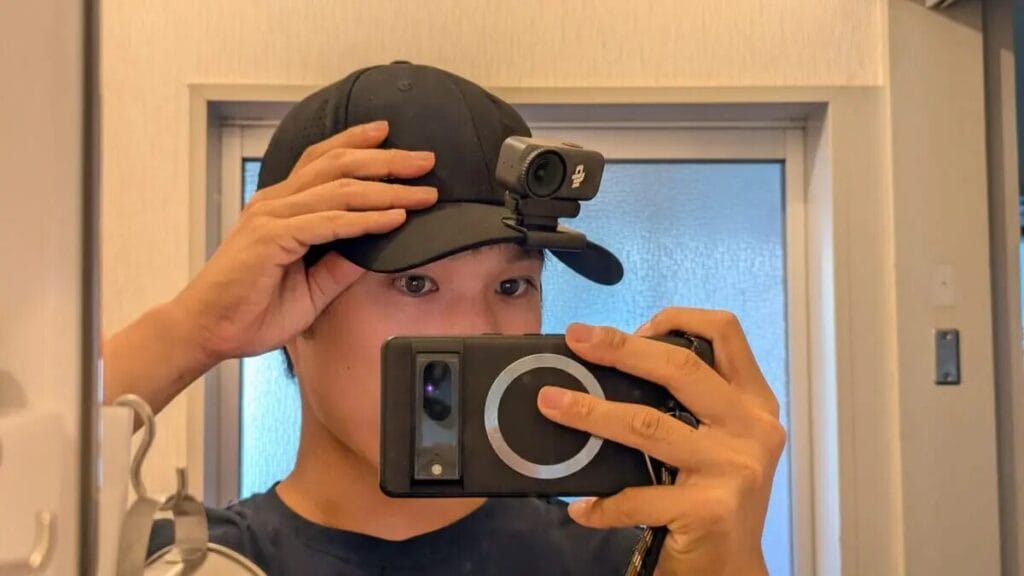
The GO Ultra needs to be used with the hat on backwards, and the DJI Osmo Nano It can be fixed directly to the cap. Use GO 3S When mounted on the brim, it was no problem, but the GO Ultra weighs more than 50 grams, making it a noticeable head burden when wearing it. In addition, wearing the cap backwards makes the sun protection function completely ineffective (laughs).
Using the rotating bracket
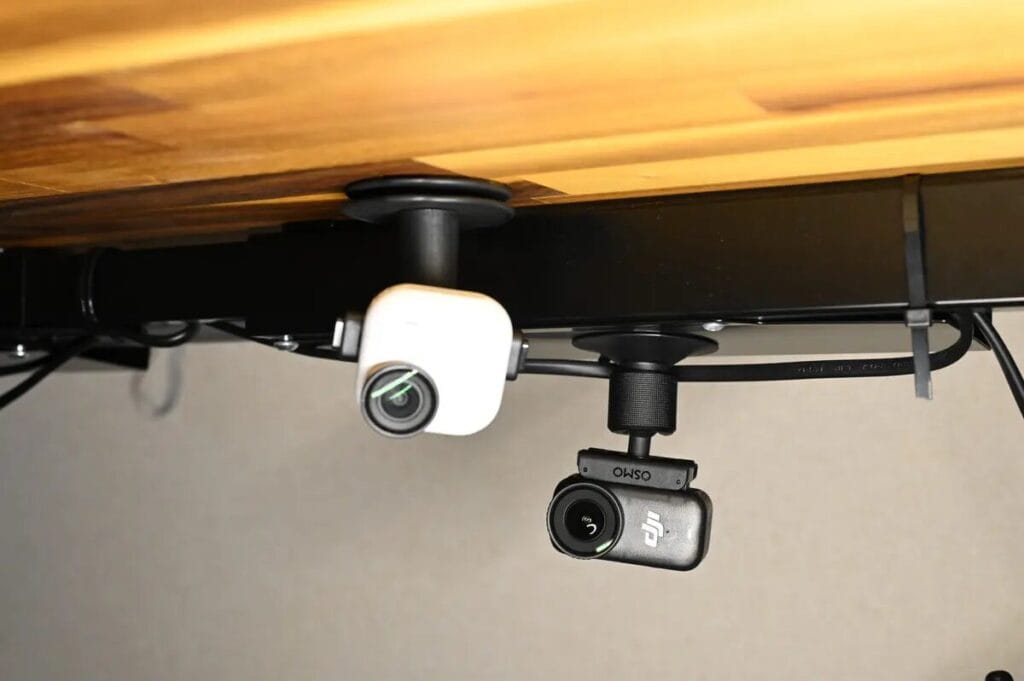
Insta360 GO Ultra The swivel bracket of the Osmo Nano has a dual fixation design of adhesive and suction cups, whereas the Osmo Nano is equipped with suction cups only.
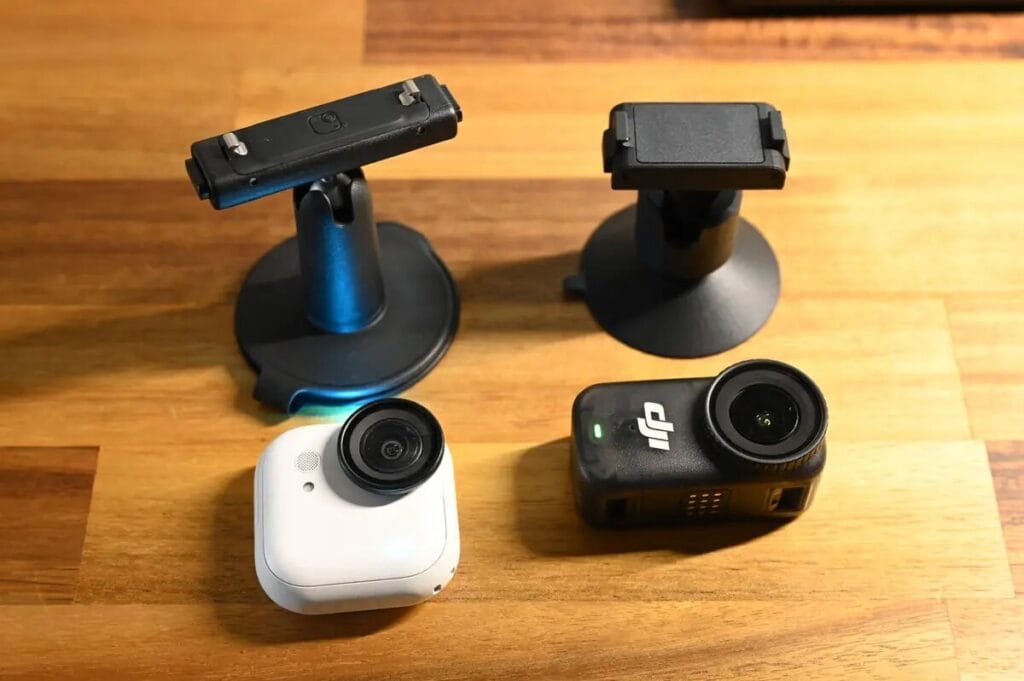
Adhesive suction cups are more versatile and can be stuck to wood or walls, but in terms of convenienceInsta360 GO Ultra The suction cups are a better choice.
Camera Protection
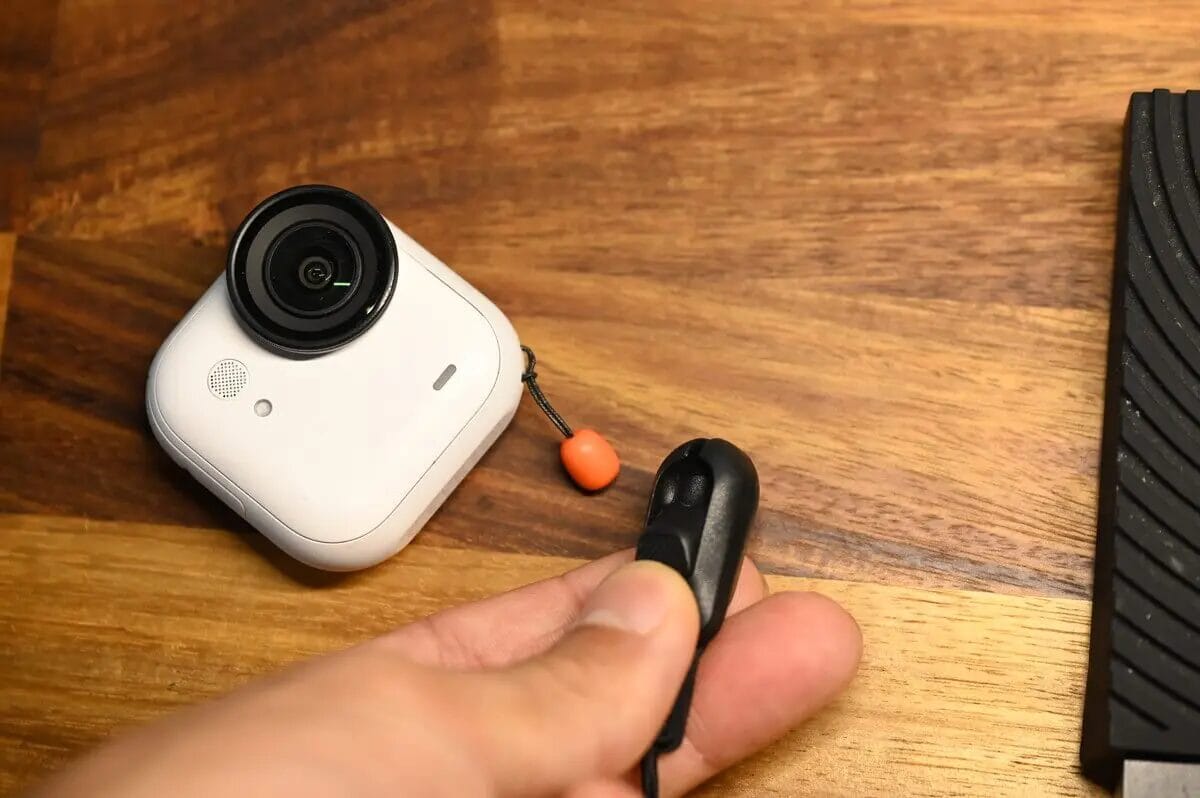
To protect the camera Insta360 GO Ultra Tow rope is used. DJI Osmo Nano comes with a protective case. 。
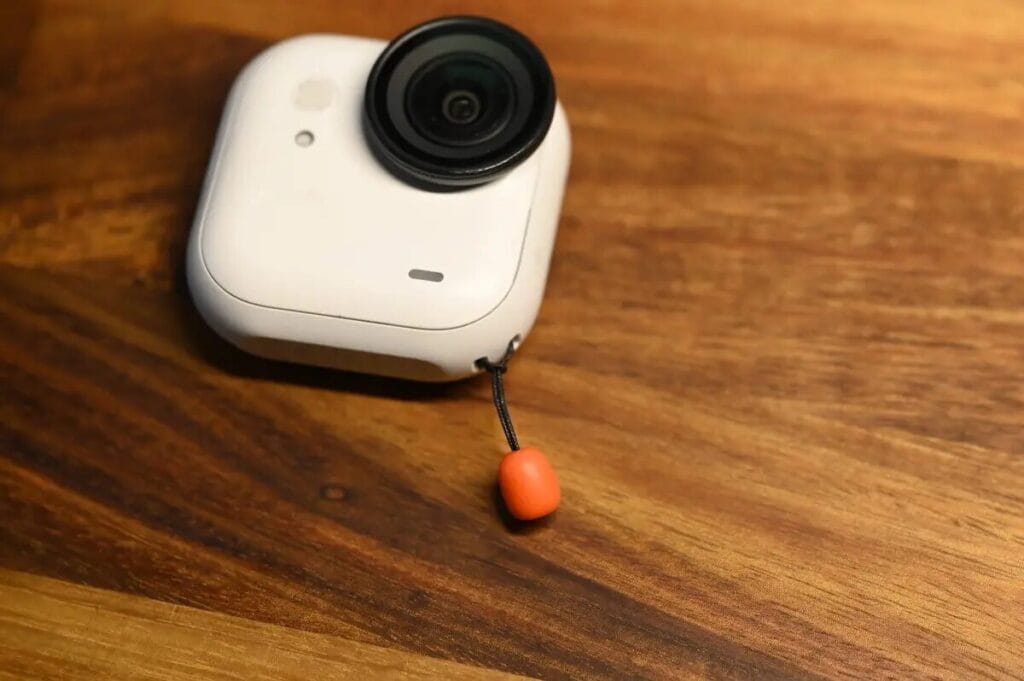
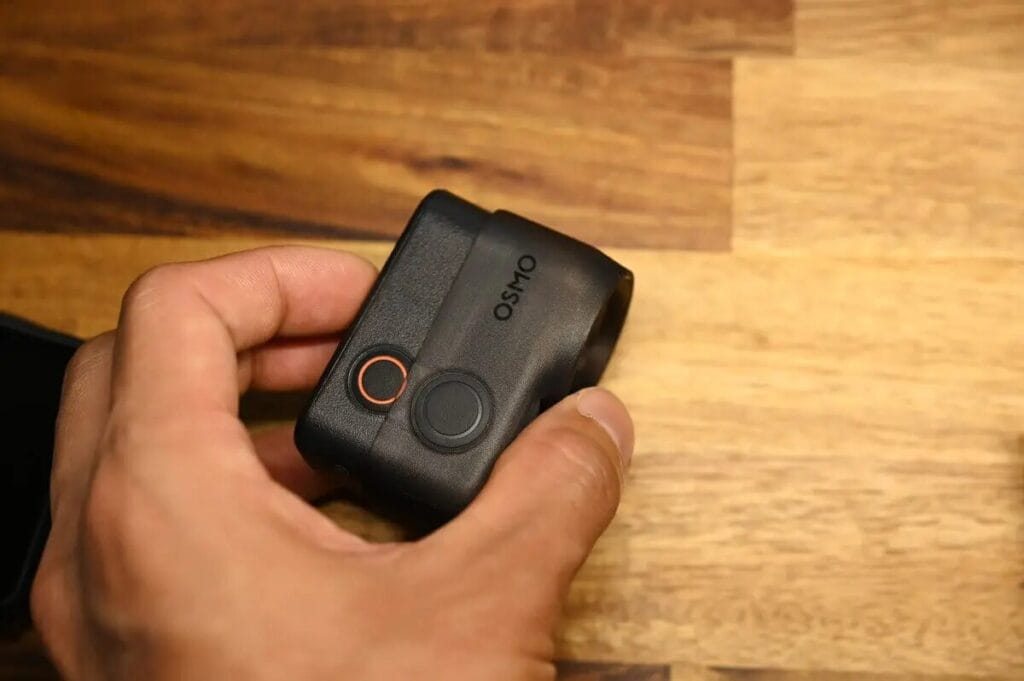
Insta360 GO Ultra The body is stored in an Action Pod, so a case cannot be used. Instead, the Insta360 uses a tether to prevent it from falling. However, if you accidentally fall, theDJI Osmo Nano A protective case will provide better protection for your camera. For example, if you ride a motorcycle or road bike and want to protect your camera even if you fall, a protective case might be a better choice.
Battery & Runtime & Heat Problems
As far as battery specifications are concerned, both are excellent.However, the overheating problem is more severe with the DJI Osmo Nano camera.
| GO Ultra | DJIOsmo Nano | ||
| Battery | Single Body | 500mAh | 530mAh |
| Action Pod | 1450mAh | 1300mAh | |
| Run Time | Single Body | 4K: 60 minutes 1080P: 70 minutes | 4K: 50 minutes 1080P: 90 minutes |
| Single Camera + Action Pod | 4K: 170 points 1080P: 200 points | 4K: 120 minutes 1080P: 90 minutes | |
| Charging Time | Single Body | 80% Charge: 12 minutes 100% Charge: 20 minutes | 80% Charging: 15 minutes 100% Charge: 30 minutes |
| Single Camera + Action Pod | 80% Charge: 18 minutes 100% Charge: 40 minutes | 80% Charge: 18 minutes 100% Charge: 50 minutes | |
| Support Temperature | -20°C ~ 40°C | -20°C ~ 45°C | |
| Fever | |||
Run Time
DJI Osmo Nano Recording time in 1080P mode is 20 minutes longer, but the Insta360 GO Ultra In 4K mode, the lead is up to 50 minutes.
Charging Time
Both devices offer fast charging. Insta360 GO Ultra It takes almost 10 minutes to fully charge.
Fever
Camera overheating has always been a concern of mine. I was shooting at 4K 30fps (HDR on), which is typical of a high load scene, and the Osmo Nano quickly stopped recording due to overheating.
| GO Ultra | Osmo Nano | |
| Fever stops recording | No heat. | Recording 22 minutes, 24 seconds. Post-heat shutdown |
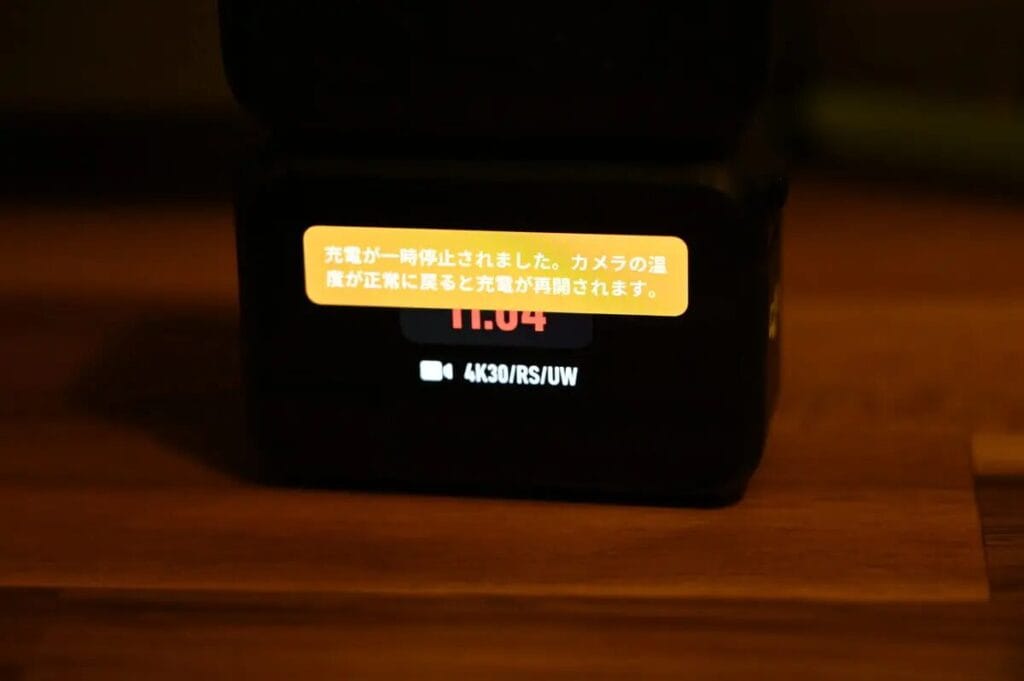
After less than 11 minutes, the message "Charging has been suspended" appears on the screen and the Action Pod stops powering the single camera.
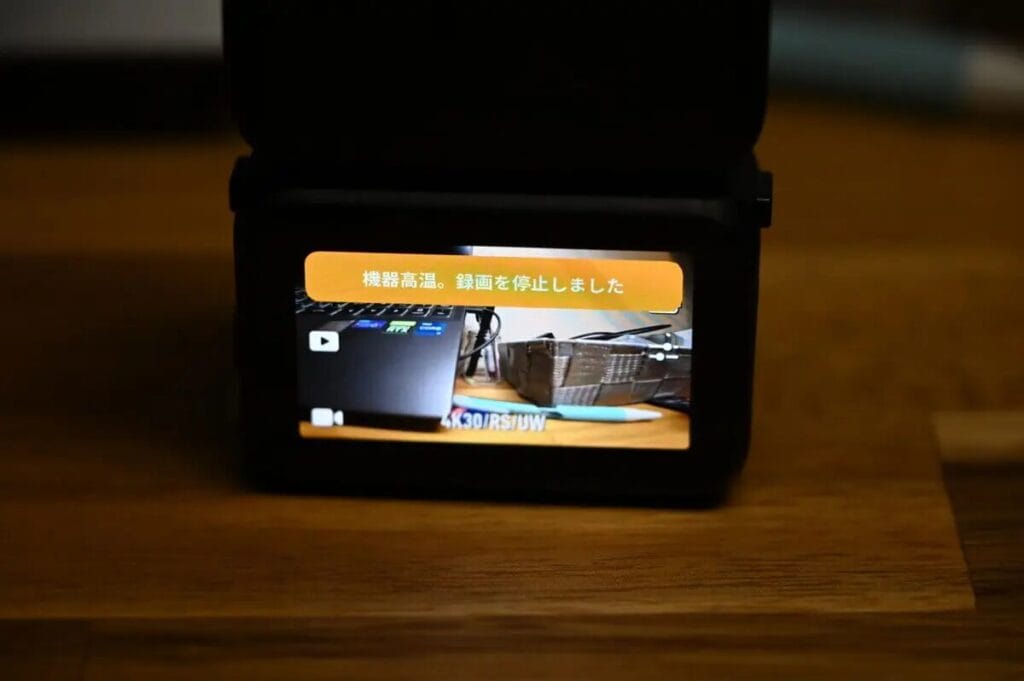
After that, the Osmo Nano stopped shooting due to high temperatures. This was quite a surprise, as this is a DJI product after all.
We conducted a total of five tests on the camera, both when it was used alone and when it was placed in a storage case. The results showed that recording at 4K 30fps stopped after an average of about 30 minutes due to overheating. When switching to 1080P recording, although recording resumed quickly after a short power cut, it stopped again after only 22 minutes at room temperature due to overheating.
This seems to be the Achilles heel of the Osmo Nano. Officially, it claims to be able to operate in environments up to 45°C, but the actual performance raises questions about the authenticity of the specification.
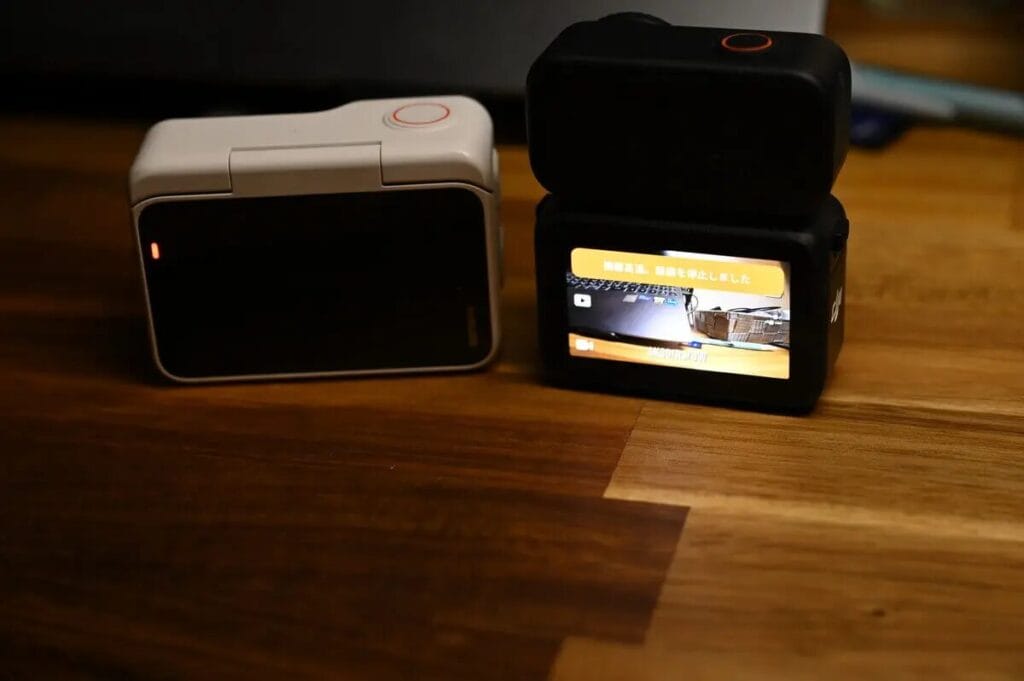
In contrast, theInsta360 GO Ultra Record continuously for 2 hours and 15 minutes in 4K 30fps mode without overheating.It lasts 170 minutes in energy saving mode and 135 minutes in non-energy saving mode. This is a testament to the superior heat dissipation and stability of the GO Ultra.
5 Ways to Resolve DJI Osmo Nano Fever
The DJI Osmo Nano's tendency to heat up can be solved by trying the following methods, but for longer recordings than 30 minutes it is advisable to consider the Insta360 GO Ultra.
- Disconnect Vision Dock
The DJI Osmo Nano can record continuously at 4K 30fps for about 40 minutes if the record button is pressed without the Vison Dock connected. However, as the high-definition image processing causes the camera body to heat up, turning off the wireless communication of the Vision Dock (which is a high-load operation) can effectively extend the recording time.
- Segment recording (pause every 5 minutes)
The easiest and most effective way to prevent overheating is to avoid prolonged continuous filming, and instead record 5-minute clips in segments, with a slight cool-down after the pause.
- Use the original protective case
- Close Non-Essential Functionality
Turn off voice control, disable remote control, reduce screen brightness, disable external microphone
- Reducing the quality of paintings
For long duration recording, it is recommended to adjust to 2.7K or 1080p 30fps and switch back to 4K quality only at critical moments.
Microphone
Regarding the microphone performance, I tested it in two scenarios: daily vlog recording and wind-noise prevention mode.
Vlog Recording ↓
Both cameras recorded quite clearly. HoweverOsmo Nano sounds more natural.The GO Ultra's sound is a little less impressive, especially in terms of sonic detail, but it's not as good as the GO Ultra. DJI Osmo NanoI'm feeling it. I feel it. Insta360 GO Ultra Footsteps and insect sounds are captured with approximately only Osmo's 70%. From a personal point of view, I would choose to use DJI's microphone.
Wind Noise Prevention
I tried it on a bike (with the wind noise reduction mode set to "Weak") and on a car (with the wind noise reduction mode set to "Strong") and found that GO Ultra is even better at reducing wind noise.。Insta360 GO Ultra The mesh structure is designed so that wind noise can be effectively reduced to a certain extent in either mode.
If you're planning to use an external microphone for video shooting or vlogging, the GO Ultra and DJI Osmo Nano GO Ultra compatible. Mic AirThe DJI Osmo Nano is compatible with the DJI Osmo Nano. DJI Mic 2If you're using DJI's own microphone with the Osmo Nano, it's currently impossible to monitor live footage on the split. If you use DJI's own microphone to connect to the Osmo Nano, you can't currently monitor live footage on the split, and I don't know if a future firmware update will fix this.
When recording a vlog, I prefer to use an external microphone.
Mobile Application APP
Both cameras' APPs (DJI Mimo, Insta360 APP) are very feature-rich, and can satisfy your daily video editing needs. However, from my personal experience, I think the DJI Mimo is a bit less stable than the Insta360 APP. The DJI Mimo is a very good choice for video editing.
From a software perspective, Insta360 APP is significantly faster and smoother in terms of loading speed and editing experience.
What can I do with the APP?
Whether you're editing automatically or manually, the DJI and Insta360 APPs are full-featured and easy to use, so you don't have to worry about how to quickly edit your film after recording, and the DJI Mimo and Insta360 APP software are similar in terms of operating experience. For reference, this is what I did with the Insta360 GO Ultra Recorded videos are automatically edited and processed via the Insta360 APP:
APP Connection Stability
In terms of APP connectivity.DJI Osmo Nano The connection speed of the application is slow ( # ゚Д゚)つ〃.
I found the DJI Osmo Nano to be slightly unstable when connected to DJI Mimo, but did not experience this instability when using the DJI Osmo 360 or Action 5 Pro, so I think this is a processing issue with the DJI Osmo Nano itself, and not with the DJI Mimo app. I hope this problem can be solved by a firmware update.
Boot speed
The DJI Osmo 360 has a very fast startup speed while the Osmo Nano has a slower startup speed. I found that when the Osmo Nano is in standby mode, it boots up very quickly, but if it has not been operated for more than 10 minutes, it takes longer to reboot the camera after it exits standby mode.Insta360 GO Ultra This will provide a more stable opportunity for the Government to develop its own business.
| GO Ultra | Osmo Nano | |
| Boot speed | Approx. 3 to 5 seconds | Approx. 0.5 to 8 seconds |
Accessory Sets
Comparing the GO Ultra and Osmo Nano packages, we can see that both manufacturers put a lot of emphasis on the "VLOG", "Running" and "Cycling" scenarios. In addition, theInsta360 GO Ultra Family packs have been introduced in particular, andDJI Osmo Nano A new on-board package has been added.
In terms of accessories, Insta360's packages usually include more accessories, and each package comes with the quick release bracket that is a must-have for GO Ultra recording, making it very easy to use.
What packages are available for GO Ultra?
| Set Name | Applicable Scenarios | Inner Bag Accessories |
| Creator Bundle Recommended | Vlog📹 | Quick Release Bracket, Mini Tripod Selfie Stick, Swivel Bracket |
| Running Set | Running 🏃 | Quick Release Bracket, Screen Protector, Headband, Backpack Clip |
| Cycling Bundle | Ride 🚴 | Quick Release Bracket, Screen Protector, Strap Bracket, Sports Bracket |
| Family Bundle 2.0 | Parent-Child Records | Quick Release Stand, Big Head Baby Set, Mini Tripod Selfie Stick |
Want to know more about GO Ultra accessories? Check out the reviews below
What packages are available for the DJI Osmo Nano?
| Set Name | Applicable Scenarios | Inner Bag Accessories |
| Running Set | Running 🏃 | Magnetic Headband |
| Vlog Set | Vlog📹 | Mic Mini Transmitter, 70cm Selfie Stick |
| Road Riding Set | Road cycling 🚴 | Chest Strap, Flexi Bracket, Car Seat Bracket, Quick Release Bracket |
| Car Kit | Drive a car. | Car suction cups, quick release brackets |
| Walking Packages | Hiking ⛰️ | Shoulder Strap Bracket, Magnetic Headband, Quick Release Bracket |
Other Differences
There are a few other differences, so let's do a quick comparison.
| GO Ultra | Osmo Nano | |
|---|---|---|
| SD memory card support | ||
| Built-in Storage | ||
| Apple Find My | ||
| Voice Control | ||
| Gesture Control | ||
| 2x lossless zoom | ||
| Remote monitoring of recorded images |
Built-in storage support
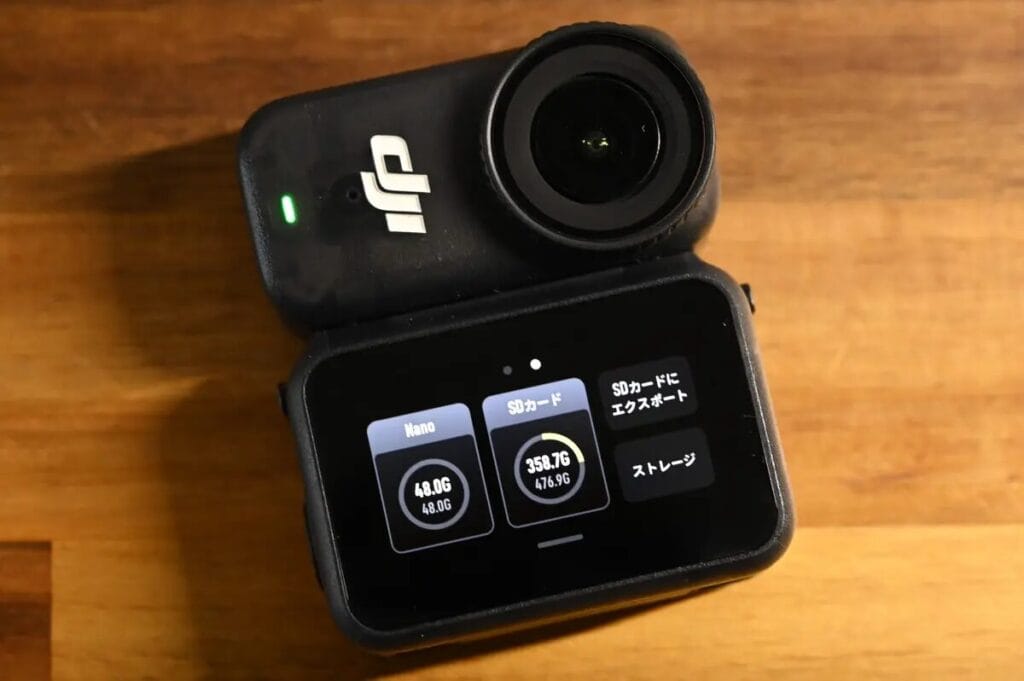
DJI Osmo Nano The dual memory design with built-in memory and SD card, this configuration is also used in Osmo Action 5 Pro and Osmo 360. The built-in memory is a great convenience in case you forget to insert the SD card, and I really like this feature.
The DJI Osmo Nano comes in 64GB and 128GB versions with different transfer speeds. I am using the 128GB version and the transfer speed is up to 500-600MB/s. But the 64GB version is said to be 400-500MB/s only.
Apple Find My
Insta360 GO Ultra It's compatible with iPhone and features Apple Find My, which prevents it from being lost if it is accidentally attached to something or falls out of your pocket.
Voice and gesture control
DJI Osmo Nano Gesture control has been added, and the Insta360 GO Ultra Taking it a step further, with the ability to record or take photos by gesturing or showing your hand, the Insta360 is more versatile than the DJI Osmo Nano in this regard.
| GO Ultra | Osmo Nano | |
|---|---|---|
| Video Recording | Face palms | clap twice Nod twice. |
| Photograph | Peace sign | |
| Voice Control | Japanese English Chinese | English Chinese |
2x lossless zoom
only if Insta360 GO Ultra Supports 2x lossless zoomThis function is very convenient. And you can zoom while maintaining 4K image quality. I personally use this feature a lot because it completely changes the composition and expression of the picture.
Remote monitoring of recorded images
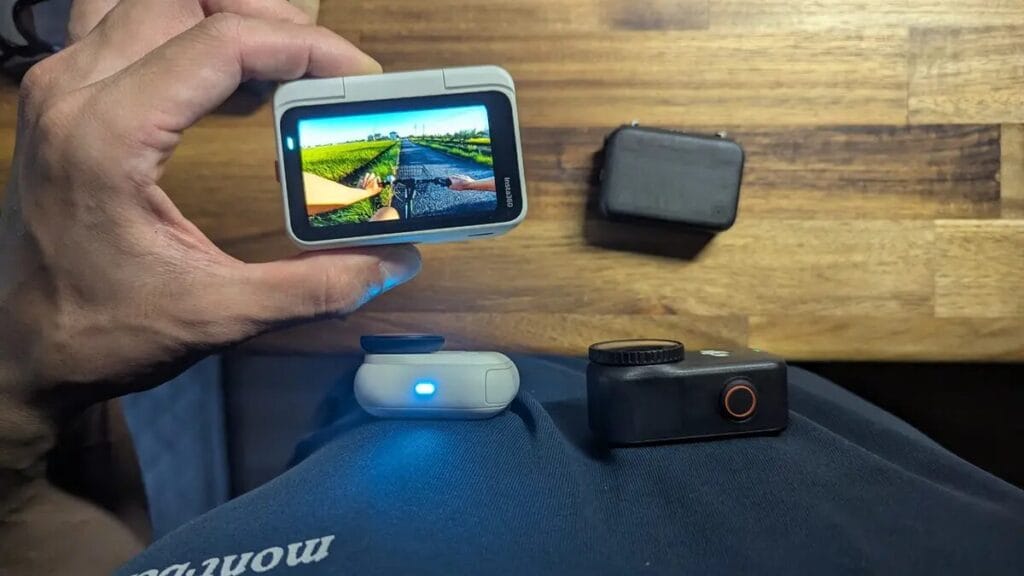
Insta360 GO Ultra Another handy feature is that you can remotely check your recorded videos. This means that youYou can mount a single camera body remotely and view the recorded screen directly on the screen in front of you.I think this is a very useful feature as it is quite a tedious process if you have to put the camera back on the Action Pod to check it every time.
Whilst the Osmo Nano has the edge in terms of built-in memory, the GO Ultra may be superior when other handy little features and a stress-free experience are considered.
Similarities
anti-shake
In my opinion.Whether it's DJI or Insta360 cameras, stabilisation is at a "no worries" level.Even when riding a mountain bike or cross-country bicycle, the anti-shake effect is still excellent.
- The GO Ultra offers four anti-shock settings: "Off", "Low", "Standard" and "High".
- The Osmo Nano offers three setting options: "Off", "RockSteady" and "HorizonBalancing".
make use of Insta360 GO Ultra I use the "standard" image stabilisation settings when shooting, whether riding or handheld. With the DJI Osmo Nano, I use RockSteady's wide-angle setting.
Waterproof
Both are waterproof in the same way, the single body itself can be used normally in shallow water, but if it is completely submerged in water there will be problems. Technically, the entire body is IPX4 rated, so getting a little bit of water is not a problem, but if it is dropped into a large amount of water, it may crash.
| GO Ultra | Osmo Nano | |
|---|---|---|
| Single-body waterproof rating | 10m waterproof | 10m waterproof |
| Waterproof grade | IPX4 | IPX4 |
Remote control of the camera
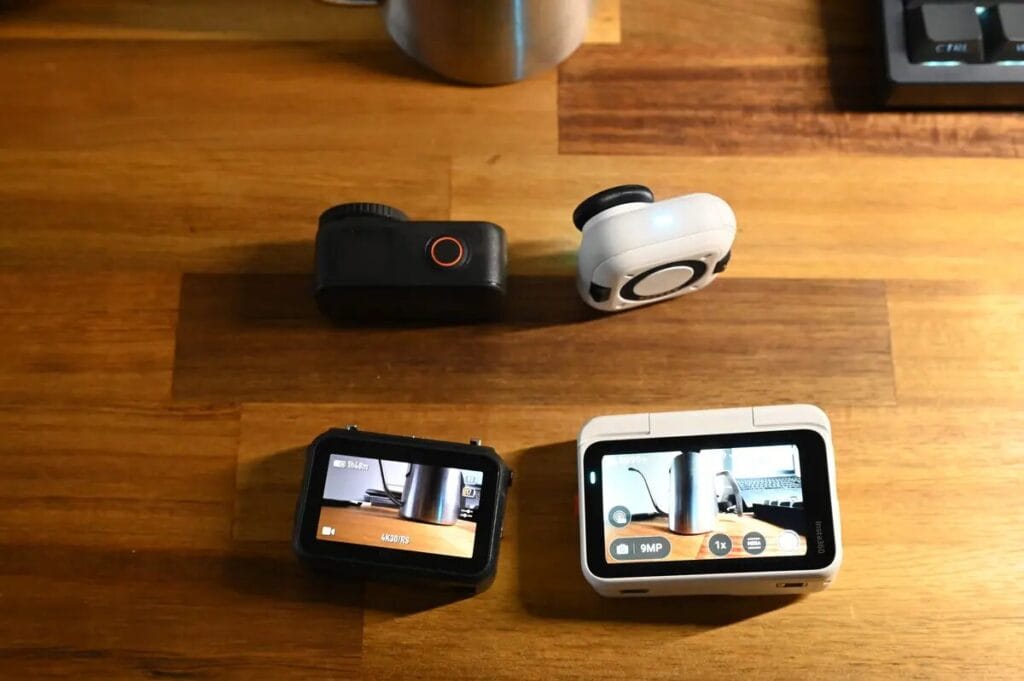
As I mentioned before.The only way to do this is to use the Insta360 GO Ultra Only then can you perform a remote video check.However, both cameras allow remote monitoring prior to shooting. Therefore, when using the DJI Osmo Nano It is a good idea to check the composition carefully before taking the film.
Who is the Insta360 GO Ultra & DJI Osmo Nano for?
Unwilling to compromise on functionality or user experience
If you value a complete product, I highly recommend the Insta360 GO Ultra . While it's slightly more expensive than the DJI Osmo Nano , the extra cost is well worth it because the GO Ultra offers some advantages the Nano simply can't:
- Stable, good picture quality
- No heat
- Application Software APP Stable Connection
- It's easy to check remotely.
- Flip Screen Design
- Supports fast charging
- Windproof, good microphone sound.
Price
If price is your primary concern rather than the full range of features, then the DJI Osmo Nano is indeed very attractively priced. It's 1.5 times cheaper than the GO Ultra and offers exceptional value for money.
Vlogging scenes, dressing in private clothes and not wanting the camera to be too conspicuous.
Insta360 GO Ultra Available in black and white, there is no big logo on the product, so it doesn't look out of place even when worn with casual clothes. I think the design is suitable for all genders.
Sports scenes, slow motion time lapse will be recorded.
On the other hand, only DJI Osmo Nano Capable of 4K 120fps shooting. Since it fits into a protective case, there's little risk of damage even if it's dropped during filming. I recommend the Osmo Nano for those who like to record slow motion or shoot in motion.
Wide angle and low light performance requirements
Insta360 GO Ultra It has a larger wide-angle field of view than the Osmo Nano and supports Pure Video and AI noise reduction for low-light shooting. It also supports HDR recording at 4K 30fps. If you have a high demand for wide-angle and low-light metering, I'd recommend going with the GO Ultra。
Professional Colouring and Continuity Requirements
DJI Osmo Nano Support for 10-bit and D-Log M colour performance makes it ideal for users requiring extensive post-production.
FAQ Frequently Asked Questions
- 📸 Which one is better for night photography?
Both the Insta360 GO Ultra and the DJI Osmo Nano support night photography, but with distinctly different performance styles.
Insta360 GO Ultra With higher detail resolution and vivid colours, you can clearly capture subjects and layers even in dimly lit environments. In contrast, theDJI Osmo Nano Colour saturation will be slightly muted.- 🎥 Which one is better for longer shoots?
In the case of long-term recordings.Insta360 GO Ultra More stable performance. It has good heat dissipation and high-temperature tolerance to maintain stable operation even when shooting continuously. In comparison, theDJI Osmo Nano It is more prone to heat problems and may even shut down automatically under high temperature conditions.
- 🎙️ Which one has better audio recording?
The two cameras use different strategies for audio processing.
Insta360 GO Ultra Four audio settings can be freely adjusted, including "Wind Noise Suppression (Strong/Weak)", "Audio Enhancement" and "Raw Mode", making it easy to switch between them flexibly according to the shooting environment. And DJI Osmo Nano Although there are no multi-level settings, the default recording quality is good and wind noise is effectively suppressed even in standard mode.- What is the difference in parts compatibility?
In terms of compatibility of fittings, there is a significant difference between the two:
Insta360 GO Ultra Requires a dedicated magnetic quick release bracket.
DJI Osmo Nano It supports the standard quick release system of DJI products, which is more compatible with other DJI products such as Osmo Action 5 Pro, Osmo Action 4 and Osmo 360.
Insta360 Buying Guide Conclusion
I still believe the Insta360 GO Ultra is a more complete product. Its image quality remains excellent and stable, deserving a 95 out of 100 as always.
As a rising star, the DJI Osmo Nano initially made me expect it to improve in terms of details, but after using it, I found that there is still room for improvement in terms of "ease of use" - such as app connectivity and remote control, which need further refinement.
DJI is renowned for its Osmo Action action cameras, but the Osmo Nano's boot-up speed and stability are somewhat lacking. Overheating issues and unstable app connectivity also negatively impact the user experience. While the DJI Osmo Nano is about 1.5 times cheaper than the GO Ultra, its overall quality still falls short. If you particularly like DJI's brand image or prioritize price, the DJI Osmo Nano is certainly worth considering. However, I feel that if DJI could spend more time refining this product, it would better meet the brand's consistently high standards.
If you don't want to regret using a mini camera, choosing the Insta360 GO Ultra, which has undergone several product updates, would be a safer bet. And if the DJI Osmo Nano 2 is released in the future, I believe it will be even more mature and complete—something to look forward to, perhaps even next year.